 Part of Vehicle Hub
Your stock on mobile.de, Google and Meta
One stock, published to portals and ad feeds
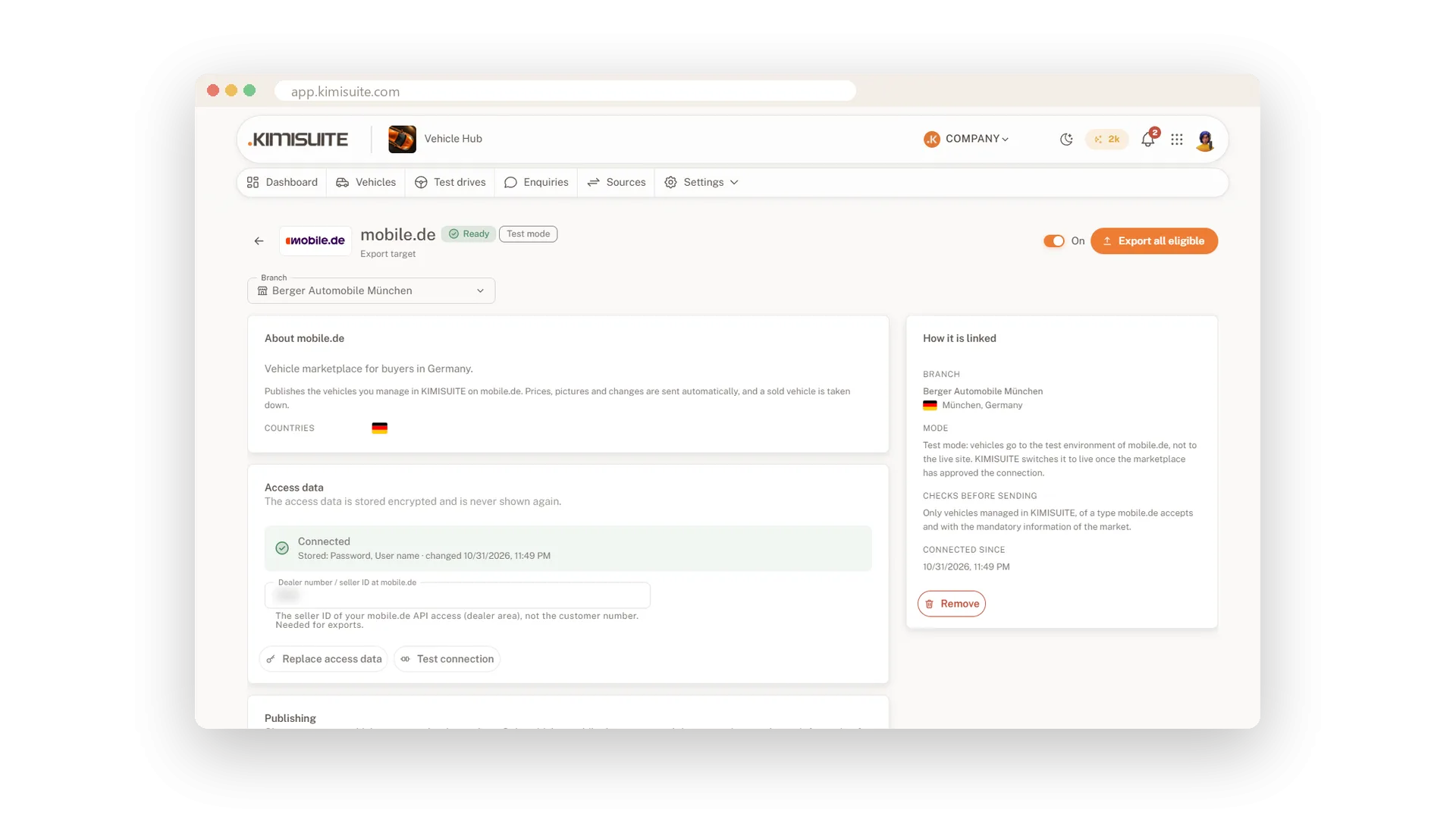
You keep every vehicle once in Vehicle Hub, and it goes where your buyers search. Connect your own mobile.de Seller API account and publish your cars there, checked against the German mandatory details before they leave. Every connection starts in test mode, so you see your adverts in the mobile.de sandbox before you switch to live.
For your ads, Vehicle Hub builds feeds for Google Vehicle Ads and Meta Automotive and a generic XML/CSV feed for any other partner. Each feed has its own secret address and a step-by-step guide for Google Merchant Center and Meta Commerce Manager, and new vehicles appear in it by themselves. On the export page you see what was published, what failed and why.
Key Benefits
Publish to mobile.de with your own Seller API account
Test mode first: see your adverts in the sandbox before going live
Feeds for Google Vehicle Ads, Meta Automotive and any XML/CSV partner
German mandatory details checked before an advert leaves
mobile.de with your own account
Test mode first, then live
Enter your mobile.de Seller API access once per branch. Vehicle Hub publishes your cars with photos, equipment and energy values, starts every connection in test mode against the mobile.de sandbox and goes live when you switch it. You see every published, failed and deleted advert with its reason.
Feeds for Google and Meta
Vehicle ads that follow your stock
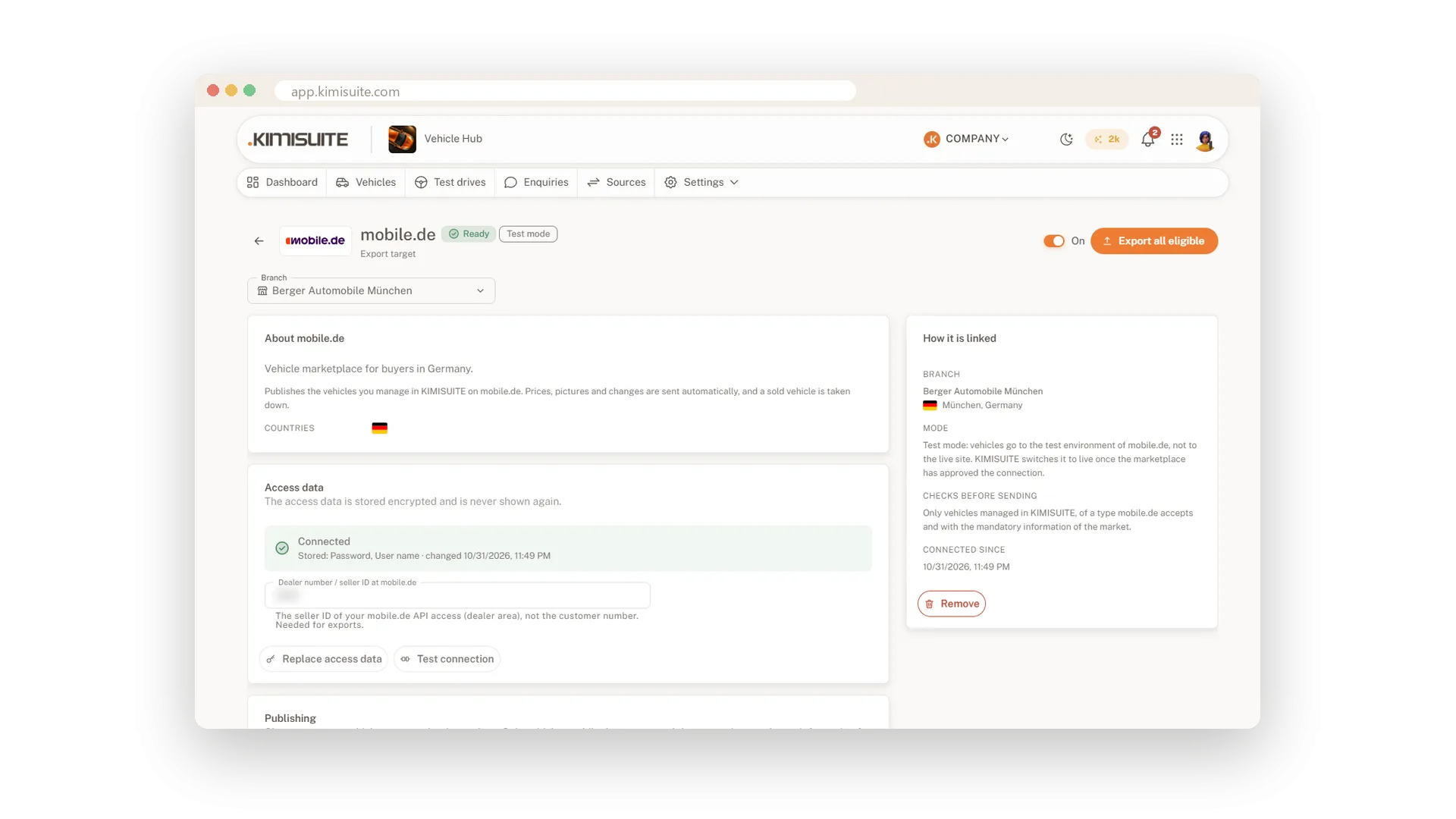
Copy the feed address into Google Merchant Center or Meta Commerce Manager once, following the guide in the app. Every vehicle you publish appears in your Google Vehicle Ads and Meta Automotive ads, and a generic XML/CSV feed serves any other partner.
Use Cases
From the yard to mobile.de
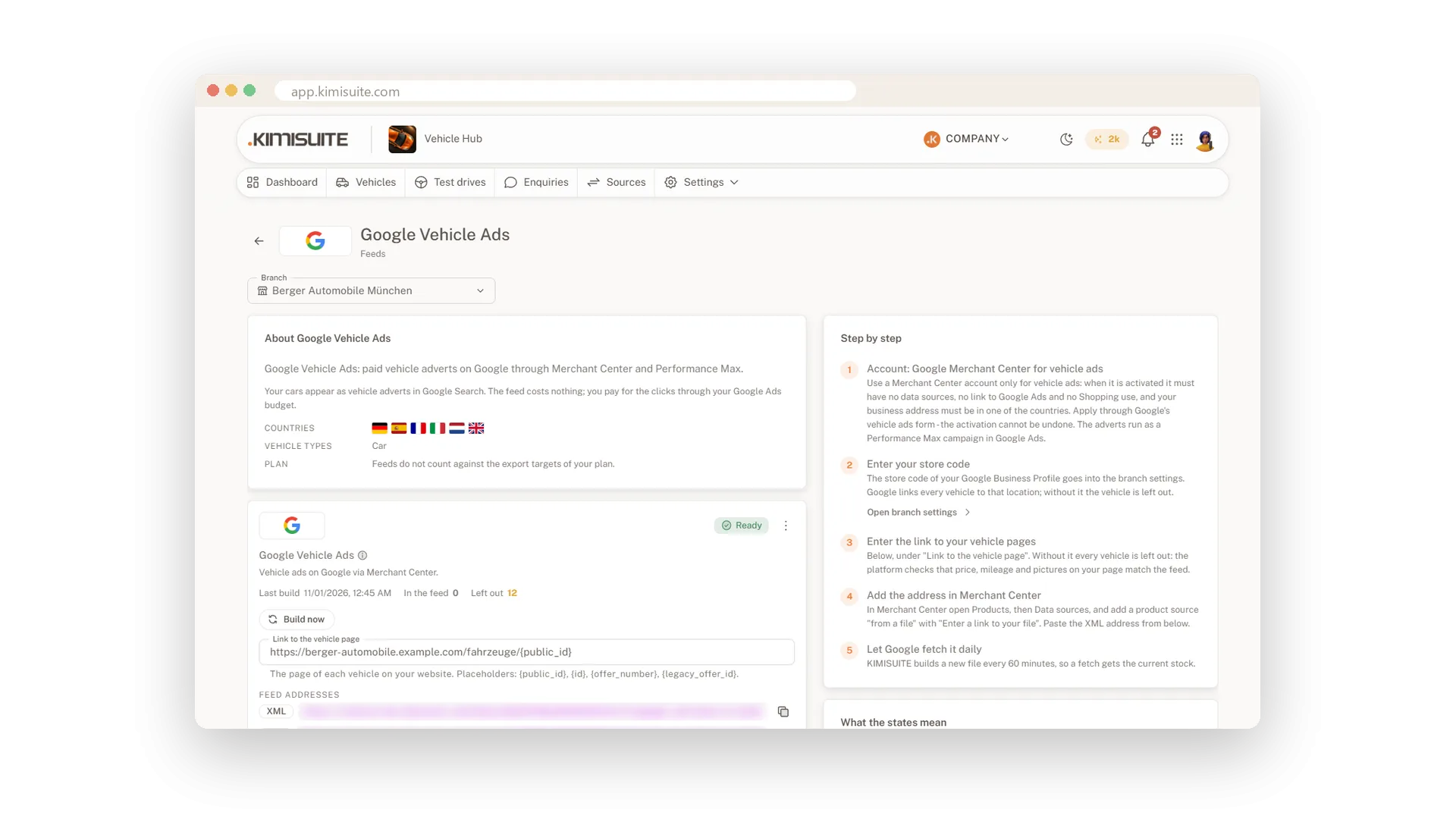
You create a car in Vehicle Hub, and the mobile.de export takes it with photos, equipment and energy values. On the export page you see the advert number, or in plain words why an advert was refused.
A first try without risk
Your new mobile.de connection starts in test mode. You check three adverts in the sandbox, then switch the connection to live.
Vehicle ads on Google
You copy the feed address into Google Merchant Center once. From then on every car you publish appears in your vehicle ads.
FAQ
Try Vehicle Hub today
Dealer stock with the mandatory details of 33 countries
14 days free, cancel anytime, no minimum term.
