 Part of Vehicle Hub
A complete listing for every vehicle
Cars, bikes, motorhomes, boats and trucks in one stock
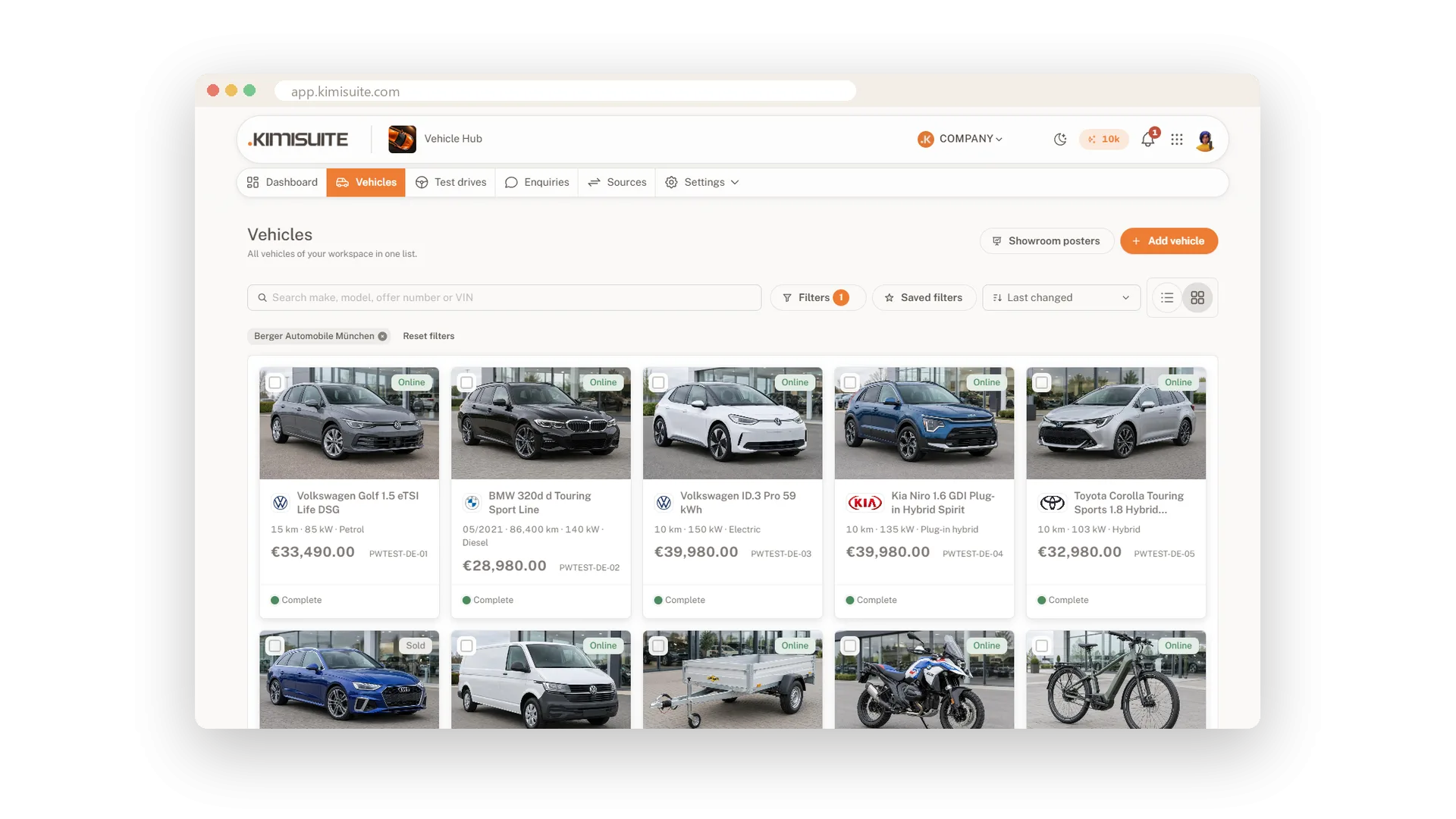
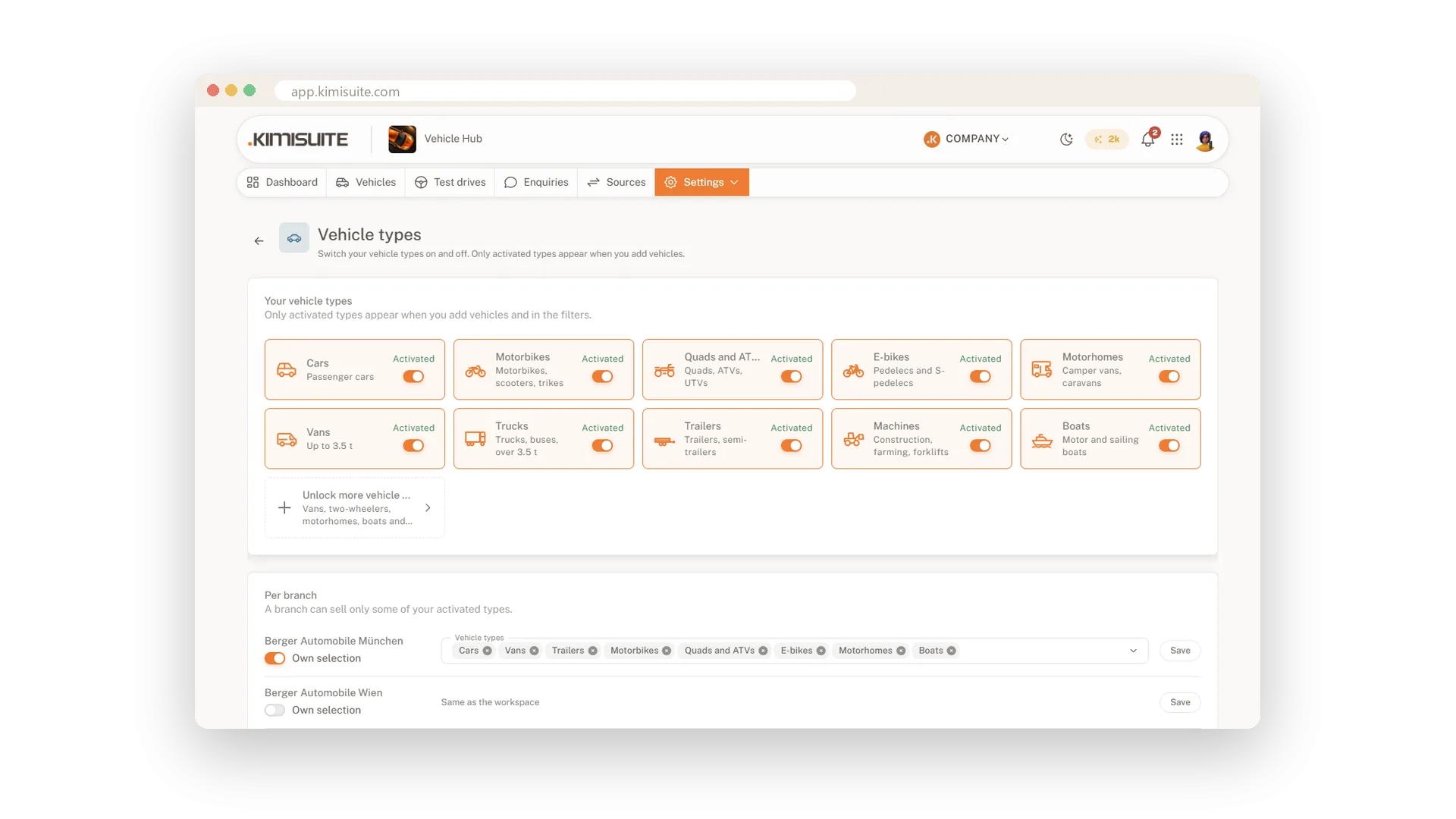
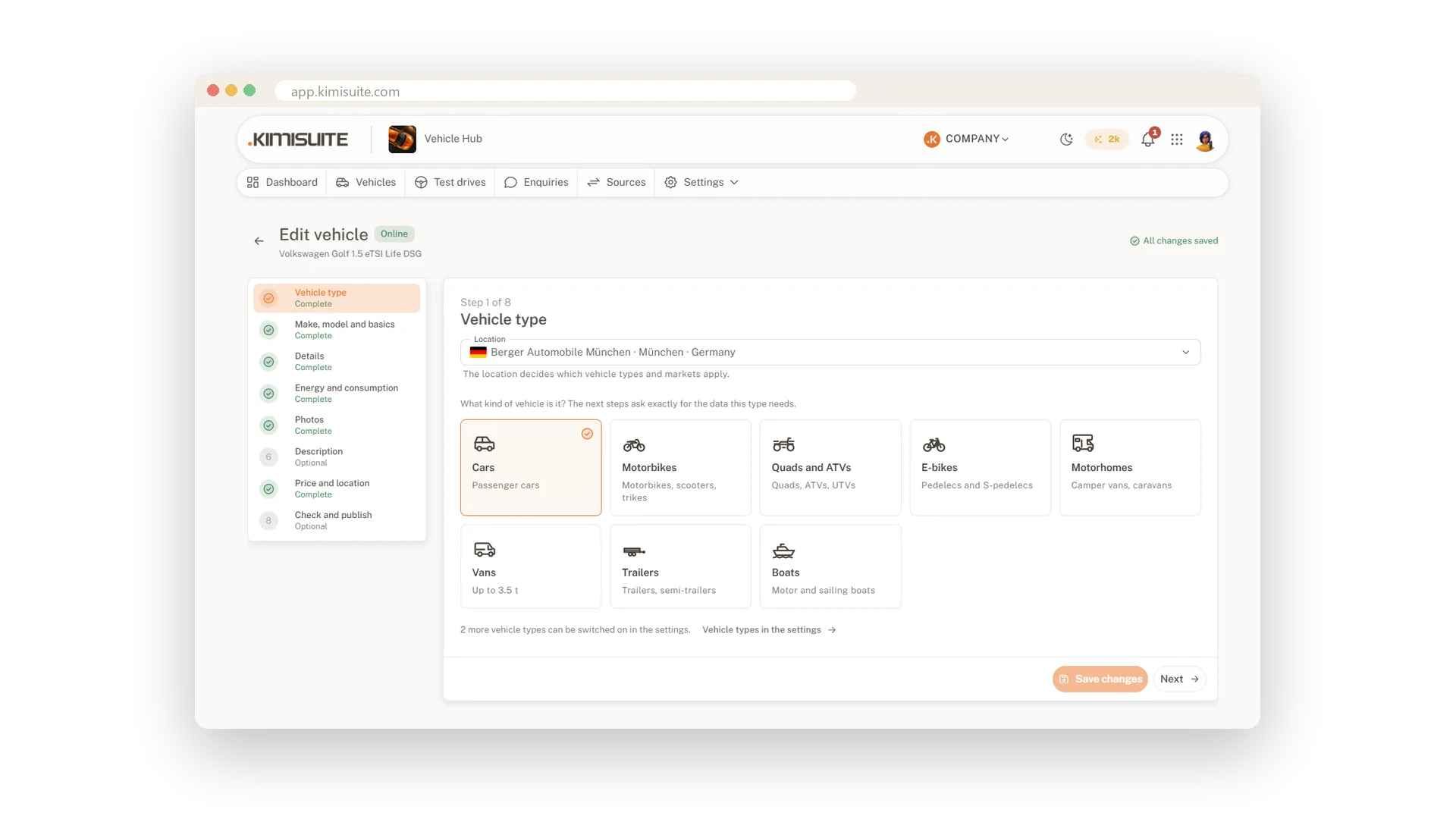
Adding a vehicle should not feel like filling in a tax form. Choose the vehicle type and the assistant asks only for what that type needs: a motorhome its layout and gross weight, a boat its design category, an e-bike its battery. Your draft is saved as you go, so a phone call in between costs you nothing, and a VIN, a Dutch plate or the vehicle papers fill in much of the rest.
Cars, vans and trailers, two-wheelers, motorhomes and caravans and boats are free packages you switch on; commercial vehicles and machinery are a paid package. Only the types you sell appear. Every vehicle gets up to 30 photos, 50 in Business, your watermark, labels such as Top offer and an exposé as PDF in your design. All of that is part of every plan.
Key Benefits
Ten vehicle types in six packages, five of them free: only the ones you sell appear
The assistant asks only for the data your vehicle type needs
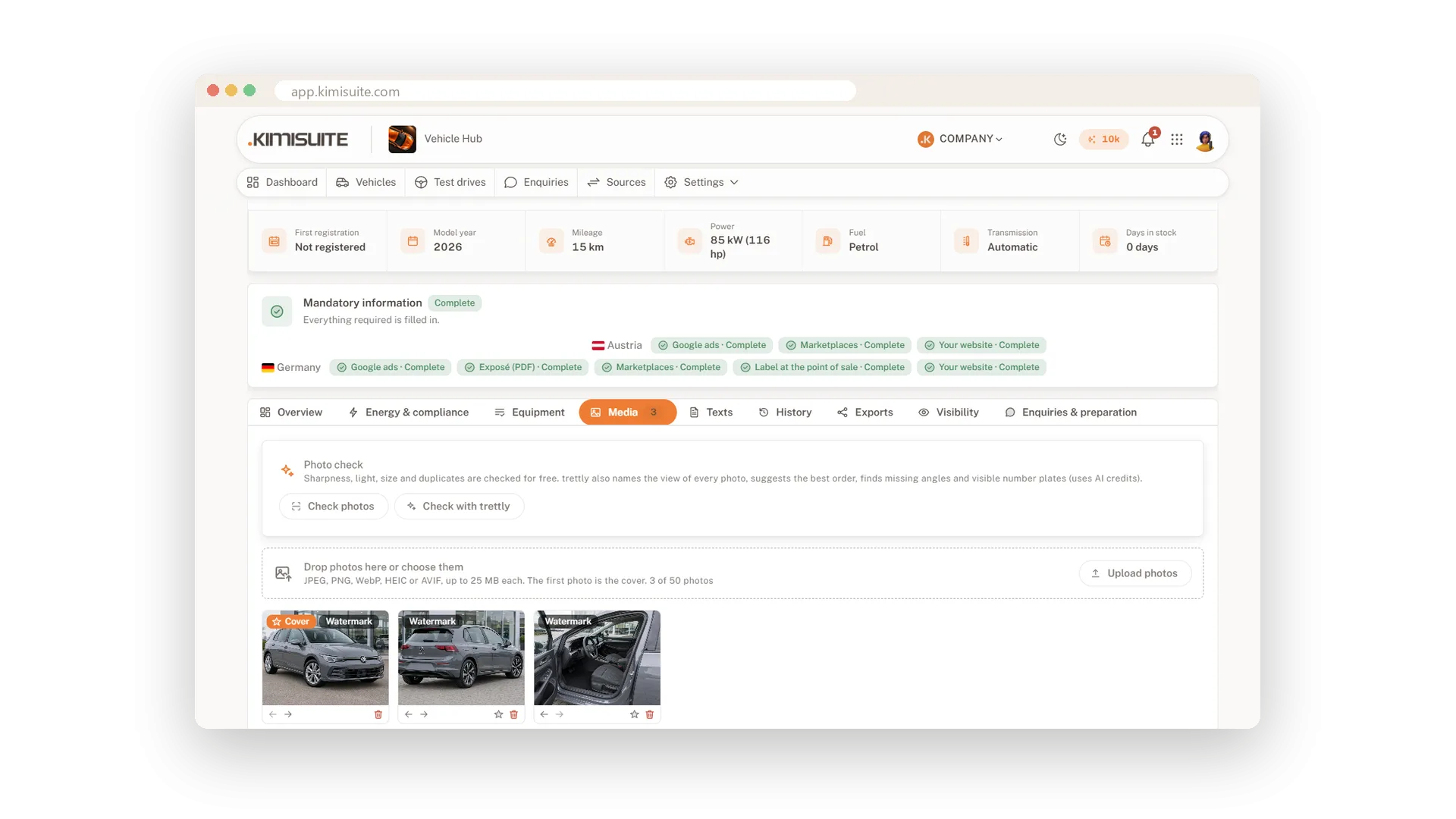
Up to 30 photos per vehicle, 50 in Business, with your watermark
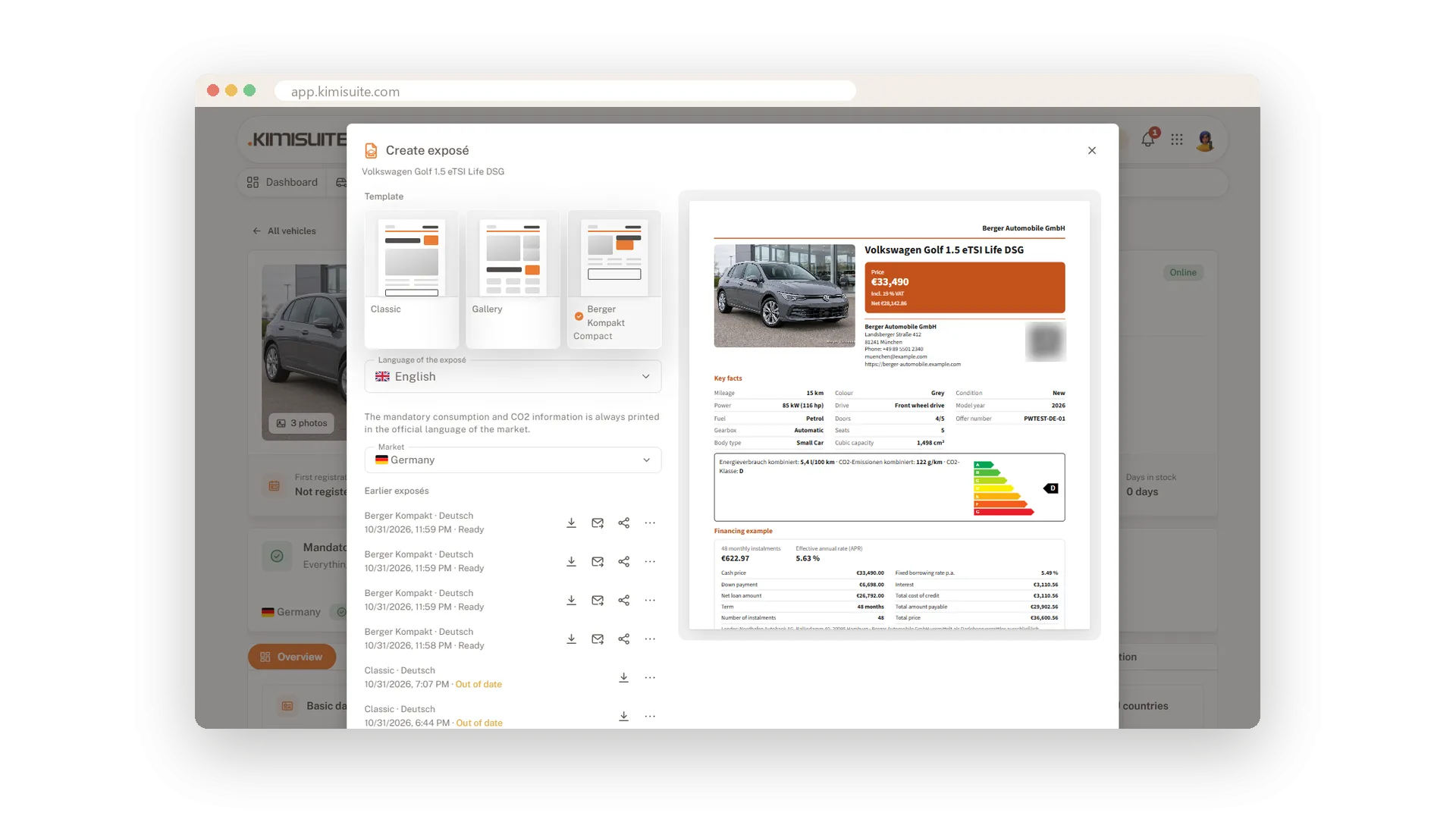
Exposé, price tag, labels and banners in your design, in every plan
Only the questions your vehicle needs
Six packages, each with its own fields
Pick the vehicle type and the assistant shows exactly its fields: WLTP values for a car, pallets and tachograph for a van, battery and frame number for an e-bike, layout and gross weight for a motorhome, design category and engine hours for a boat. Switch on the packages you sell in the settings; everything else stays out of your way.
Start with the VIN or the papers
Less typing, every value marked with its source
Enter the VIN and Vehicle Hub fills in the make and model year, US-market vehicles in full, and models your team confirmed before. A Dutch plate brings model, colour, masses, power and WLTP values. Or let trettly read the registration certificate or the CoC: you crop the document first, so the owner's details never leave your browser.
Photos that sell
Drag in, sort, your logo on every published photo
Drag in up to 30 photos per vehicle, 50 in Business, straight from your phone. The first one is the cover, and your watermark puts your logo or a line of text on every photo you publish, per branch if you like. Your originals stay untouched, and marketplaces get the photos without the watermark.
Exposés in your design
Three layouts, your colours, sent by e-mail
Create an exposé in the classic, compact or gallery layout with your colour, logo, footer and a QR code to the vehicle page. The mandatory details and the financing example of the market are printed in the right place, and you send it to a customer by e-mail straight from the vehicle. Price tags and the showroom poster come from the same PDF Builder.
Labels and banners that catch the eye
Top offer on the car, your promotion in the stock
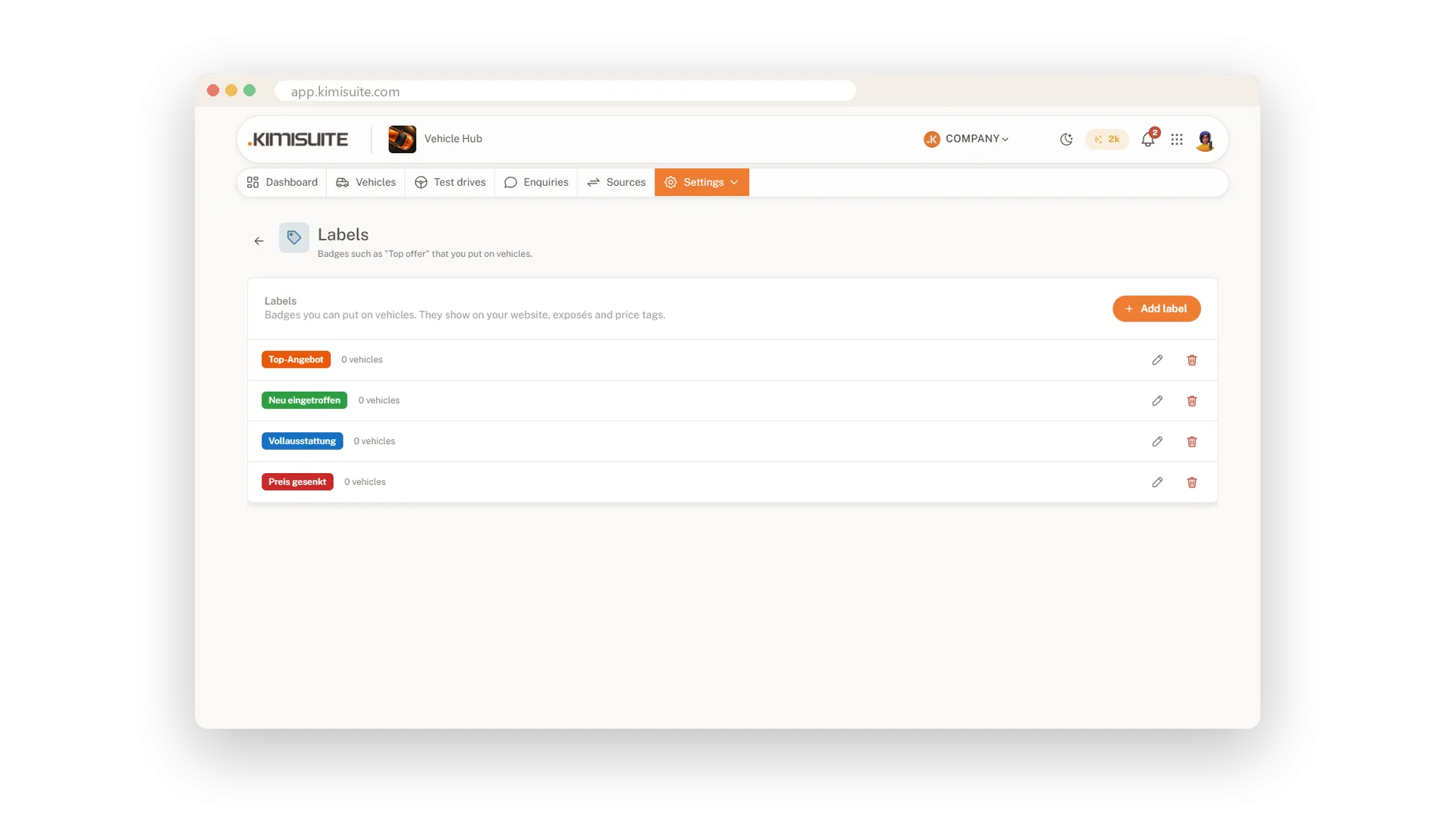
Put labels such as Top offer or New arrival on any vehicle, and they show on your website, in the exposé and on the price tag. Banners bring your own promotions into the stock list on your website, such as a free trade-in valuation, after every few vehicles and clearly marked as a promotion.
Use Cases
A trade-in on Saturday
A customer trades in their estate car. You enter the VIN, go through the steps and add the photos from the yard, and the car is ready to publish before the contract is signed.
Campers in spring
You switch on Motorhomes & caravans. The assistant asks for the layout, the beds and the gross weight and suggests the licence class, and caravans skip every engine field.
An exposé for the kitchen table
A buyer wants to show the car at home. You send the exposé by e-mail from the vehicle; the link opens without a login.
FAQ
Try Vehicle Hub today
Dealer stock with the mandatory details of 33 countries
14 days free, cancel anytime, no minimum term.