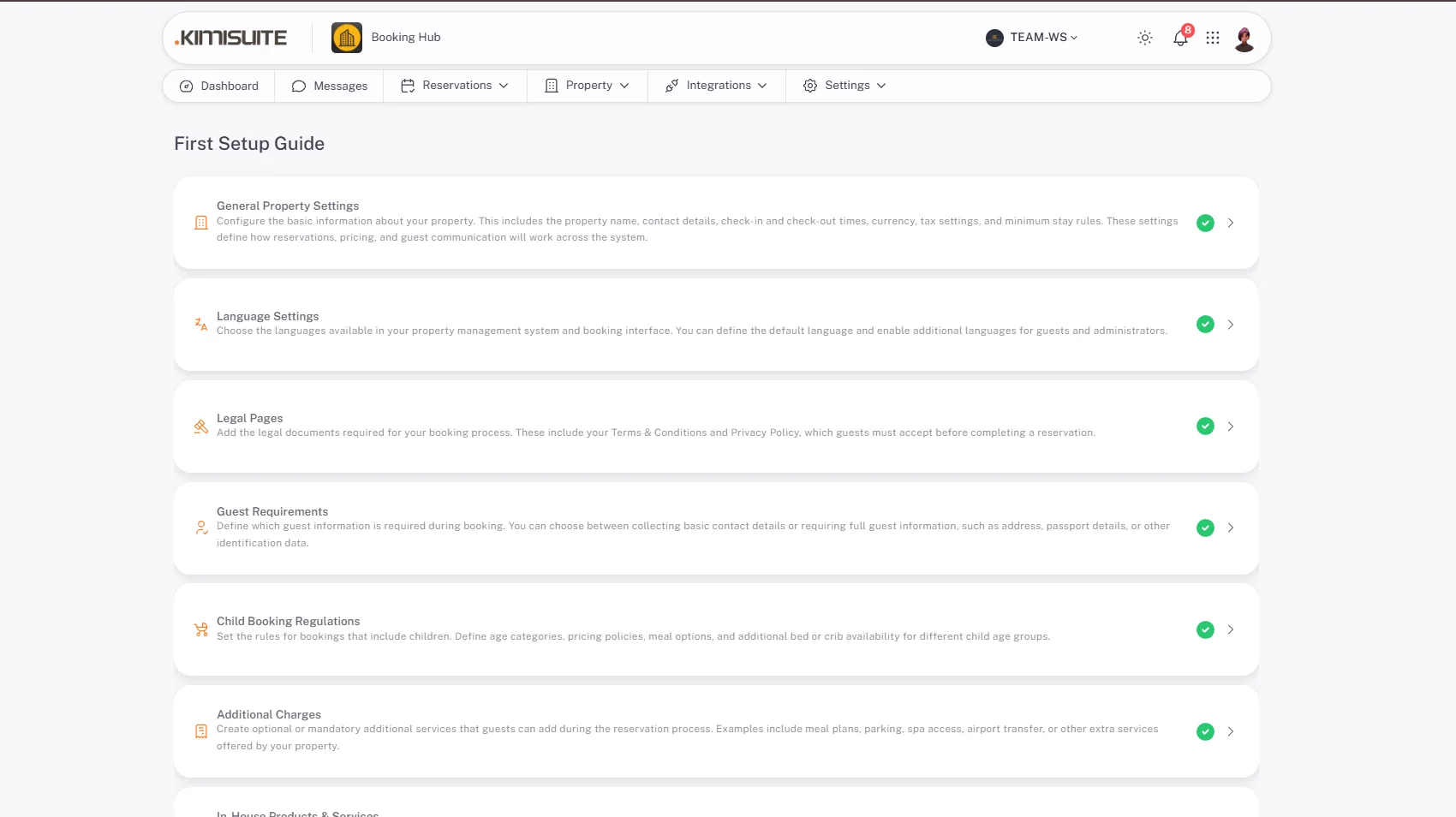
A guided sequence that takes a new property from empty to bookable — property details, languages, legal pages, guest requirements, charges and public information, in the order they depend on each other.
Every block behind it stays editable afterwards; the guide is a path through the settings, not a one-way door.
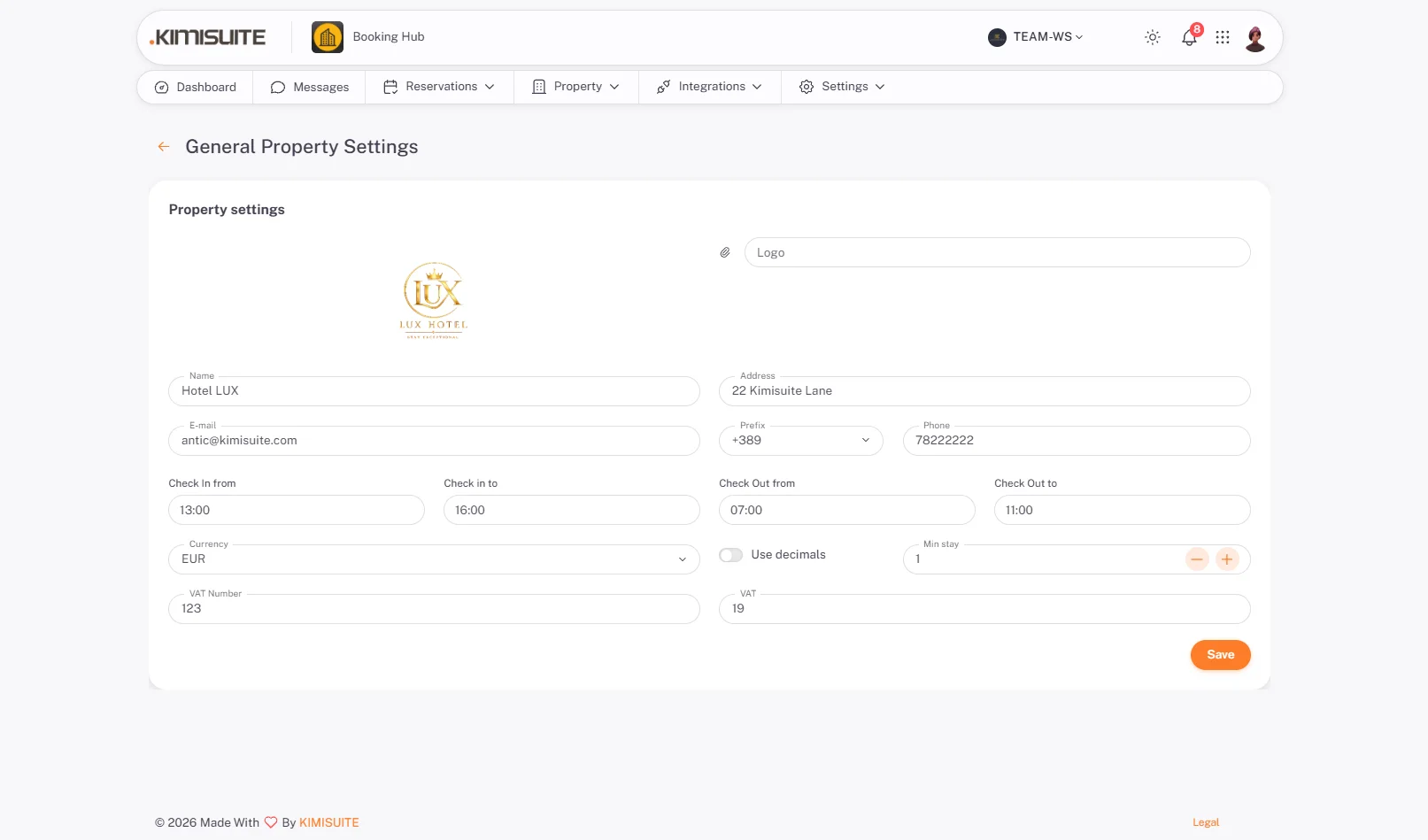
General Property Settings
Name, address, currency, time zone
The property's own details — name, address, contact, currency, time zone and the defaults everything else inherits.
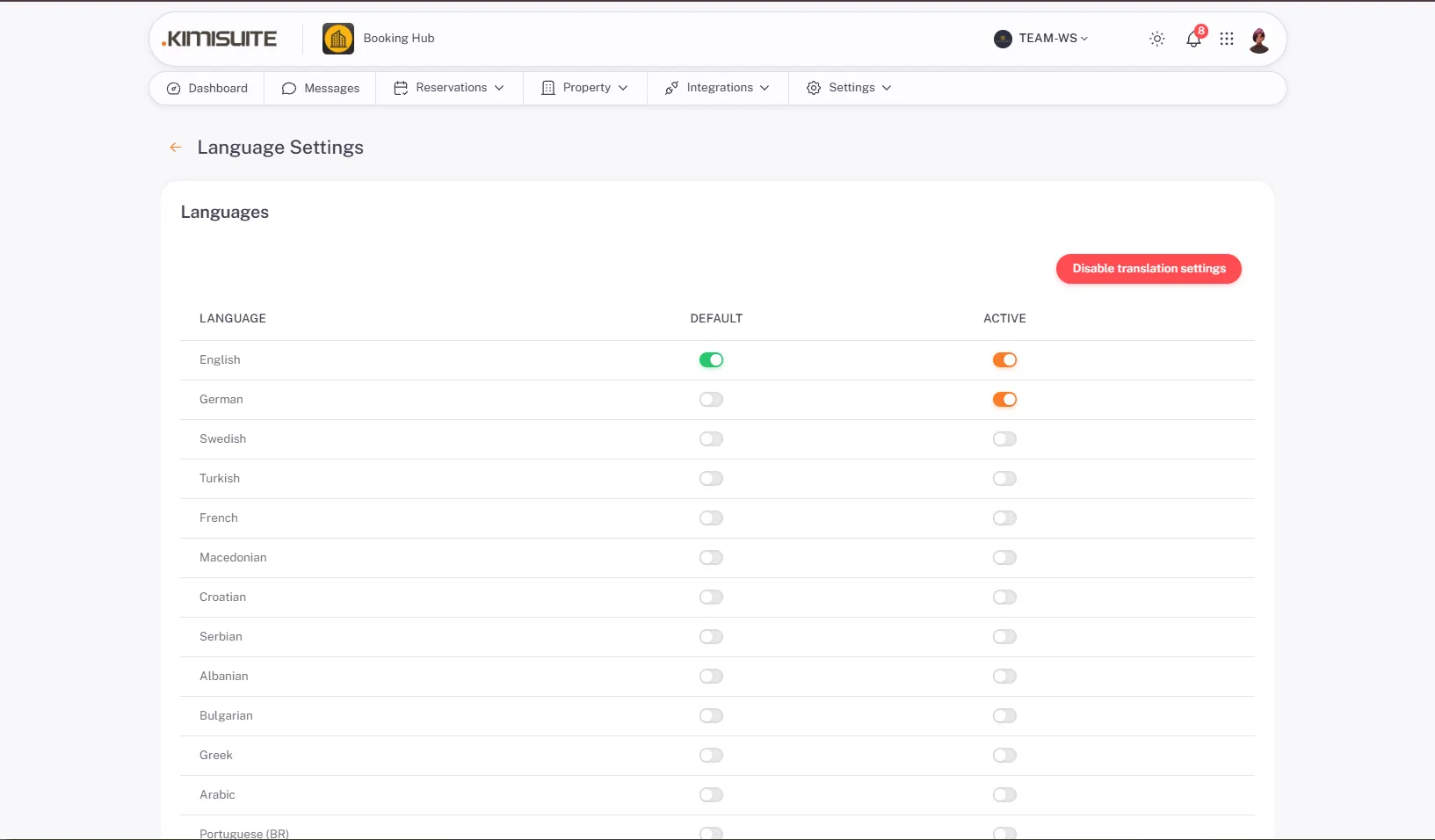
Language Settings
Which languages the guest is offered
Choose the languages your booking page and guest emails appear in. Arrival instructions and confirmations follow the guest's choice.
Legal Pages
Terms, privacy, house rules
Your own legal texts on the booking page — terms, privacy notice and house rules — shown before a guest confirms.
Guest Requirements
What you must collect on arrival
Which guest details are required at booking or on arrival — passport, ID number, address — set to match what your country asks of you.
Child Booking Regulations
The rules behind the child rates
Age limits, cot and extra-bed rules, and whether children count towards occupancy — the regulations the child pricing then applies.
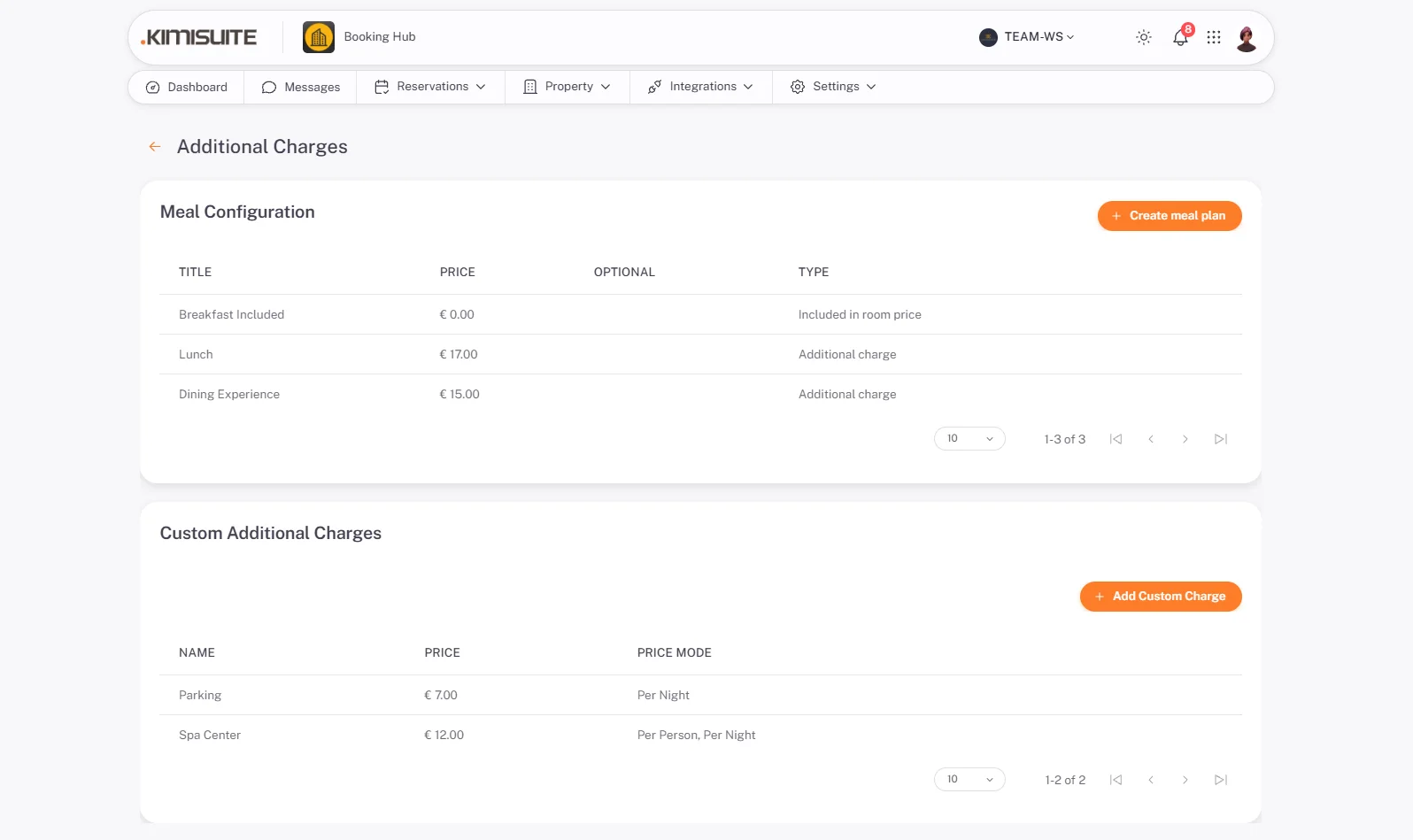
Additional Charges
City tax, cleaning fee, parking
Charges that apply on top of the room rate, per stay or per person per night, shown to the guest before they confirm.
Property Public Information
What the guest sees before booking
Description, photos, amenities and the arrival information shown on your booking page and landing page.

Try Booking Hub today
Hotel Booking System Built for Direct Growth
14 days free, cancel anytime, no minimum term.
