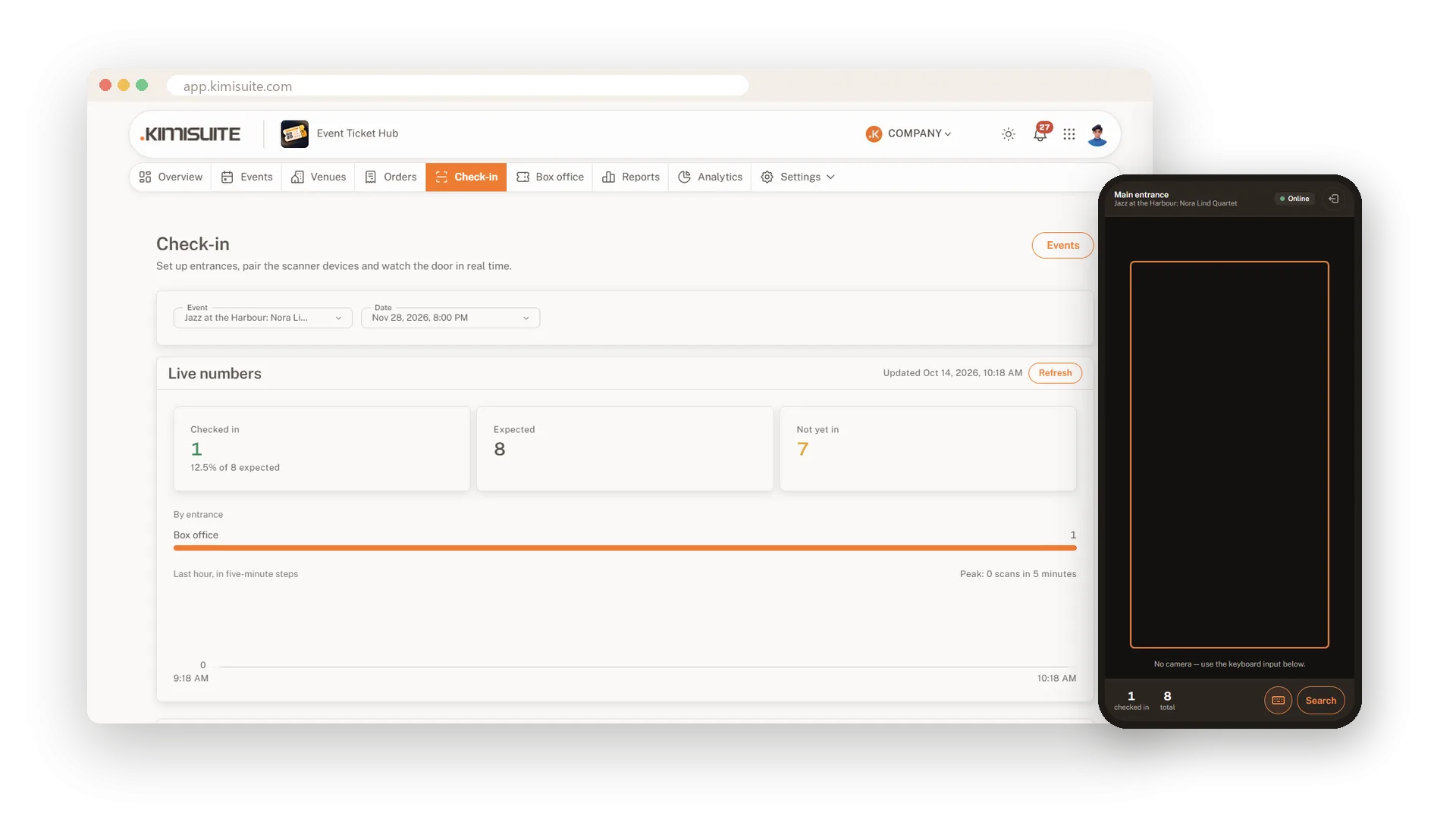
At the door you need speed, not hardware. Any phone or tablet becomes a scanner: open the scanner app, enter the pairing code once and start scanning. A green screen lets the guest in, a red one says why not, already used, wrong date or wrong entrance, and the counter shows how many are inside.
When the Wi-Fi drops, the scanner keeps going, because every ticket carries a signed code the phone can check on its own. Set up entrances with their own rules, give door staff access only to their evening and watch the arrivals live from the office.
Key Benefits
No extra hardware: any phone or tablet with a camera is a scanner
Keeps working offline: signed tickets are checked on the device and synced later
No double entries: a used ticket shows when and where it was scanned
Know who is in: live numbers per entrance and for the last hour
A scanner app that works offline
Pair once, then scan with or without signal
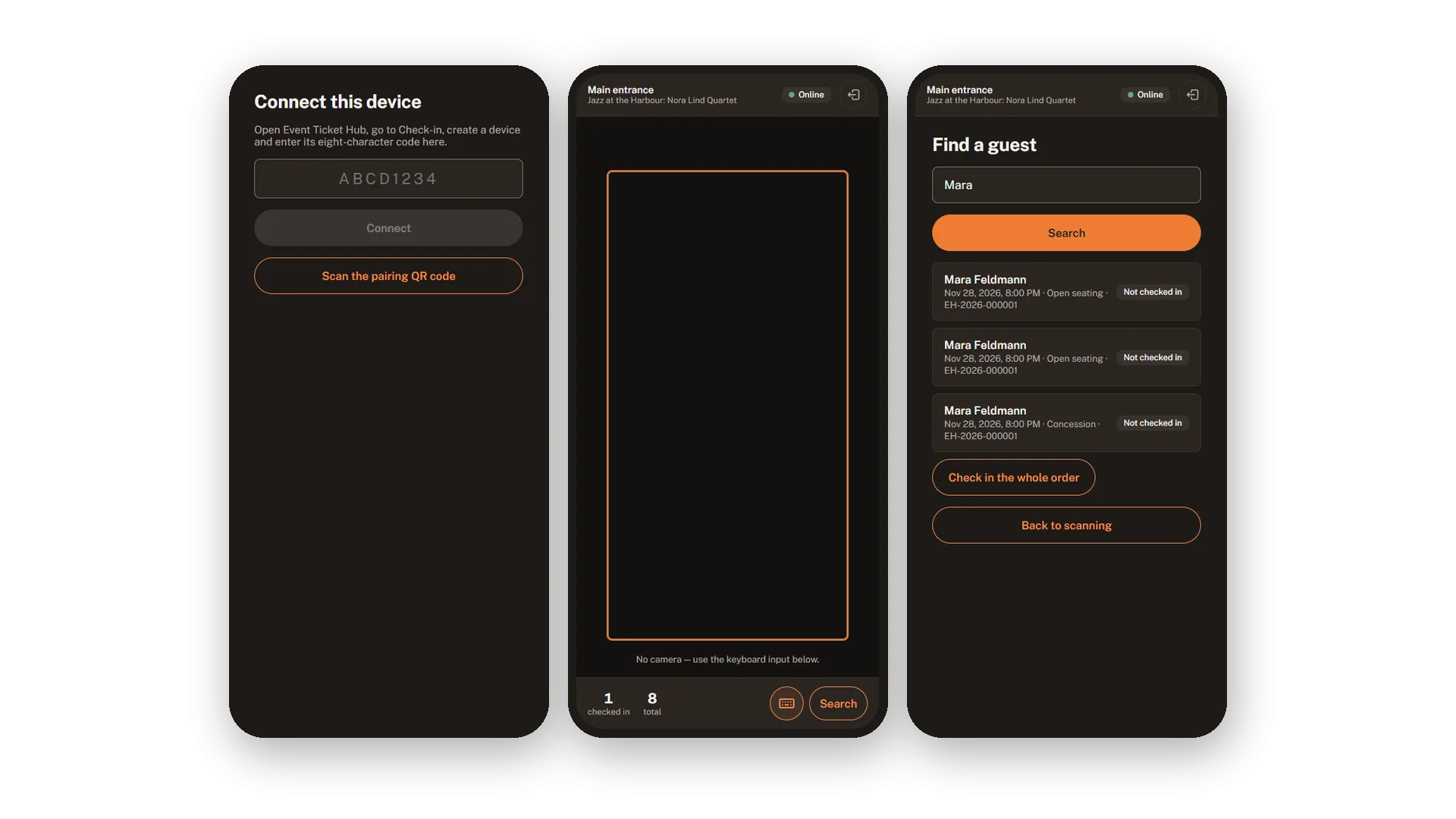
Open the scanner on a phone, enter the pairing code from your check-in page and the device is ready. It checks each ticket on the phone itself, keeps scanning without a connection and sends everything once it is back online.
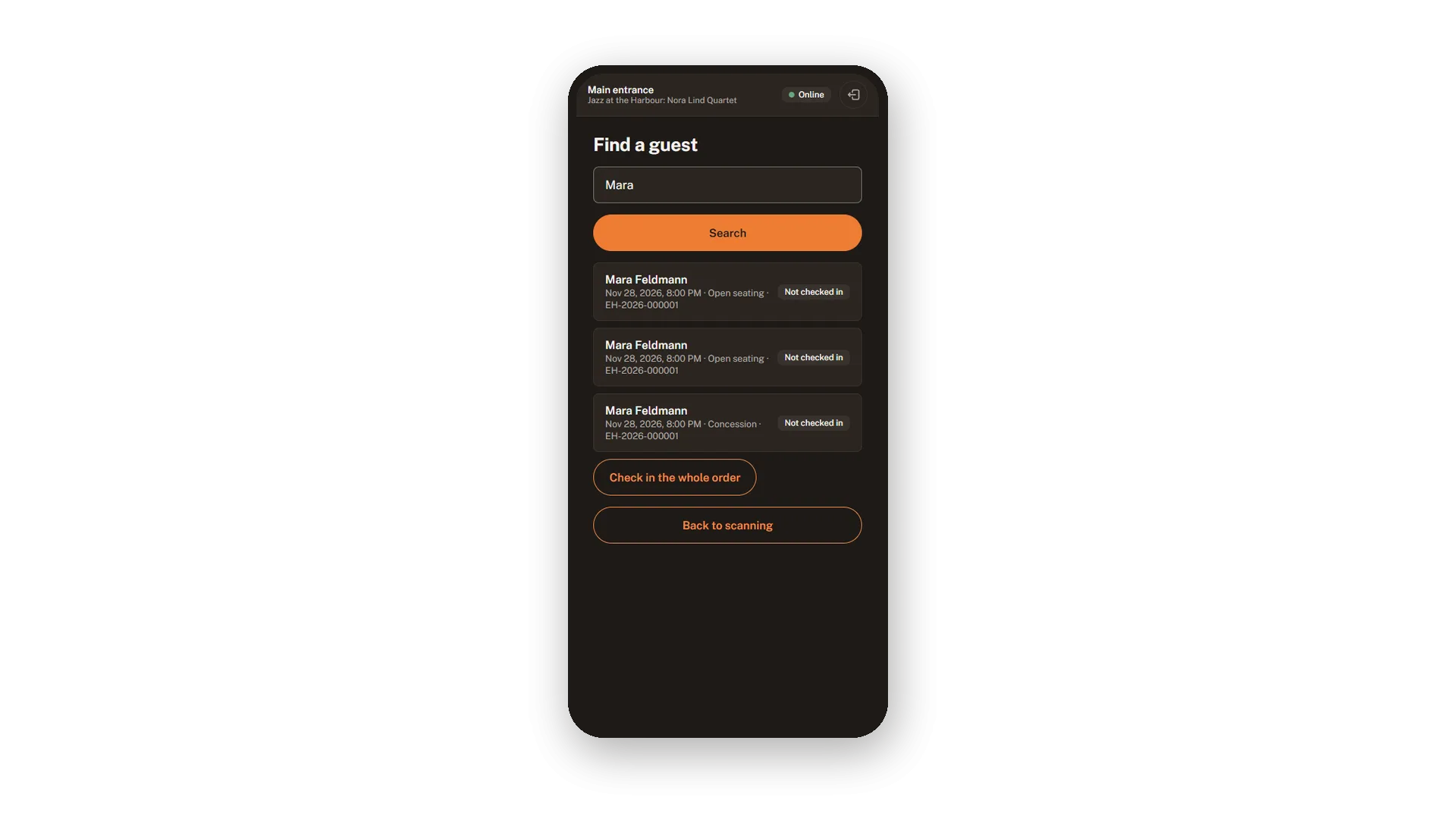
Find a guest without a ticket
Search by name, e-mail or order number
When a guest stands at the door without a ticket, search for the name, the e-mail address or the order number. The scanner lists the tickets with their status, and one tap checks in the whole order.
Entrances with their own rules
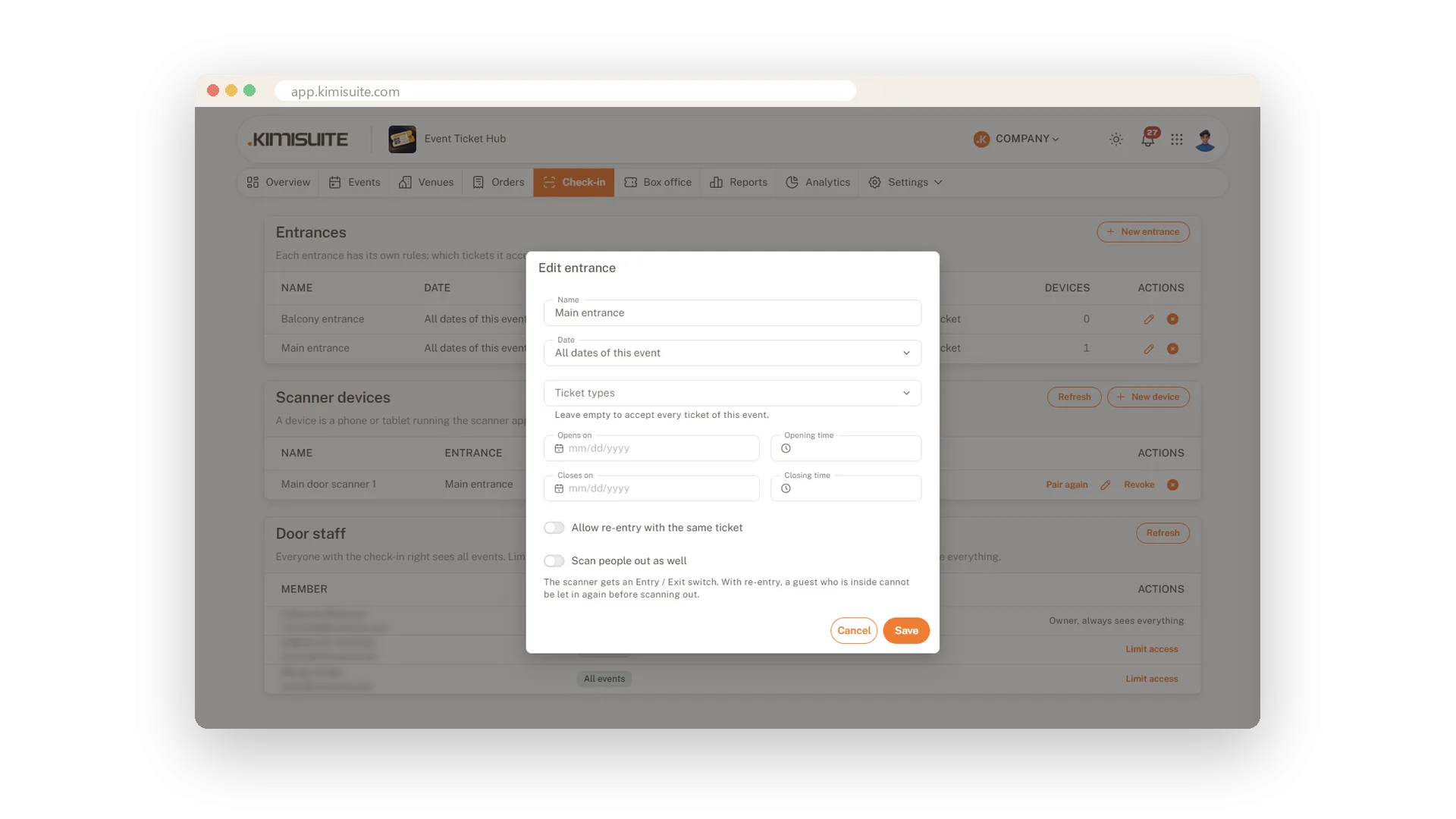
Which tickets, which hours, re-entry or not
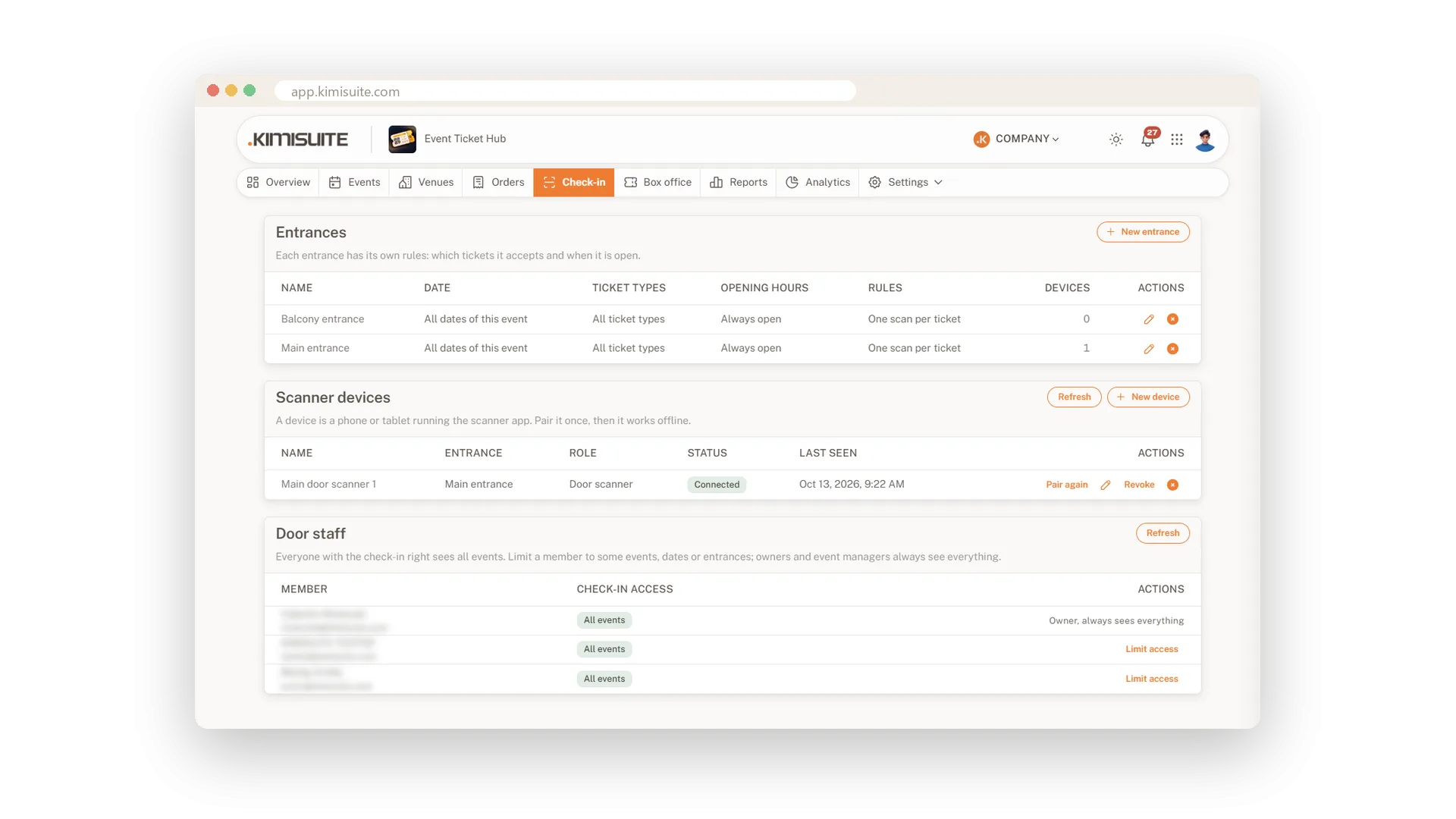
Create an entrance for each door and decide which tickets it accepts and when it opens. Allow re-entry or scan people out as well, and the scanner warns when a ticket belongs to another door.
Devices and door staff in view
Every scanner, its entrance and who may use it
See every scanner with its entrance, role and last contact, pair a device again or lock it out. In Venue and Arena you also limit door staff to the events, dates or entrances they work on.
Live numbers from the door
Checked in, expected and still to come
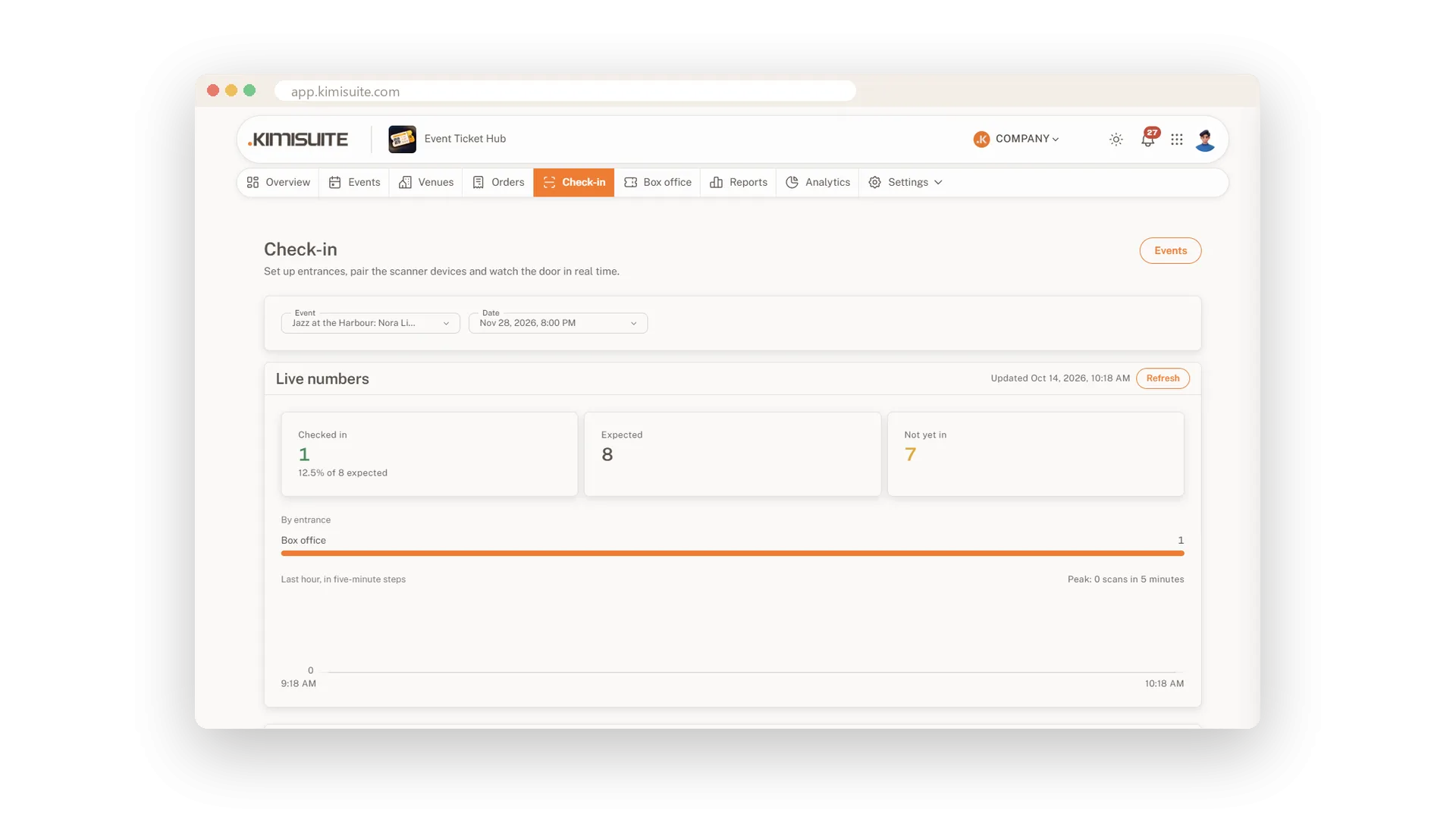
Pick the date and watch the door from anywhere: how many are inside, how many are expected, how many are still to come and which entrance is busiest. A chart shows the last hour in five-minute steps.
Use Cases
Two doors, one hall
The balcony has its own entrance. You create two entrances, each accepts only its tickets, and the main door sends balcony guests upstairs.
The basement club
No signal at the door. The scanner checks every ticket on the phone and sends the scans when it is back online.
A forgotten ticket
A guest has no ticket with him. Your door staff search his name and check in the whole order with one tap.
FAQ
Try Event Ticket Hub today
Sell tickets with seat maps, QR check-in and no ticket fees
14 days free, cancel anytime, no minimum term.
