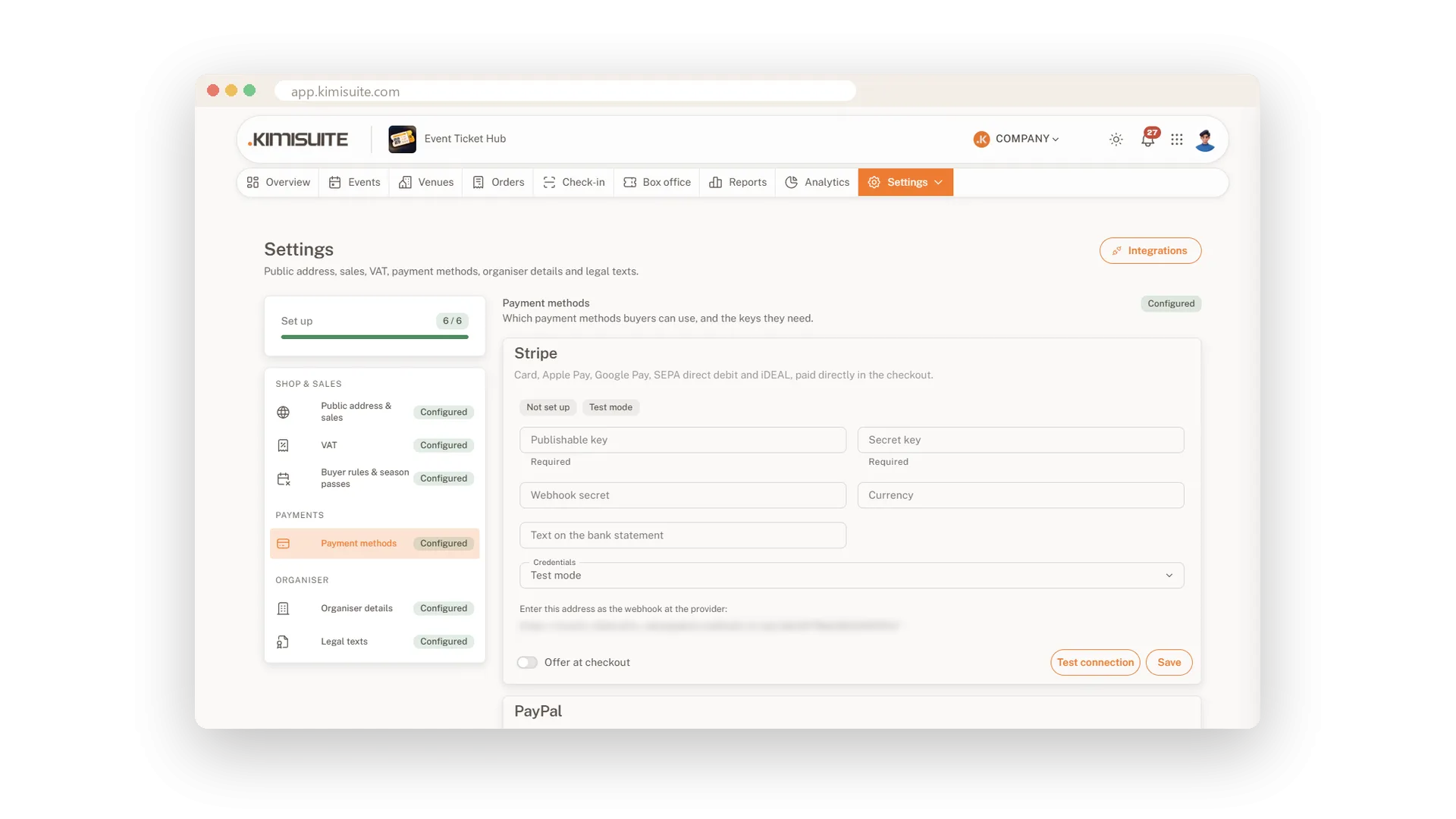
Ticket platforms usually take a fee on every ticket. Event Ticket Hub does not. Buyers pay through your own Stripe, PayPal or Bankart account or by bank transfer, and the money goes straight to you. If you want, add your own booking fee per order, and it is shown in the total before anyone pays.
The checkout holds the chosen seats for a set time, takes guest orders without an account and collects company billing details when needed. Your organiser details, terms and privacy policy appear in the checkout and on every page, and VAT is split correctly for tickets and the booking fee.
Key Benefits
No ticket fee from KIMISUITE: you pay for the workspace, not per ticket
Your own accounts: Stripe, PayPal, Bankart or bank transfer, set up in minutes
Seats held fairly: chosen seats are reserved while the buyer pays
Clean VAT: VAT per ticket type, booking fee taxed correctly, small business option
Stripe, PayPal, Bankart and bank transfer
Connected to your own accounts
Enter the keys of your Stripe, PayPal or Bankart account, test the connection and switch the method on for the checkout. Bank transfer needs nothing but your account details: buyers see them after ordering and by e-mail.
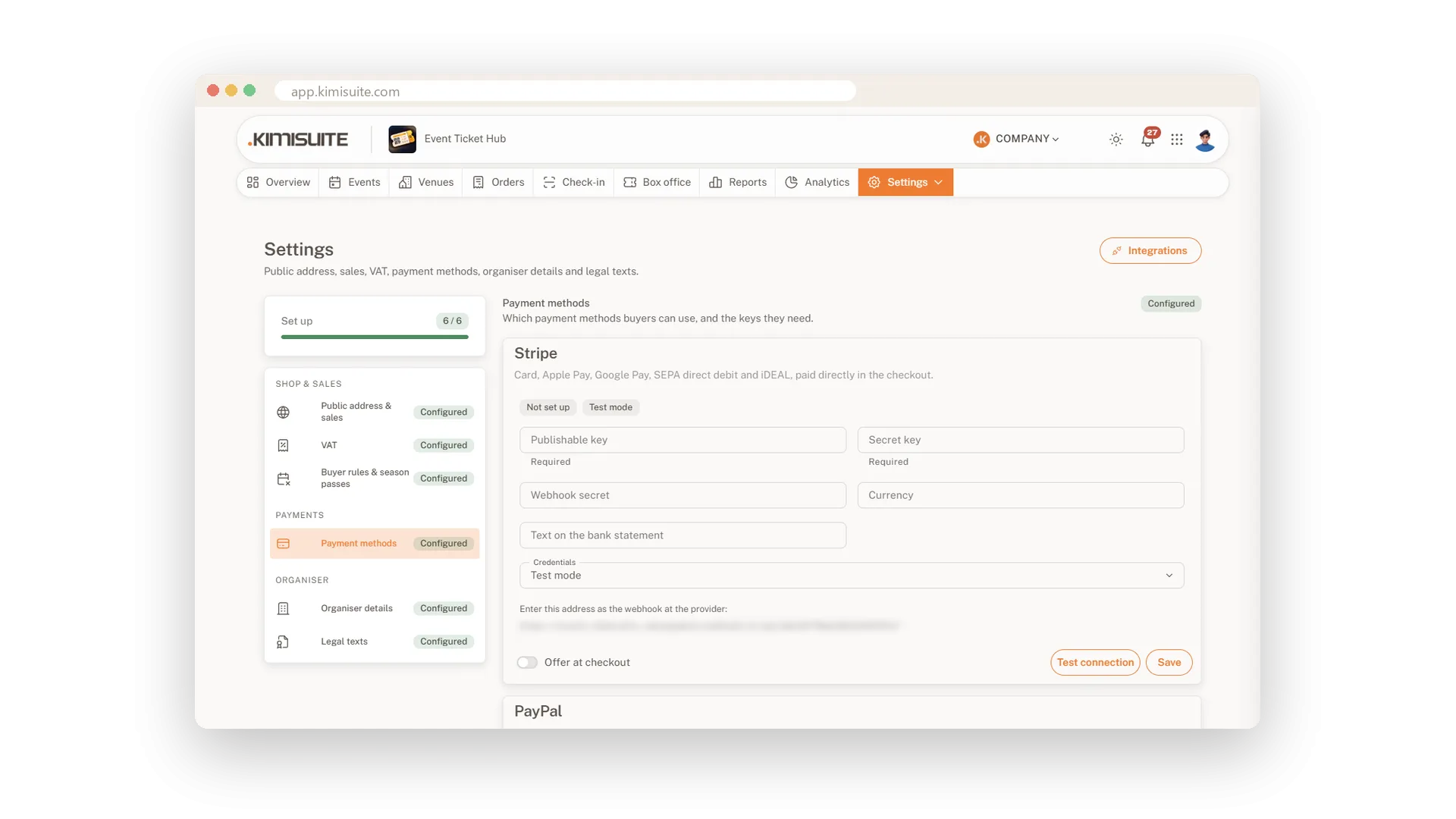
Booking fee and VAT done right
Your fee in the total, VAT split by rate
Add a booking fee per order as an amount, a percentage or both. It is always part of the total buyers see, and its VAT follows the tickets in the order, uses one fixed rate or none, as your tax adviser says.
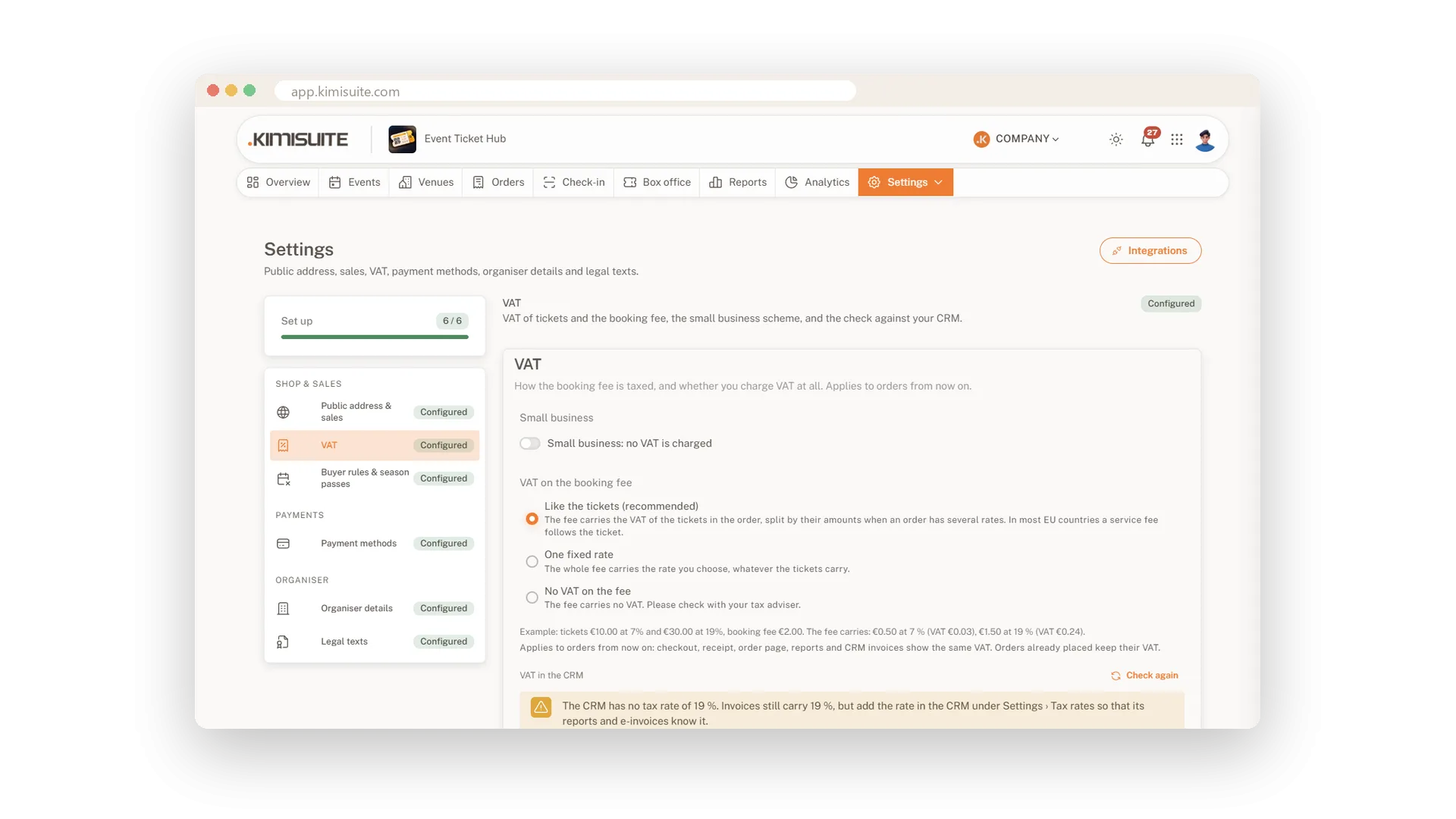
Your name on every page and ticket
Logo, address and tax numbers in one place
Enter your organiser name, legal name, address, tax numbers, contact and logo once. They appear on your ticket shop, the tickets, the receipts and the e-mails, and the preview shows exactly what buyers will see.
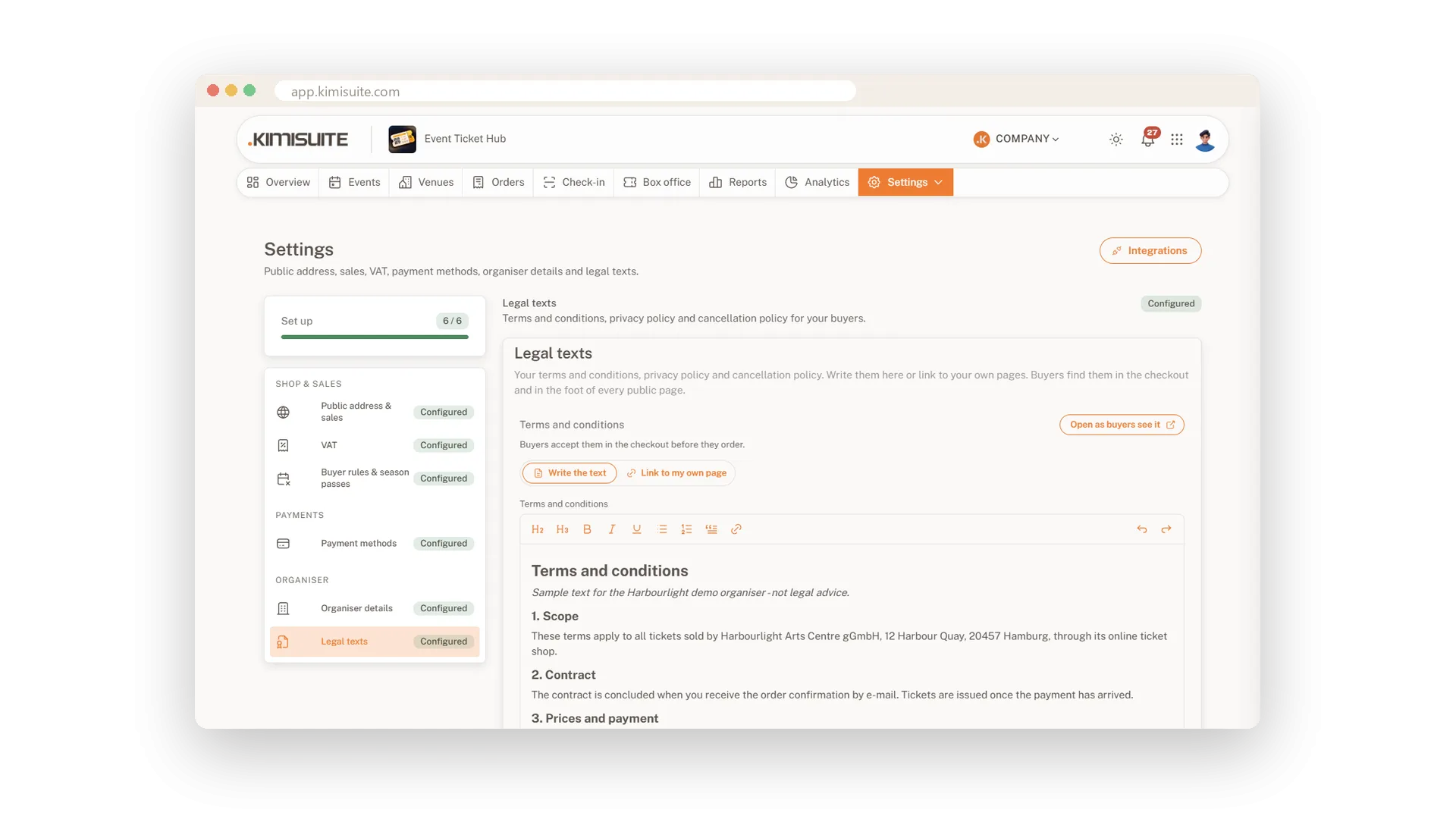
Terms, privacy and cancellation policy
Write them here or link to your own pages
Write your terms and conditions, privacy policy and cancellation policy right in the settings, or link to the pages you already have. Buyers accept the terms in the checkout and find all three in the footer of every page.
Use Cases
The theatre with a card terminal
You already use Stripe in your shop. You paste the keys, test the connection and switch it on for the checkout.
A club that prefers transfers
Members pay by bank transfer. The order page shows your bank details and the seats stay held until the payment is due.
A company books 40 seats
The buyer ticks 'Bill this order to a company' and enters the VAT ID. The invoice in the CRM carries the company details.
FAQ

Try Event Ticket Hub today
Sell tickets with seat maps, QR check-in and no ticket fees
14 days free, cancel anytime, no minimum term.
