 Part of Domain Hub
Mailboxes for your whole team
Personal and shared addresses, owned by the business
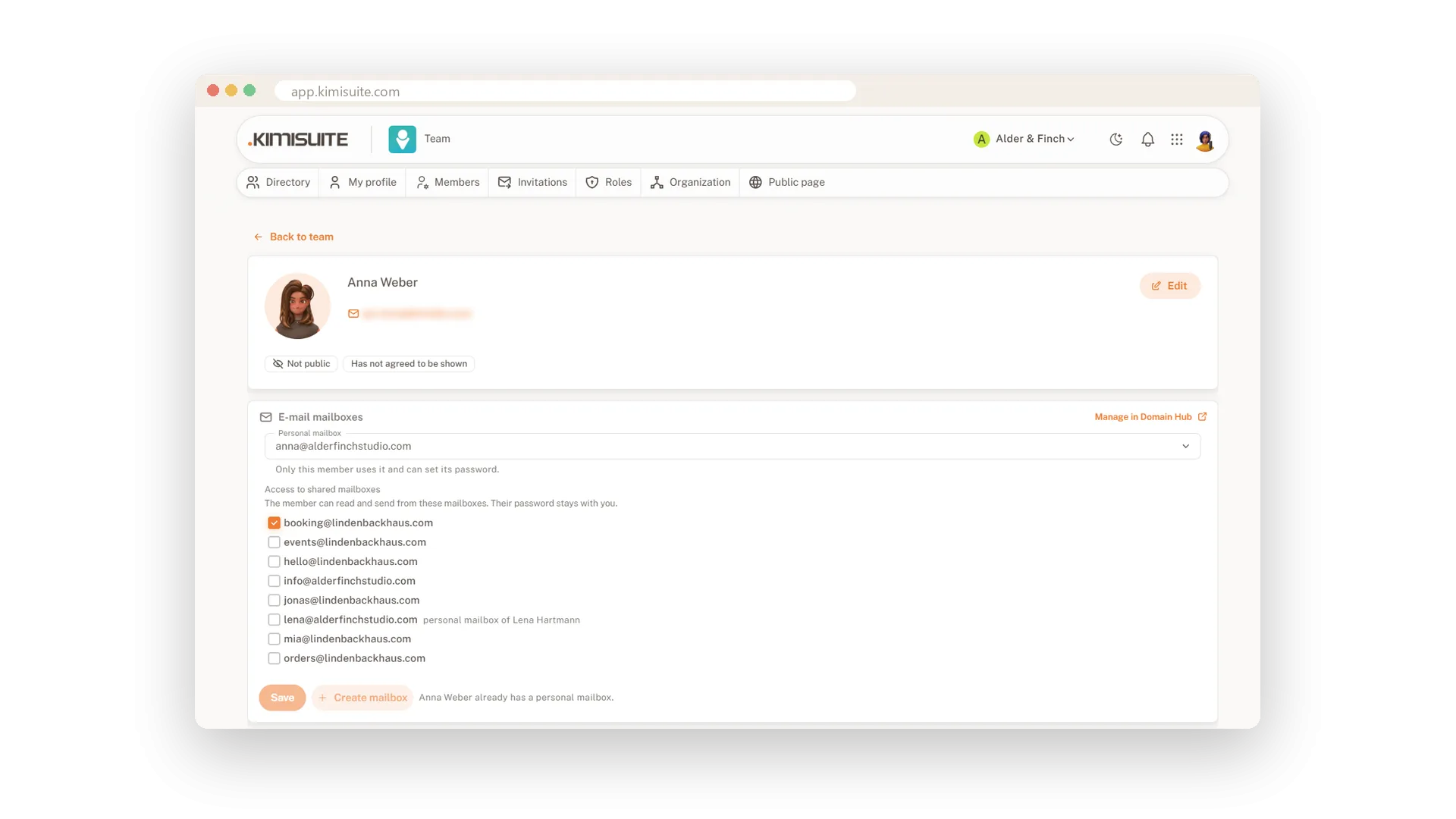
A new colleague starts on Monday and needs an address. Open her profile in the Team app, buy a personal mailbox for her or assign one you already have, and give her access to shared addresses like info@ or booking@. She gets an e-mail when her mailbox is ready, sets her own password and finds everything under My mailboxes.
The mailboxes belong to your business, not to one person. When someone leaves the team, only their access ends: the mailbox stays in Domain Hub with all its mail, and the admins get a note to reset the password. Shared mailboxes keep their password with the admins, so nobody locks out the others.
Key Benefits
Buy or assign a personal mailbox straight from a member's profile in the Team app
Share info@ or booking@ with everyone who needs it, without passing a password around
When someone leaves, only their access ends: the mailbox and its mail stay with you
Every member sees their own mailboxes, with webmail and the settings for their mail app
A personal mailbox for each member
Created from the profile in the Team app
On a member's profile, buy a new personal mailbox or assign an existing one. The member gets an e-mail when it is ready, sets the password and opens webmail from their own profile.
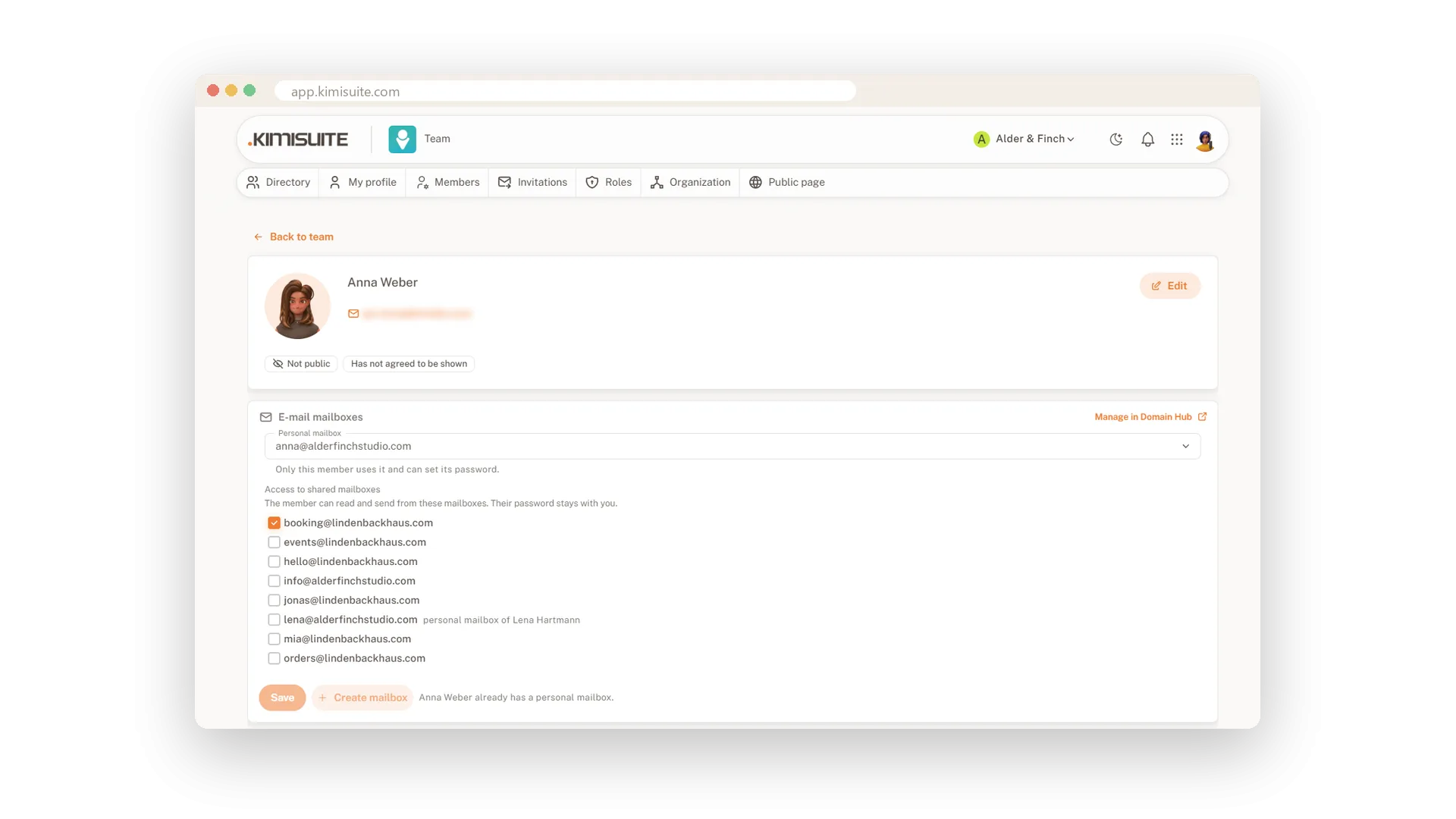
Shared addresses for the team
info@ and booking@ for everyone who needs them
Tick the shared mailboxes a member may use. They read and send from them in webmail, and the password stays with the admins, so nobody changes it for everyone else.
Mailboxes stay when people go
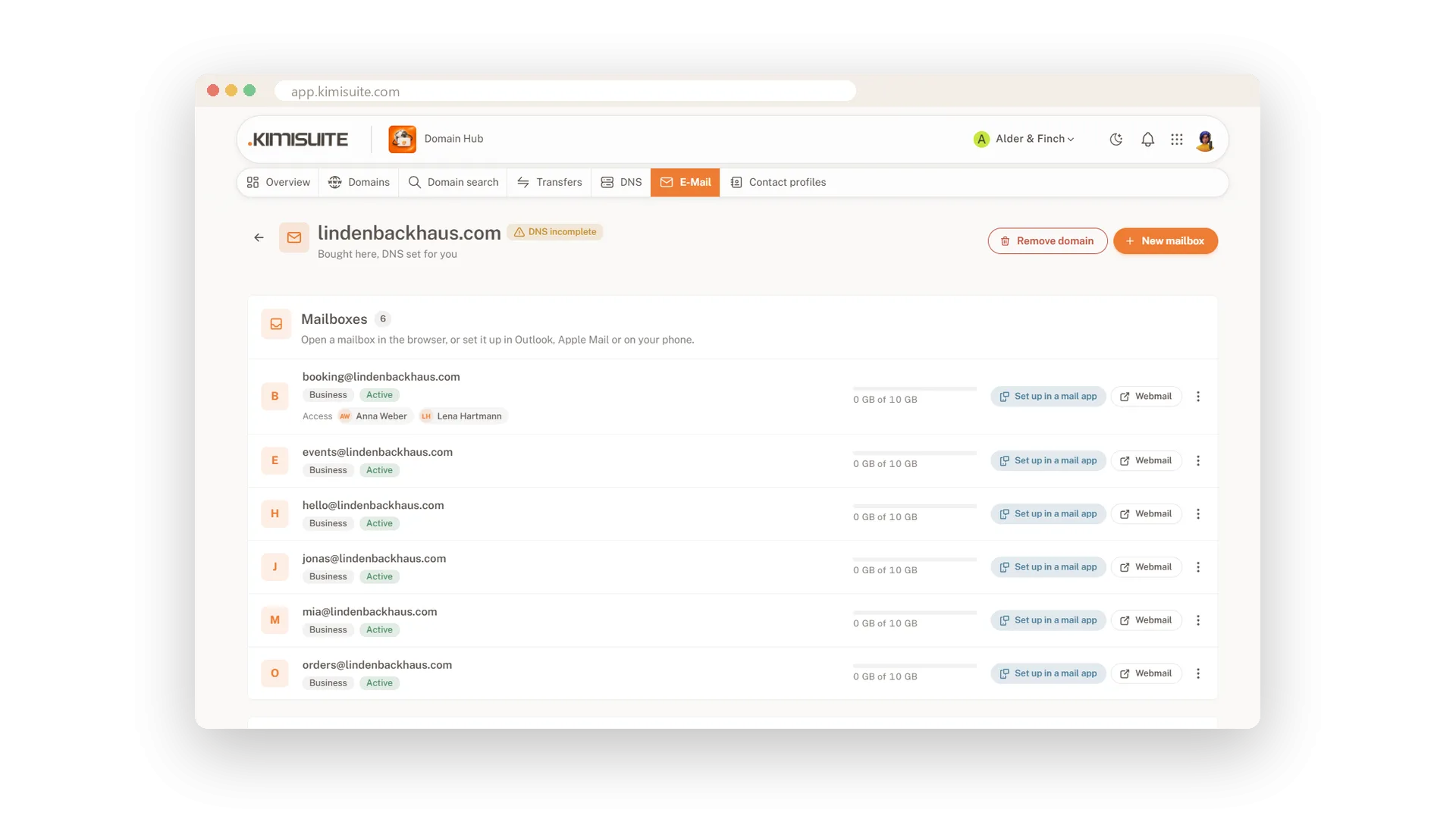
Only the access ends, never the mail
Remove a member from the team and only their access ends. The mailbox stays in Domain Hub with all its mail, marked as without member, and the admins get a note to reset the password.
Use Cases
Monday, first day
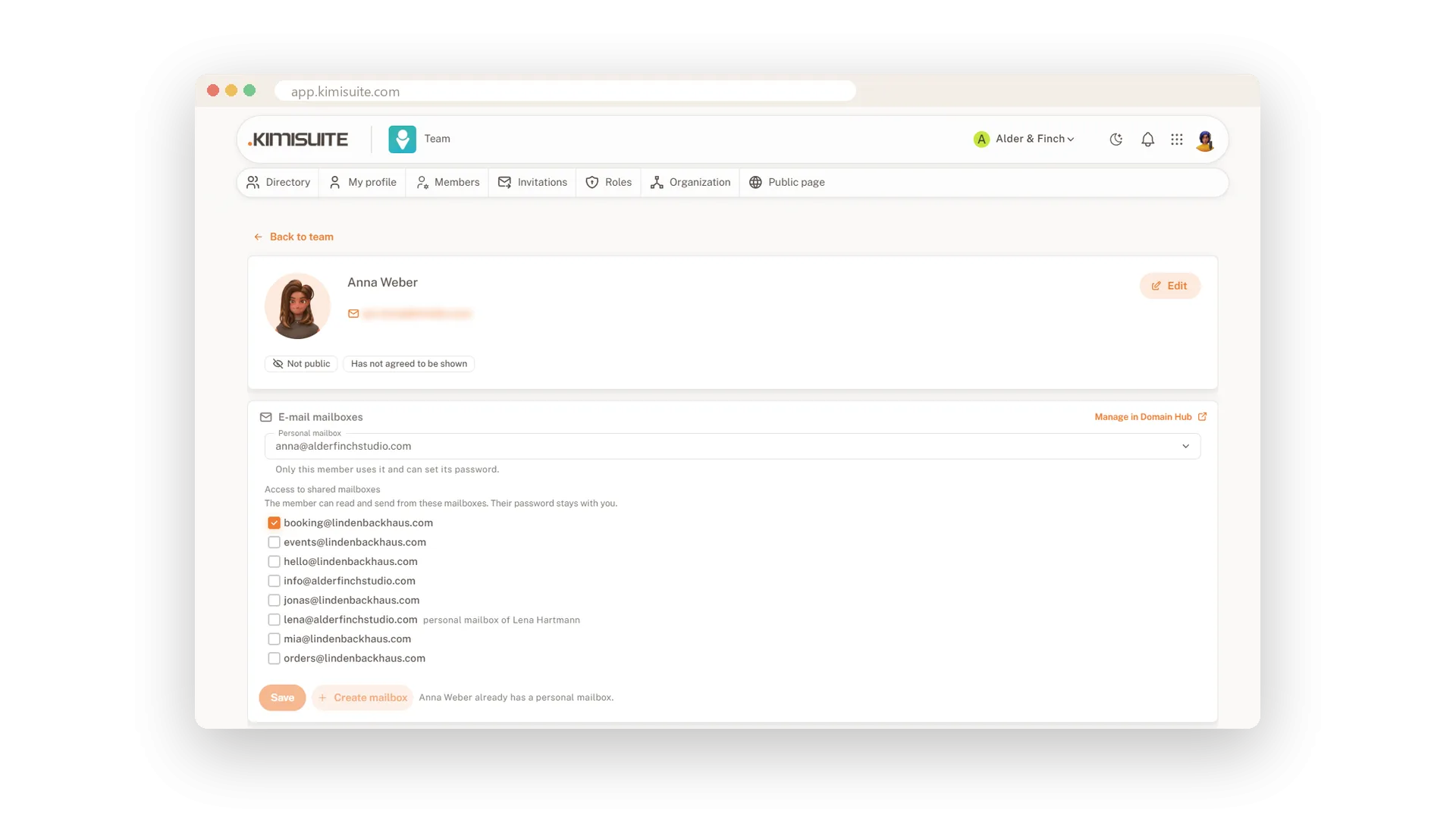
You open the new colleague's profile, create anna@ and tick booking@. She gets an e-mail that her mailbox is ready, sets her password and replies to guests before lunch.
Two people, one booking address
Front desk and manager both answer booking@. You give both access in the Team app, and the password stays with you.
A colleague moves on
You remove him from the team. His access ends, his mailbox stays, and you get a note to reset the password before a successor takes it over.
FAQ
Try Domain Hub today
Your domains, DNS and business e-mail in one place
Free of charge, in your own workspace, ready in a minute.