 Part of Social Media Hub
Your content calendar at a glance
See the whole month and move posts with a drag
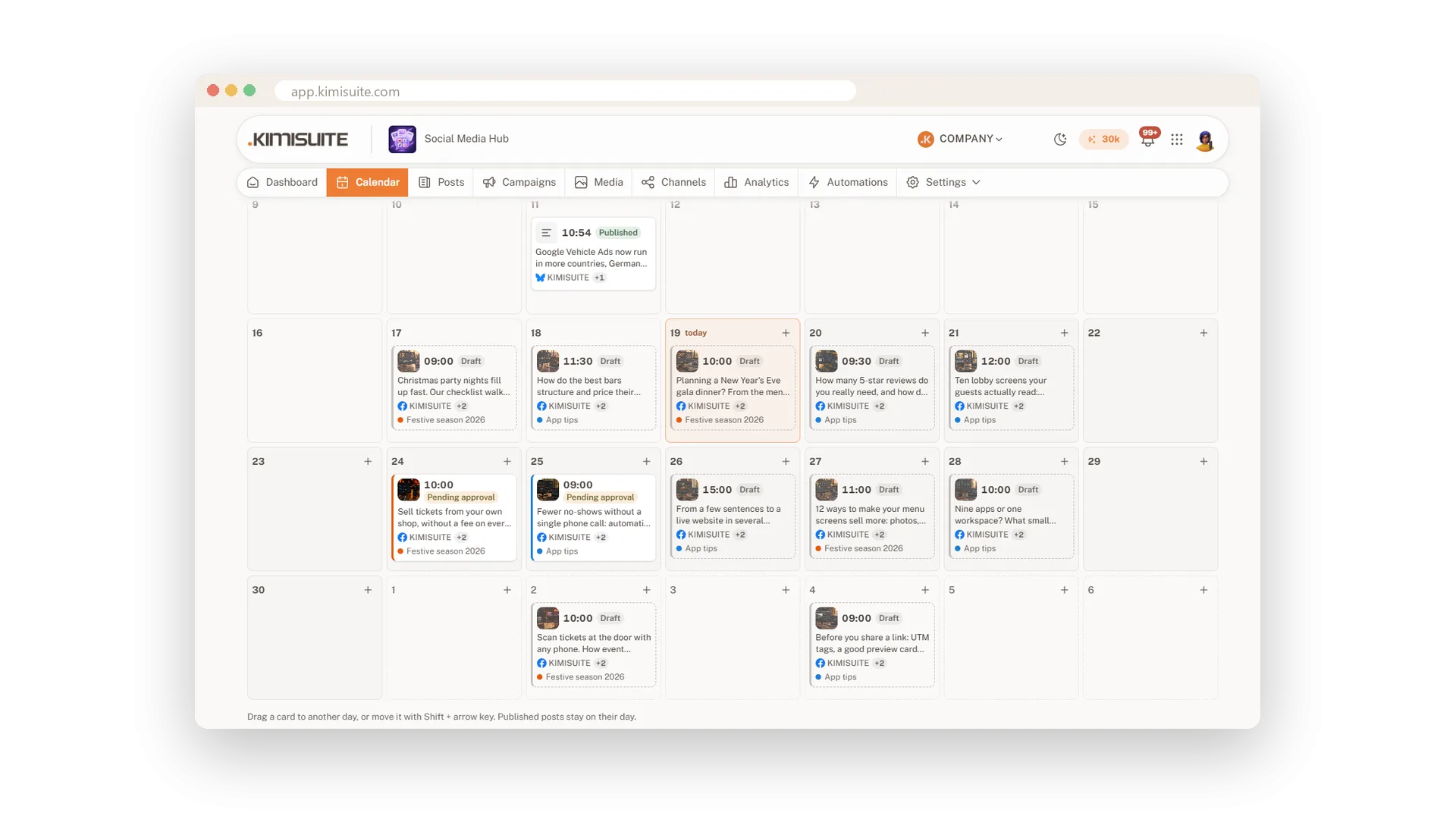
Open the calendar and you see what goes out this week or this month: one card per post with its picture, time, channels and campaign colour. Gaps jump out at you, and so do days with too much going on.
Drag a post to another day to move it, or use the keyboard; one click undoes it. Filter by channel, campaign or status, start a new post right on a day, and let posting rules keep quiet hours and a sensible number of posts per day for you.
Key Benefits
Week and month: one card per post with picture, time, channels and campaign colour
Move in a second: drag a post to another day, with Undo if you change your mind
Filters that help: show one channel, one campaign or only what waits for approval
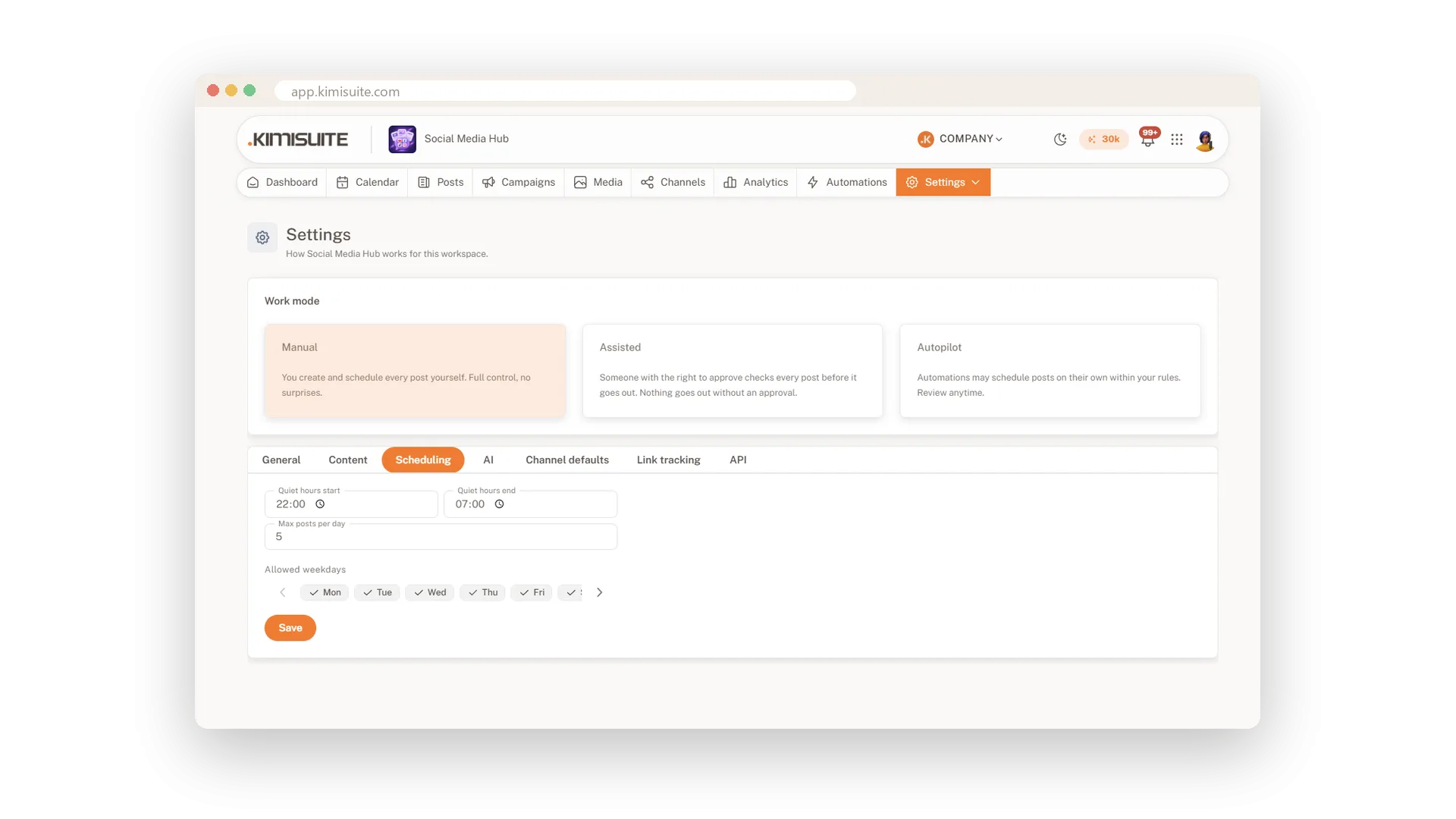
Rules you set once: quiet hours, posts per day and allowed weekdays apply everywhere
Reschedule with a drag
Move a post to another day, Undo included
Drag a card to another day and every channel of the post moves with it. Prefer the keyboard? Shift and an arrow key do the same, and Undo is always one click away.
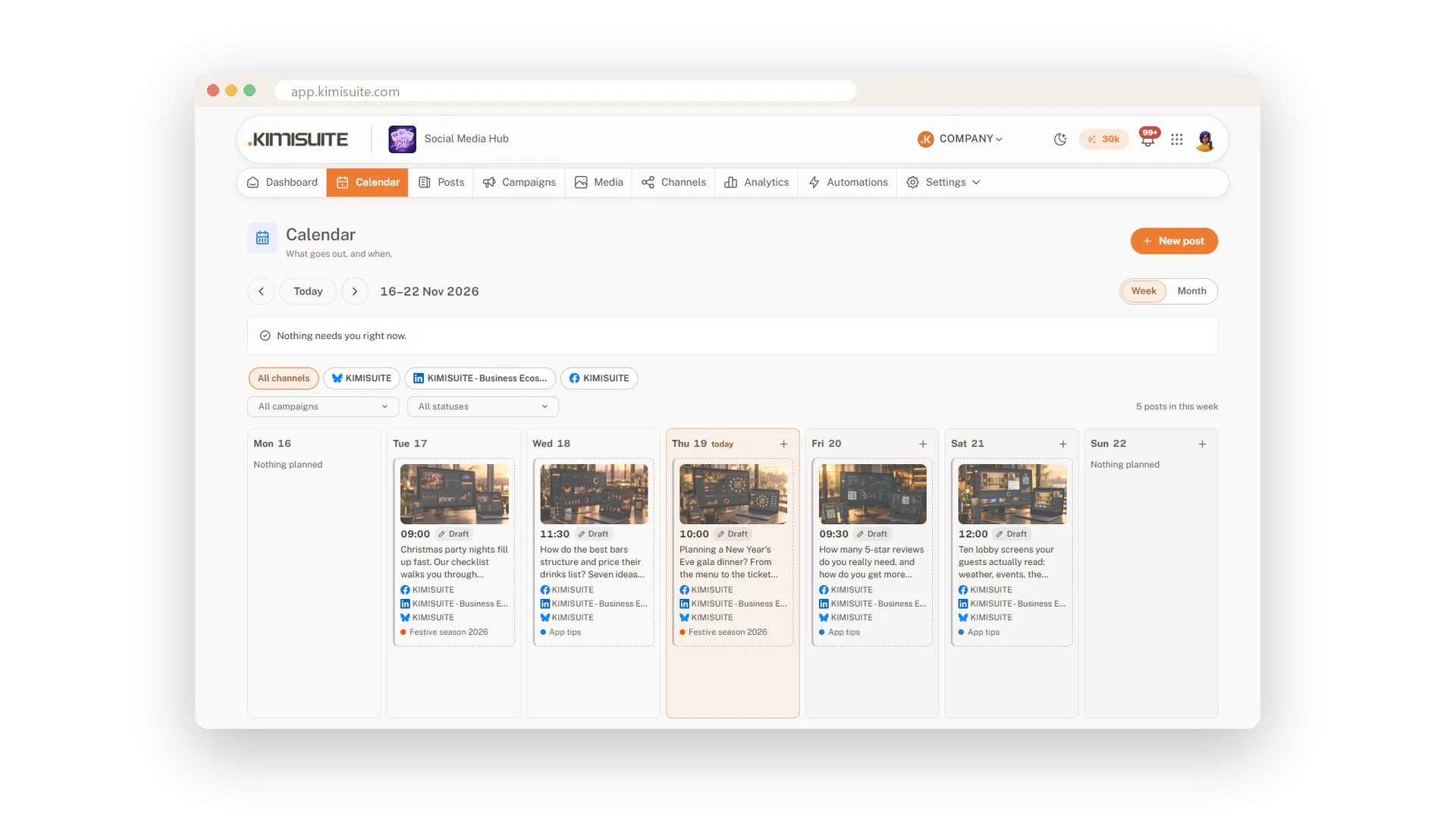
Show only what you need
Filter by channel, campaign and status
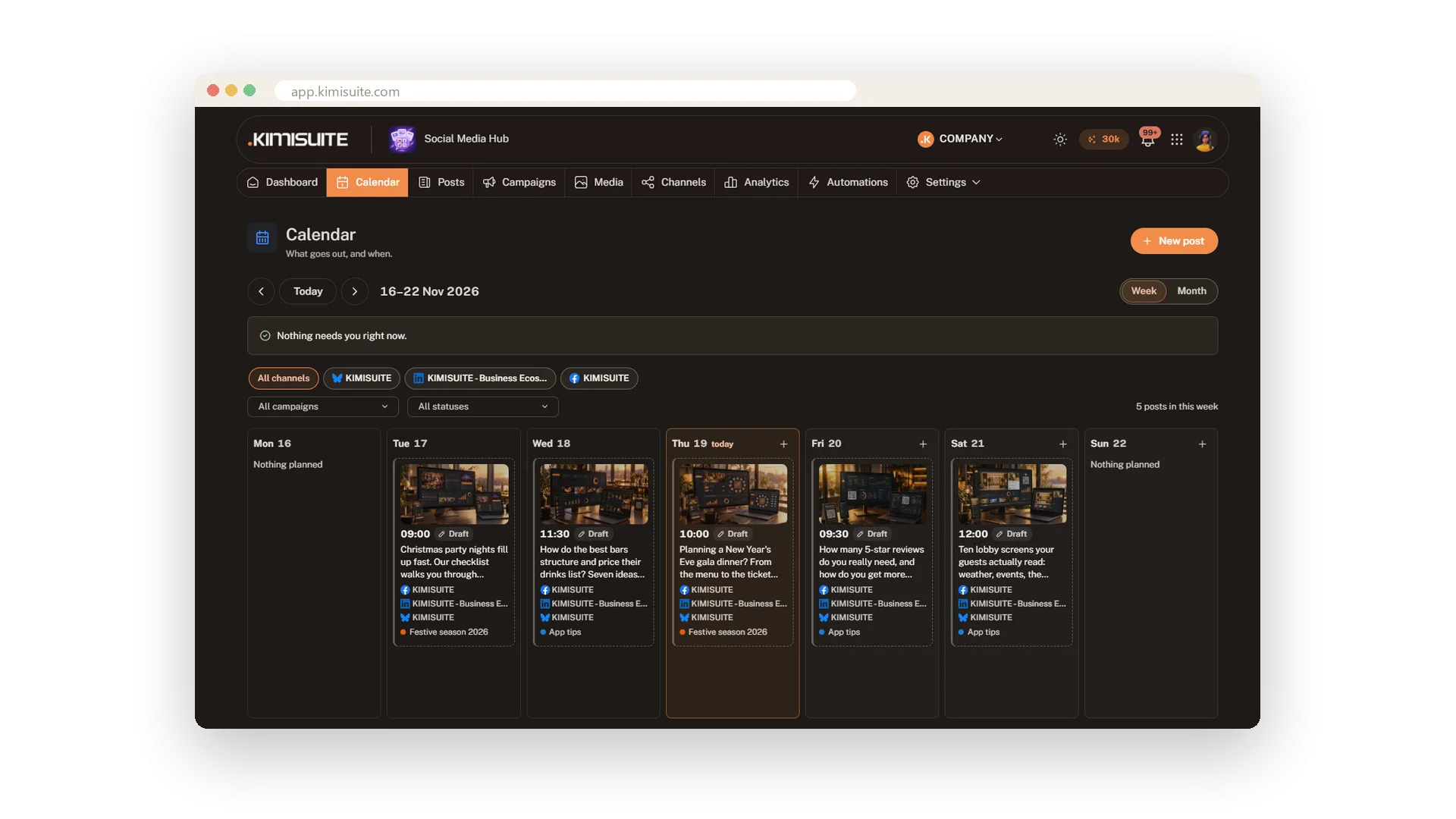
Narrow the calendar to one channel, one campaign or one status, such as posts that wait for approval. The counter tells you how many posts are left in view, in light or dark mode.
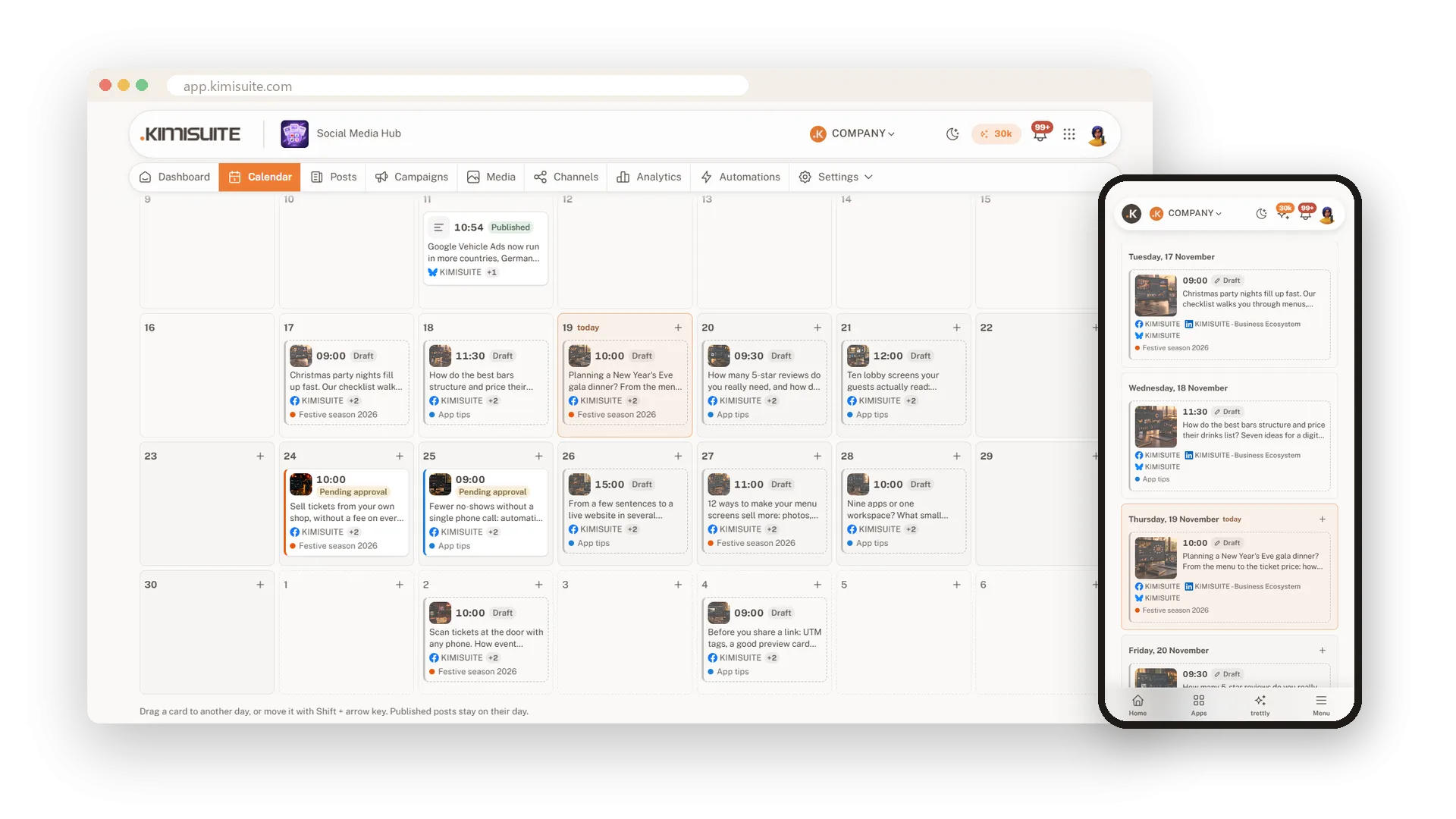
Your calendar in your pocket
The week as a list on your phone
On a phone the week becomes a list of days and posts, with the same cards and colours. Hold a card to move it, or open it to change the text on the way.
Quiet hours and posts per day
Rules that keep your feed calm
Set quiet hours, a maximum number of posts per day and the weekdays you post on. The app respects them everywhere and suggests the next free time that fits.
Use Cases
A rainy Saturday
Your terrace post would land on a rainy day. You drag it to Sunday, and every channel moves with it.
The campaign check
You filter by your festive campaign and see at once that the second week has no post yet.
No posts at night
You set quiet hours from 22:00 to 07:00. Whoever plans a post late at night gets the next good morning time instead.
FAQ
Try Social Media Hub today
Plan, write and publish to every social network
Free of charge, in your own workspace, ready in a minute.