 Part of Service Manager
 Recurring work that plans itself
Set it up once and let it come back on its own
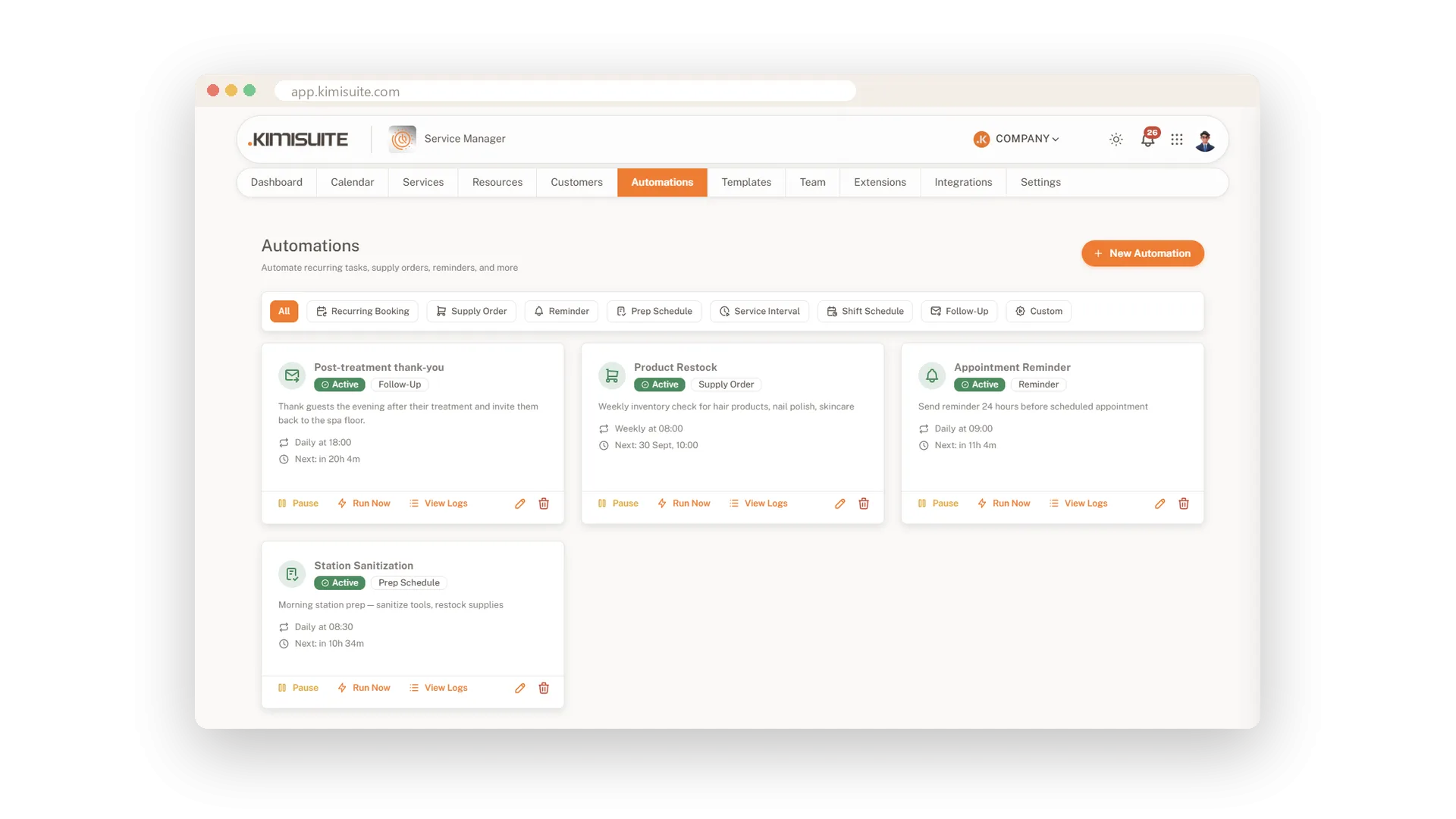
Some tasks come back every week: restocking products, cleaning a station, thanking a client after a treatment. Automations keep them on a schedule instead of on your mind. Each automation is a card with its type, how often it runs and when it runs next, and you pause it, start it right away or open its log. It runs at the time you set, in your business's time zone.
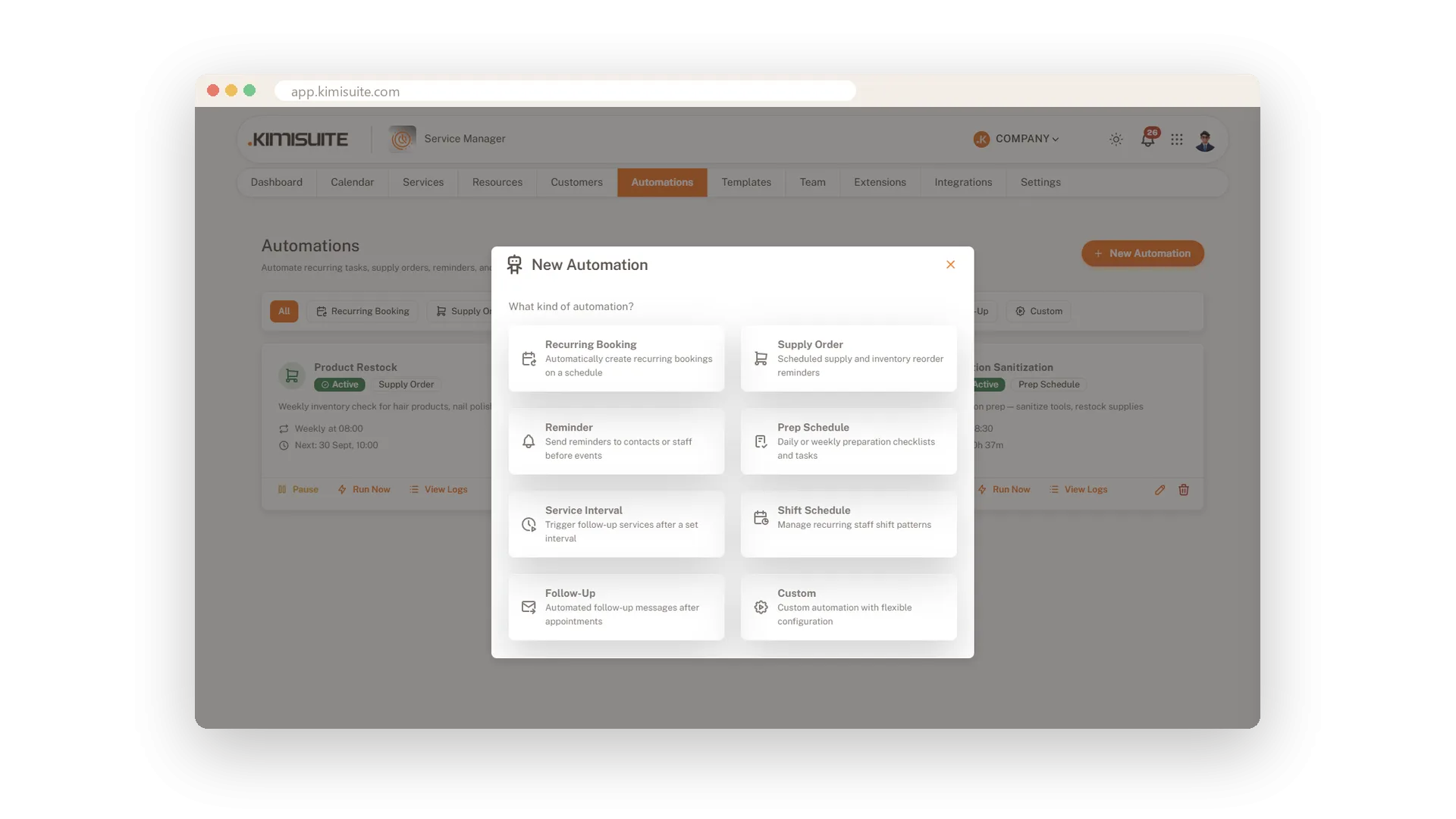
Eight types cover the usual jobs: recurring bookings, supply orders, reminders, prep schedules, service intervals, shift schedules, follow-ups and custom tasks. A three-step editor sets the rhythm, then the action, then shows a review before it goes live. For fixed weekly routines, schedule templates hold a named week of blocks, such as cleaning or a team briefing, and place them in your calendar for as many weeks as you choose.
Key Benefits
Eight automation types, from supply orders to follow-ups after a visit
Frequency, start and end date and a maximum number of runs per automation
Pause, run now or open the log straight from each card
Weekly schedule templates put cleaning or briefings into the calendar for weeks
Eight types for everyday routines
From supply orders to service intervals
Recurring bookings, supply orders, reminders, prep schedules, service intervals, shift schedules, follow-ups and custom tasks. Pick the type that fits, and the editor asks only for what that type needs.
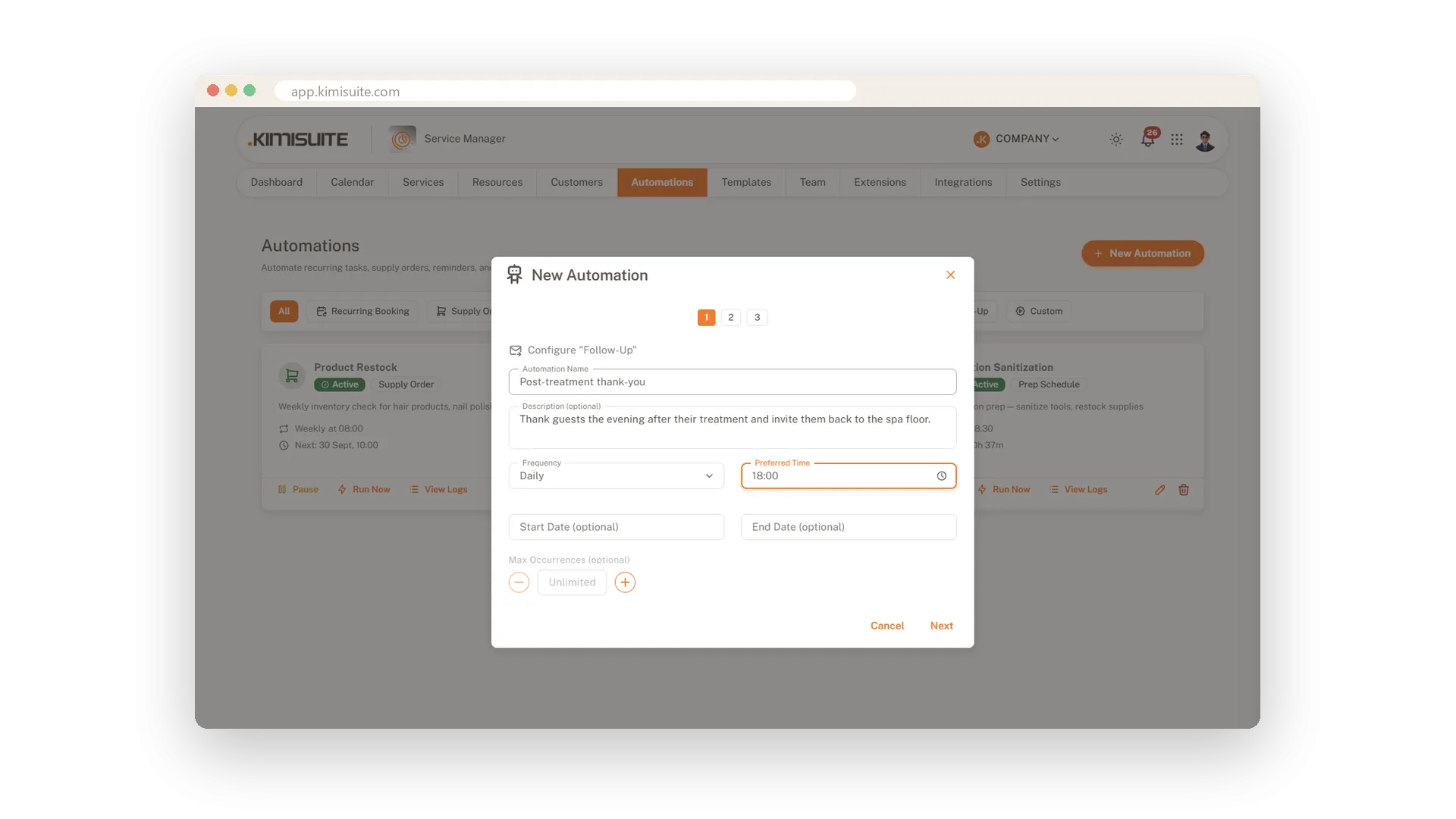
A rhythm for every routine
Frequency, start, end and a limit on runs
Name the automation, choose how often and at what time it runs and from when, and end it on a date or after a set number of runs. It runs on your local time, and the card always shows when it runs next.
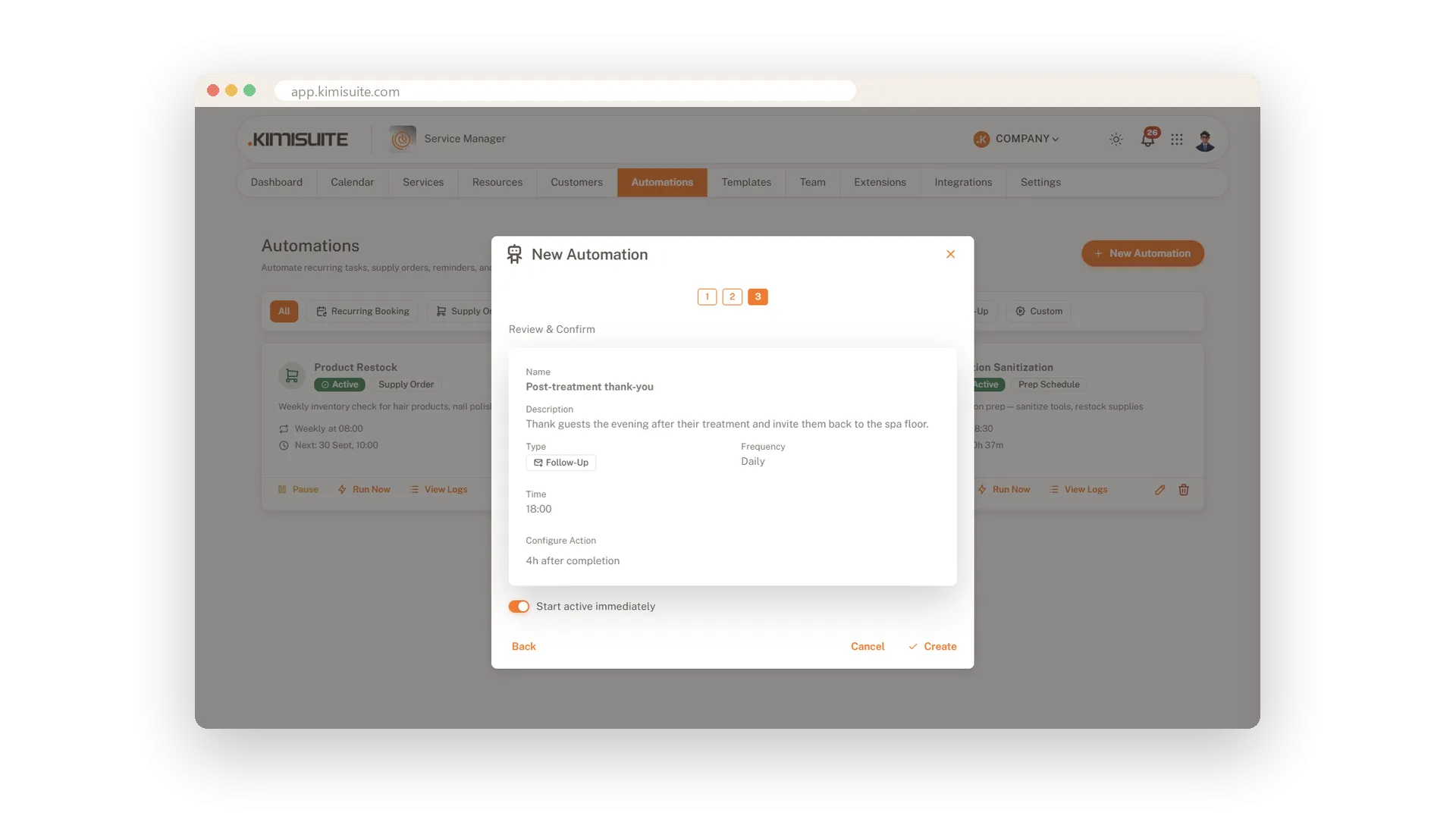
Follow-ups after every visit
Hours after the appointment is completed
Set a follow-up to run a chosen number of hours after an appointment is marked as completed. Review everything on one screen and start it straight away.
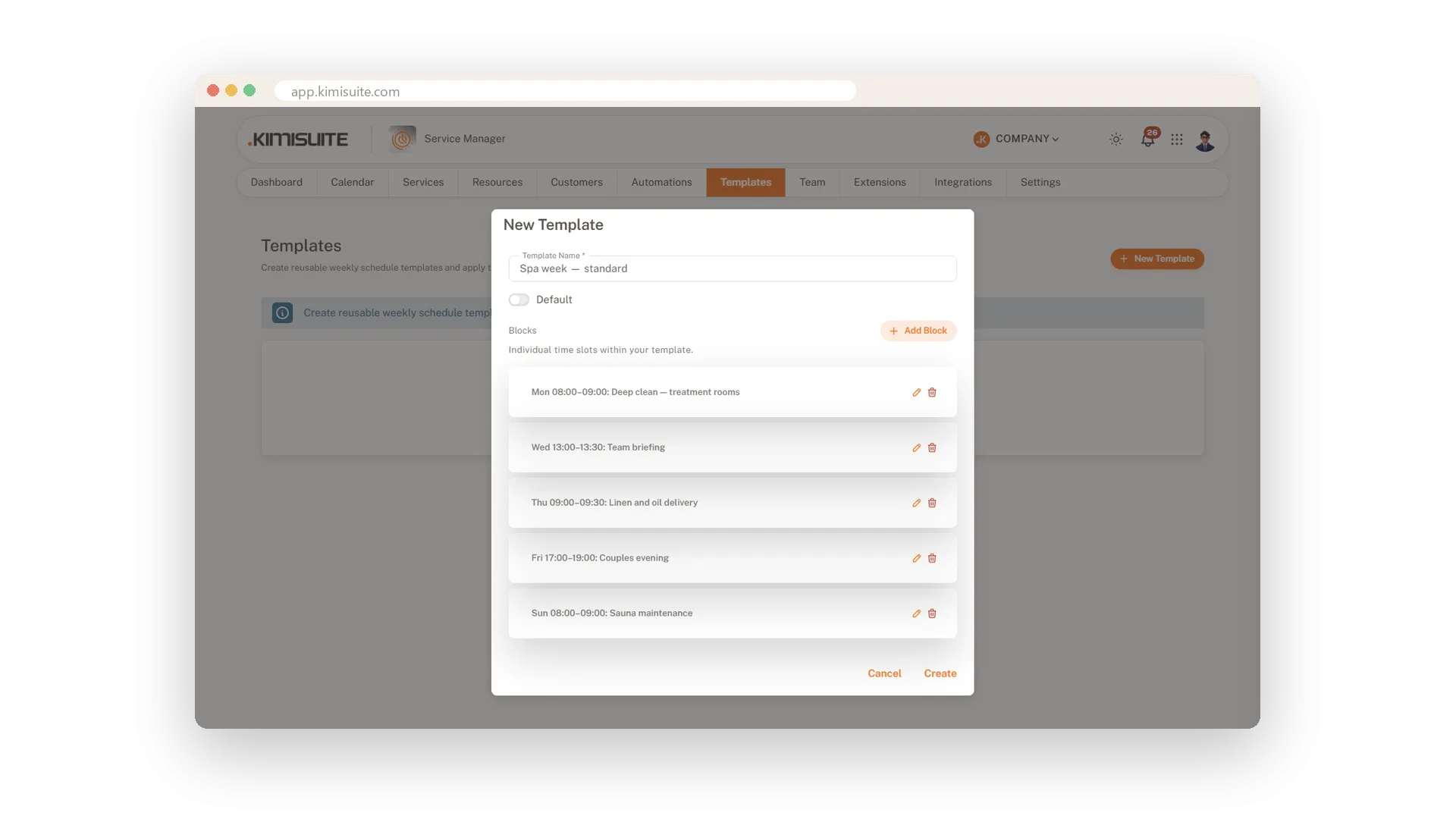
A standard week, saved as a template
Cleaning, briefings and deliveries in one plan
Save your fixed routines as a named week of blocks, each with a title and a day. Mark one template as your default and adjust single blocks whenever things change.
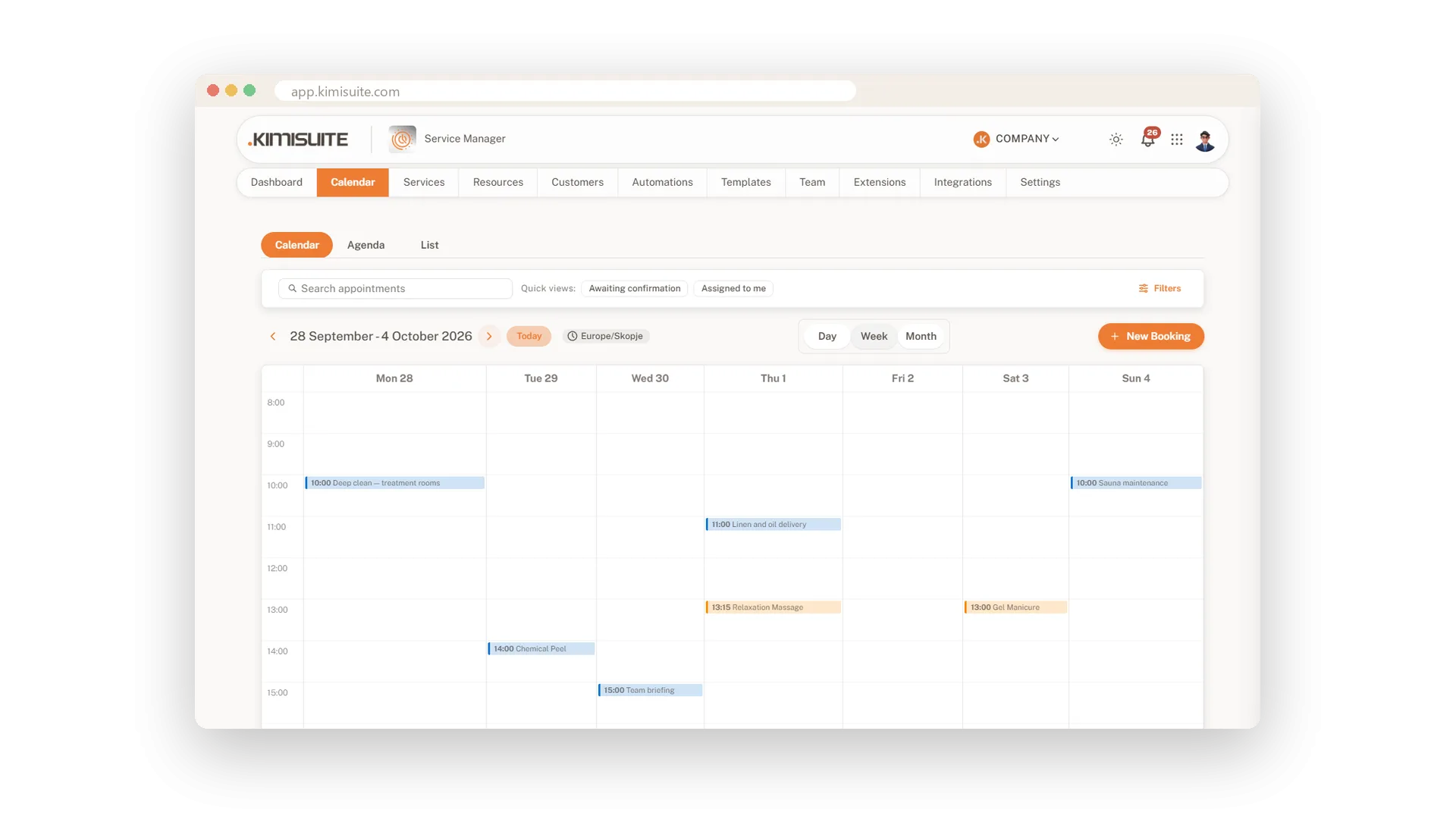
Routines placed in the calendar for weeks
Apply a template from any start date
Choose a start date and the number of weeks, and the app tells you how many blocks it will create. Every block lands at the time you planned, in your time zone, even after the clocks change. Existing blocks stay as they are, and the new ones sit between your appointments.
Use Cases
The weekly restock
You set up a weekly supply order. It comes round every week, and nobody has to keep the order list in their head.
A thank-you after every treatment
You create a follow-up that runs a few hours after an appointment is completed. Every client hears from you while the visit is still fresh.
Cleaning before the first client
Your standard week has a cleaning block every morning. You apply the template for two weeks, and the blocks sit in the calendar between your appointments.
FAQ
Try Service Manager today
Online booking, calendar and scheduling for service businesses
14 days free, cancel anytime, no minimum term.
