 Part of Restaurant Hub
 Promotions and events
Write it, add a banner, schedule it - on menu and website
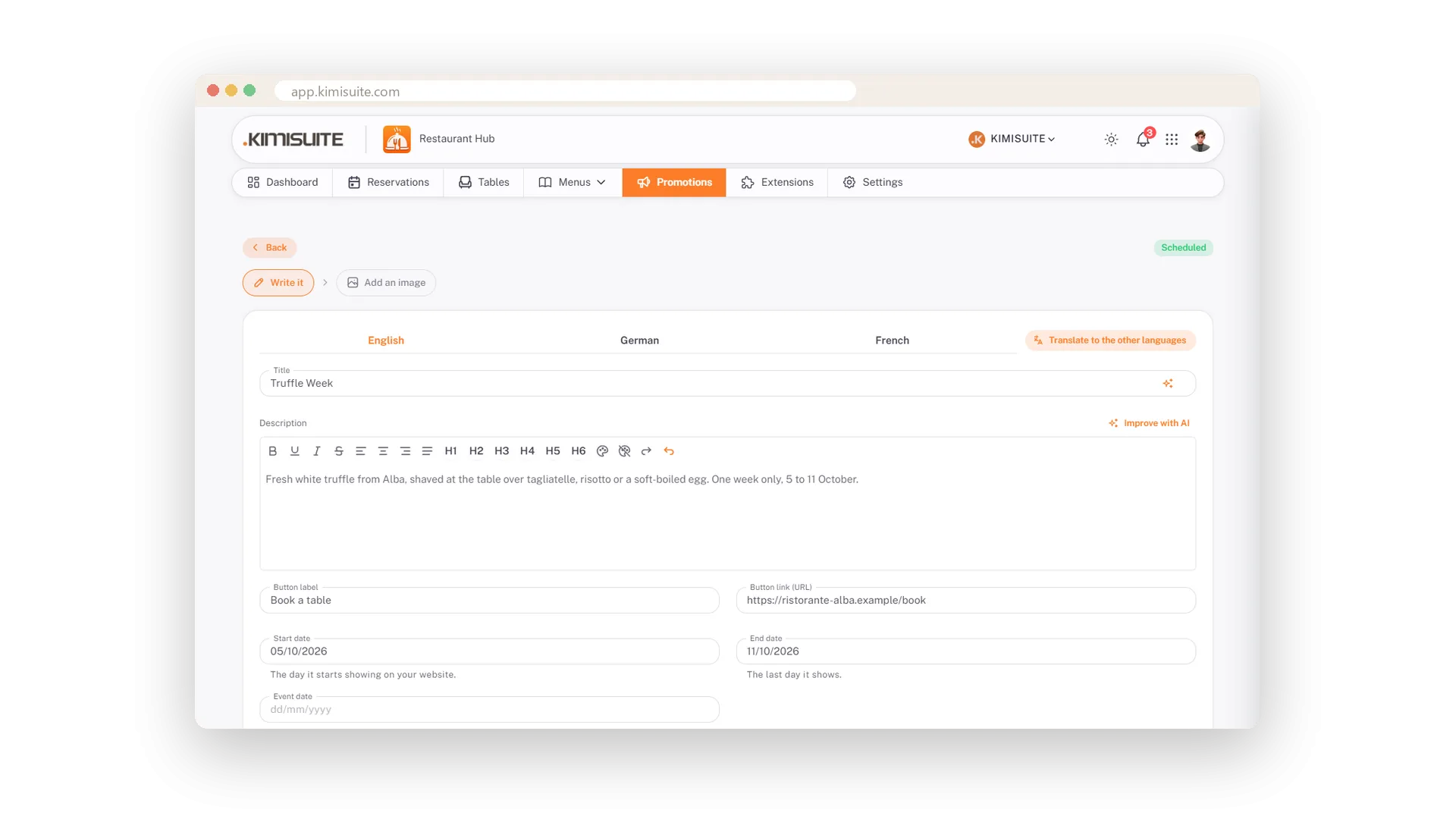
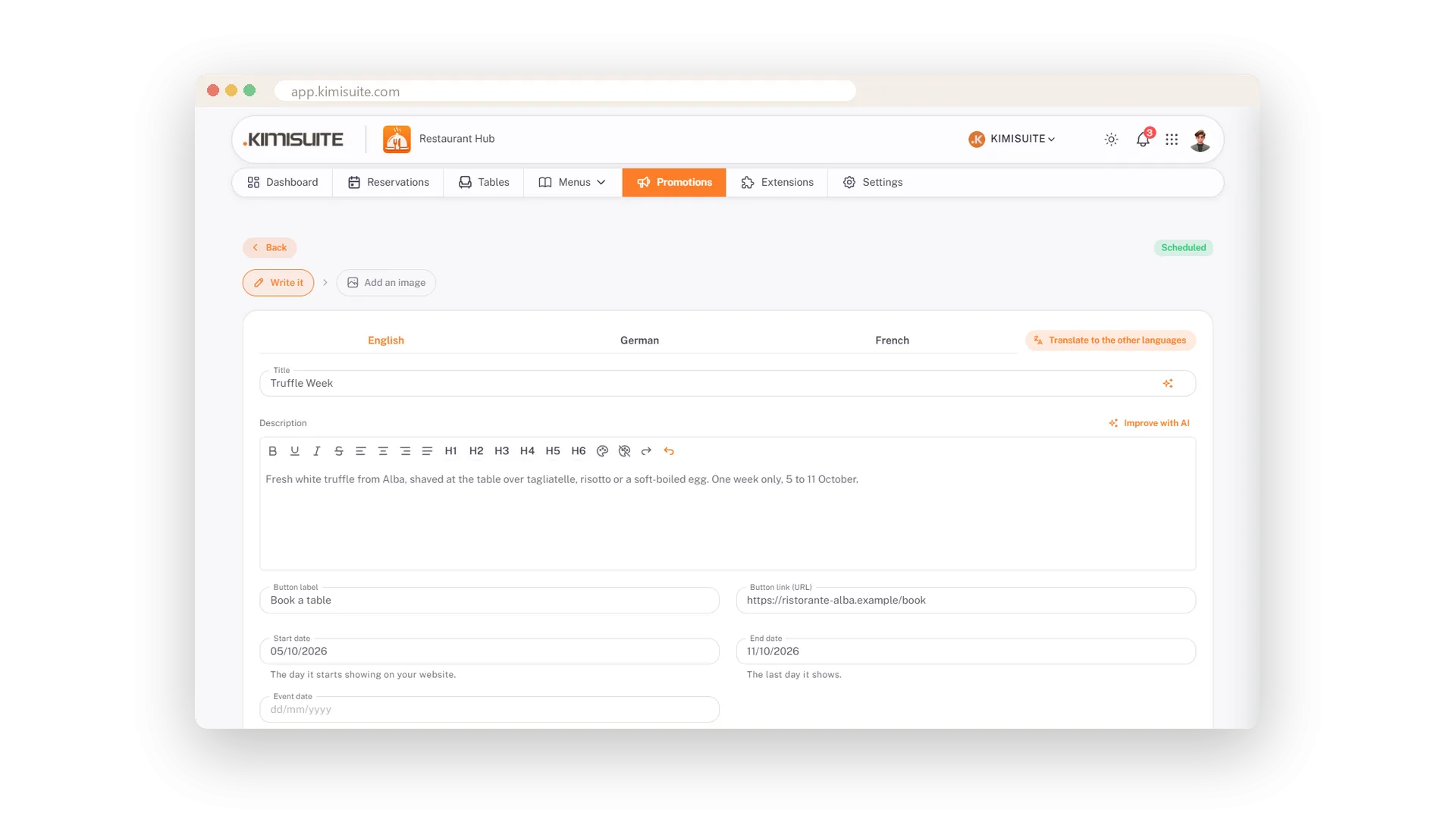
A truffle week in October, an aperitivo on the terrace, a wine dinner with a date: write it once and let Restaurant Hub put it in front of your guests. Title, a formatted text, a button with your booking link, start and end date - and, with the AI Image Generator add-on, an AI that paints the banner if you have no picture.
Then decide where it shows. One switch puts the promotion at the top of the QR menu, right where guests decide what to order. The Promotions widget shows it on your website with banner, text and share icons, and retires it on the end date. With Showroom TV it runs as a slide on your screens until its last day. Schedule it weeks ahead or keep it as a draft until you are ready.
Key Benefits
Title, formatted text, button and dates - a promotion in five minutes
An AI banner from a short description, or your own artwork
On the QR menu with one switch, on your website through the widget
Schedule it ahead; start and end date do the rest
A banner in twenty seconds
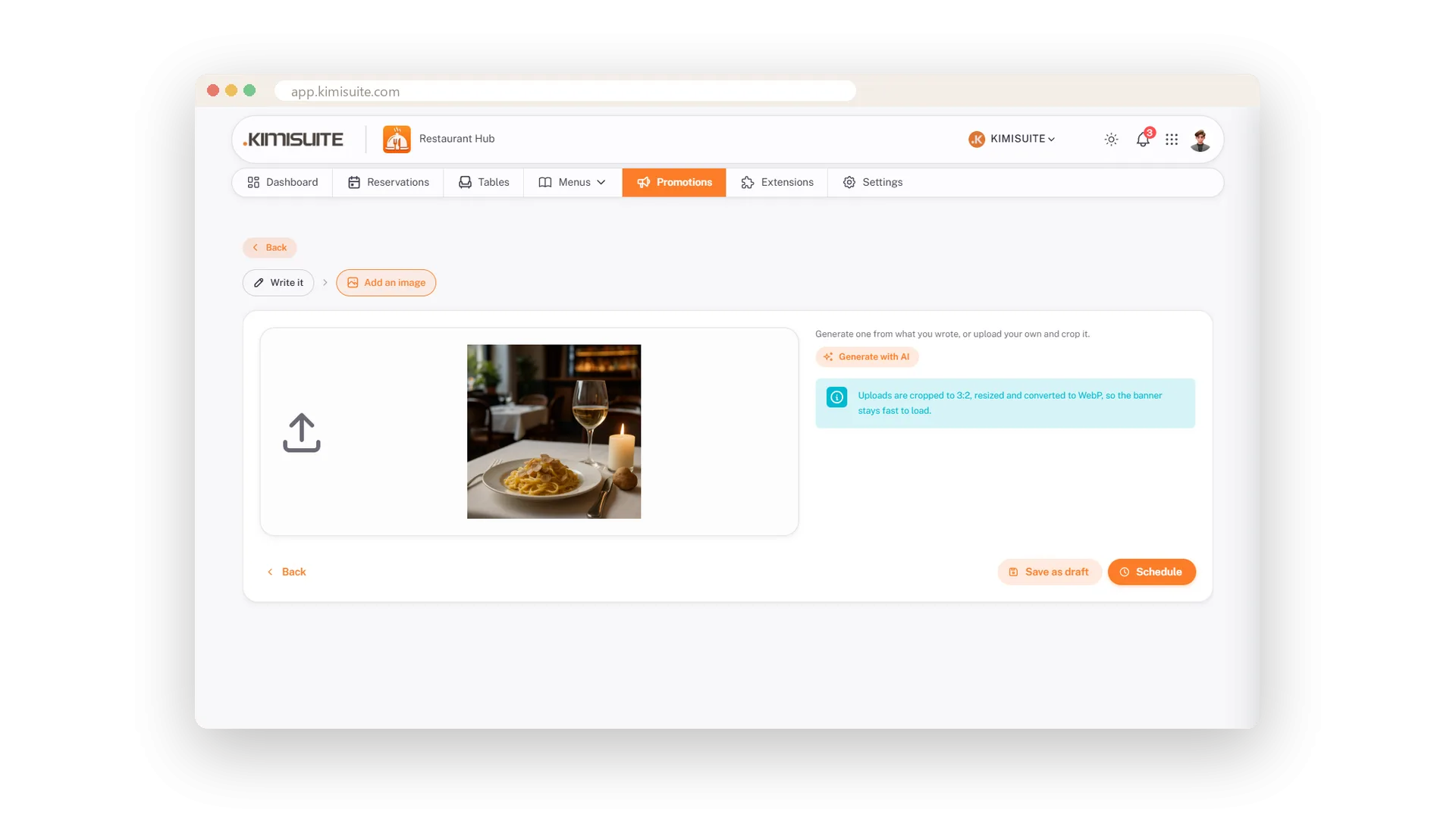
Describe the promotion, the AI paints it - or upload your own
No artwork? Describe the promotion in a sentence and the AI paints a banner for it: two spritzes on a terrace above the lake for your aperitivo evening. Comes with the AI Image Generator add-on; your own picture works just as well - upload it in 3:2.
Schedule it, forget it
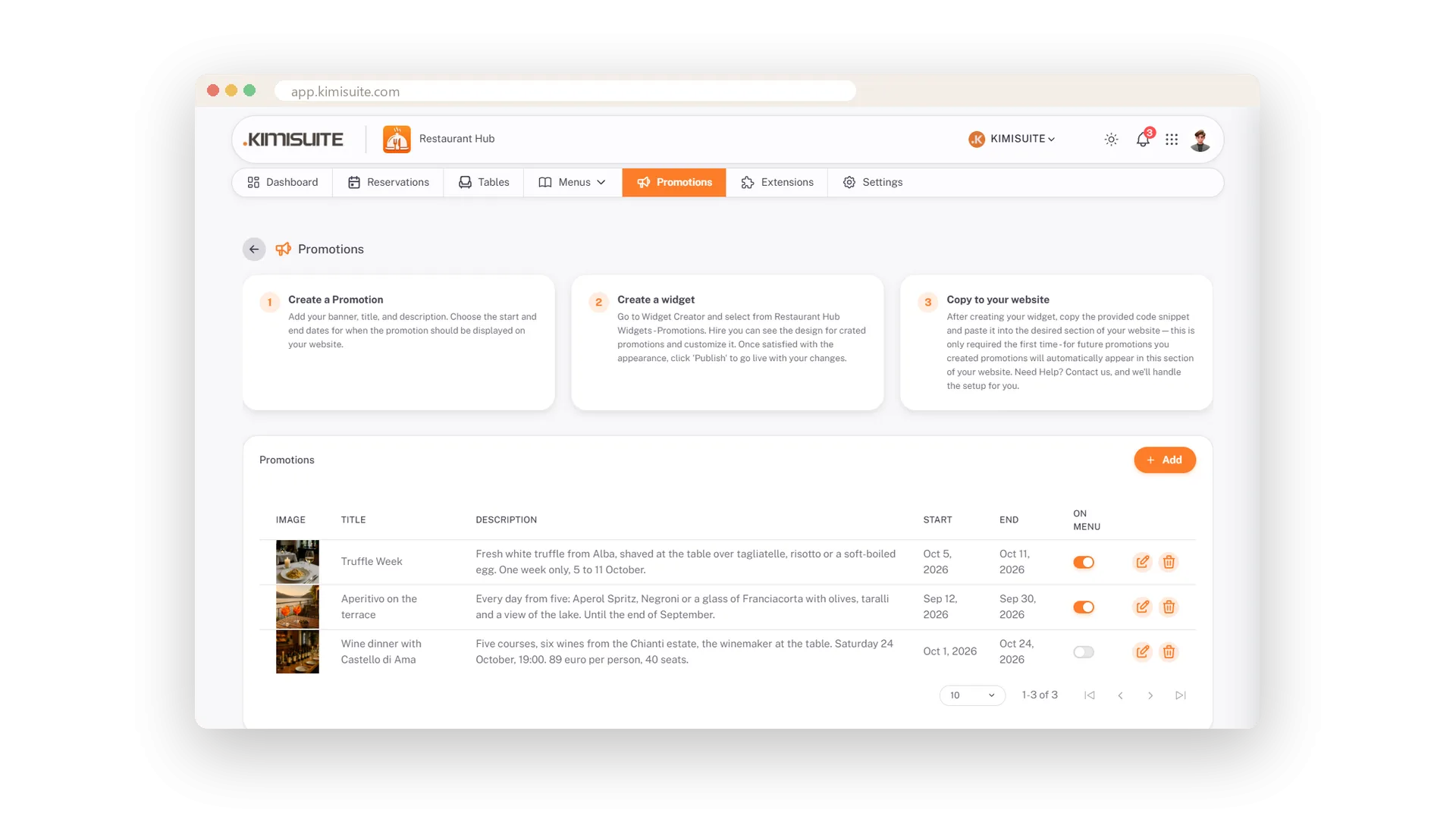
Live between start and end, or a draft until you are ready
Schedule the promotion and it goes live on the start date and steps aside after the end date. Not ready yet? Save it as a draft and publish with one click when you are.
At the top of the QR menu
One switch, and guests see it while they decide
Switch On menu on and the promotion appears above the categories of the digital menu - the moment guests decide what to order. In the Original template it is a full-width card with your banner.
The evening it happens
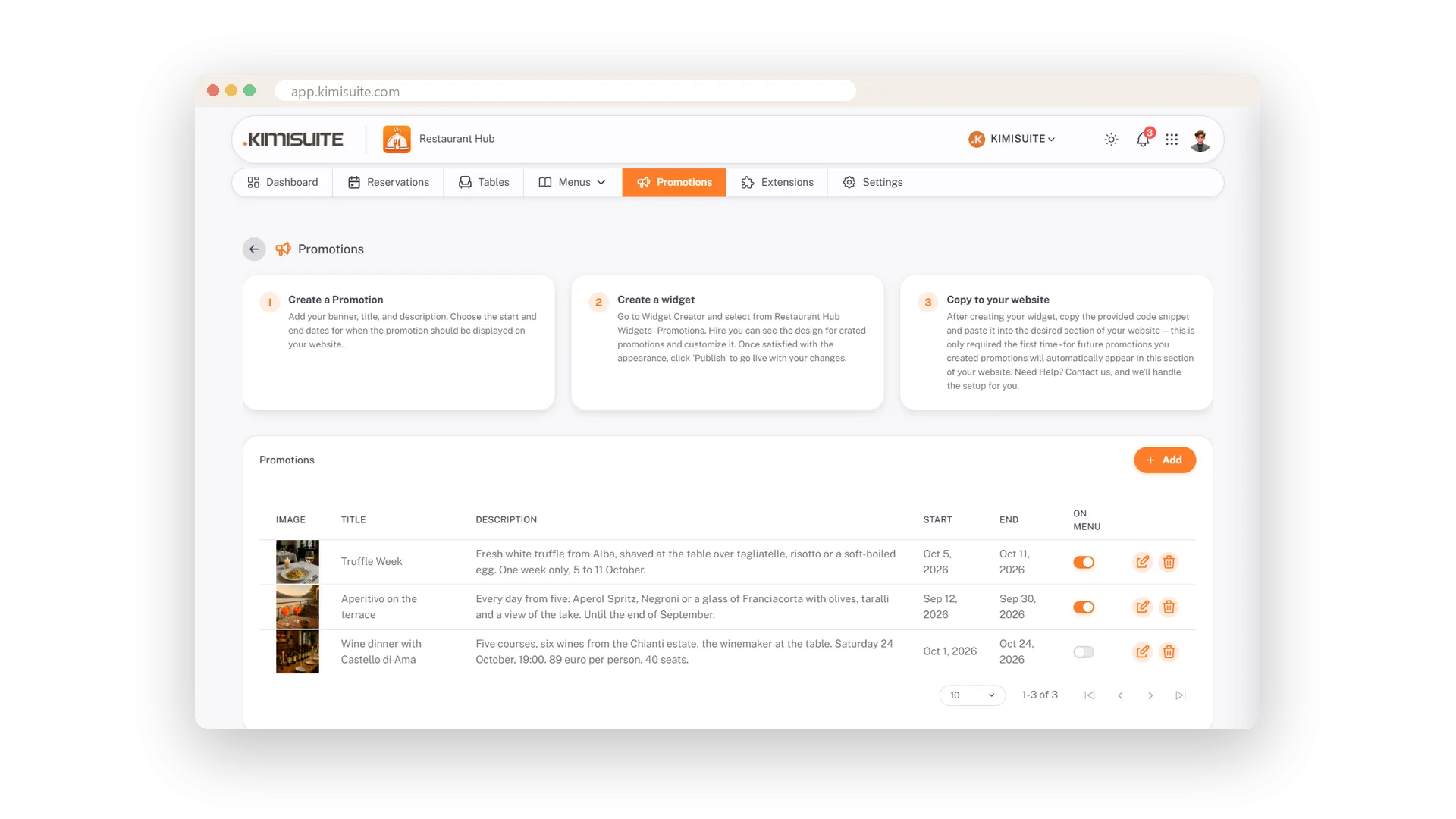
An event date, separate from when you advertise
Advertise the wine dinner for three weeks and tell guests the evening it happens: the event date sits next to start and end and is shown with the promotion.
Use Cases
Truffle week in October
Write the text, set 5 to 11 October, add a Book a table button, generate a banner, schedule. It appears on the first day and steps aside after the last.
A wine dinner with a date
The event date is separate from start and end: advertise the dinner for three weeks, and guests see the evening it happens.
Aperitivo on the terrace, every day
Start today, end in September, On menu switched on. Guests at the table see the card above the categories while they decide.
FAQ
Try Restaurant Hub today
Enter your menu once - serve it on the phone, on paper, online
14 days free, cancel anytime, no minimum term.
