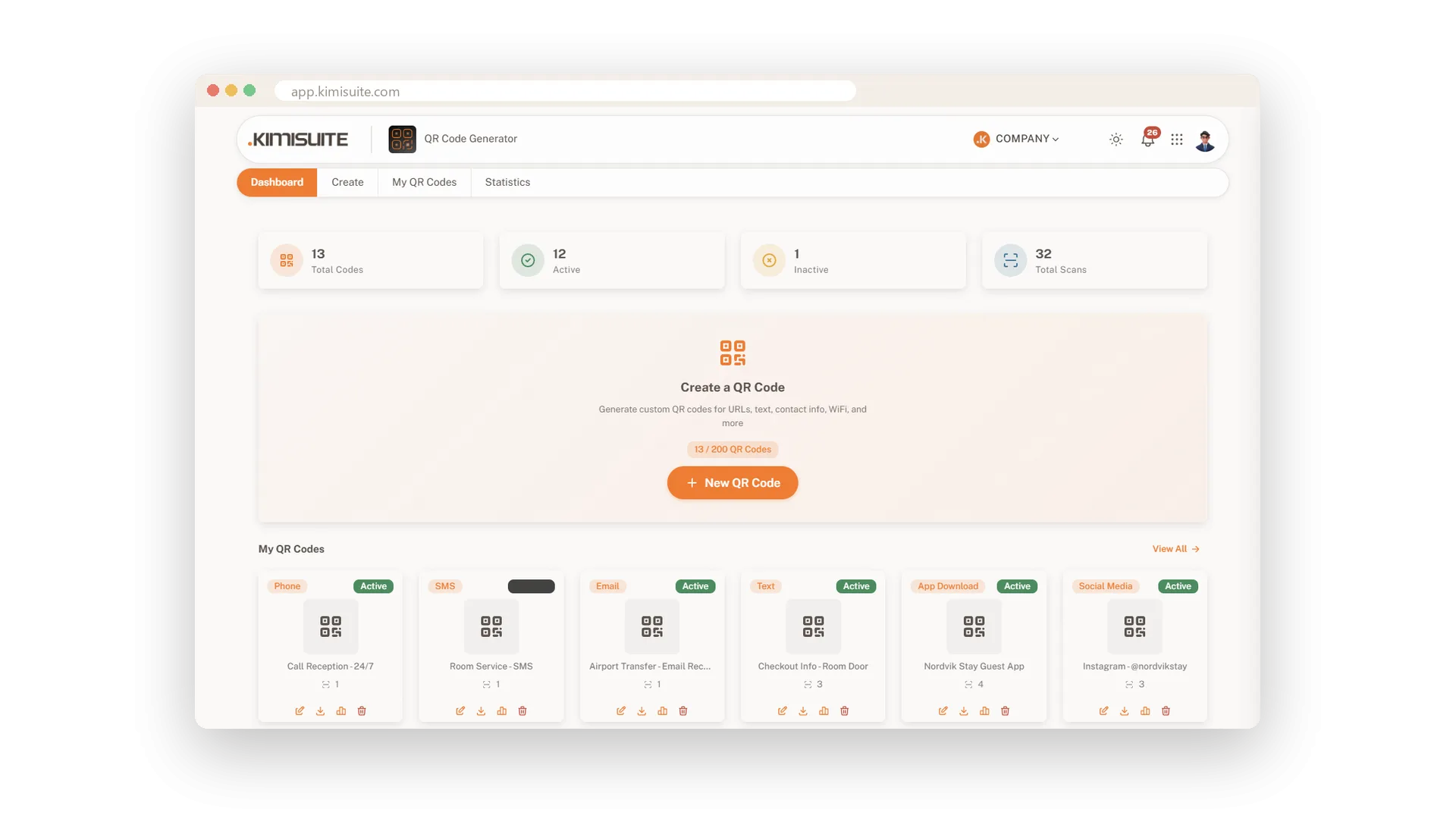
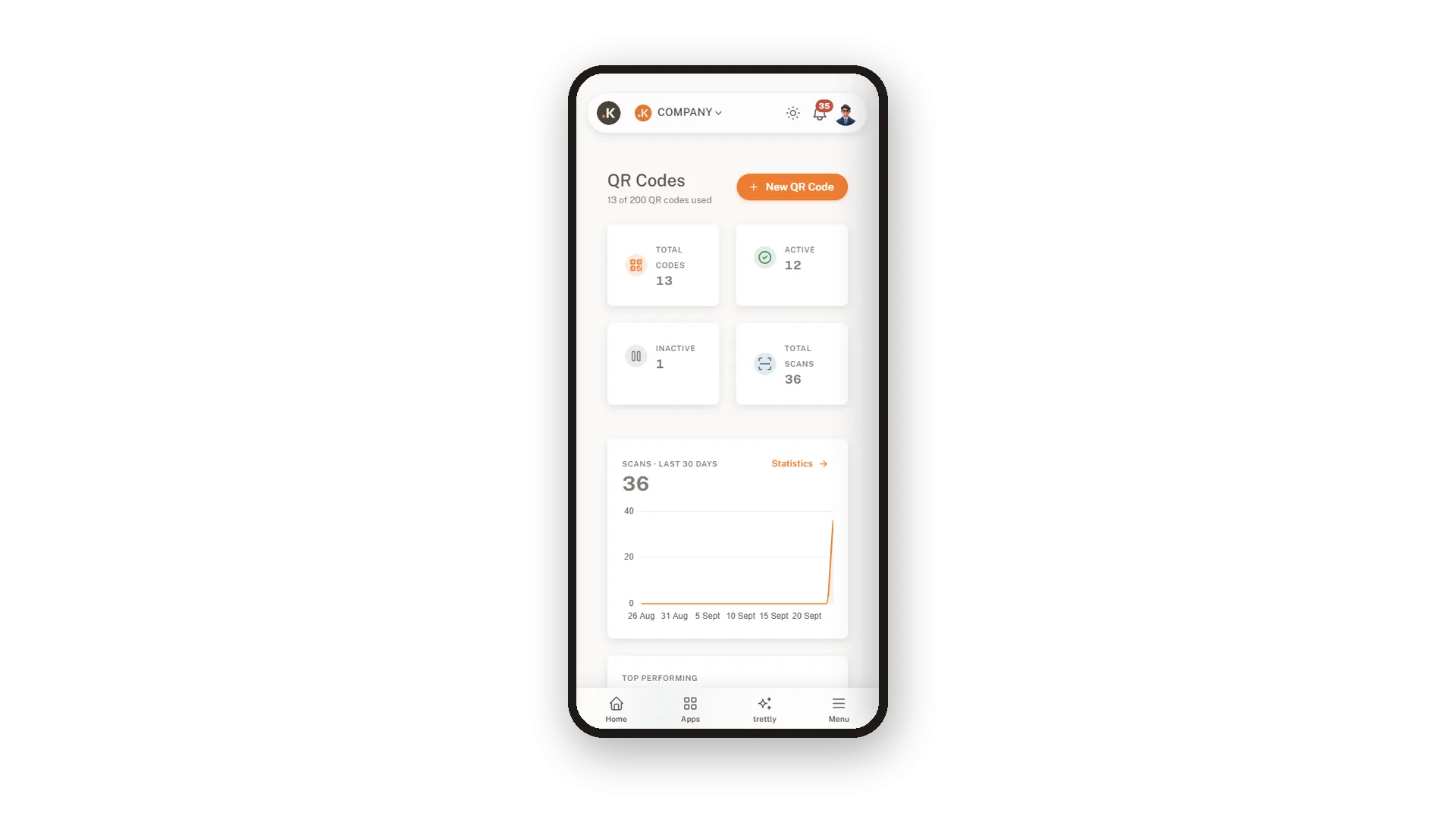
Codes for the menu, the WiFi, the flyer and the reception quickly add up. QR Generator keeps them all in one library that shows each code as it really looks, with a dashboard for your totals, your active codes and your scans. Search by name, type or content, filter by type or status, and edit, download or pause any code from the same row.
Need forty table codes? Upload a CSV file with name, type and content, check the preview and create them all in one go, in your colours. Every download comes in the size you pick, from 500 to 4000 pixels, with the clear border scanners need - as SVG, PNG, JPEG, WebP or a print-ready PDF for your print shop.
Key Benefits
A library that shows every code as it really looks, on desktop and phone
Search by name, type or content, and filter by type or status
Create hundreds of codes from one CSV file, all in the same style
Print-ready PDF or SVG, PNG, JPEG and WebP in four sizes
Find any code in seconds
Search by name, type or content
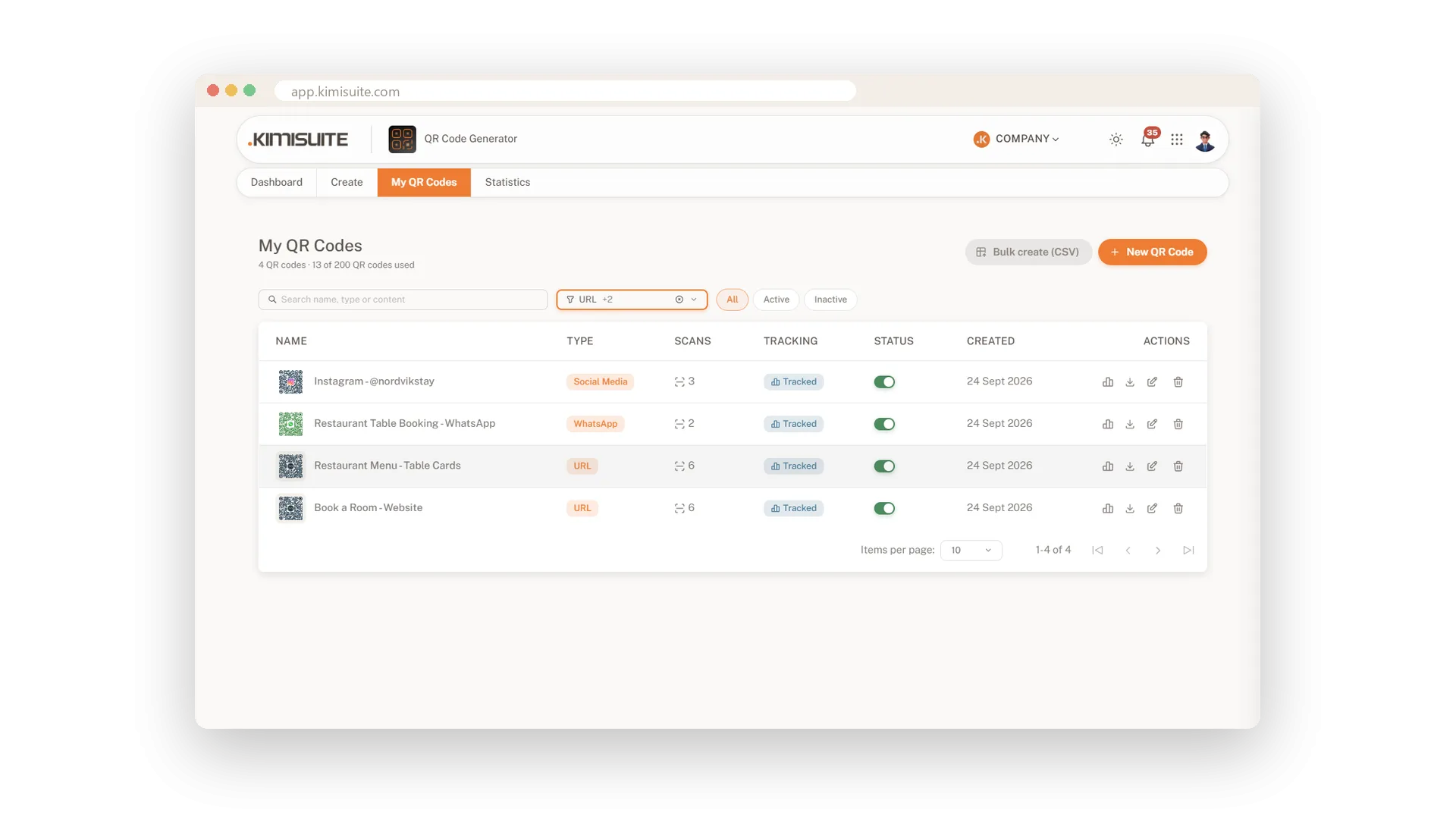
Type menu, event or a phone number and the library shows the matching codes, each with a small picture of the real code. Filter by type or by active and paused, and act on any code from the same row.
Print-ready files in every size
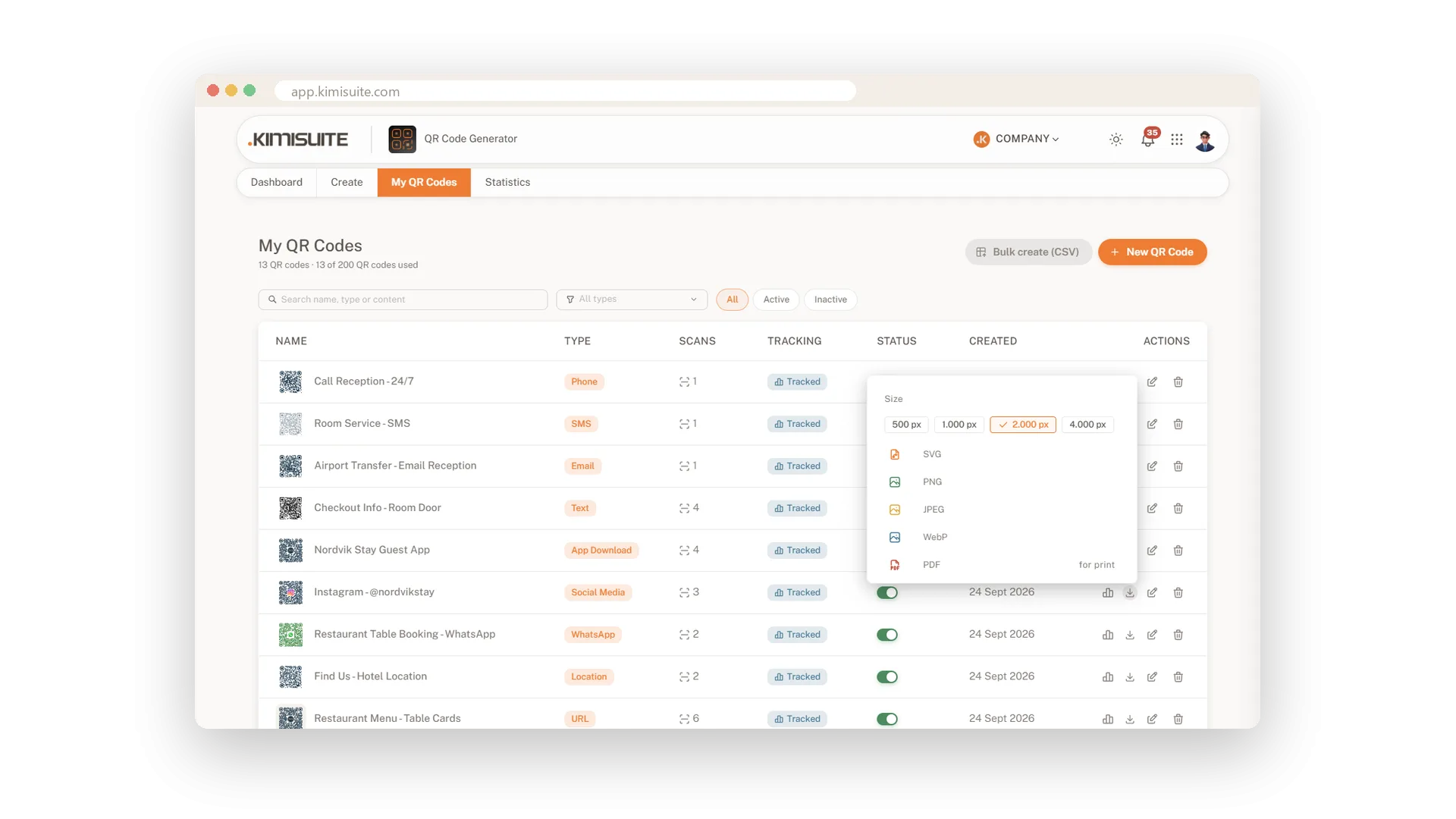
PDF for print, SVG, PNG, JPEG and WebP for the rest
Pick a size from 500 to 4000 pixels, then the format: a PDF for your print shop, SVG for design files, PNG, JPEG or WebP for screens. Every file keeps the clear border scanners need, and your colours and logo come with it.
Create hundreds of codes from one file
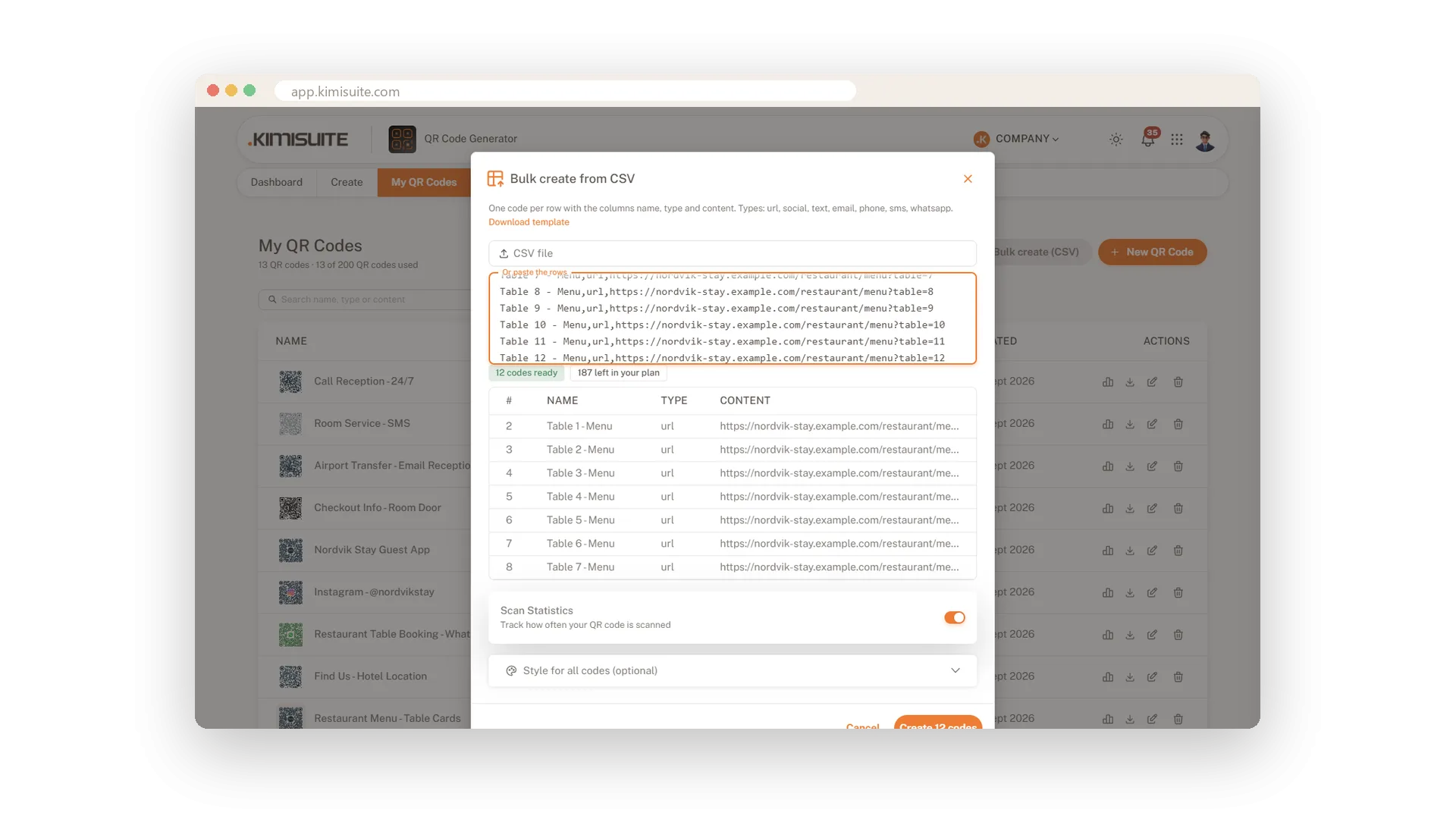
Upload a CSV, check the rows, create them all
List name, type and content in a spreadsheet - one row per table, room or product - and upload it. Every row is checked before anything is created, and all codes get the same colours and logo.
Your codes on your phone
Dashboard, library and downloads in your pocket
Check your scans, find a code and download it right from your phone. On a small screen the library turns into cards, and the app sits in your workspace menu, ready wherever you are.
Use Cases
Forty tables, one file
A restaurant lists its tables in a spreadsheet, one link per table. It uploads the file, sees all forty codes ready and creates them in one click, each in the house colours.
The printer needs a file
Your print shop asks for the menu code. Search for menu, pick 2000 pixels and PDF, and send the file off - border included.
Tidying up after the season
Filter for inactive codes, delete last year's summer events and your plan has room for new ones.
FAQ

Try QR Generator today
Dynamic QR codes with your logo, colours and scan statistics
14 days free, cancel anytime, no minimum term.
