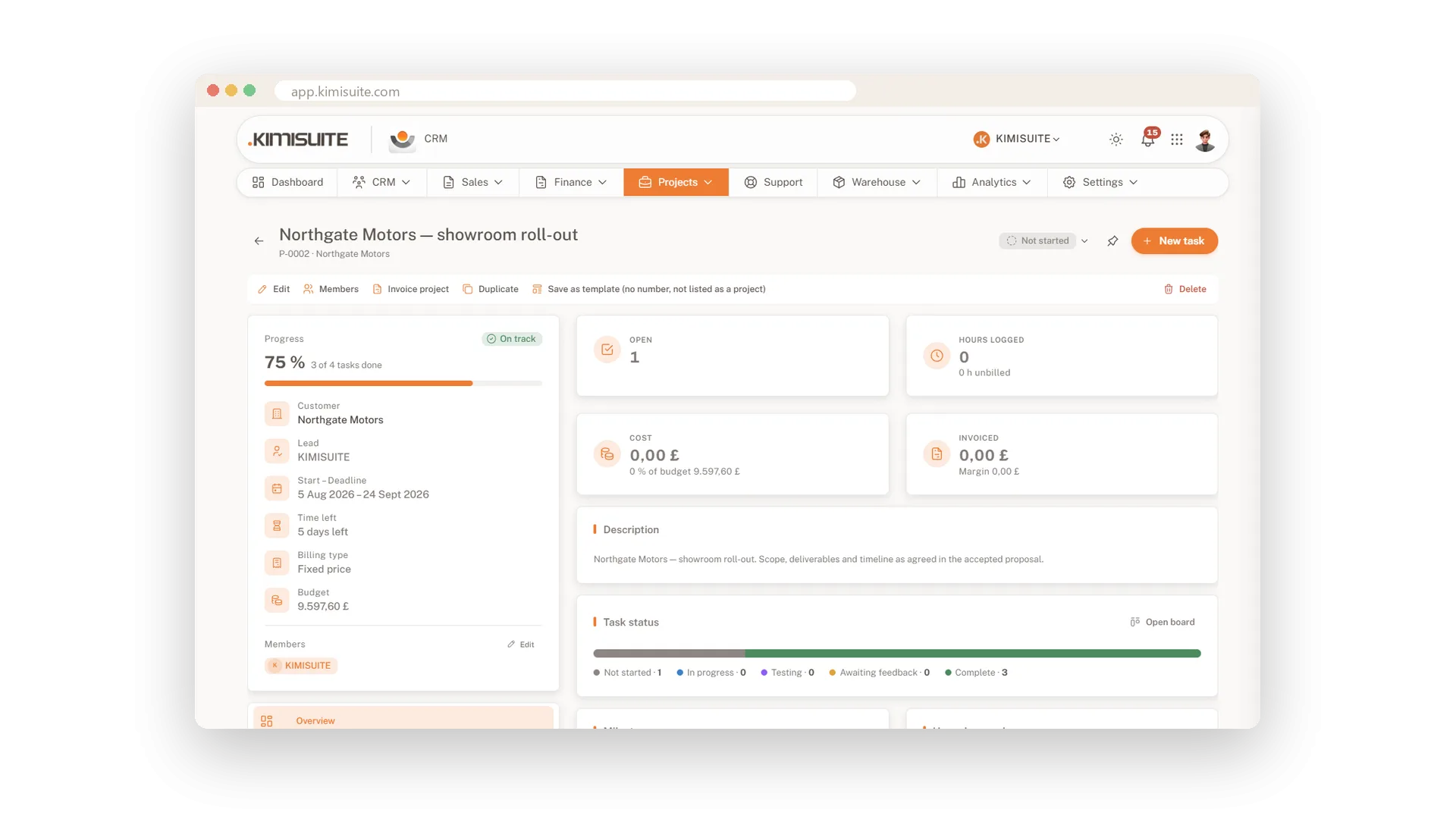
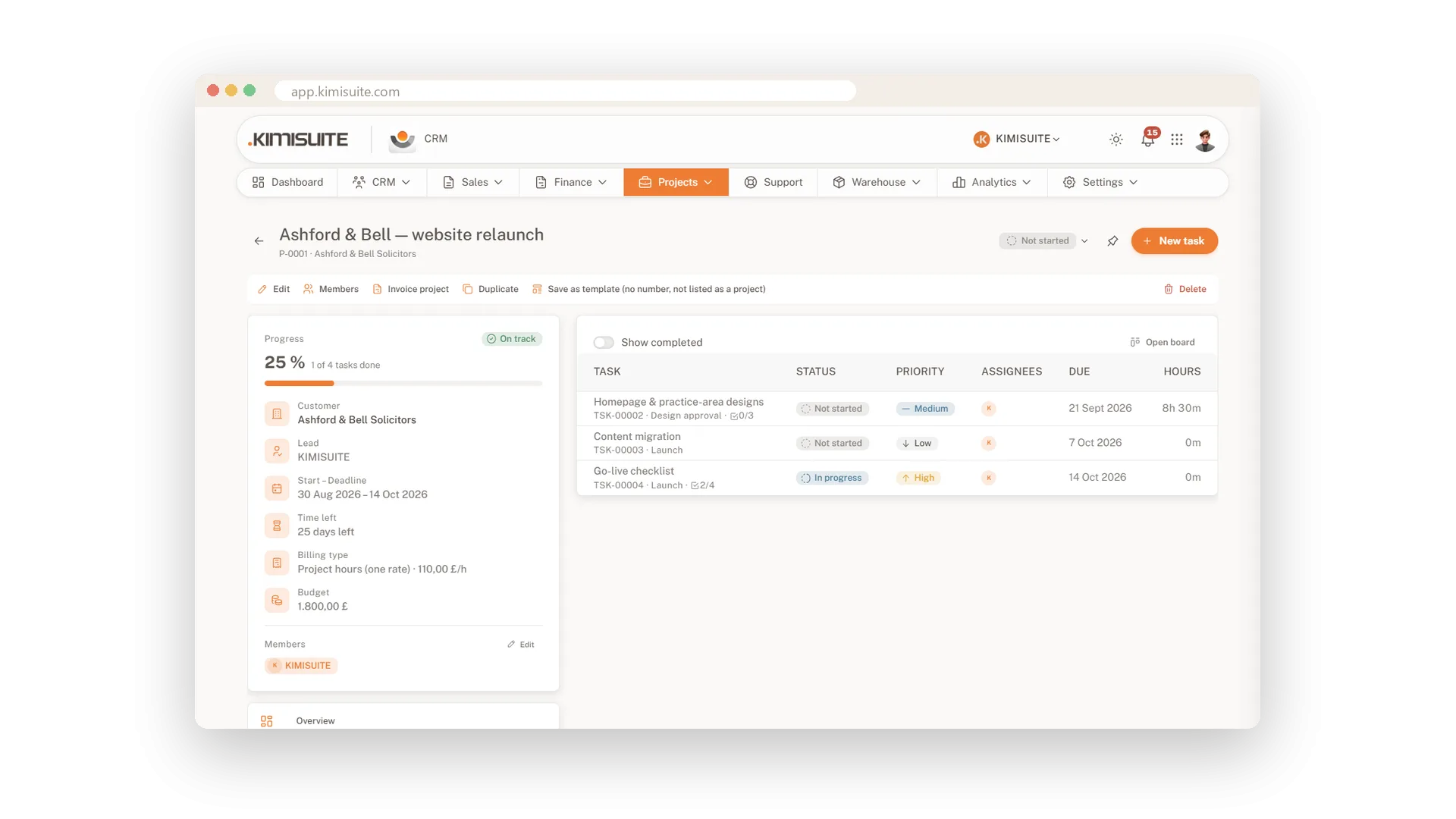
A project only pays off when the hours end up on an invoice. In the CRM, a project belongs to a customer from day one, and you choose how you bill it: a fixed price, project hours or task hours. The project page shows open tasks, hours, costs and what is already invoiced. You know where you stand before the customer asks.
Your team works in tasks, as a list or on a board. Every task has a priority, a due date and owners, plus checklists, subtasks and dependencies when you need them. Start the timer when you begin and stop it when you are done. At the end of the month, Invoice project turns the hours into an invoice.
Key Benefits
Bill a fixed price, project hours or task hours, with budget and hourly rate per project
Hours, costs and invoiced amount on one project page, with hours per team member
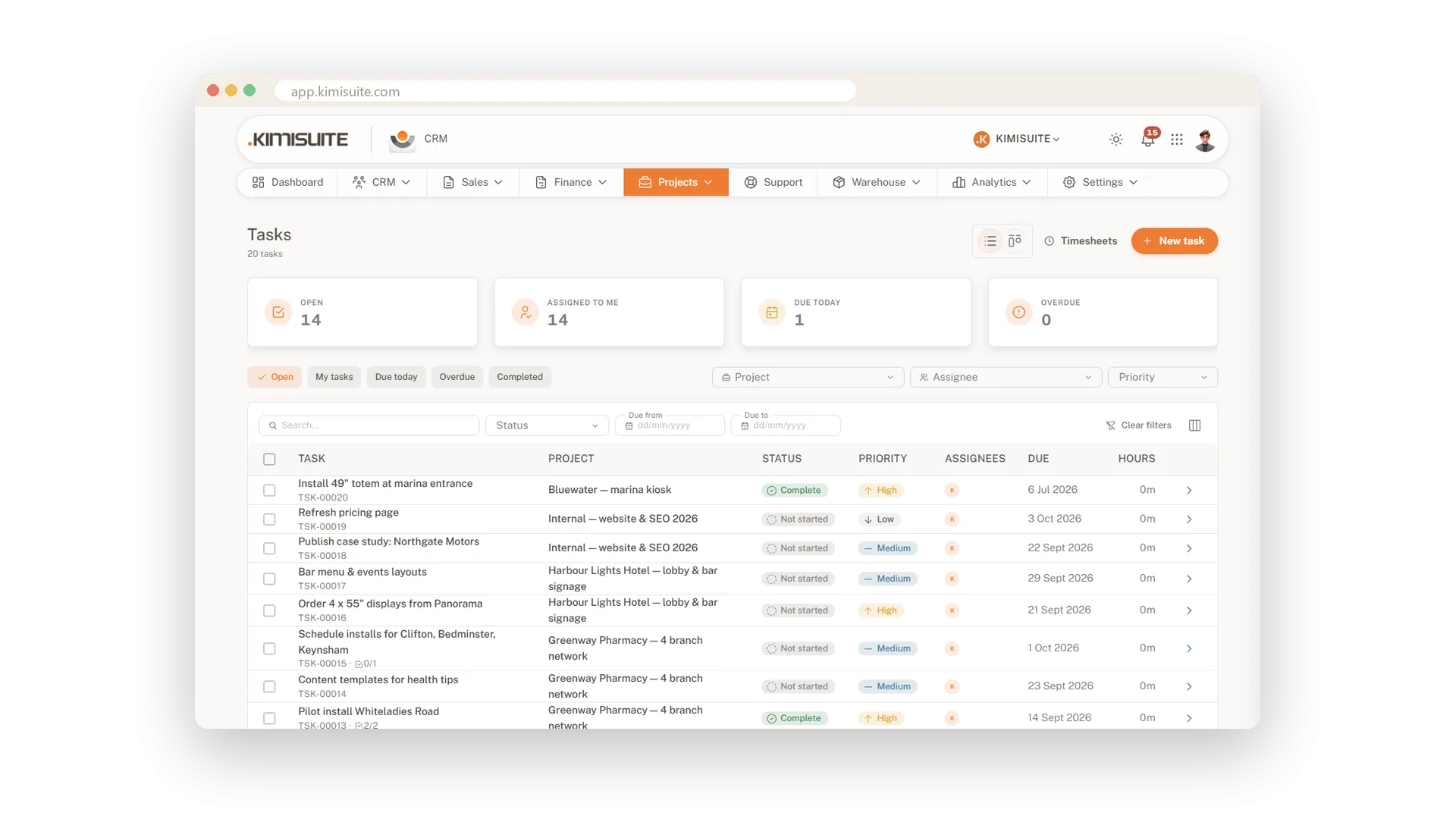
Tasks as a list or a Kanban board, with checklists, subtasks, dependencies and repeats
A timer on every task, and tracked time becomes an invoice in one step
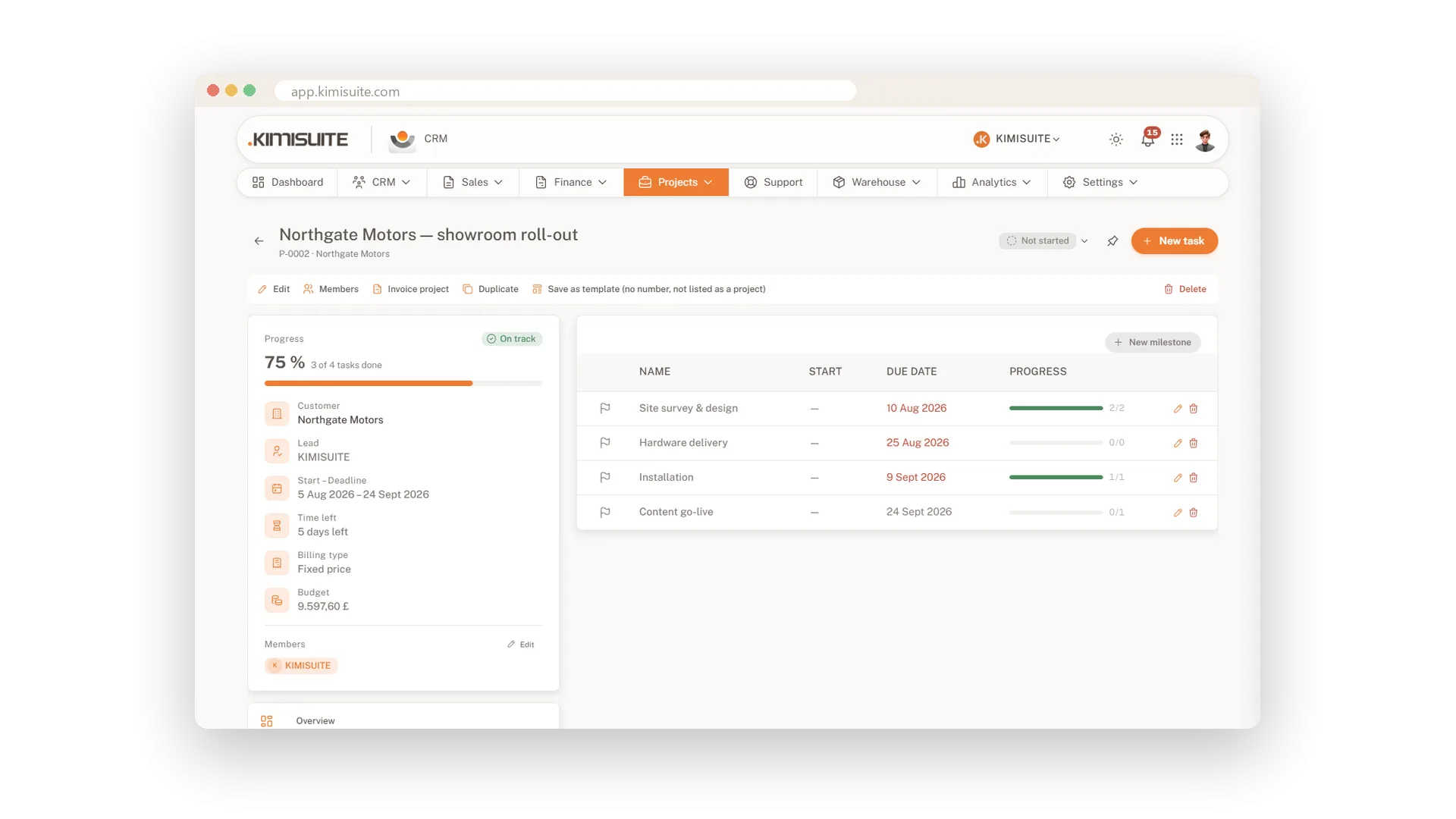
Milestones and progress
See how far a project is, at a glance
Split a project into milestones and link the tasks to them. Progress comes from the tasks, so the bar moves when your team finishes work, not when someone remembers to update it.
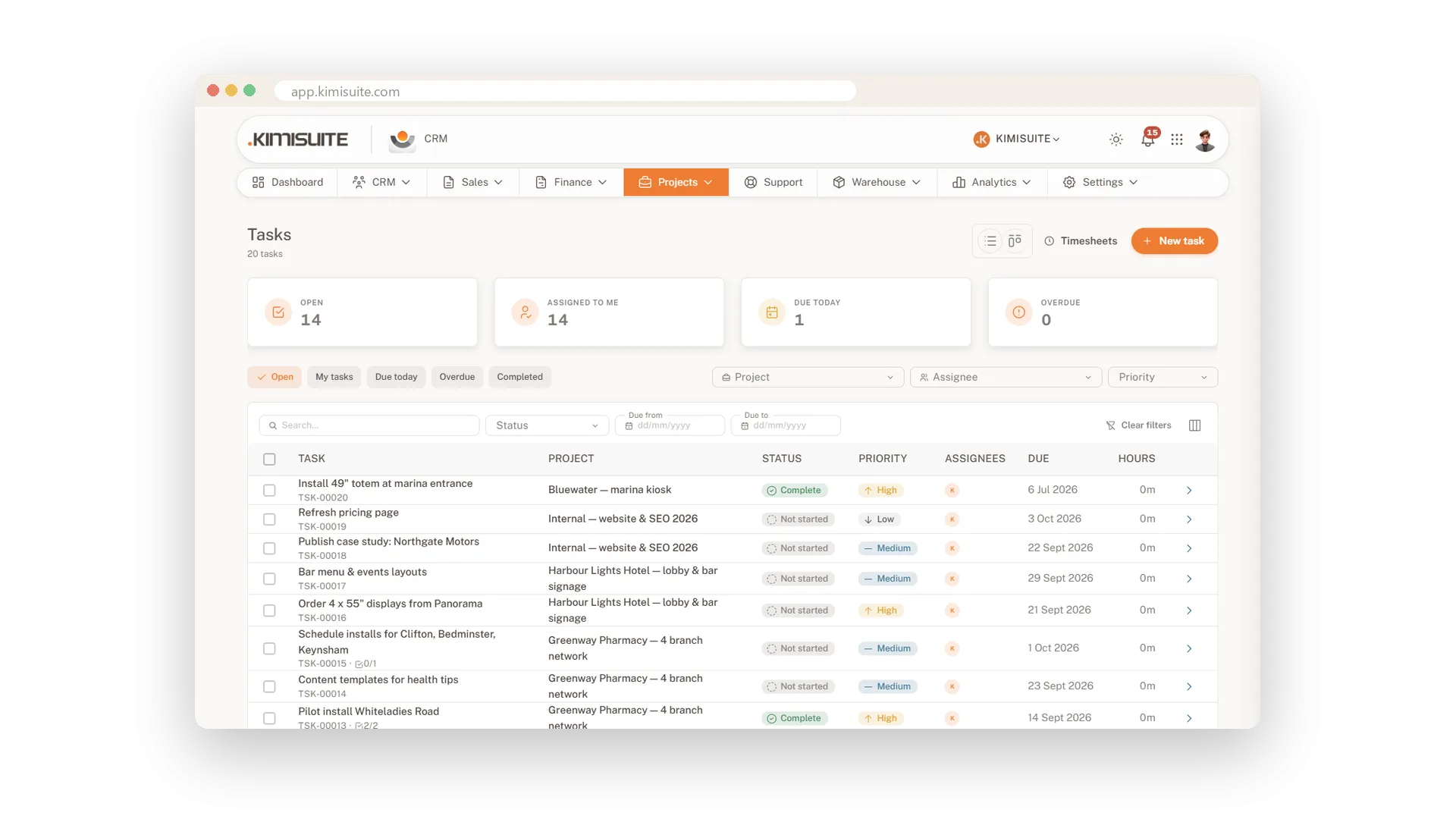
Tasks as a list or a board
Priorities, owners and due dates, list or Kanban
Every task has a priority, a start and due date, assignees and followers. Switch between list and Kanban, and the tiles on top show what is open, what is yours, what is due today and what is overdue.
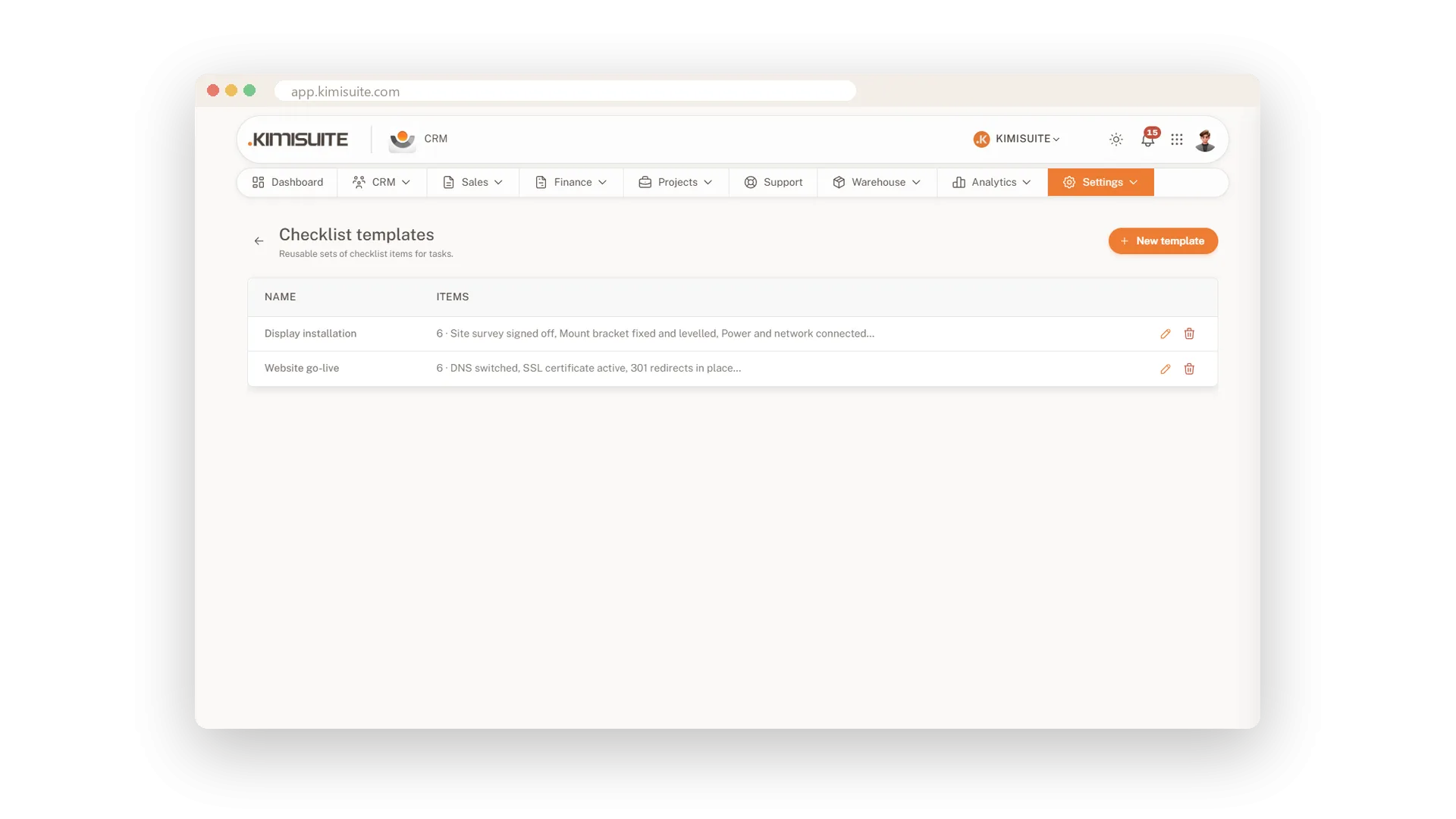
Checklists and templates
Never forget a step on the jobs you repeat
Add a checklist to any task, or pull one from a template you set up once. Subtasks, dependencies and repeating tasks take care of the rest.
Time tracking with a timer
Start, stop, and the hours are ready to bill
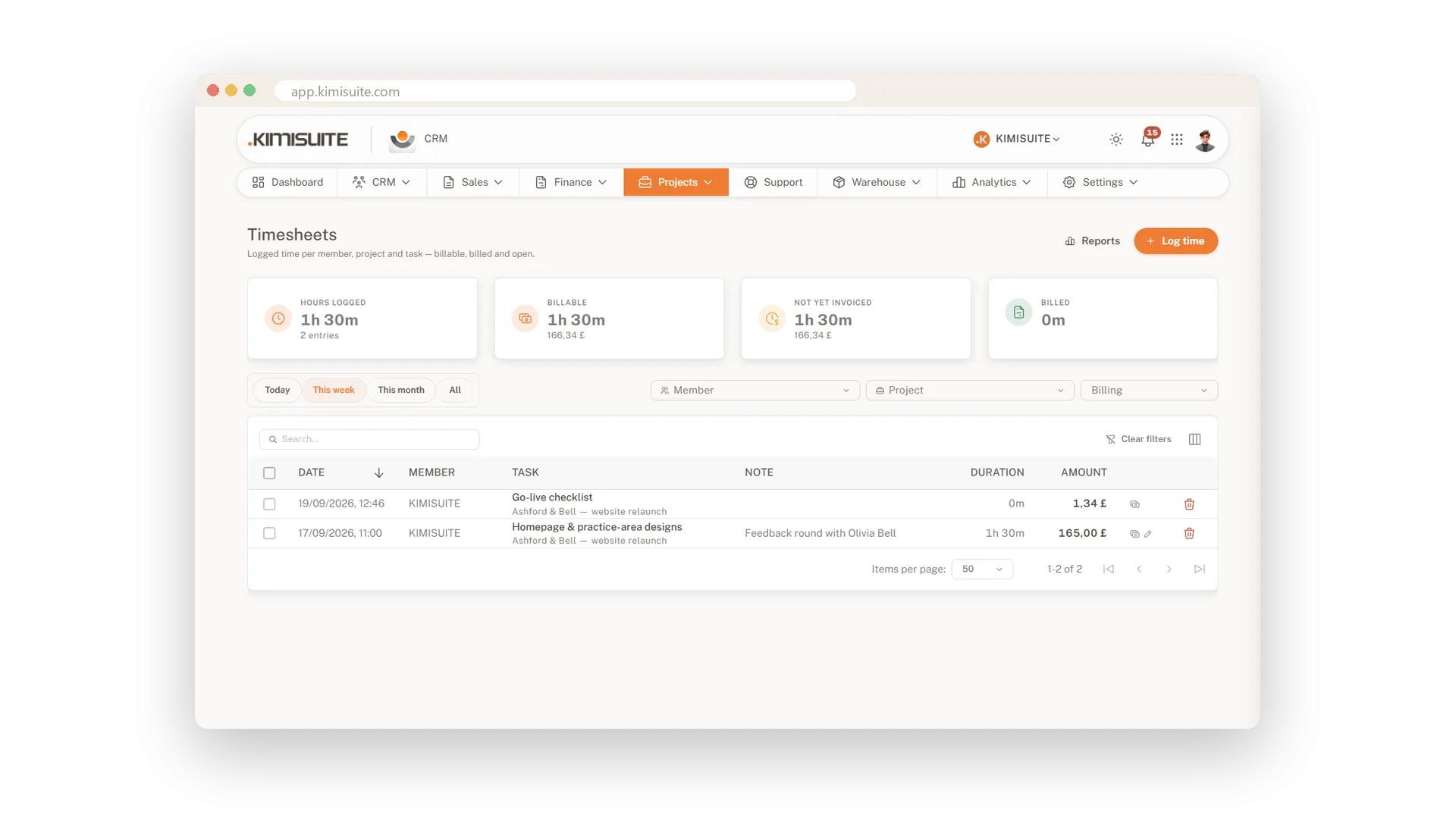
Start the timer on a task and stop it when you are done, or add the time by hand later. Every entry shows whether it is billable, billed or still open, with the amount from the hourly rate.
Invoice a project from its hours
Tracked time becomes an invoice in one step
Set a budget and an hourly rate on the project and pick how you bill: a fixed price, project hours or task hours. Choose Invoice project and the invoice is built from the hours or the tasks, ready for you to check and send.
One calendar for dates and deadlines
Appointments and deadlines side by side
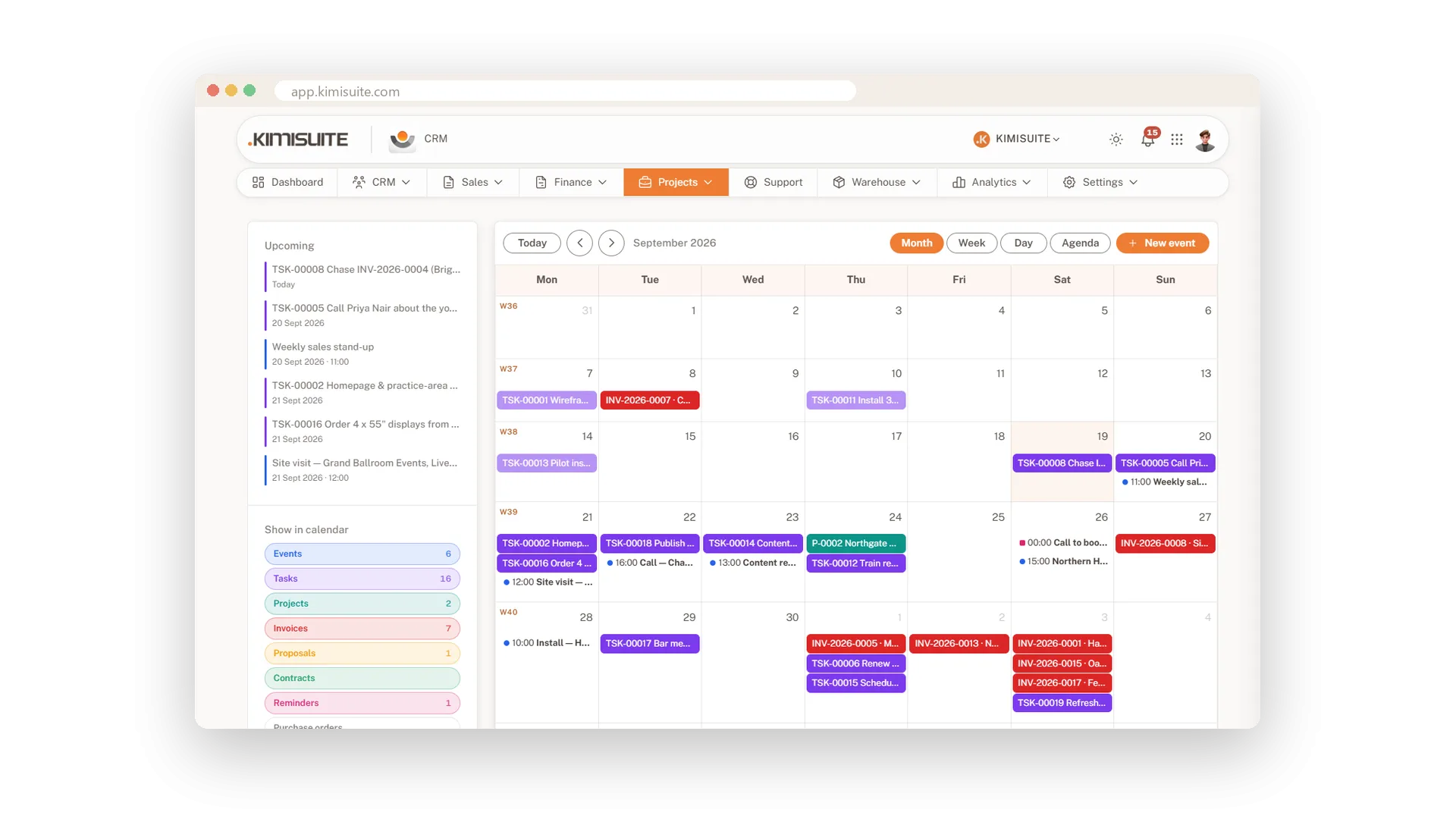
Your own appointments with reminders sit next to tasks, projects, invoices, proposals, contracts and purchase orders, each as its own layer. Subscribe to the iCal feed or connect the KIMISUITE Calendar app to take it all with you. The calendar comes with every plan.
Send a task to your ToDo list
Your CRM task on your personal list
Working with the KIMISUITE ToDo app? Send a CRM task to your own ToDo list with one click and keep your day in one place.
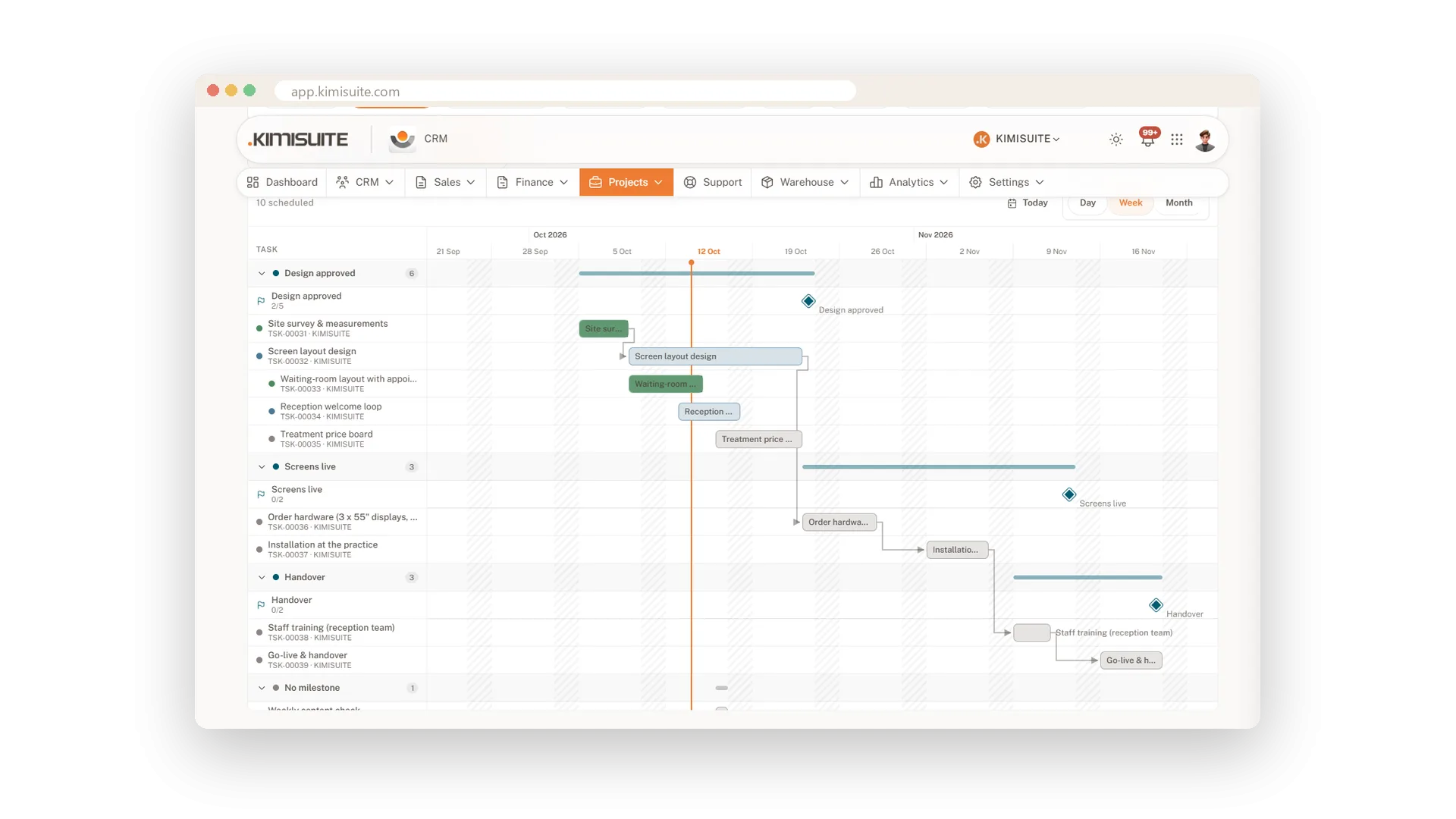
The whole project on a timeline
Gantt view for projects and tasks
See every project and task as bars on a timeline, with milestones and dependencies. Move a bar to change the dates, and undo it if you change your mind.
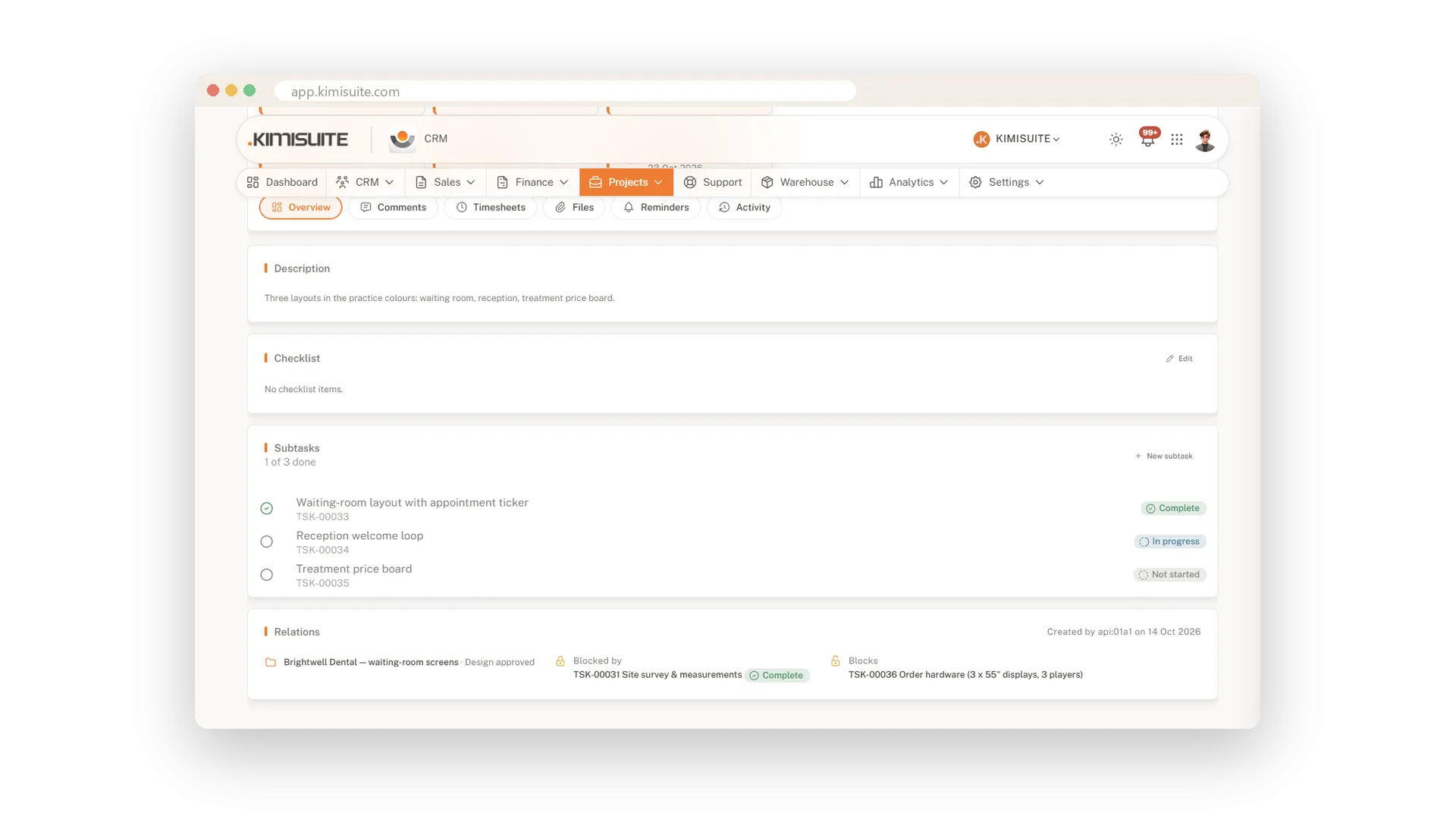
Subtasks and what blocks what
Big tasks split, order made clear
Split a big task into subtasks and mark which task has to finish first. Blocked tasks show it, so nobody starts in the wrong order.
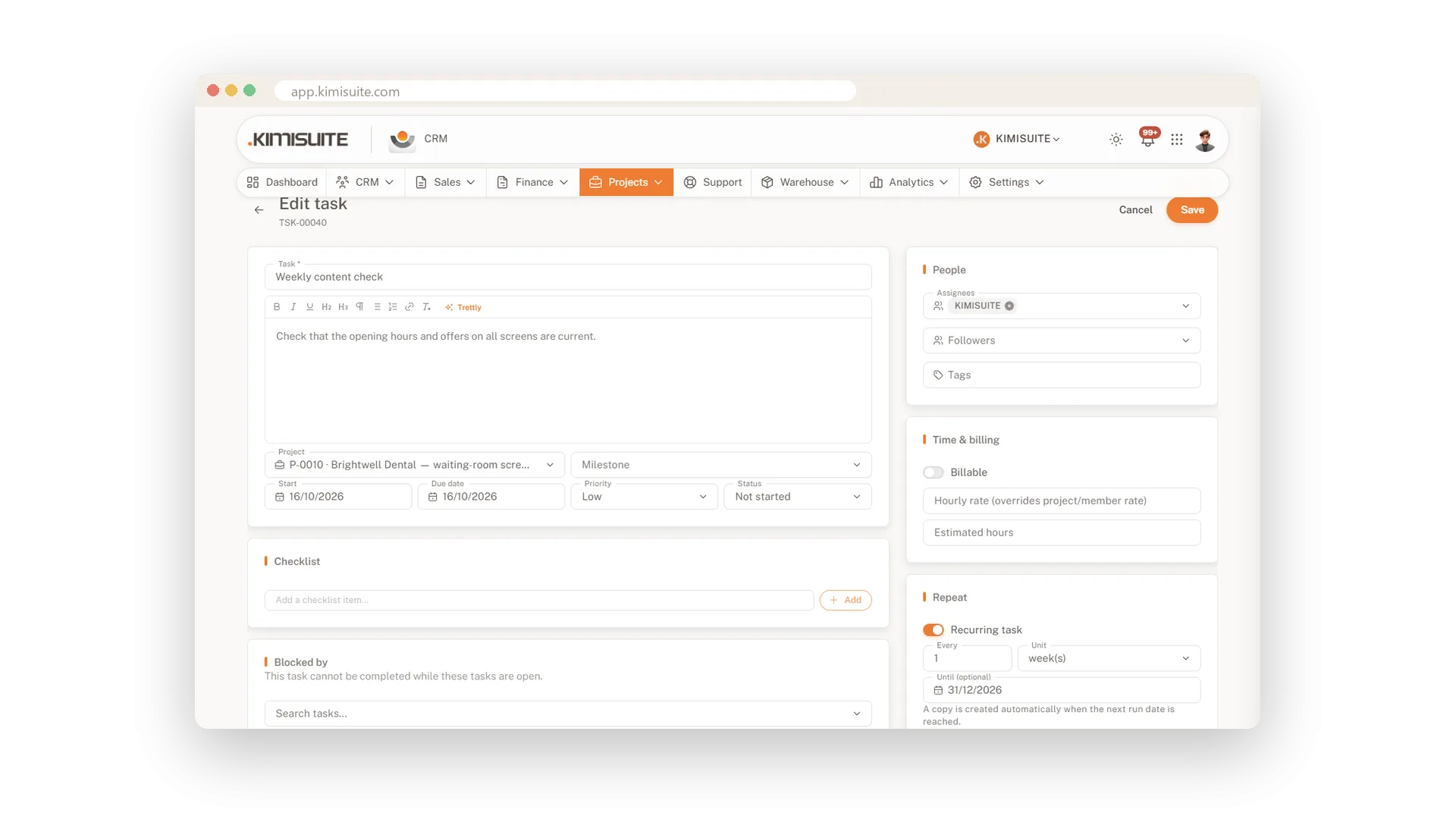
Tasks that come back on their own
Every week, month or year
Set a task to repeat every week, month or year, and the next one appears when it is due. Monthly reports and yearly checks are never forgotten.
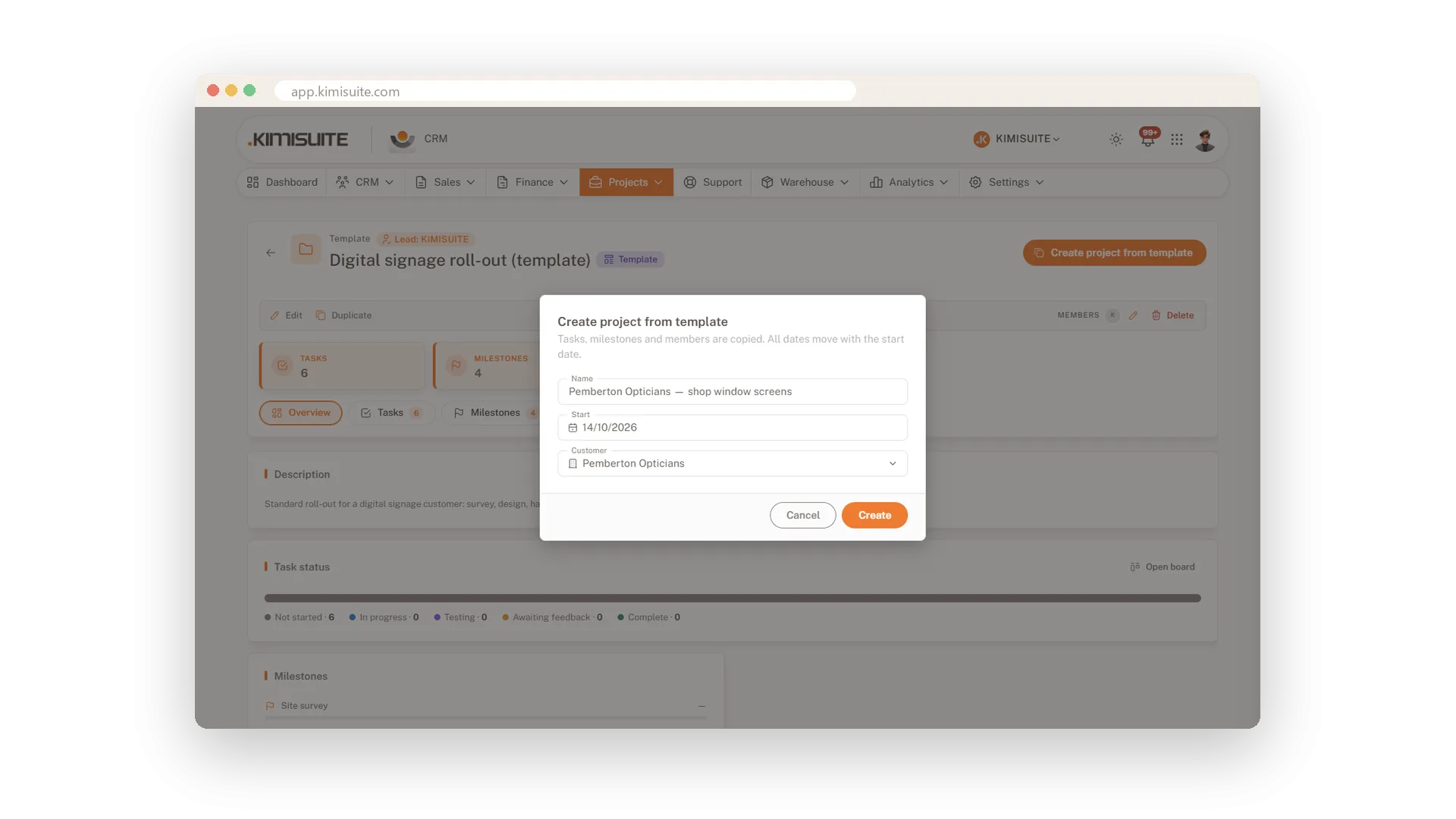
Start projects from a template
Milestones and tasks ready to go
Save a project you run often as a template, with its milestones, tasks and checklists. The next one starts complete in a minute.
Use Cases
The monthly retainer
A client pays for your hours every month. Your team tracks time on the project's tasks, and at month end you invoice the project from its hours.
A website in three milestones
Design, build, launch: each milestone gathers its tasks. The progress bar fills up as the team ticks them off, so the client update is one look away.
The job you do every spring
Save a well-run project as a template. Next year you start from it instead of from a blank page.
FAQ

Try CRM Business Hub today
From first lead to paid invoice in one app
14 days free, cancel anytime, no minimum term.
