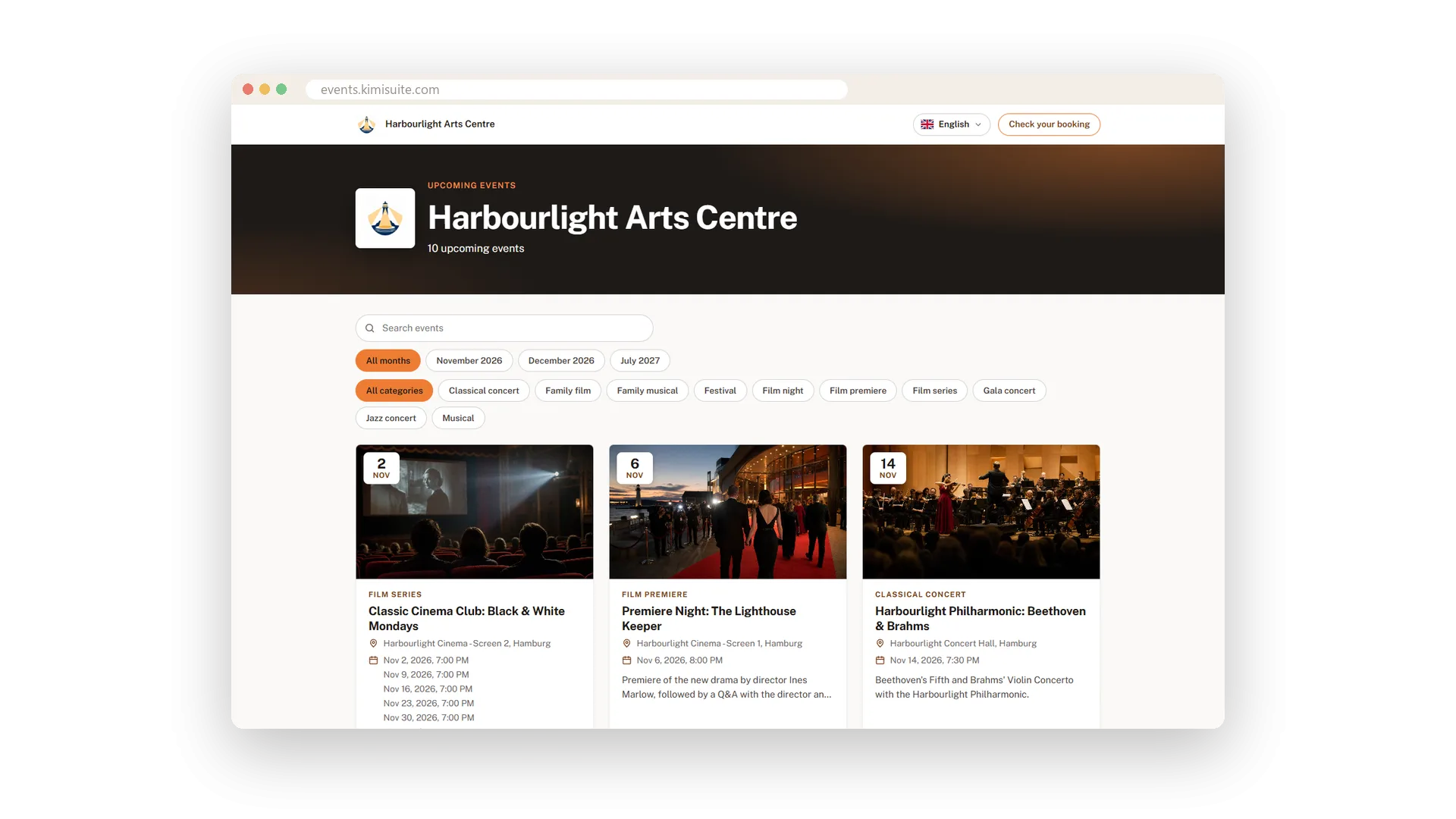
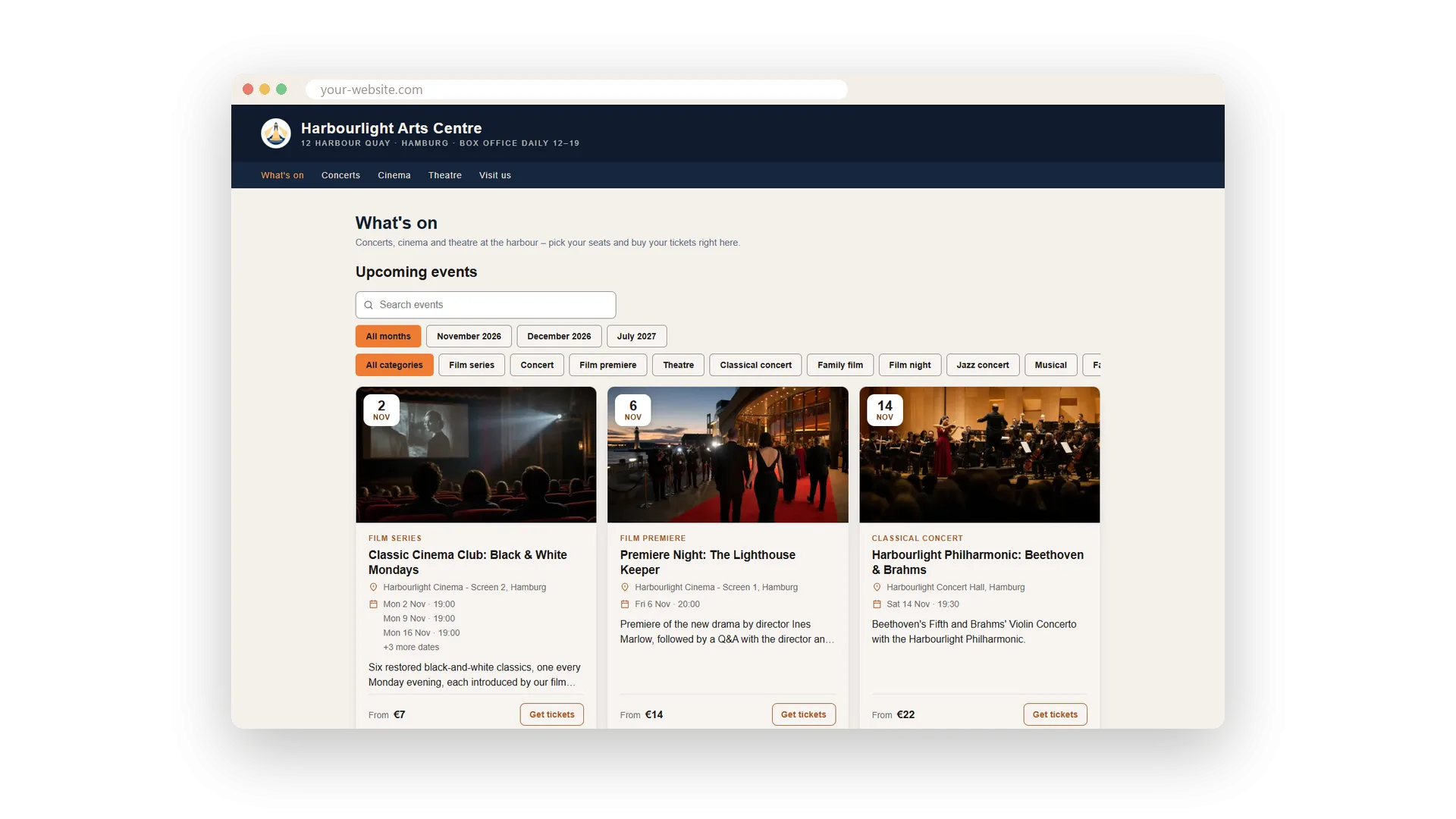
Your buyers find every upcoming event on one page with your logo and your name: big pictures, dates, the venue and the lowest price. They search, filter by month or category and open an event to choose tickets or seats. It works on any phone, in light and dark, and in the language the buyer reads.
You do not build anything. The page exists as soon as you publish your first event, at an address with your name, and each event has its own page you can share as a link or as a QR code on a poster. When a date sells out, buyers join the waiting list and get an offer when seats come back.
Key Benefits
Live in minutes: your ticket shop is online with your first published event
Seat choice made easy: buyers pick seats on the map or let the shop suggest the best ones
Speaks your buyers' language: 16 languages, including Arabic from right to left
Never miss a sale: sold-out dates collect a waiting list and offer freed seats
Event pages that sell
Picture, date, venue and tickets on one page
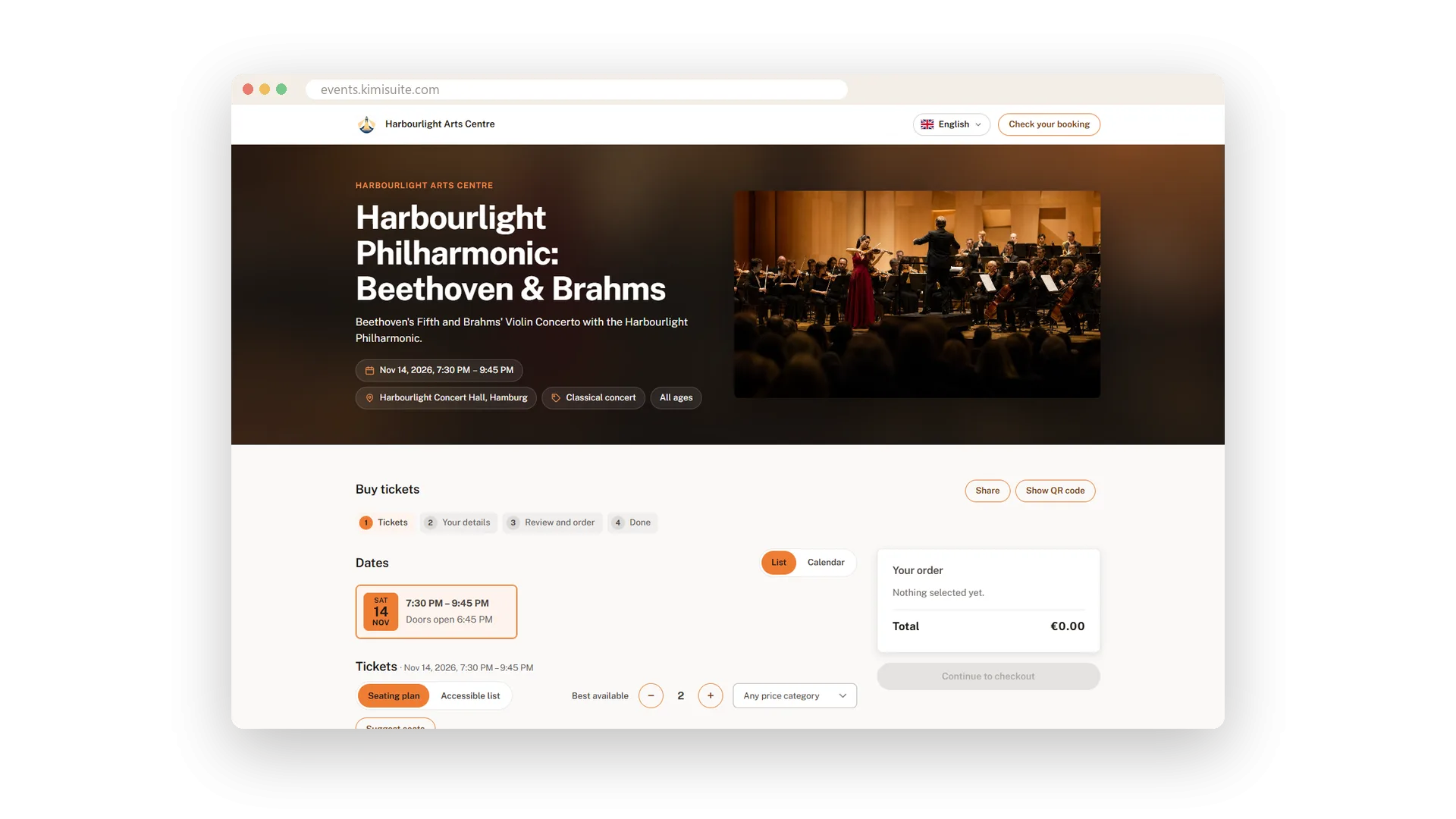
Each event gets a page with its picture, the dates as a list or a calendar, the venue and the tickets. The order summary on the side shows the total with VAT and fees while buyers choose, and a step bar tells them how far they are.
Buyers pick their own seats
Zoom into a block, tap a seat, done
Buyers see the hall by blocks and prices, zoom in and tap the seats they want. Or they say how many seats they need and let the shop suggest the best ones side by side. For each seat they then choose the right ticket, adult or child.
Seat selection as an accessible list
Block, row and seat, all by keyboard
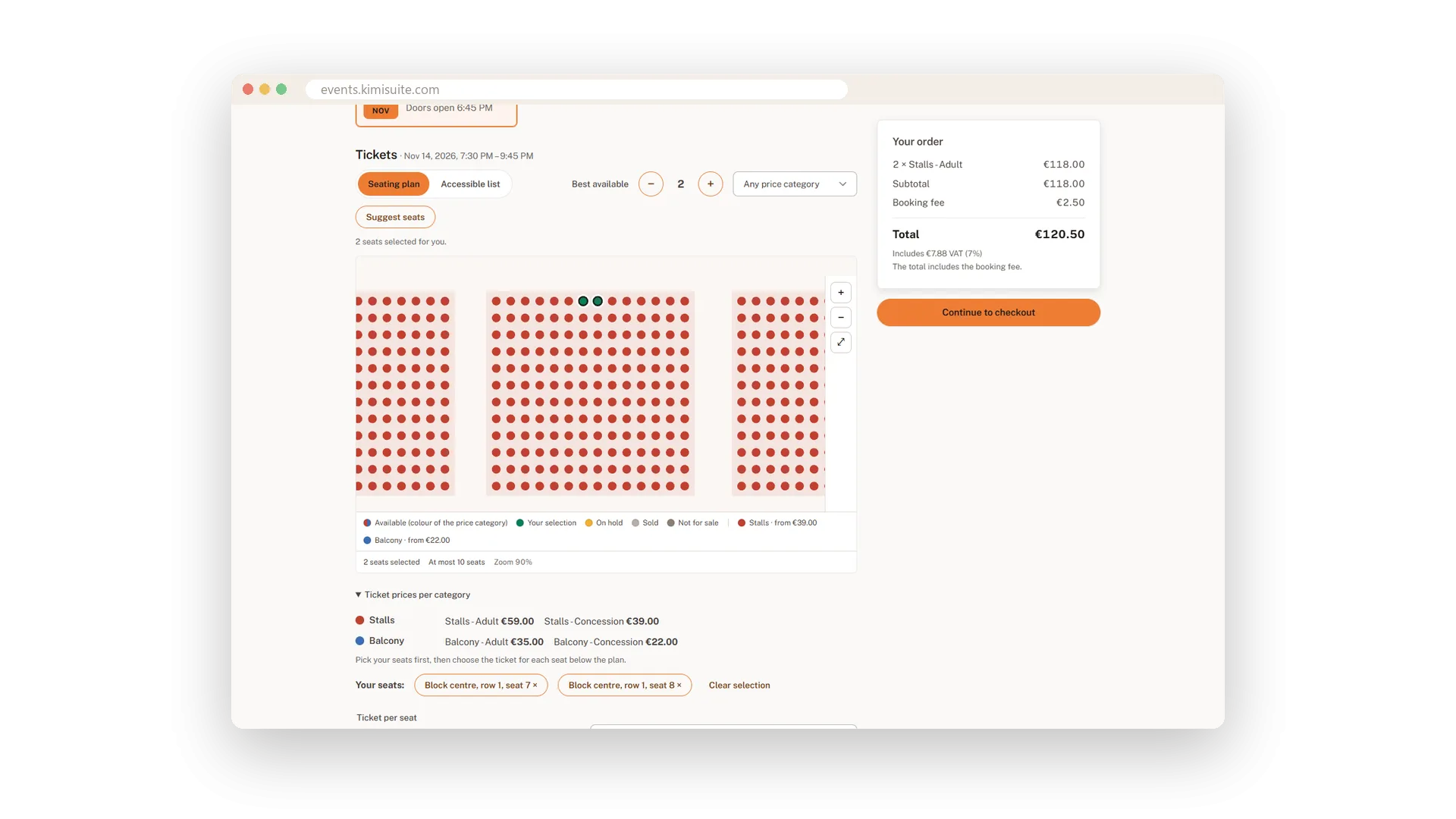
Not everyone can use a seat map. The accessible list lets buyers choose block, row and seat from simple menus, show only wheelchair spaces and book everything with the keyboard.
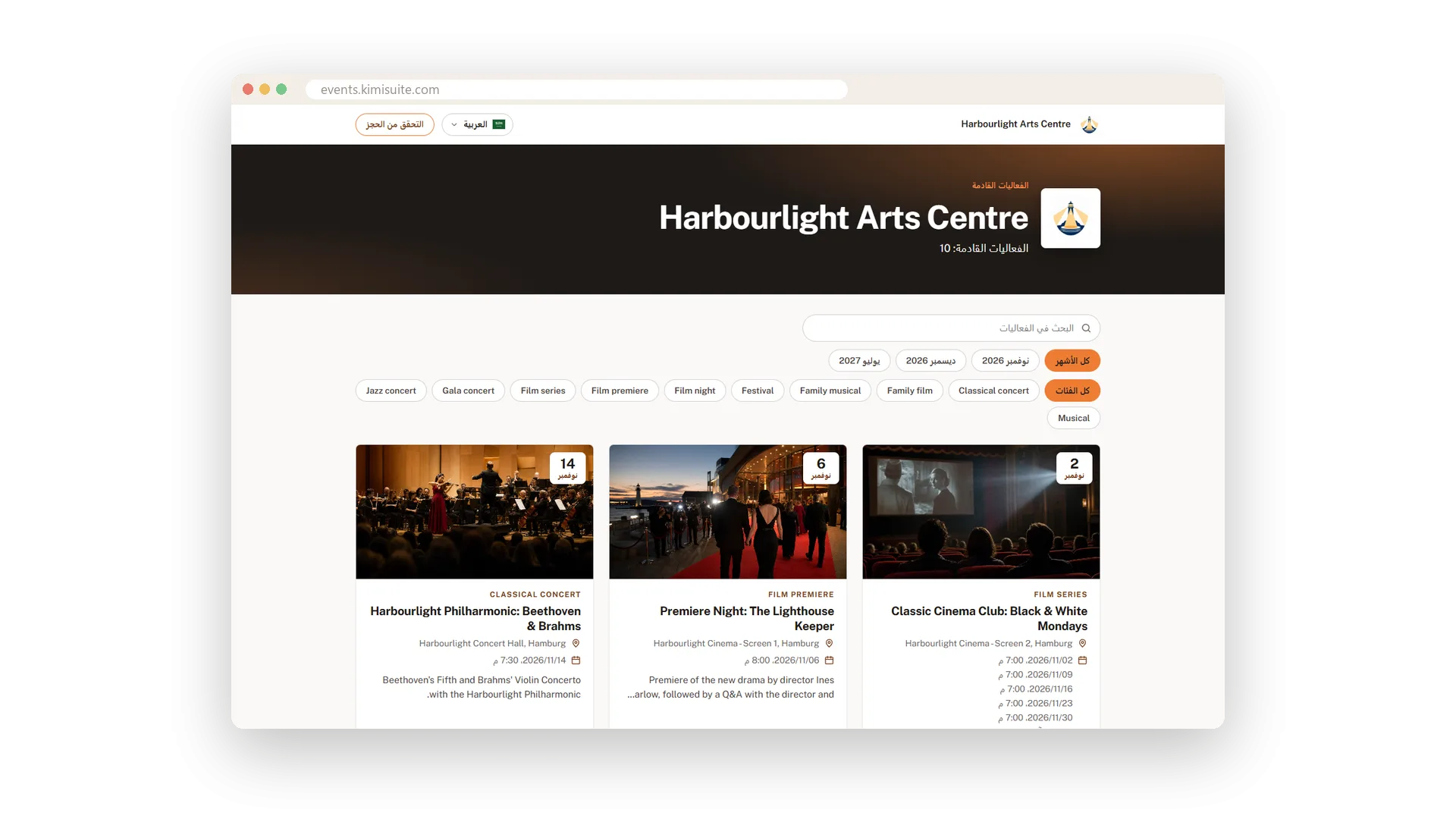
A ticket shop in 16 languages
Including Arabic from right to left
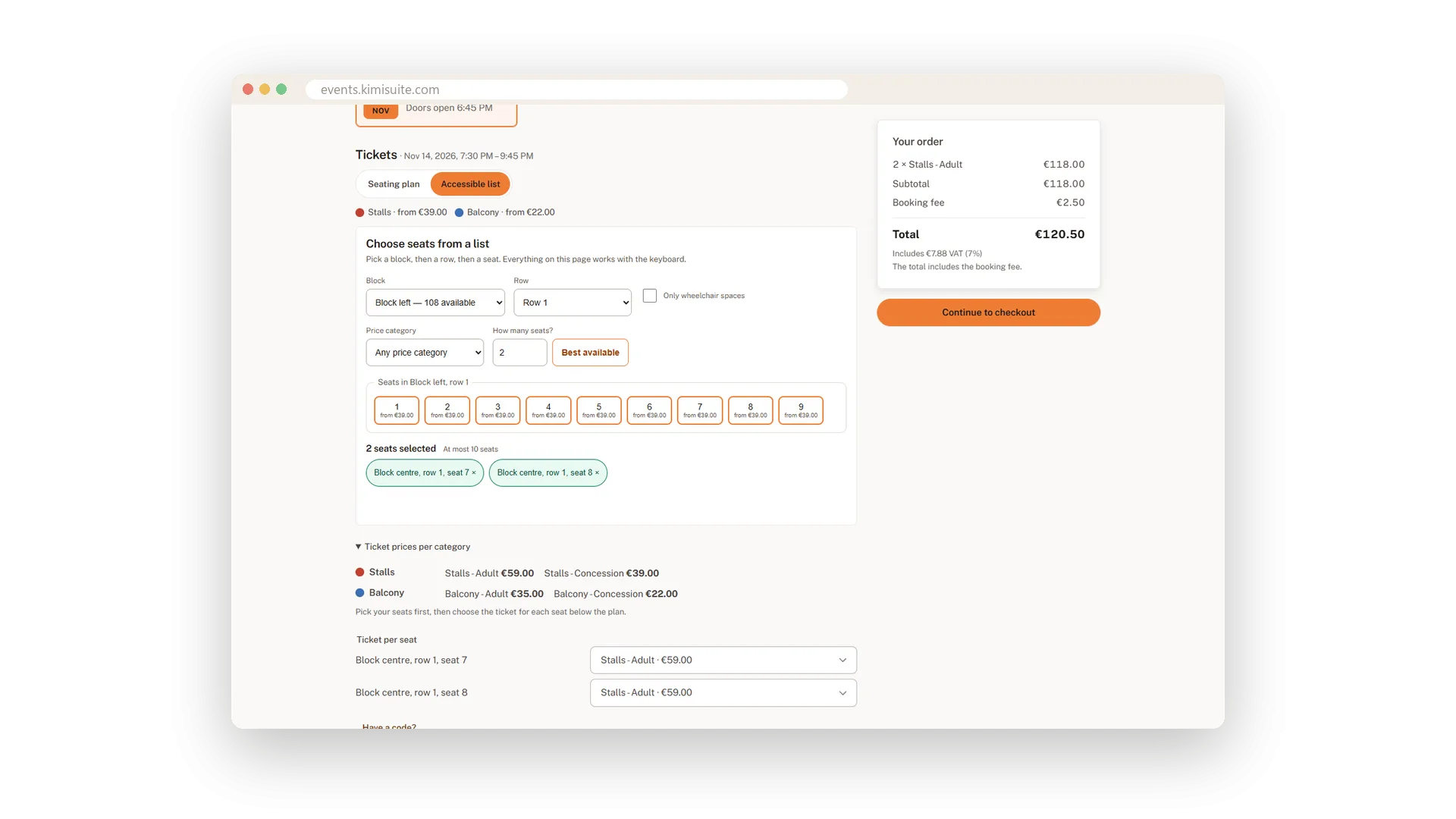
Buyers choose their language with a flag, and the shop, the checkout and the e-mails follow. The switcher offers only the languages you sell in, Arabic reads from right to left, and the choice stays with the buyer from page to page and on the next visit.
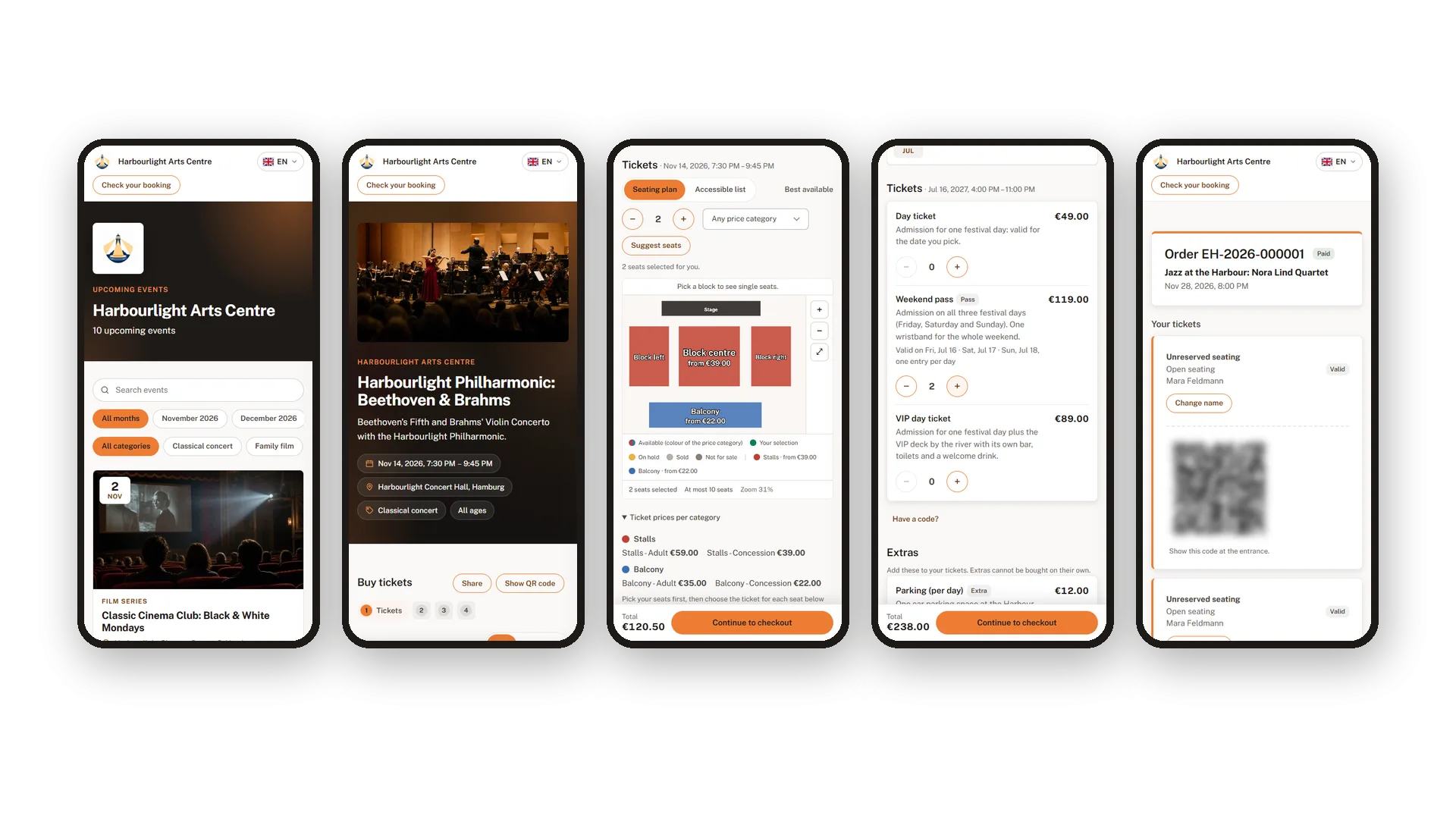
Made for the phone in their pocket
Shop, seat map and order page on any phone
Most tickets are bought on a phone, so everything works there first: the event list, the seat map, the festival pass and the order page with the tickets. Light or dark follows the phone's own setting.
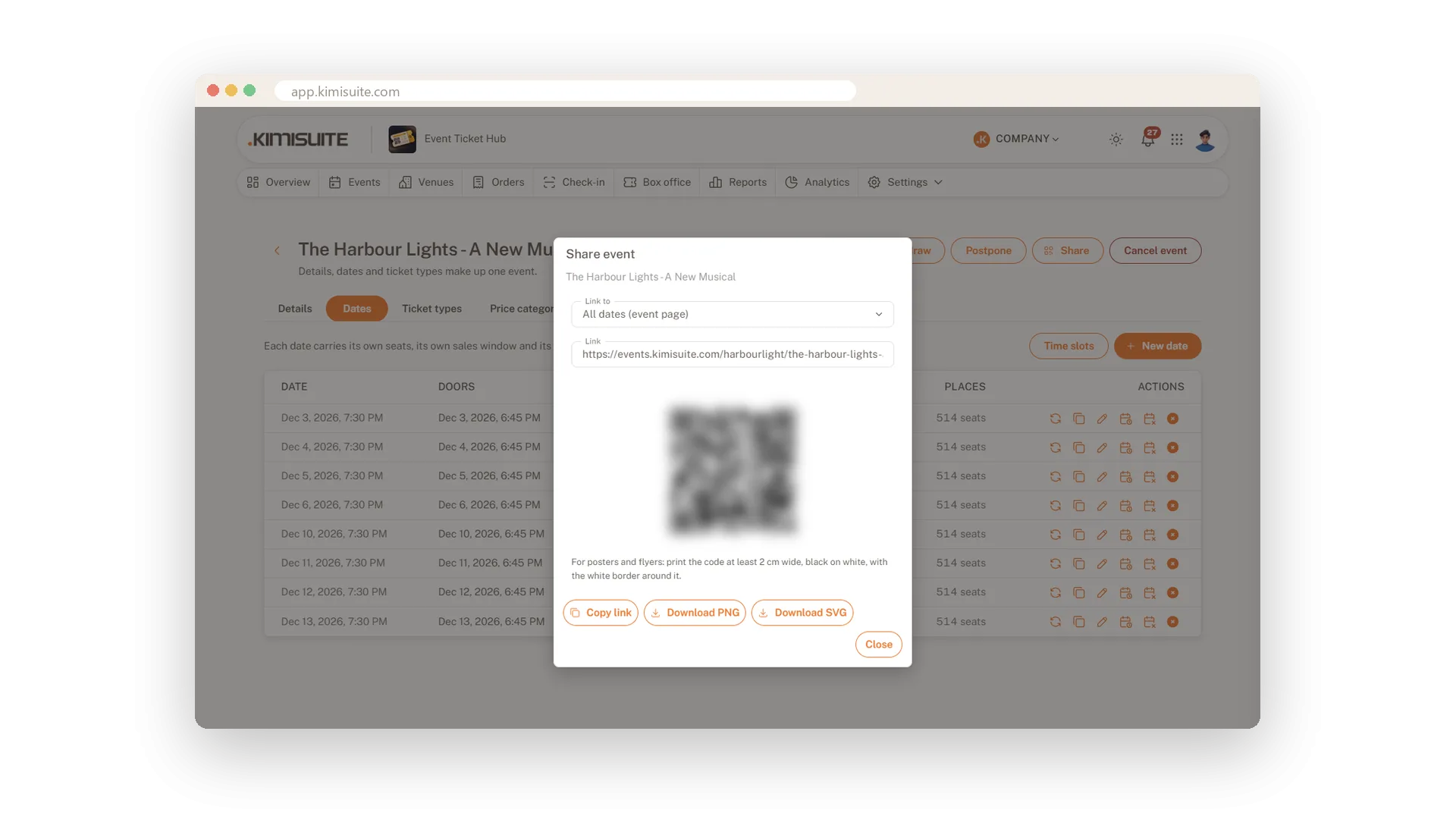
Share links and poster QR codes
One link per event or per date, plus a QR code
Copy the link to an event or to one date and post it wherever your audience is. For posters and flyers, download the QR code as PNG or SVG and print it right next to the date.
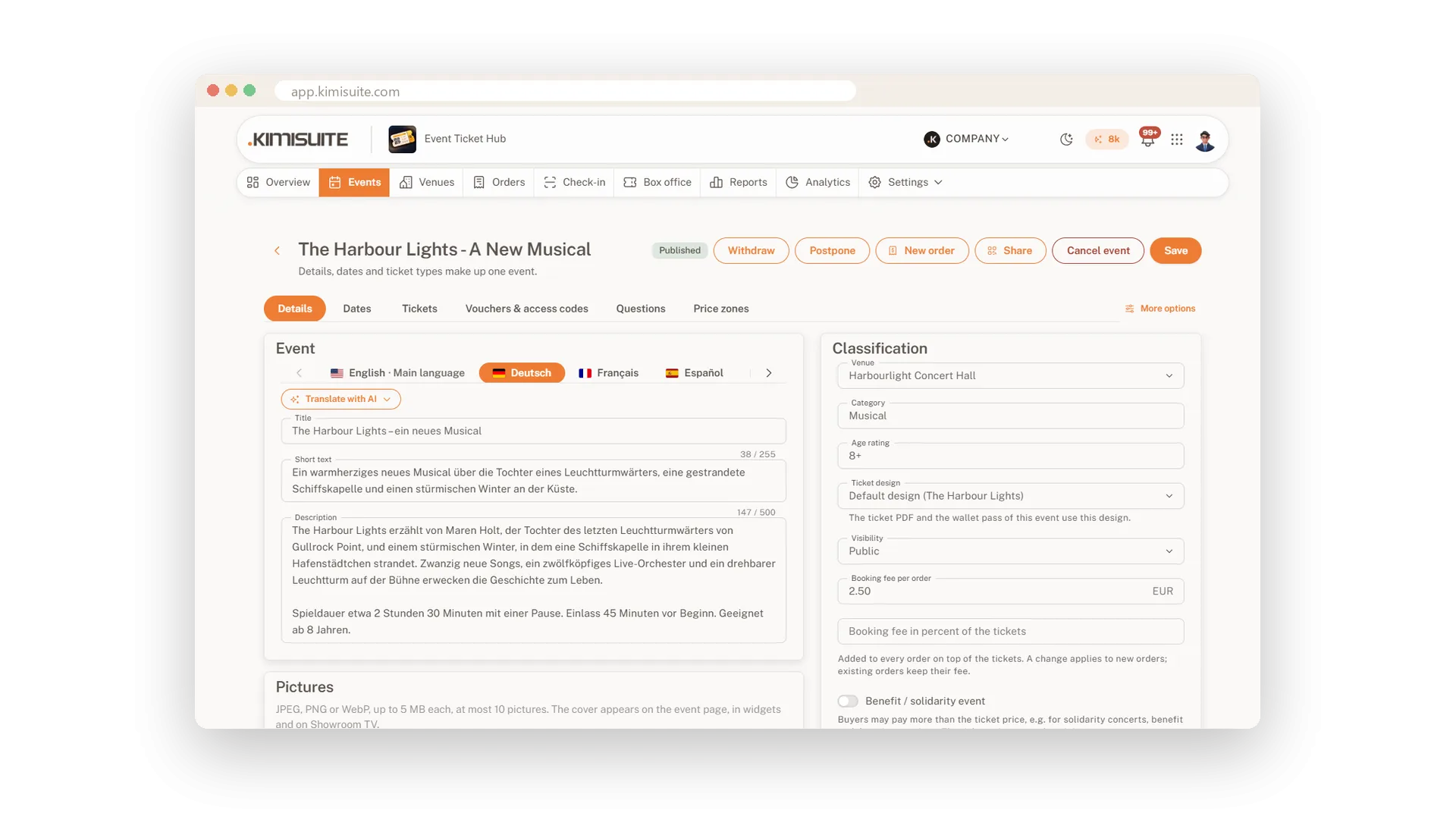
Your events in every language
Write once, translate with AI, sell in 16 languages
Choose the languages you sell in and write your texts in your main language. One click and AI translates the rest, and every text stays editable per language, from the event description to ticket names, questions, venues and your terms. Your buyers read the pages, the checkout, their e-mails and their tickets in their own language.
Sell tickets on your own website
Event list, ticket button, calendar and an AI assistant on your site
Put your events on your own website with the free Widget Creator: an event list, a single event, a ticket button, a calendar and a 'check my booking' box - plus an AI event assistant that answers visitors' questions. Buyers pay in the Event Ticket Hub checkout, so seats, prices and stock always match.
Use Cases
From poster to seat
You print the event QR code on your poster. Someone scans it at the bus stop and is on the seat map a second later.
Guests from abroad
A visitor from Thessaloniki opens your page and switches to Greek. The language follows them all the way through the checkout.
Sold out on Saturday
Saturday is full. Twelve people join the waiting list, two orders are cancelled, and the first in line gets an e-mail with an offer.
FAQ
Try Event Ticket Hub today
Sell tickets with seat maps, QR check-in and no ticket fees
14 days free, cancel anytime, no minimum term.
