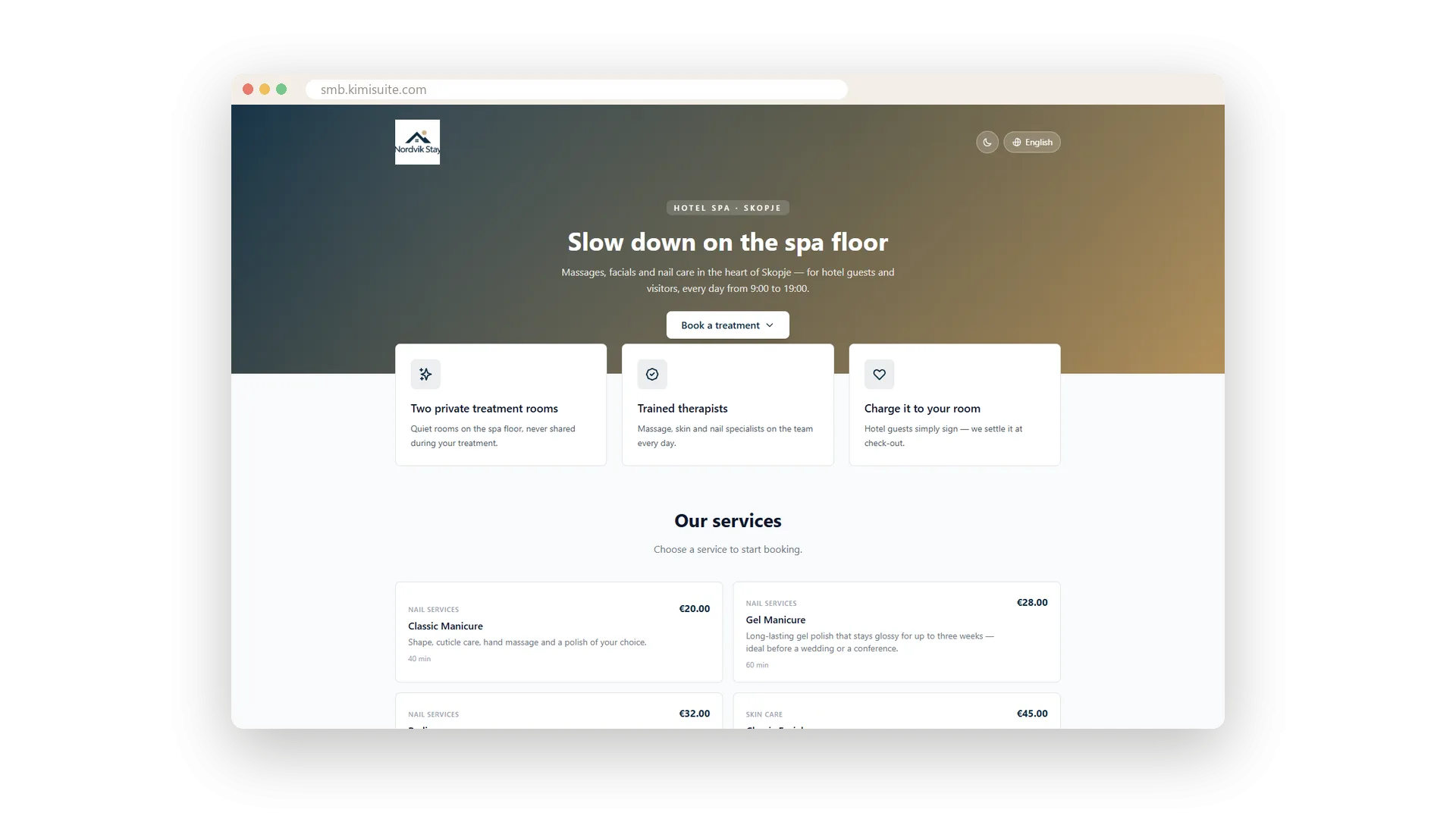
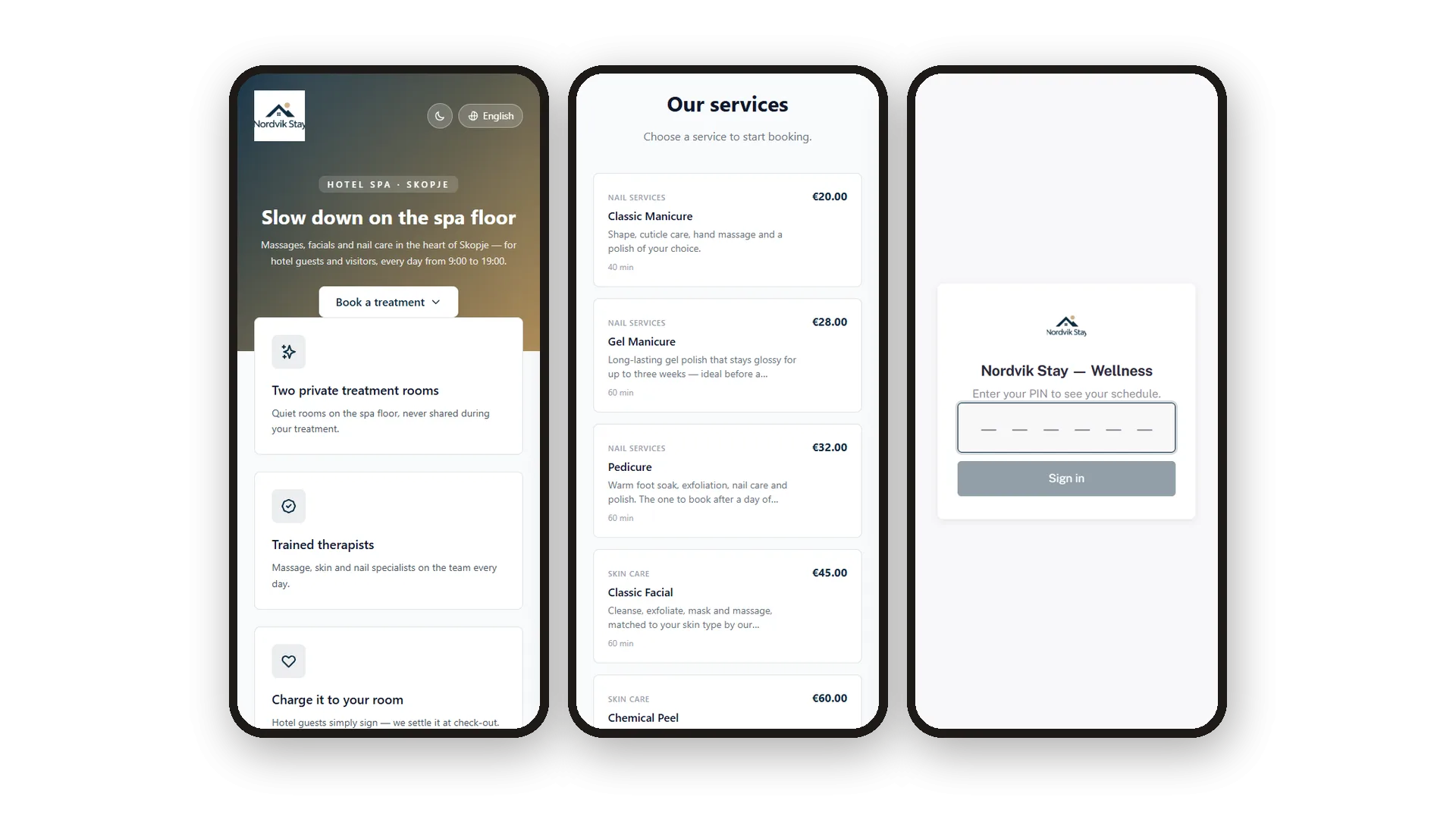
Your clients want to book when it suits them, often late in the evening and on their phone. Service Manager gives you a complete booking website for exactly that. Your logo, a headline, three reasons to choose you, every service with price and duration, a short About section and how to reach you. Visitors pick a service and a time right there, and the booking lands in your calendar.
Setting it up is mostly clicking. Choose one of eight templates, each a truly different layout rather than a colour swap. Pick a palette or your exact brand colours, a font and how round the corners should be. Give the page a readable address, copy the link and share it on your website, your social profile or your email signature. Switch sections on or off, and hide the KIMISUITE attribution if you prefer.
Key Benefits
Eight templates with genuinely different layouts, from Classic and Minimal to Magazine and Concierge
Services grouped by category with duration and price, so visitors know exactly what they book
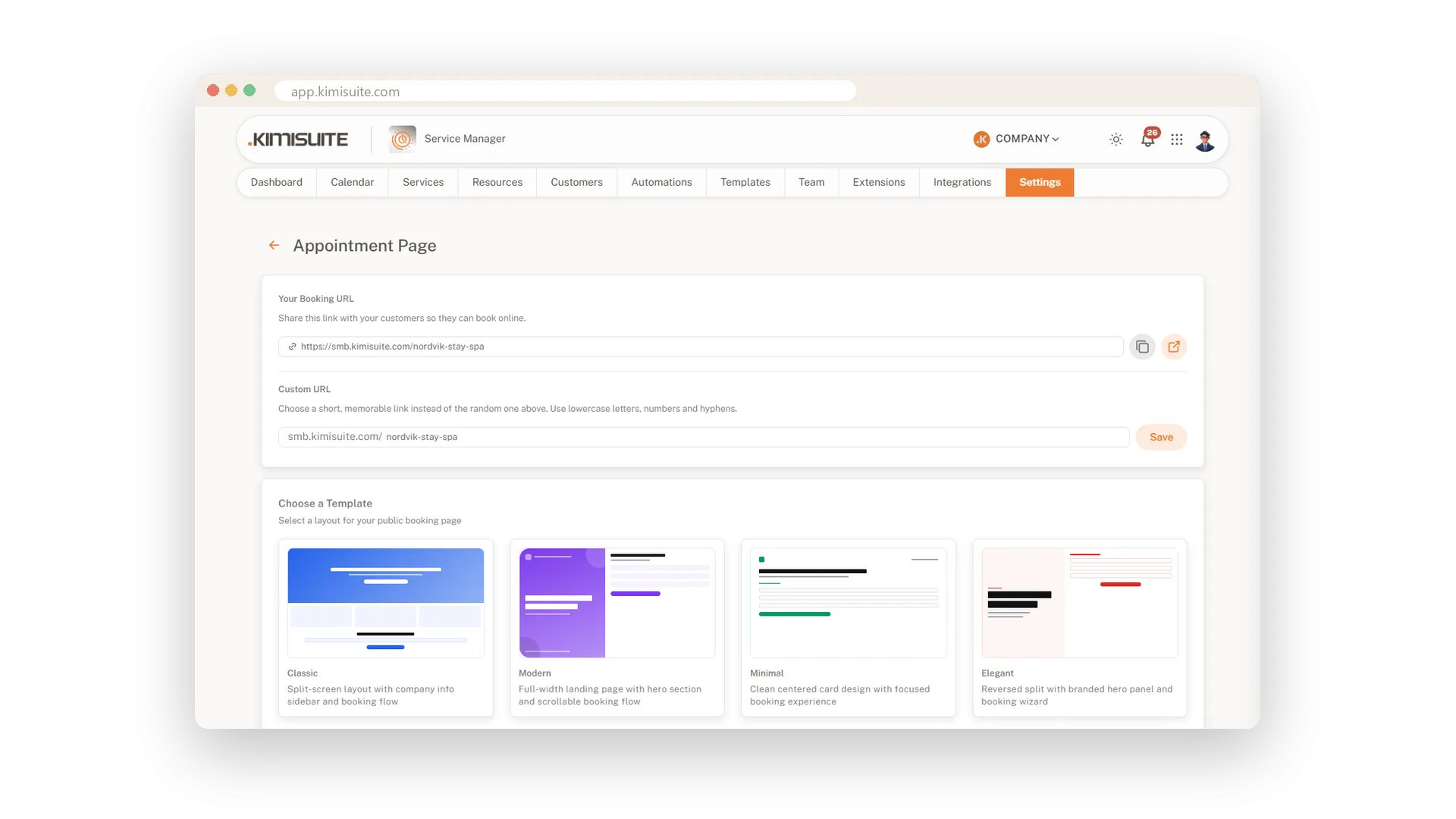
A readable web address of your own, ready to copy and share in one click
Built for the phone, with a dark mode your visitors can switch on themselves
Eight templates, eight different layouts
Change the whole look with a single click
Classic, Modern, Minimal, Elegant, Bold, Sidebar, Magazine or Concierge - each one arranges your page differently, from a big hero to a sidebar with your company details. Click a template and it is saved at once, so you can try them all in a few minutes.
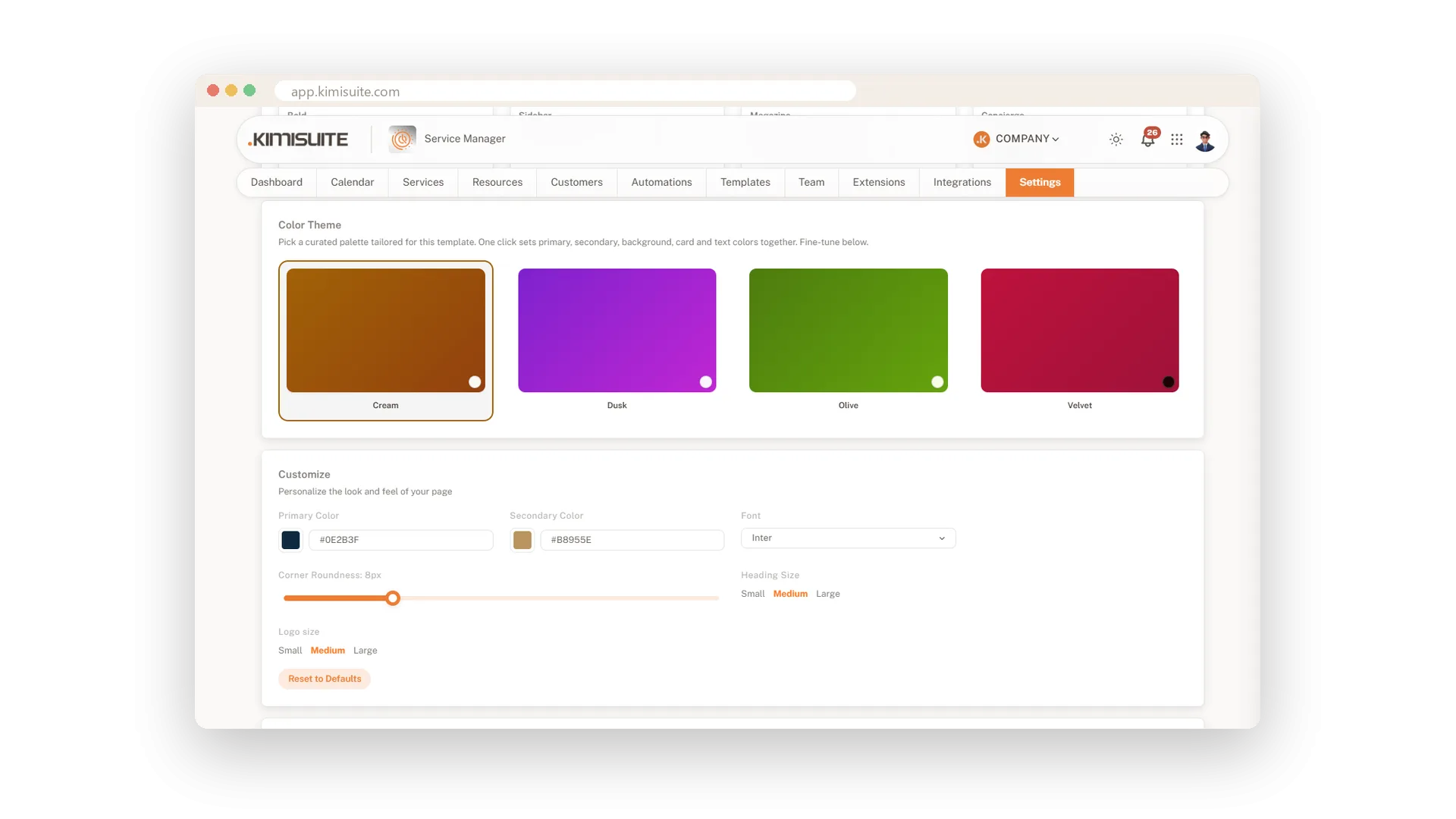
Your colours, font and shape
Start from a palette or use your exact brand colours
Pick one of four ready palettes, or enter your own primary and secondary colour. Then choose the font, how round the corners are and how large headings and logo appear, and the page looks like part of your brand.
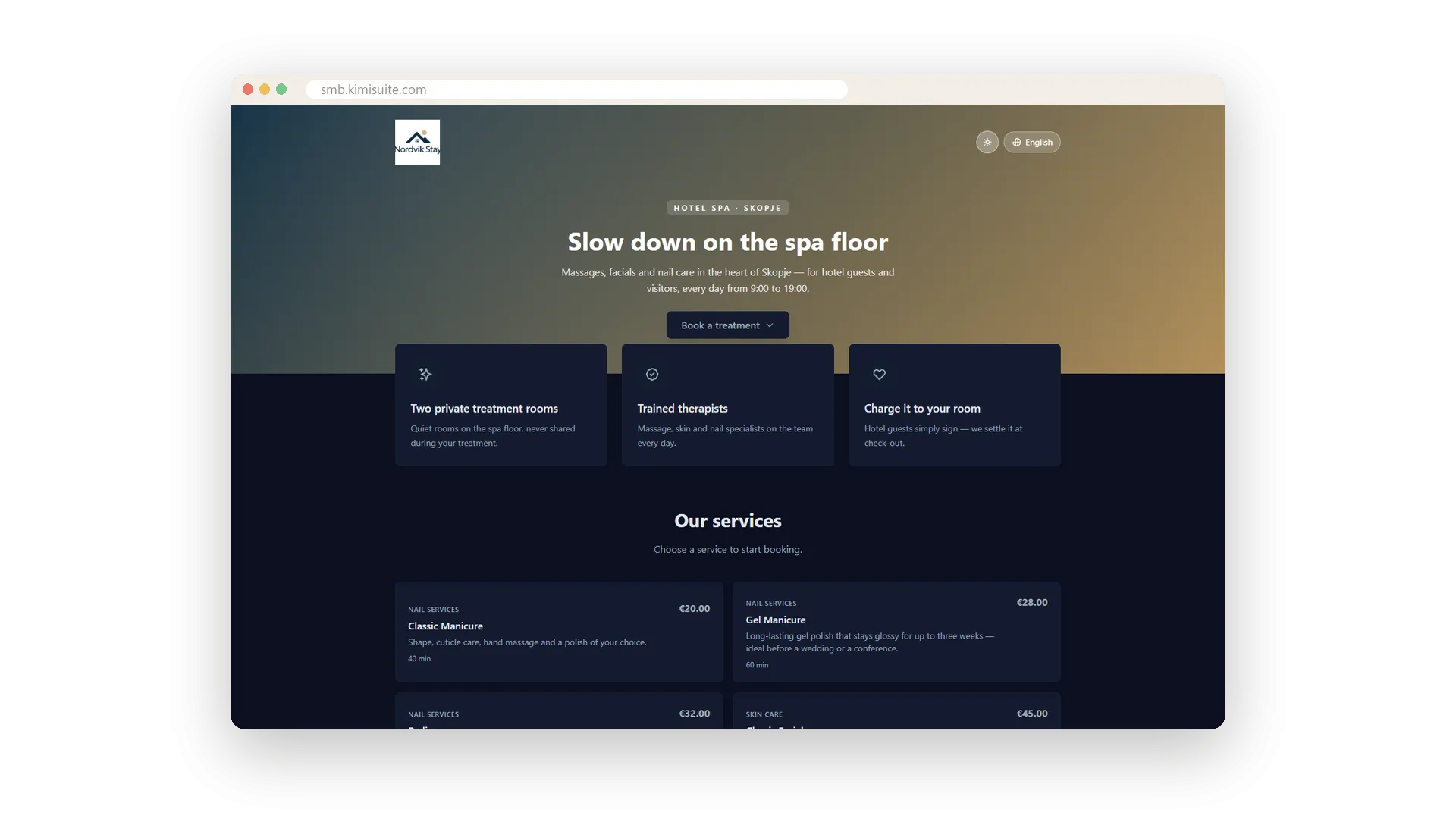
Light or dark, as your visitor prefers
A dark mode switch right on your page
Some people book late at night. With one tap on the page they switch to dark mode, and your services, prices and times stay easy to read.
Made for the phone in their hand
From first look to booked, all on mobile
On a phone your page opens with your headline and button, then your services, then the booking itself. Everything is sized for a thumb, so a client books between two stops.
Use Cases
The salon without a website
You have a busy social profile and a phone that never stops ringing. Put the booking link in your bio, and new clients book themselves while you work.
A spa inside a hotel
Reception adds the link to the welcome email. Guests choose their massage before they even check in.
A fresh look for the new season
You try another template with one click and see the result straight away. Your services, texts and link stay exactly where they are.
FAQ

Try Service Manager today
Online booking, calendar and scheduling for service businesses
14 days free, cancel anytime, no minimum term.
