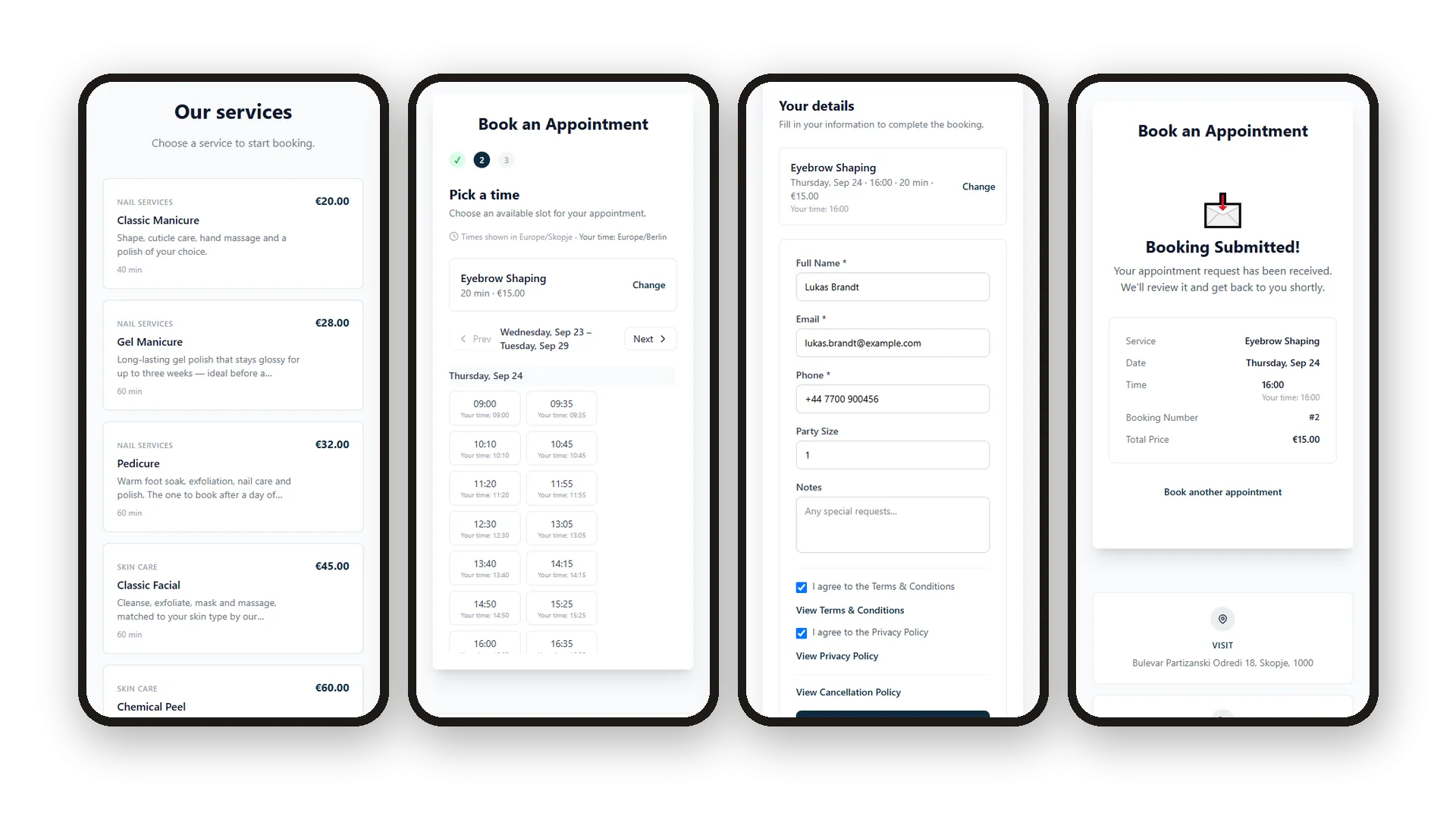
A client opens your page, picks a service, taps a free time and fills in a short form. That is the whole booking. The chosen service, day, time, length and price stay pinned above the form, with a Change link if they want something else. At the end they see a clear confirmation with date, time, booking number and total, plus a button to book another appointment.
Everything a careful business needs is already in the form. Free times come from your real schedule, and every slot also shows the visitor's own time when they are in another time zone. Your terms and privacy policy sit in the form with a View link, and your cancellation policy is linked before they submit. Name, email, phone, number of people and a note for you: that is all they type.
Key Benefits
Three short steps: choose a service, choose a time, add a few details
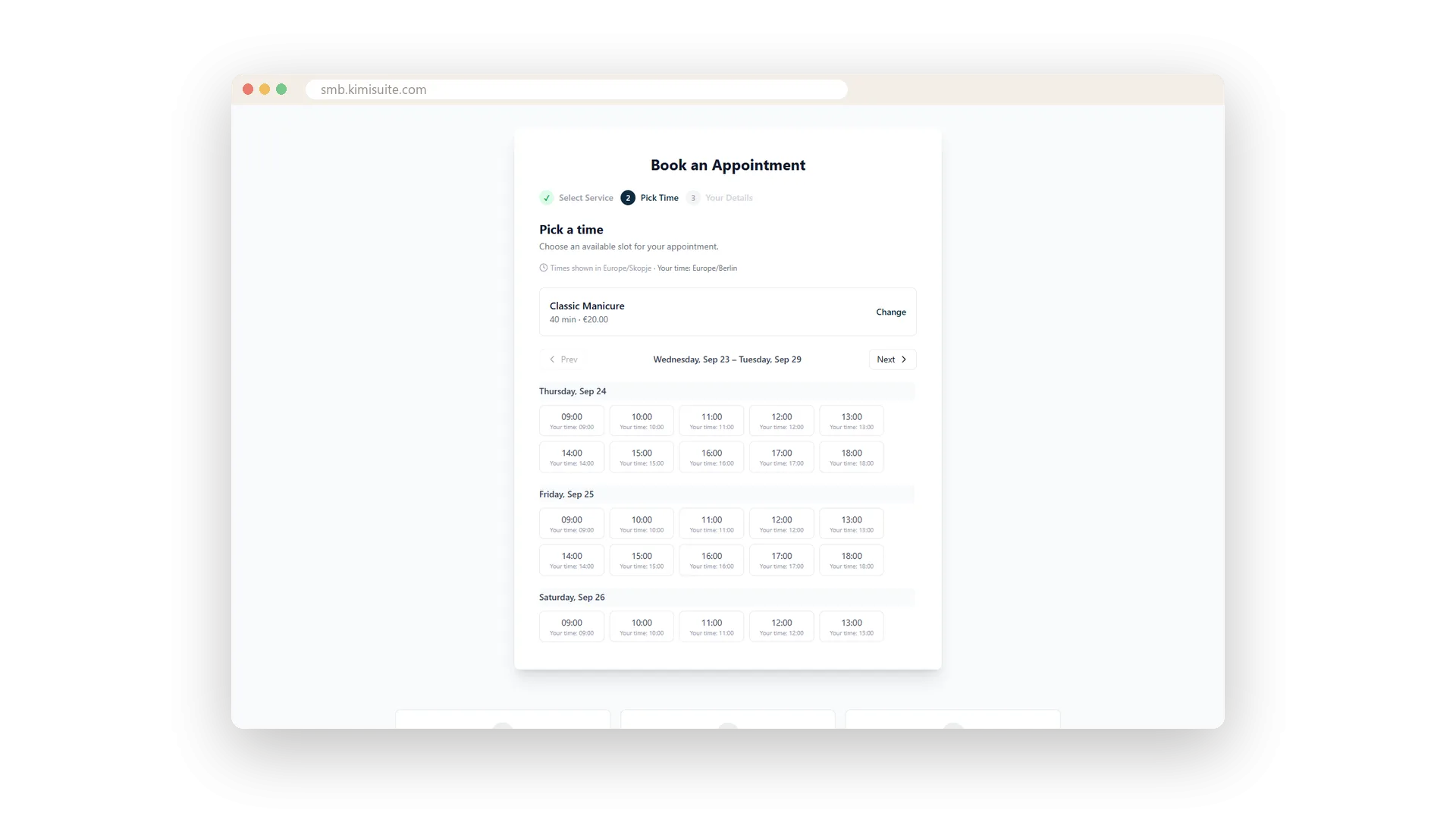
Every slot shows the visitor's own time too, so nobody arrives an hour off
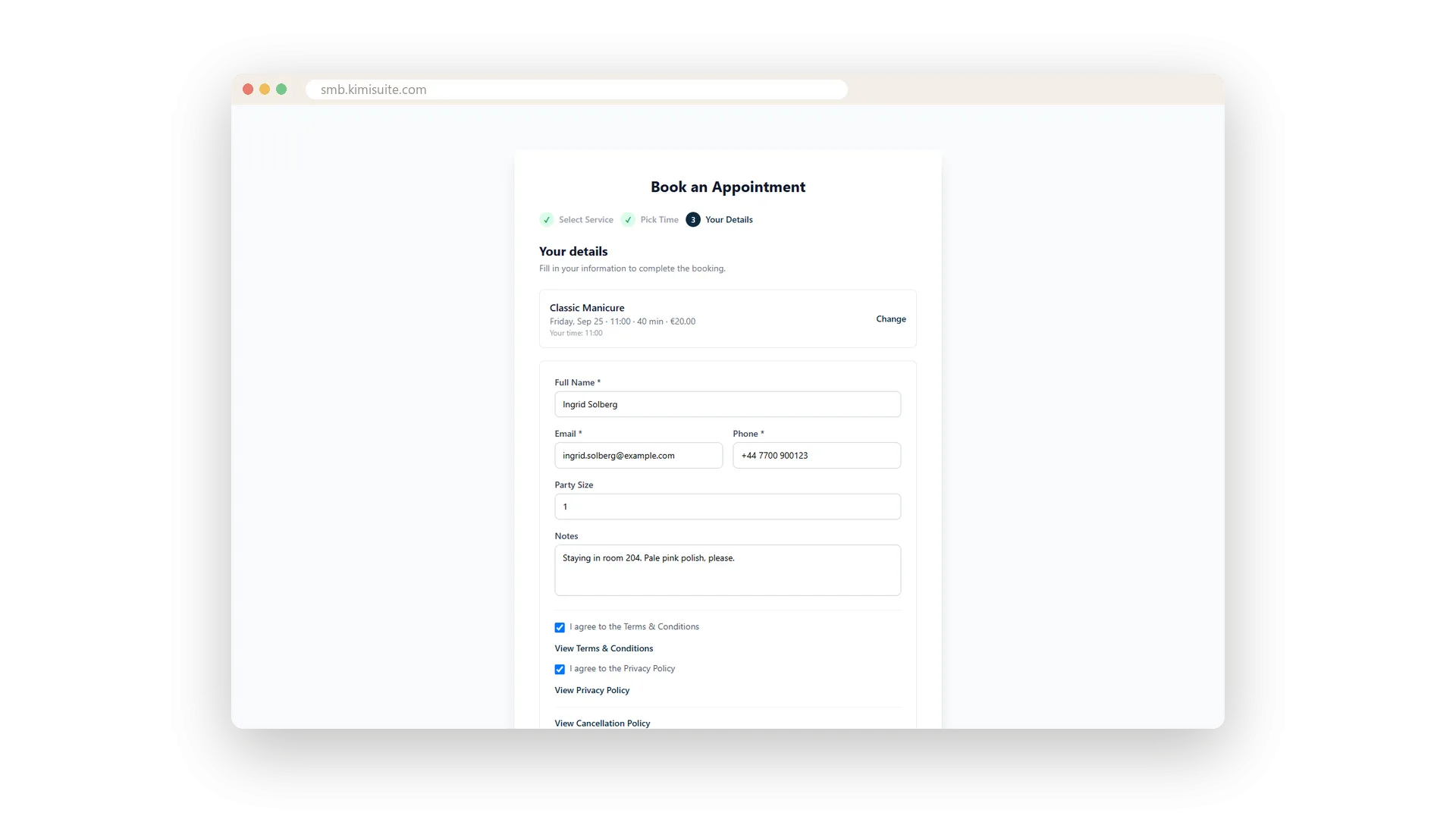
Terms, privacy and cancellation policy linked in the form, ticked before booking
A booking number and full summary on screen the moment they submit
Free times from your real schedule
Only the times you can actually offer
Your opening hours, the hours of each resource, the length of the service and your buffers decide which times appear. Times that are already booked drop out of the choice, so clients only see what you can offer. When a service needs two resources, such as a therapist and a room, each time appears once and the booking gets one of each.
Their time and yours on every slot
No mix-ups for clients in another time zone
When a visitor browses from another time zone, the page says so and every slot shows both clocks. They book the hour they mean, and you see them at the hour you expect.
A short form with the choice on top
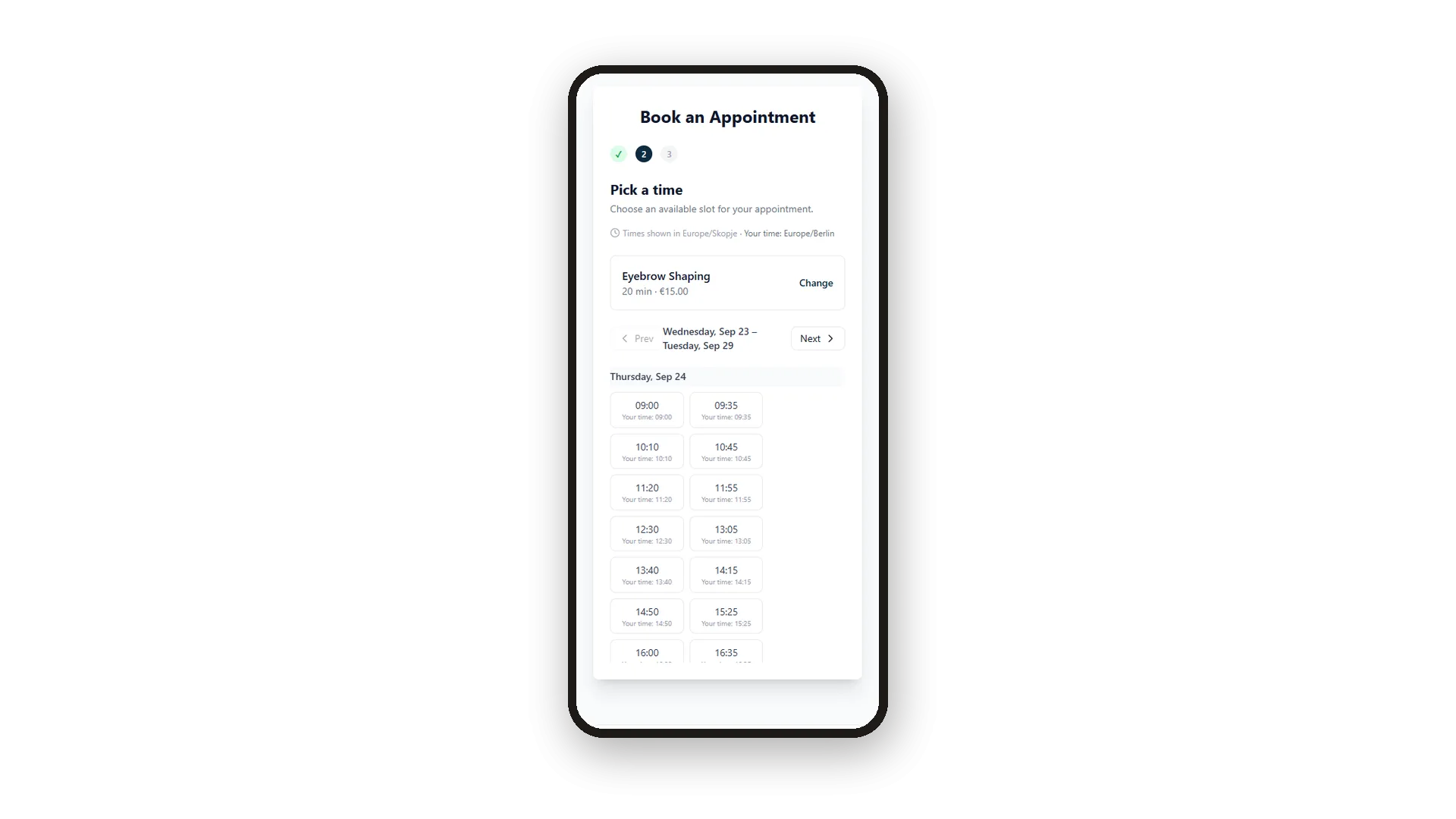
Name, contact, group size and a note
Clients type only what you need: name, email, phone, how many people and a note. Their chosen service, day, time and price stay pinned above the form, with a Change link if they rethink.
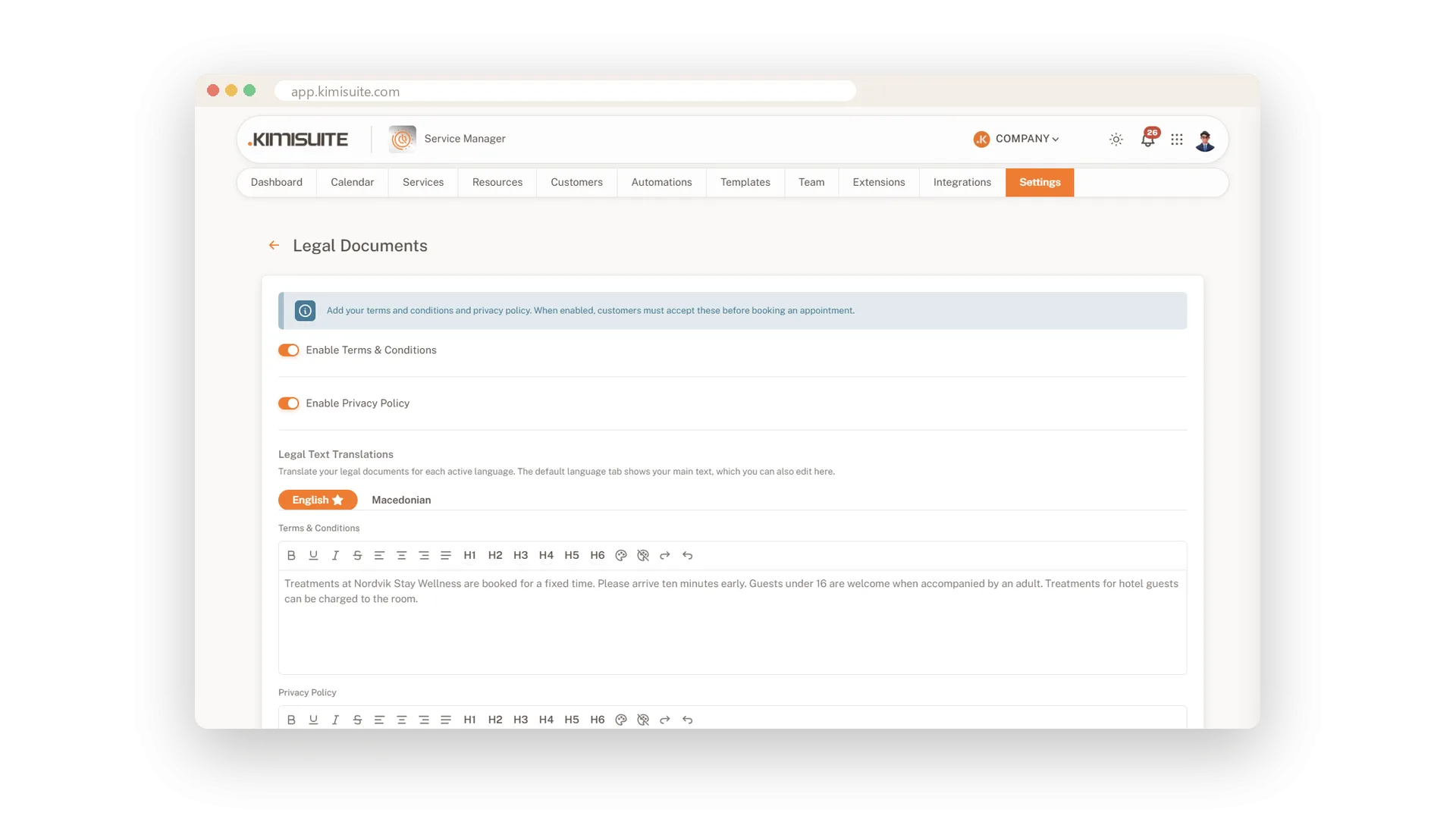
Terms and privacy, ticked before booking
Your legal texts in every language you offer
Write your terms and conditions and privacy policy with simple formatting, once per language. When they are switched on, clients tick both before they book and can read them without leaving the form.
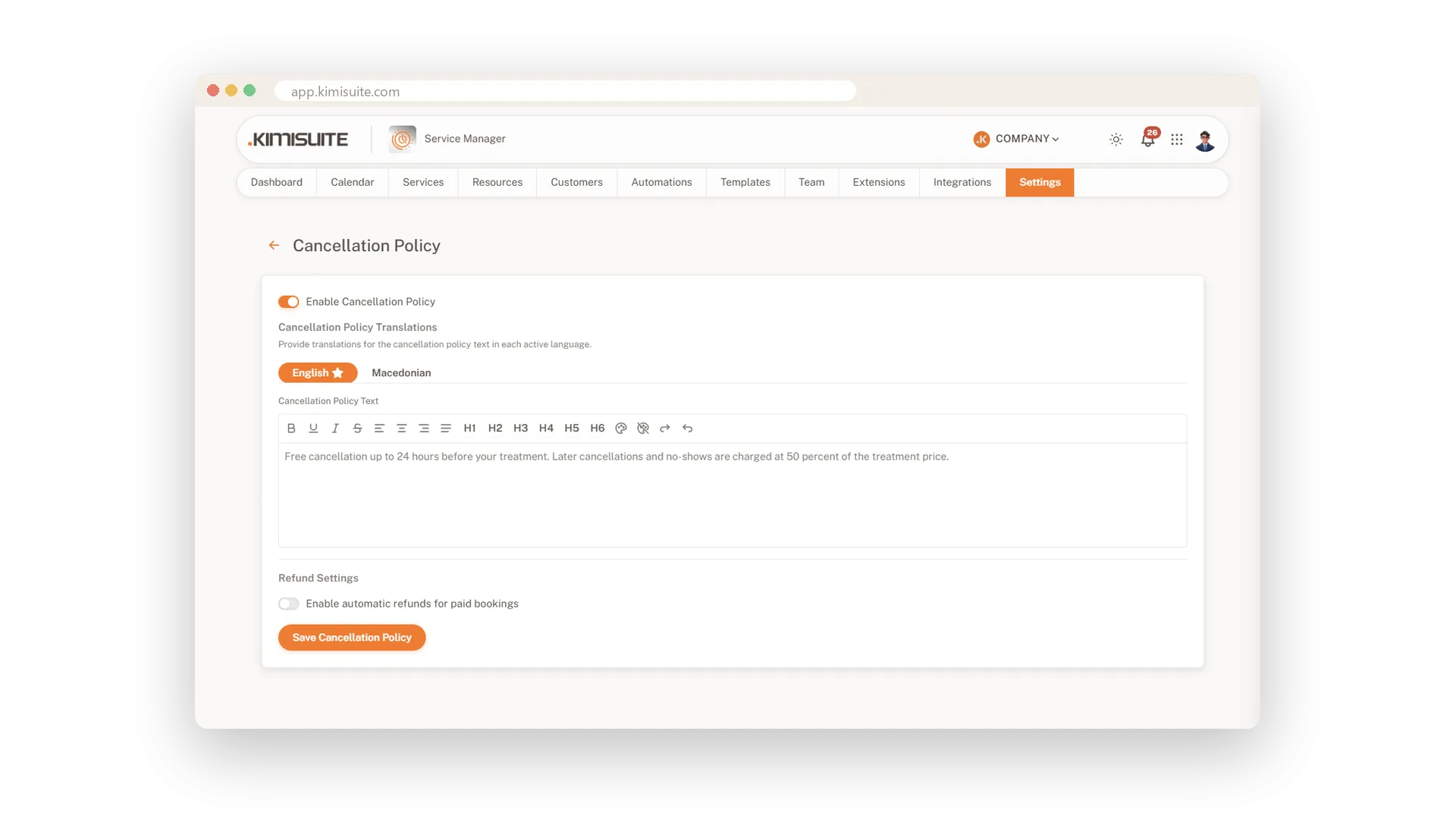
A cancellation policy clients see in advance
Clear rules, linked right in the booking form
Put your cancellation rules in writing, in every language you offer. The booking page links them before the client submits, so everyone knows the rules from the start.
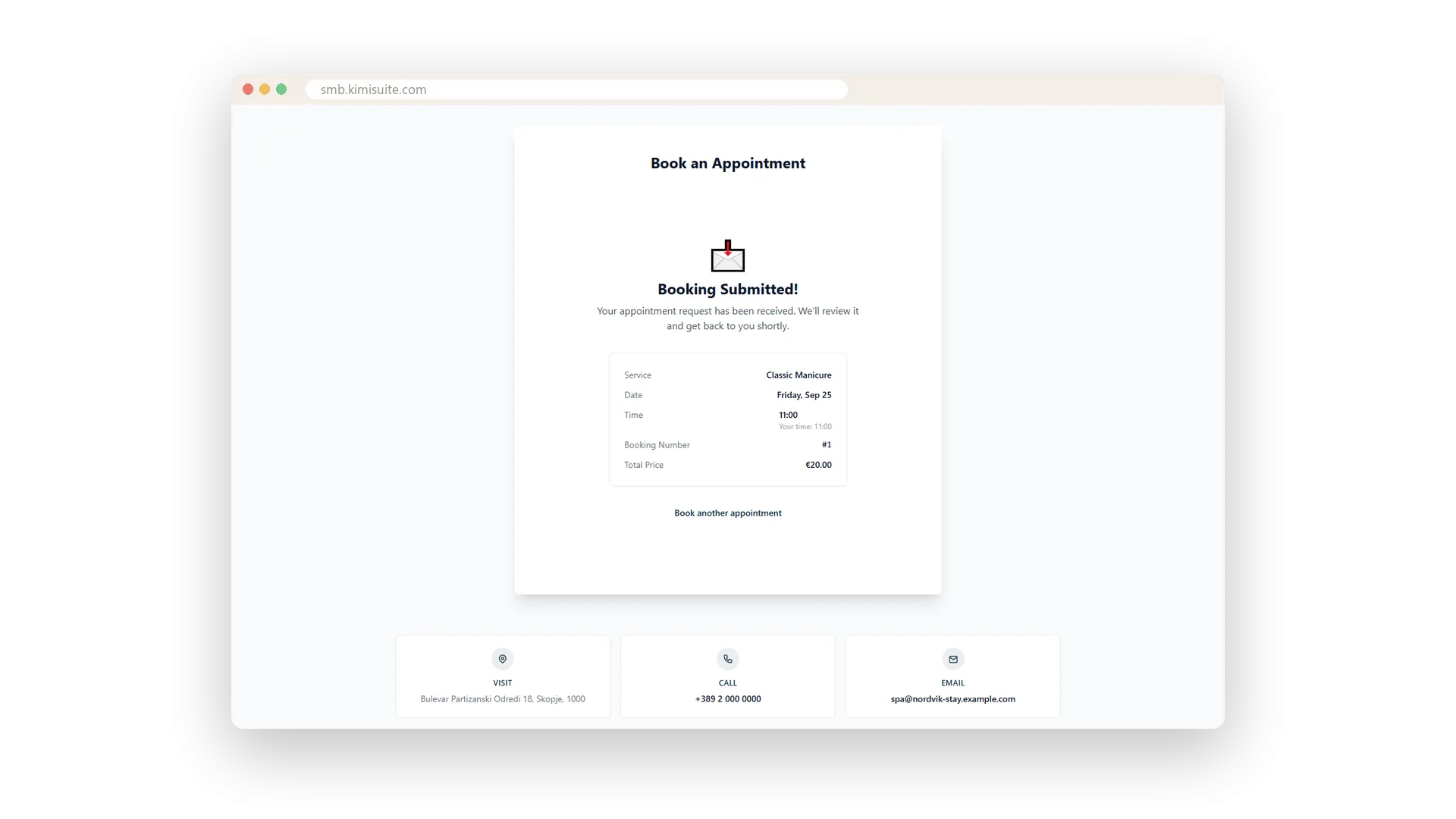
A clear confirmation with a booking number
Everything they booked, on one screen
The moment they submit, clients see the service, date, time, booking number and total on one clean screen. One more tap and they book the next appointment.
Use Cases
Booked on the way home
A client books a manicure on the bus, with one thumb. She has her booking number before her stop.
The guest from another time zone
A guest plans a treatment during her trip. Every slot shows your time and hers, so she books the right hour.
A note that reaches you
A client writes 'pale pink polish, please' in the notes. You read it on the booking before she walks in.
FAQ

Try Service Manager today
Online booking, calendar and scheduling for service businesses
14 days free, cancel anytime, no minimum term.
