 Part of Notes
 Private by default, shared with one click
Your notes stay yours - until you open the lock for the team
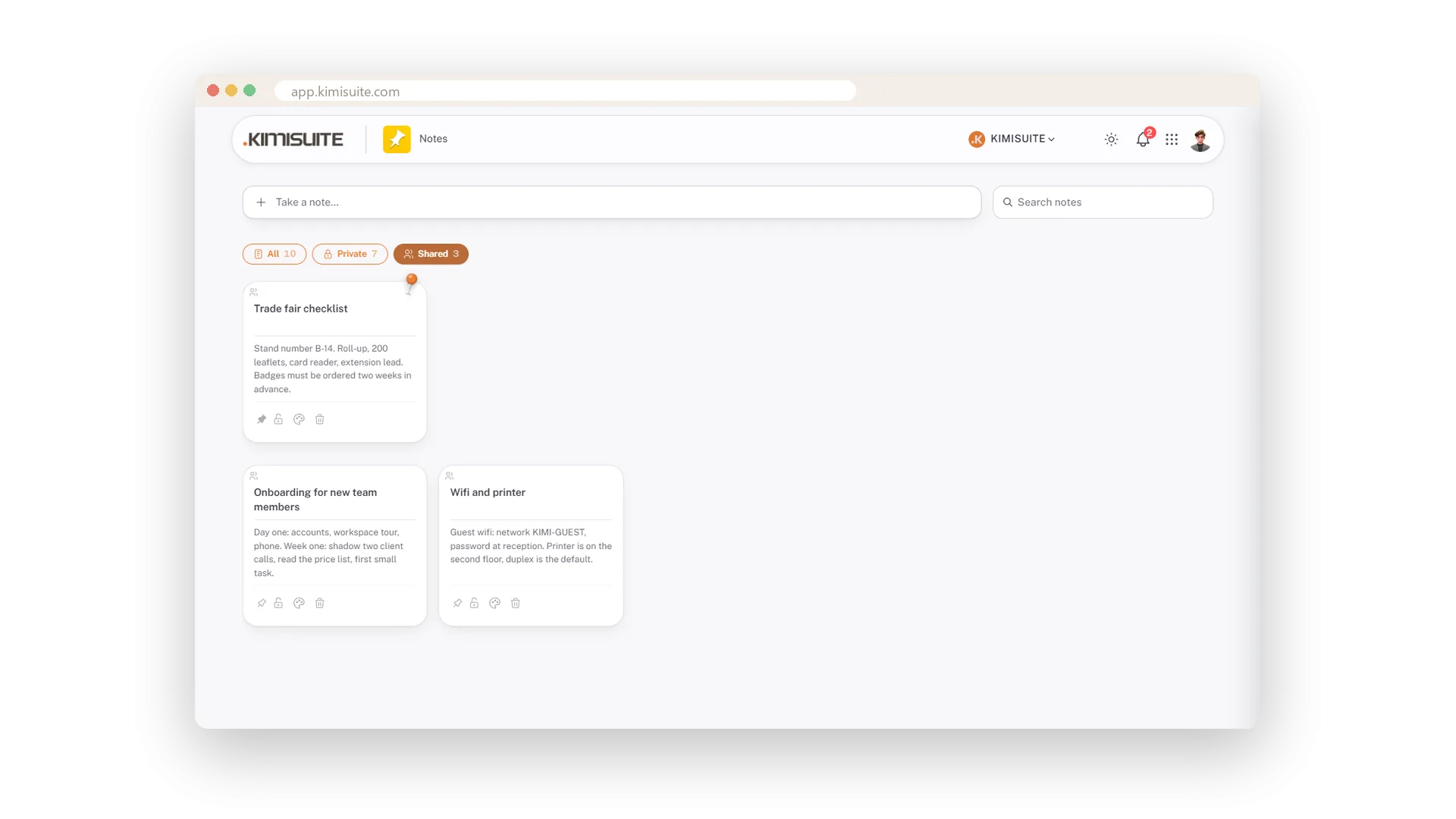
Every note starts private, and the lock on the card says so. The moment a note is useful to others - the wifi password, the printer trick, the steps for a new hire - click the lock and the whole workspace can see it. Click again and it is yours alone. Nothing is shared by accident, and nothing has to be sent around.
Three chips above the board keep it tidy: All, Private and Shared, each with a count. The shared notes are one click away instead of scattered among your own, and pinned notes stay on top in every filter.
Key Benefits
Private by default - nothing is shared by accident
One click on the lock shares a note with the workspace, one click takes it back
All, Private and Shared filters with counts above the board
Lock or people icon always visible on the card, so you know who sees what
Yours until you say otherwise
Every new note starts private - the lock is on the card
A new note is private, always. The lock on the card shows it - not on hover, always. Nothing leaves your board unless you open the lock.
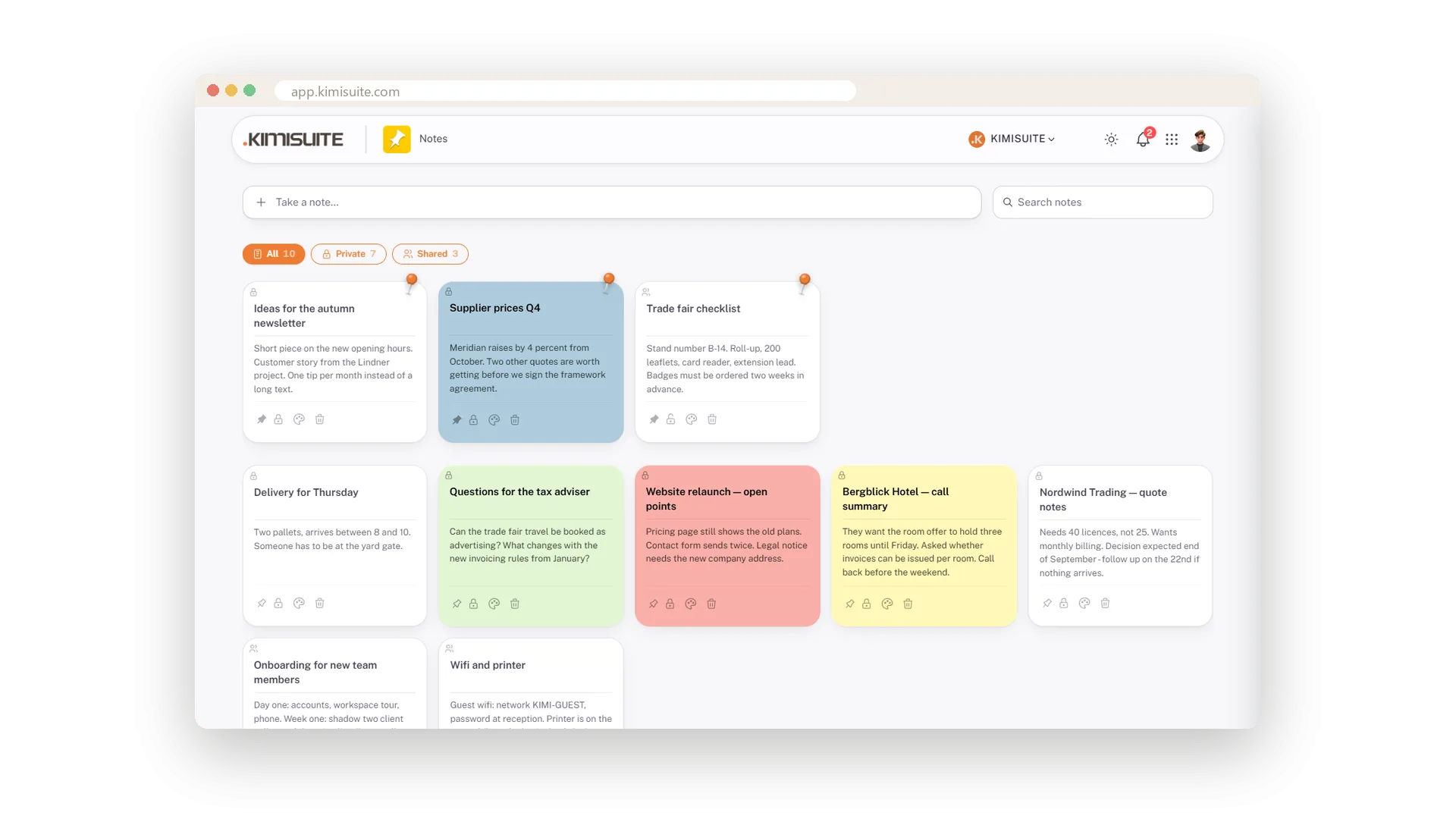
All, private or shared
Three chips with counts above the board
Three chips above the board: All, Private, Shared - each with a count and the same icon the cards carry. The shared notes are one click away instead of buried among your own.
Use Cases
Wifi and printer for everyone
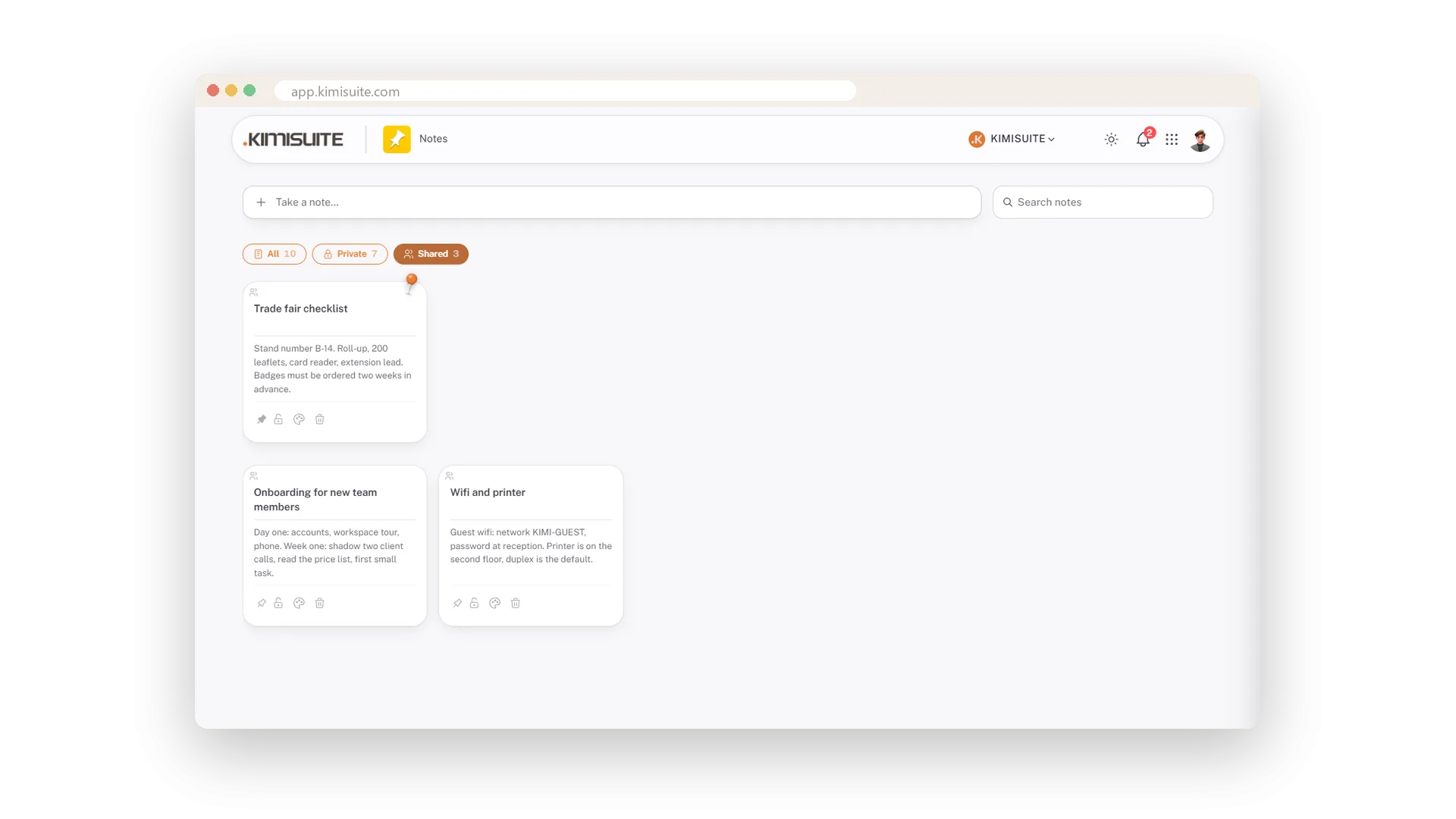
Write the note once, open the lock. Every new team member finds it under Shared on day one.
Onboarding steps for the next hire
A shared note with day one and week one. Change it when the process changes - everyone sees the current version.
Only your own notes, please
Click Private. The board shows your notes alone, with the count in the chip.
FAQ
Try Notes today
Quick notes as cards, private or shared, free in every workspace
Free of charge, in your own workspace, ready in a minute.
