 Part of Service Manager
 A booking page in 16 languages
Every visitor books in the language they read best
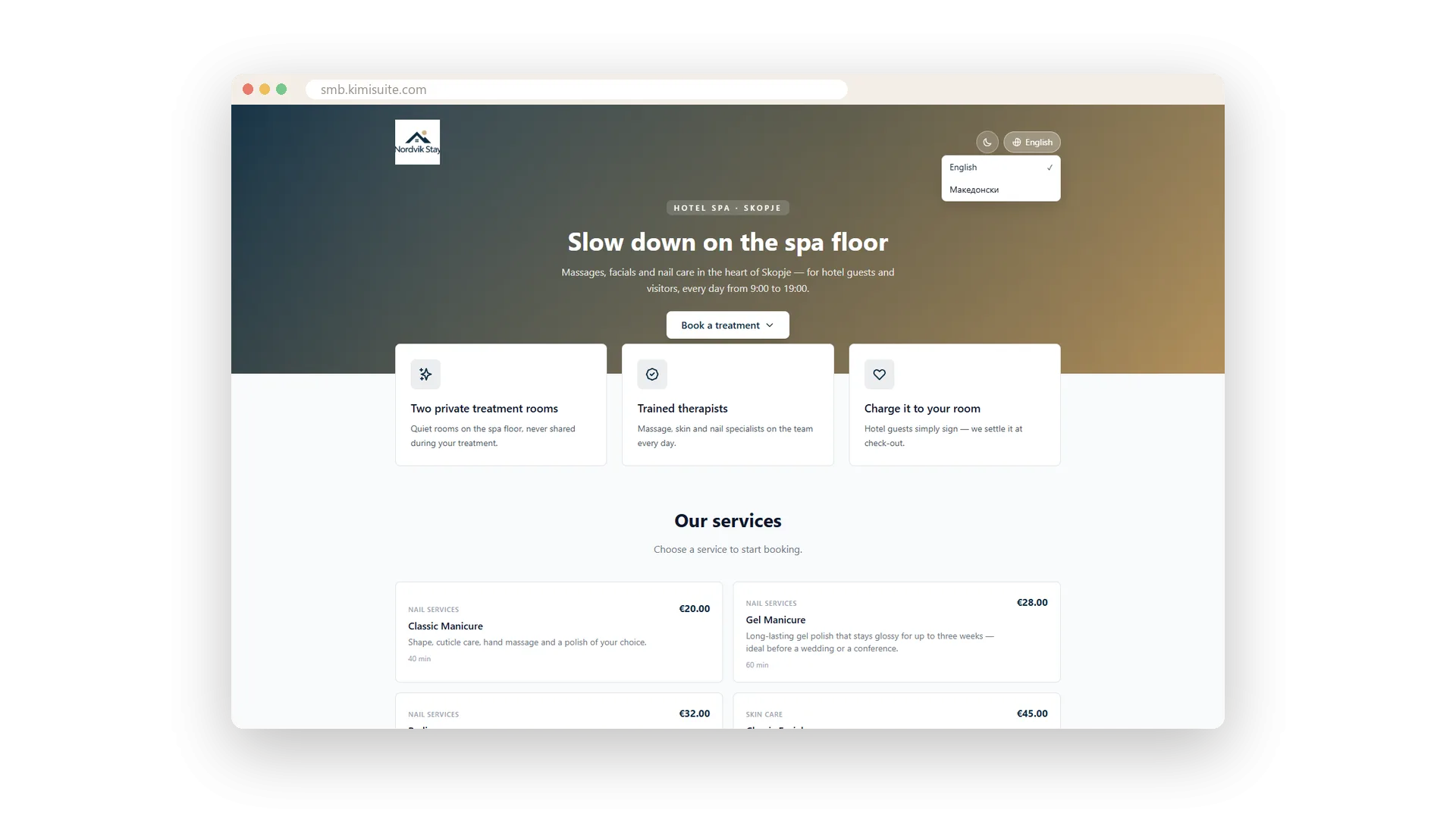
Travellers, expats and neighbours from across the border book faster when they understand every word. Your booking page can speak up to 16 languages. Visitors choose theirs from the menu on the page, and the headline, your highlights, the service names and descriptions all switch with it. Prices and durations appear the way they are used to reading them.
You decide which languages are active and which one is the default. From then on every service, category and resource type gets a tab per language, and so do your page texts, legal documents and email templates. Write each language in your own words, so your page sounds like you in every one of them.
Key Benefits
Up to 16 languages, as many active as you like, one of them the default
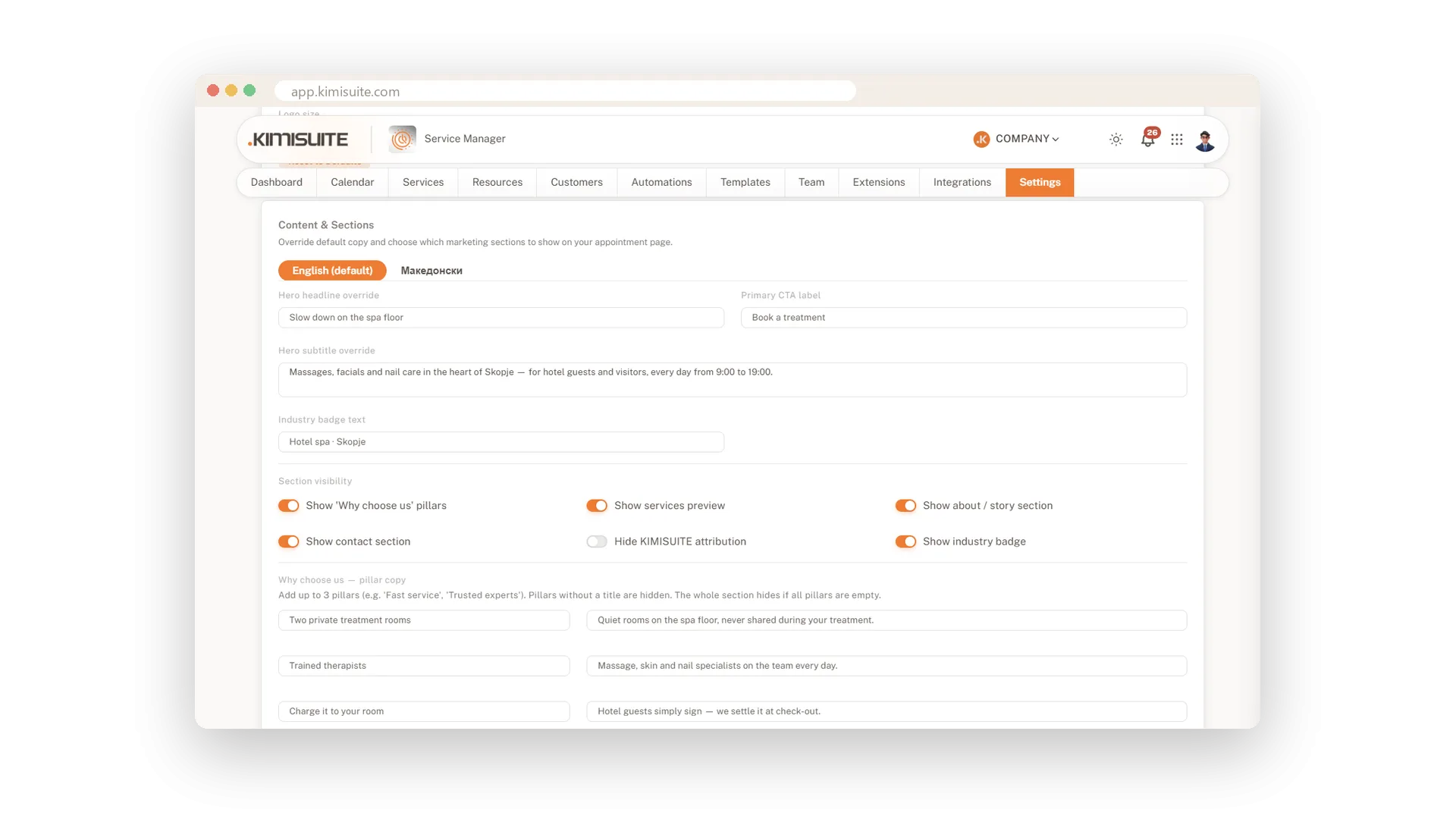
Headline, button, badge and three highlights written for each language
Service names and descriptions switch with the visitor's language
Prices and minutes written in the format your visitor knows
Your own words in every language
Headline, button and highlights per language
Write your headline, subtitle, button label, badge and three highlights once per language. The page shows the right version to every visitor, in words you chose yourself.
Services described in their language
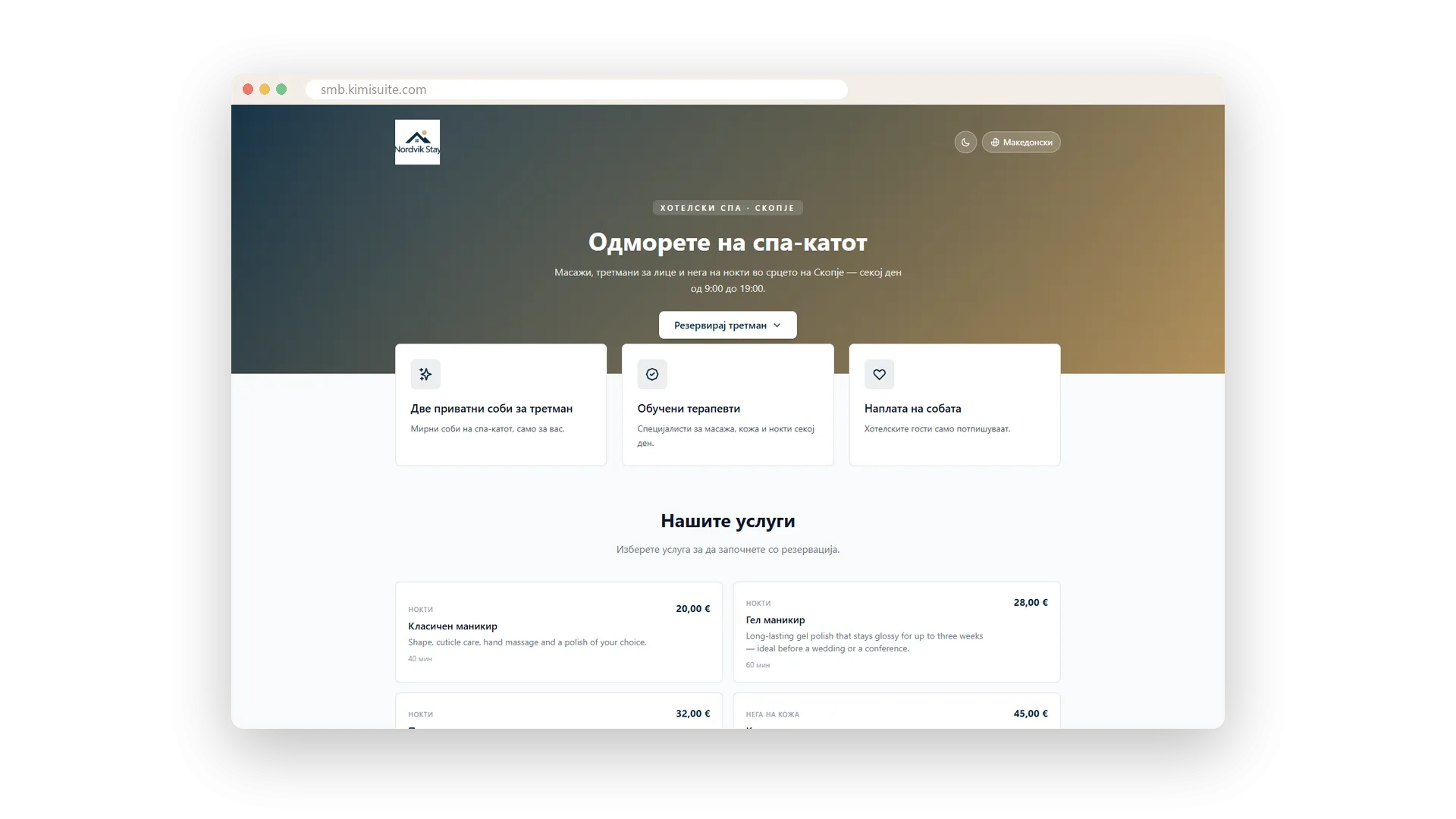
Name and description per service and language
Every service carries a name and a description for each language you offer. A visitor who switches the page sees your full list of services in their own words.
Choose your languages once
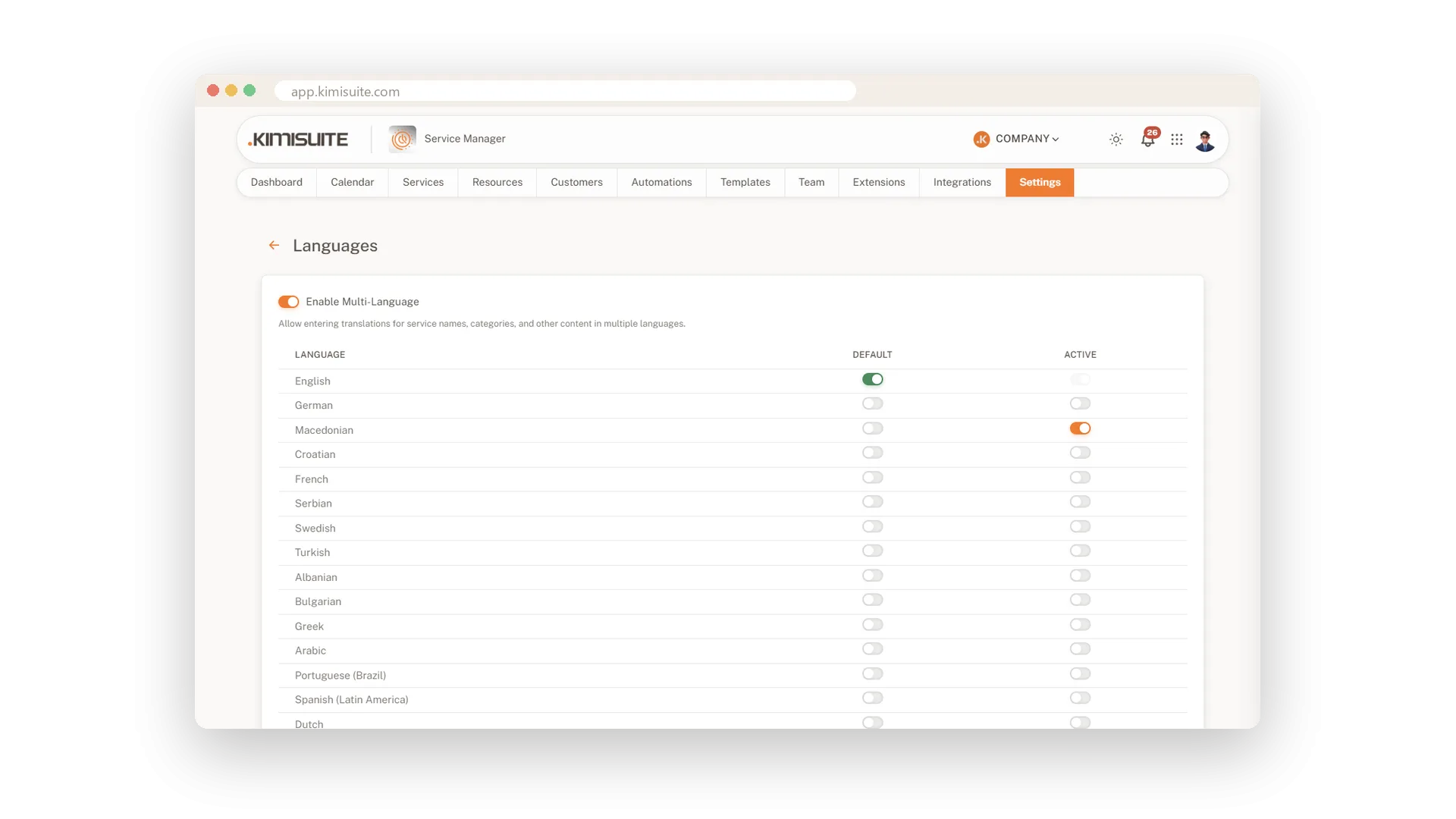
Up to 16 languages, one default
Tick the languages your clients speak and set one as the default. Every place where you write text then offers a tab for each of them.
Use Cases
Summer guests from abroad
A German couple opens your page and switches to Deutsch. They read every treatment in their language and book without a single question.
Two languages, one town
Your clients speak two languages, so your page does too. Each client picks theirs, and the emails follow the language they booked in.
One more language before the season
You add Italian in the settings and fill in the tabs for your services. From then on, Italian visitors find it in the language menu.
FAQ
Try Service Manager today
Online booking, calendar and scheduling for service businesses
14 days free, cancel anytime, no minimum term.
