 Part of Event Ticket Hub
 Buyers manage their own booking
Tickets, names and requests without an e-mail to you
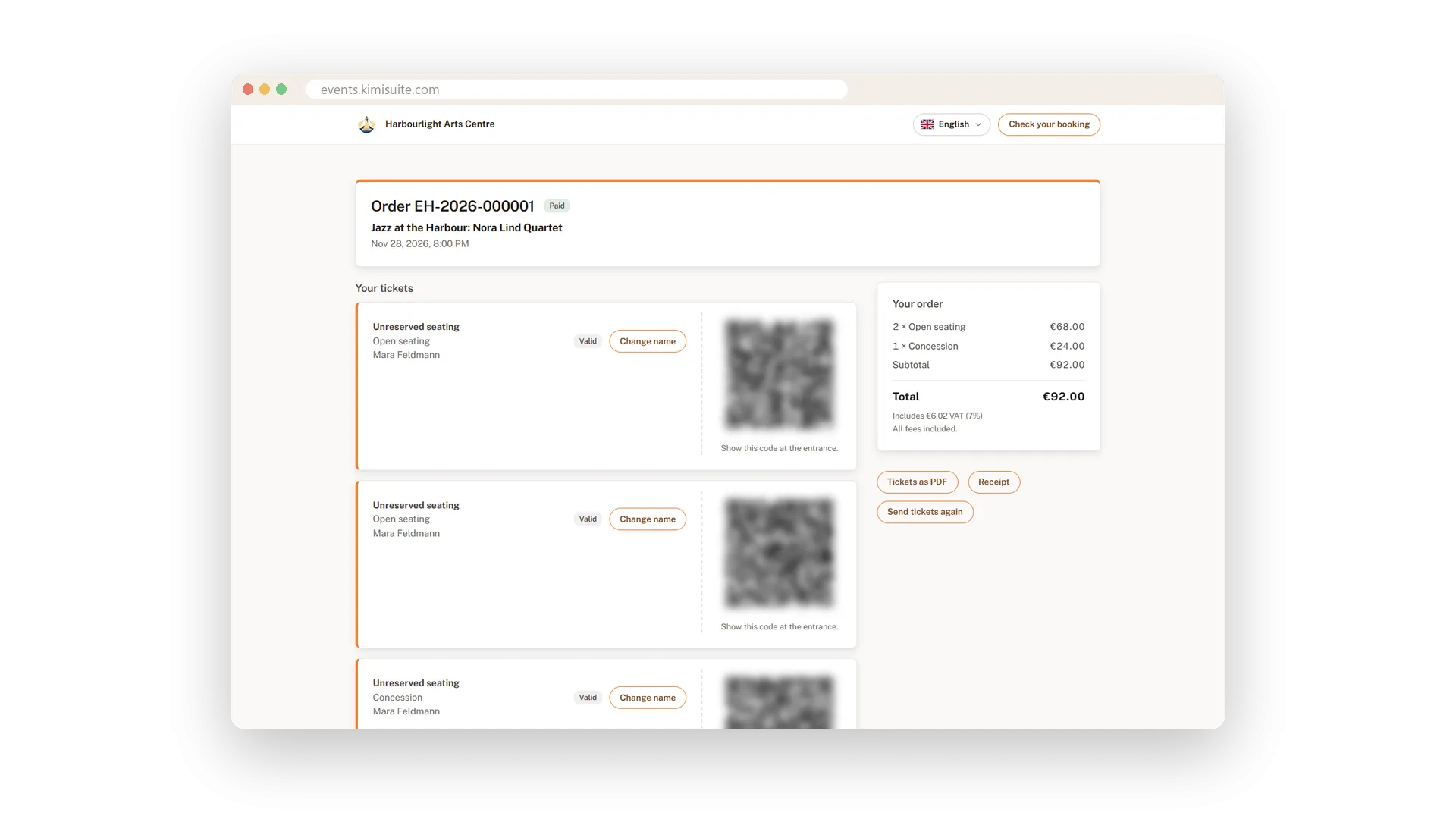
Lost the e-mail? Need a ticket in a friend's name? Want to ask for a refund? Usually that means a message to you. With Event Ticket Hub buyers open their order page with the order number and their e-mail address and do it themselves: download the tickets, send them again, change the name on a ticket or pay an open order.
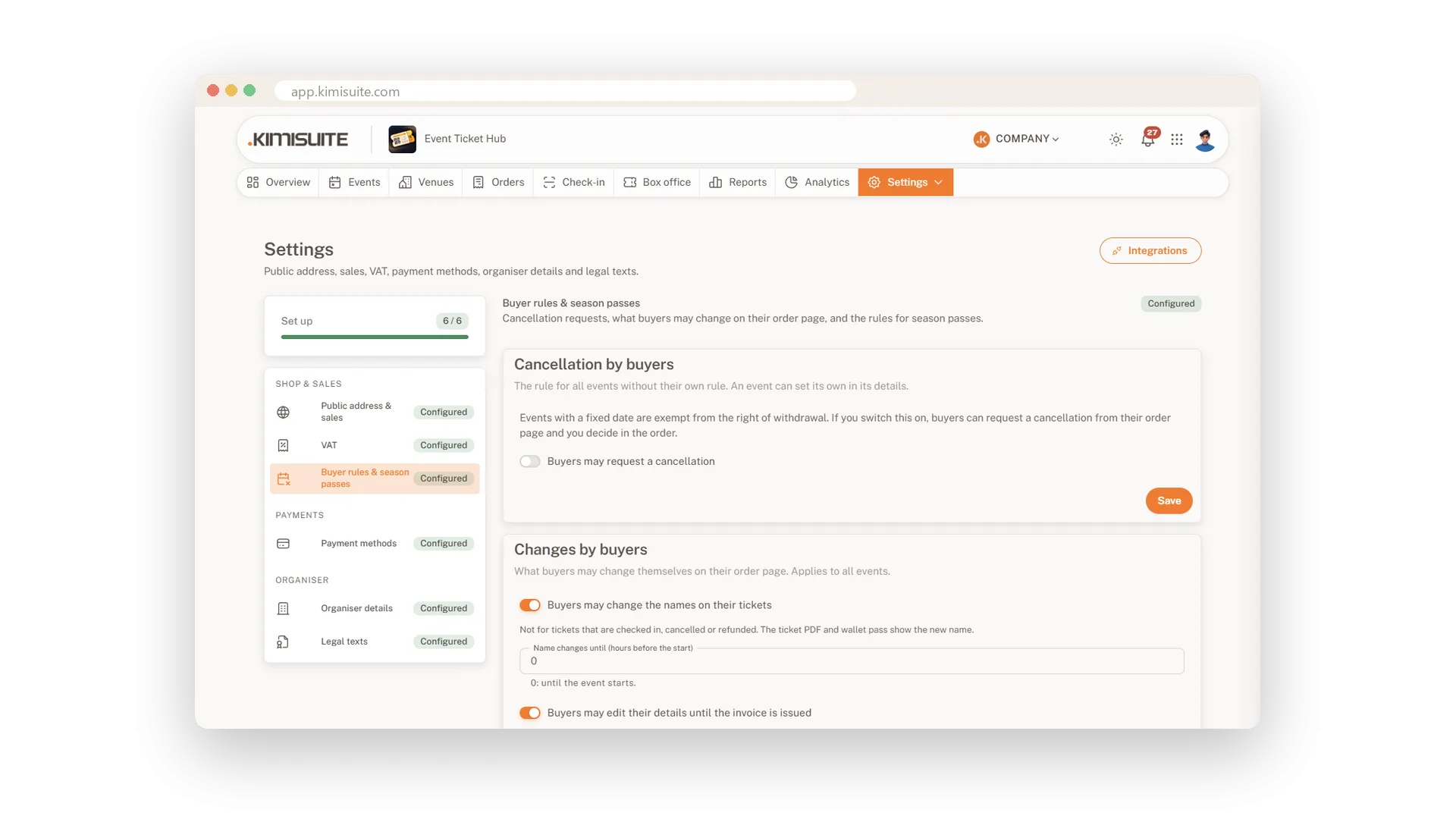
You decide what buyers may change. Name changes can stop a few hours before the start, details can be edited until the invoice exists, and cancellation requests only appear if your rules allow them. Every change is recorded in the order, so you always see who changed what.
Key Benefits
Fewer support e-mails: buyers find, resend and download their tickets on their own
Names that match the guests: buyers change the ticket holder up to your deadline
Your rules, applied: cancellation requests only when you allow them, decided by you
Always traceable: every change by a buyer is shown in the order
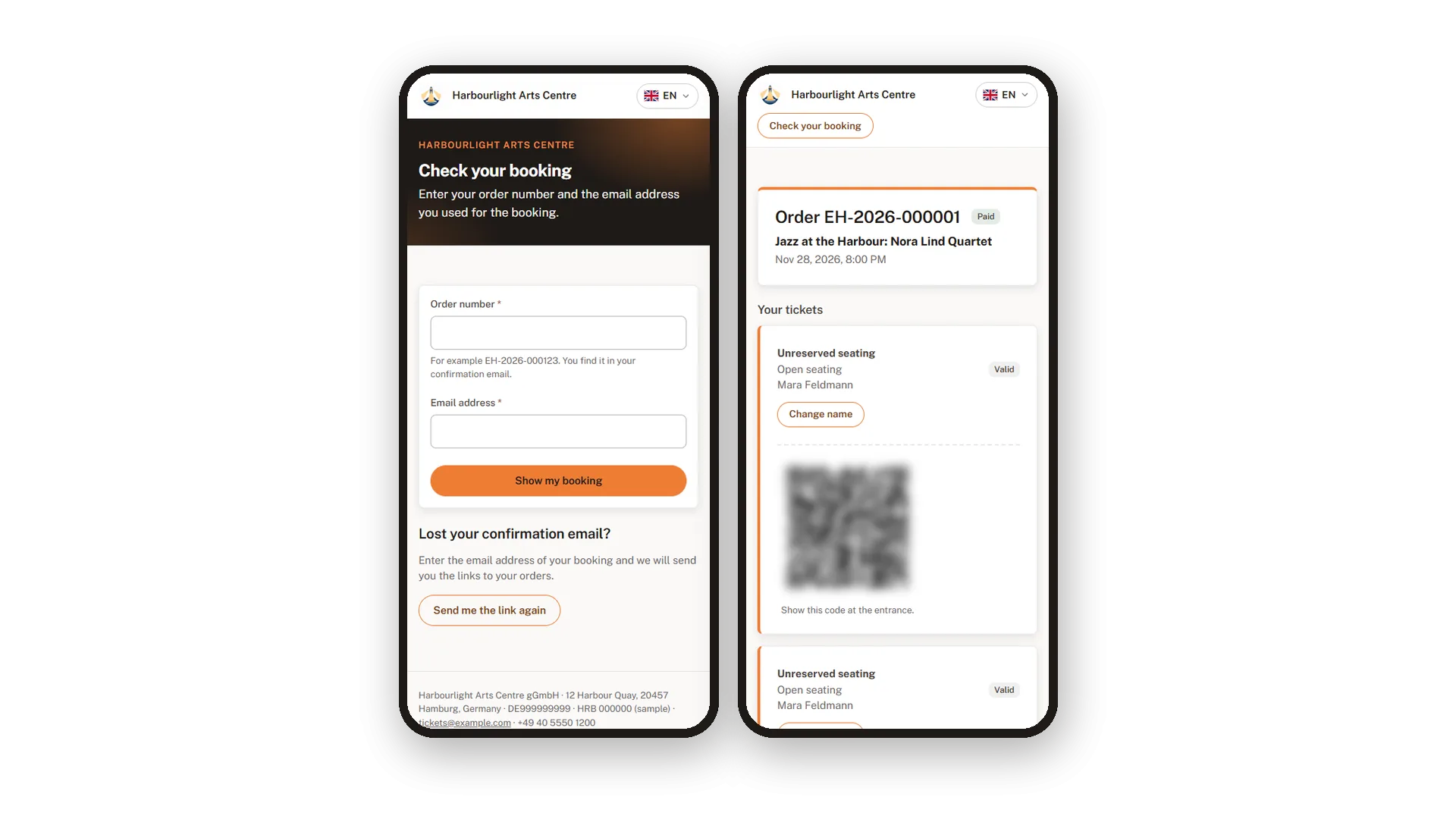
Check your booking
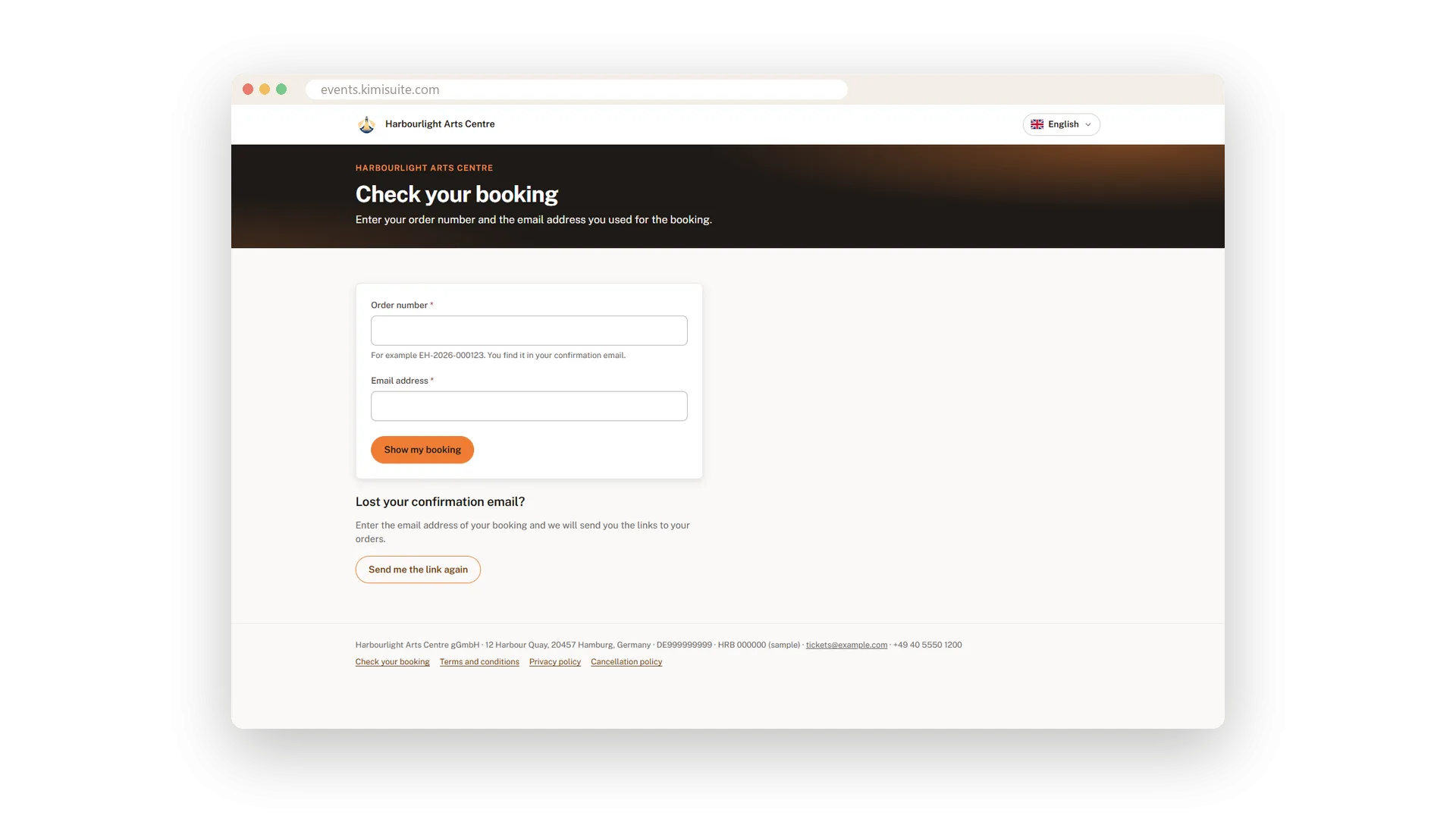
Order number and e-mail, and the order is there
Buyers enter the order number and their e-mail address and land on their order. If the confirmation is lost, they ask for the link again and get it by e-mail.
Personalised tickets with name changes
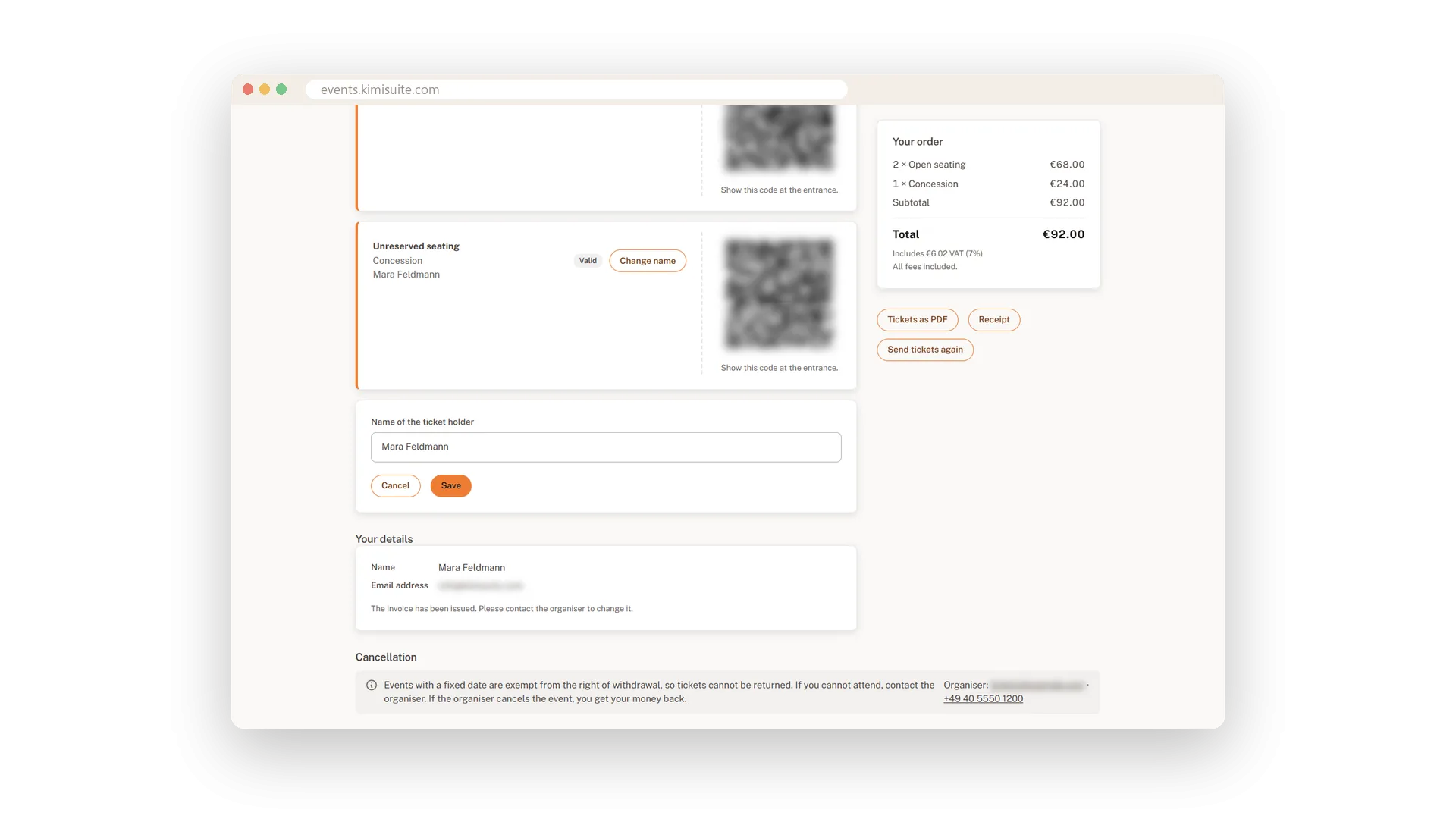
Each ticket in a name, changeable up to your deadline
Ask for a name per ticket in the checkout and print it on the ticket. If someone else goes, the buyer changes the name on the order page until the deadline you set, and the new name is on the ticket at once.
Cancellation requests under your rules
Allow them for all events or just one
Events with a fixed date usually have no right of withdrawal, so cancellations are your choice. Switch requests on for all events or for one, and decide on each request in the order with one click. Buyers get an e-mail either way.
Tickets on the phone
No app to install, the QR code is on the order page
Buyers show the QR code from the order page or the ticket PDF at the door, straight from their phone. There is nothing to install and nothing to print.
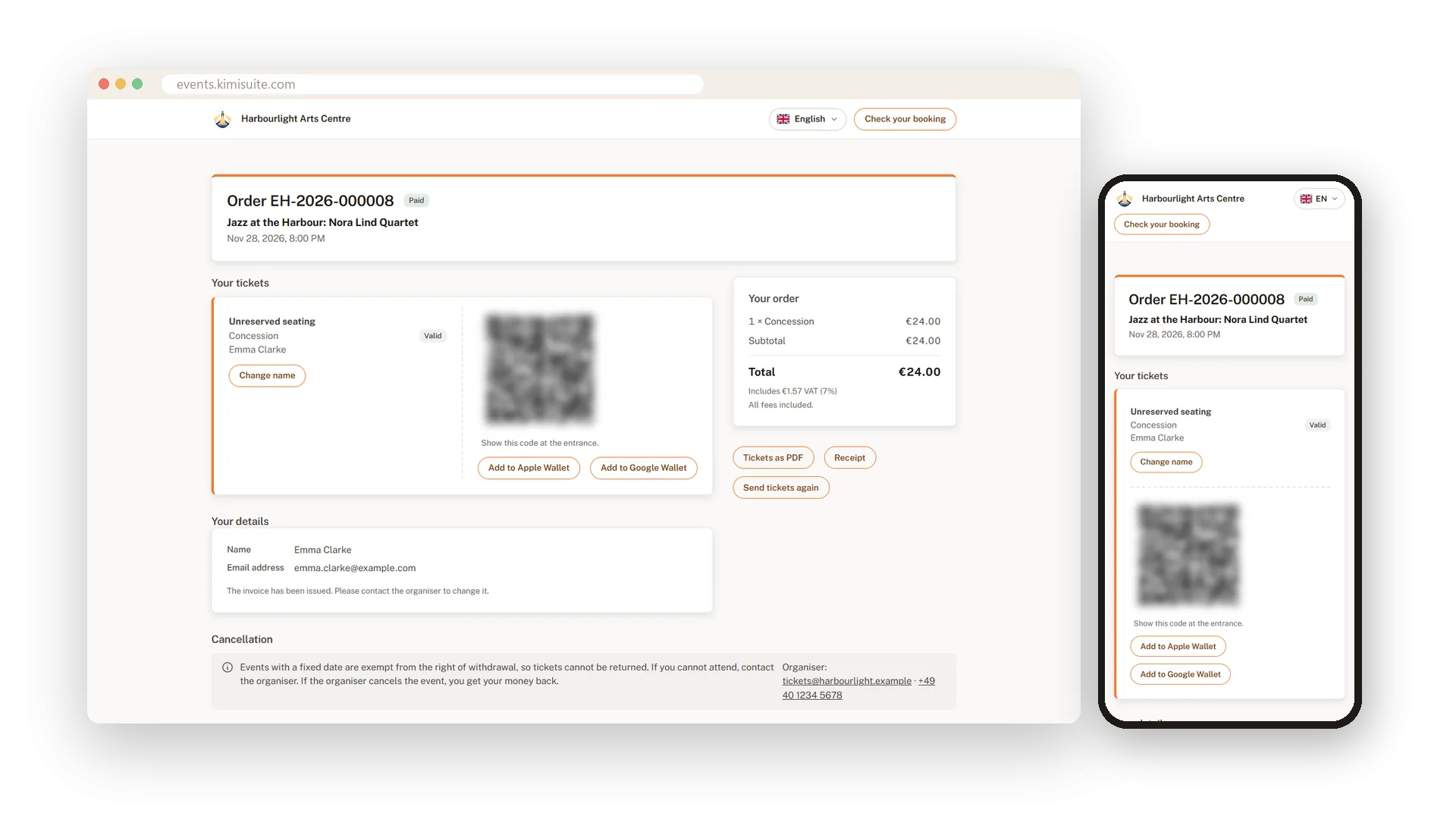
Tickets in Apple Wallet and Google Wallet
One tap and the ticket is in your buyer's phone
Under every ticket on the order page your buyers find the buttons for Apple Wallet and Google Wallet, and the confirmation e-mail points them there. The pass carries the colours, picture and logo of your ticket design and the same QR code as the PDF, so your door staff scan it like any other ticket. There is nothing to set up: wallet passes are part of every plan.
Use Cases
The lost confirmation
A buyer cannot find the e-mail. On Check your booking she enters her address and gets the link to her order again.
A friend goes instead
One of four tickets has a new holder. The buyer changes the name, and the new name is on the ticket PDF right away.
Sick on the day
Your rules allow cancellation requests until 24 hours before. The buyer asks, you approve in the order and the refund goes out.
FAQ
Try Event Ticket Hub today
Sell tickets with seat maps, QR check-in and no ticket fees
14 days free, cancel anytime, no minimum term.
