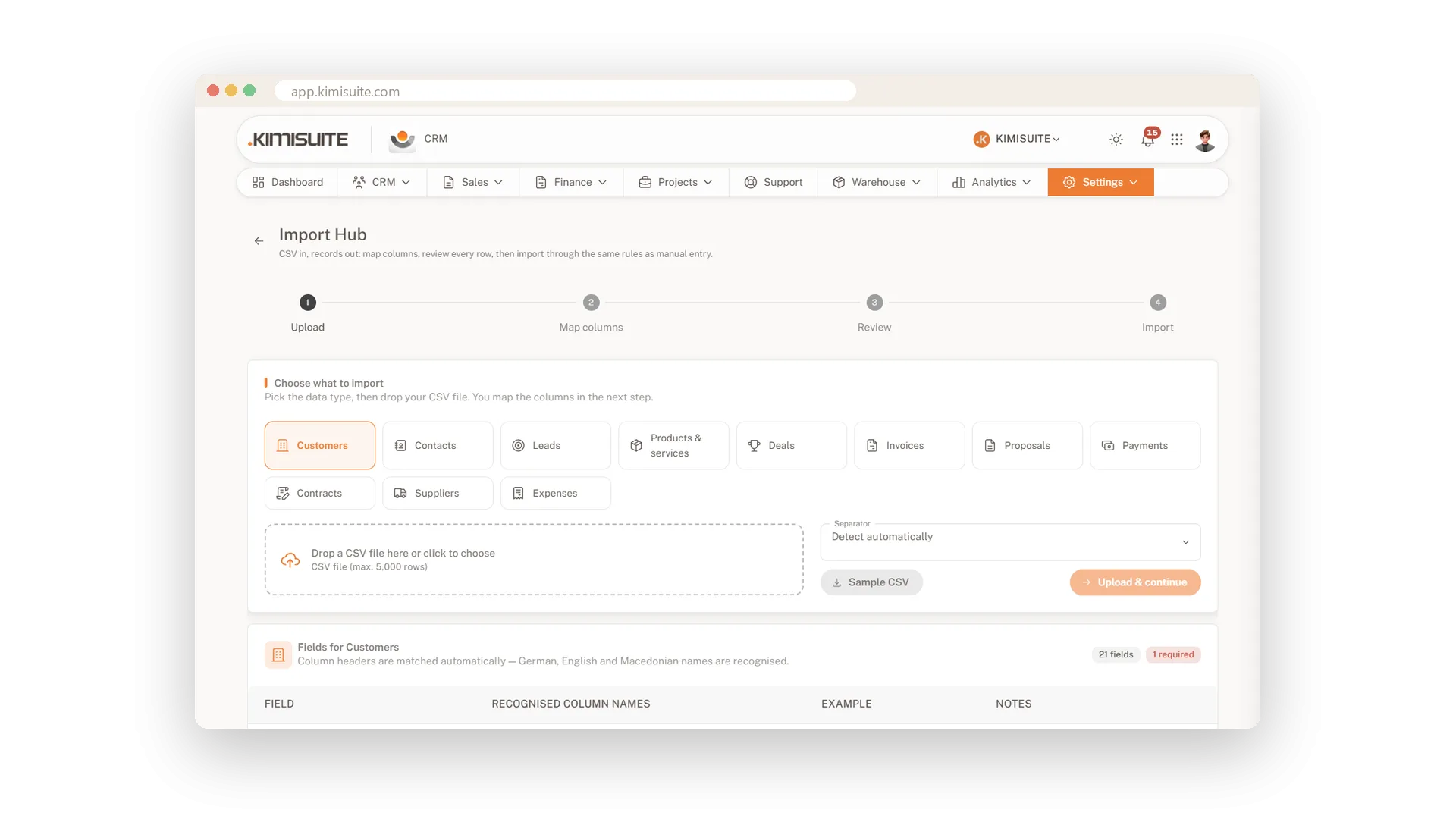
Switching systems is where good plans usually stall. Your customers, products and records sit in an old tool or a spreadsheet, and nobody wants to type them again. The Import Hub turns a CSV file into records in the CRM. And a five-step setup gets your company, taxes and documents ready before the first invoice.
Import 14 kinds of records from CSV. You map each column to the right field, and before anything is saved you review the result row by row. The setup wizard walks you through company, language and region, currency and taxes, proposals and invoices, and branding, while a getting-started list on the dashboard shows what is left. Want your own tools to talk to the CRM? API keys, webhooks and API documentation are included in Enterprise and available as an add-on in Core and Business.
Key Benefits
CSV import for 14 kinds of records - no retyping from your old system
Map each column to the right field, and review every row before it is saved
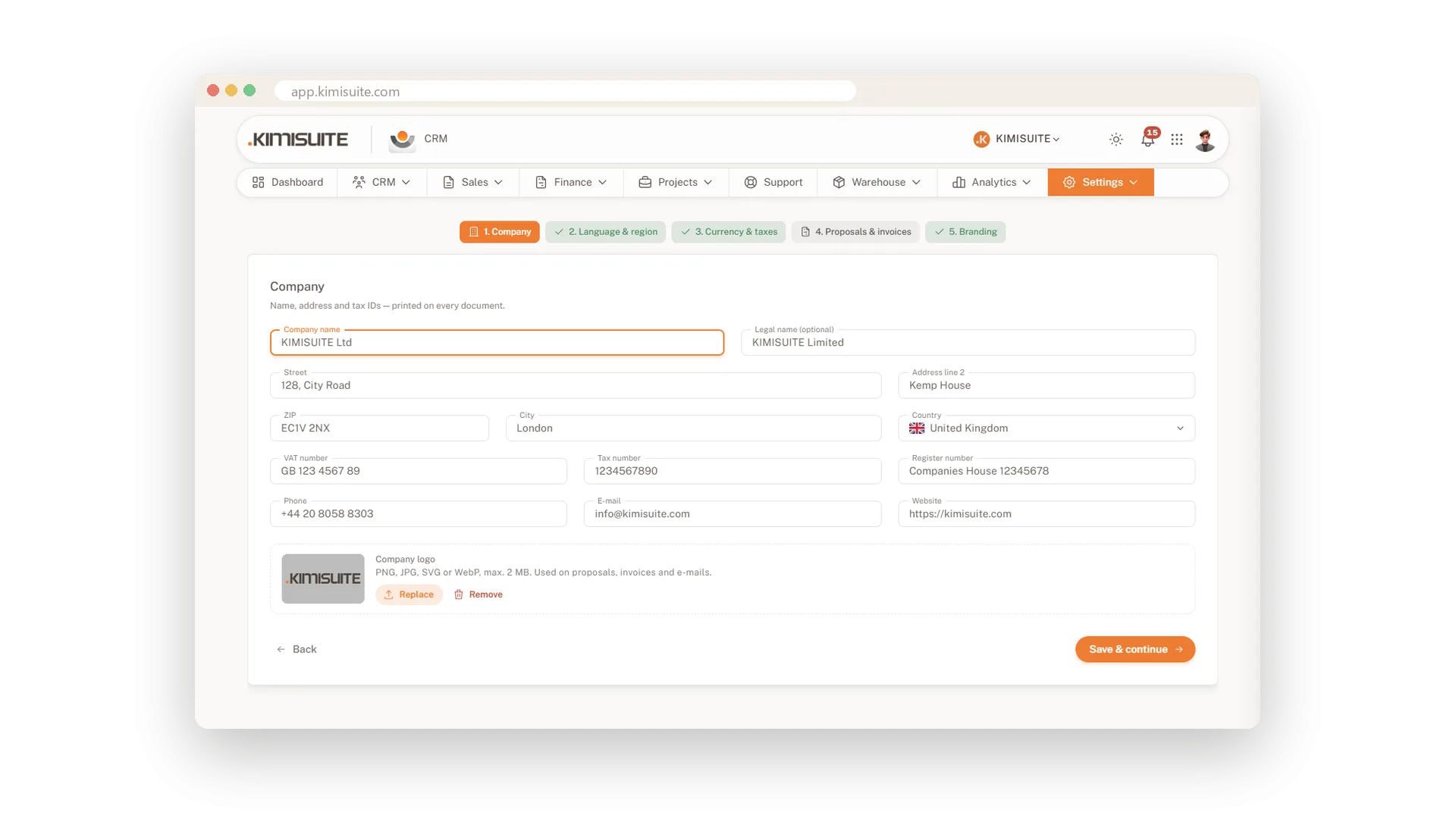
A five-step setup: company, region, currency and taxes, documents, branding
API keys, webhooks and API docs for your own tools - in Enterprise or as an add-on
Set up in five steps
From empty to ready for your first invoice
Five short steps cover what matters first: your company, language and region, currency and taxes, proposals and invoices, and your branding. A getting-started list on the dashboard keeps track of what is left.
API and webhooks
Connect your own tools to the CRM
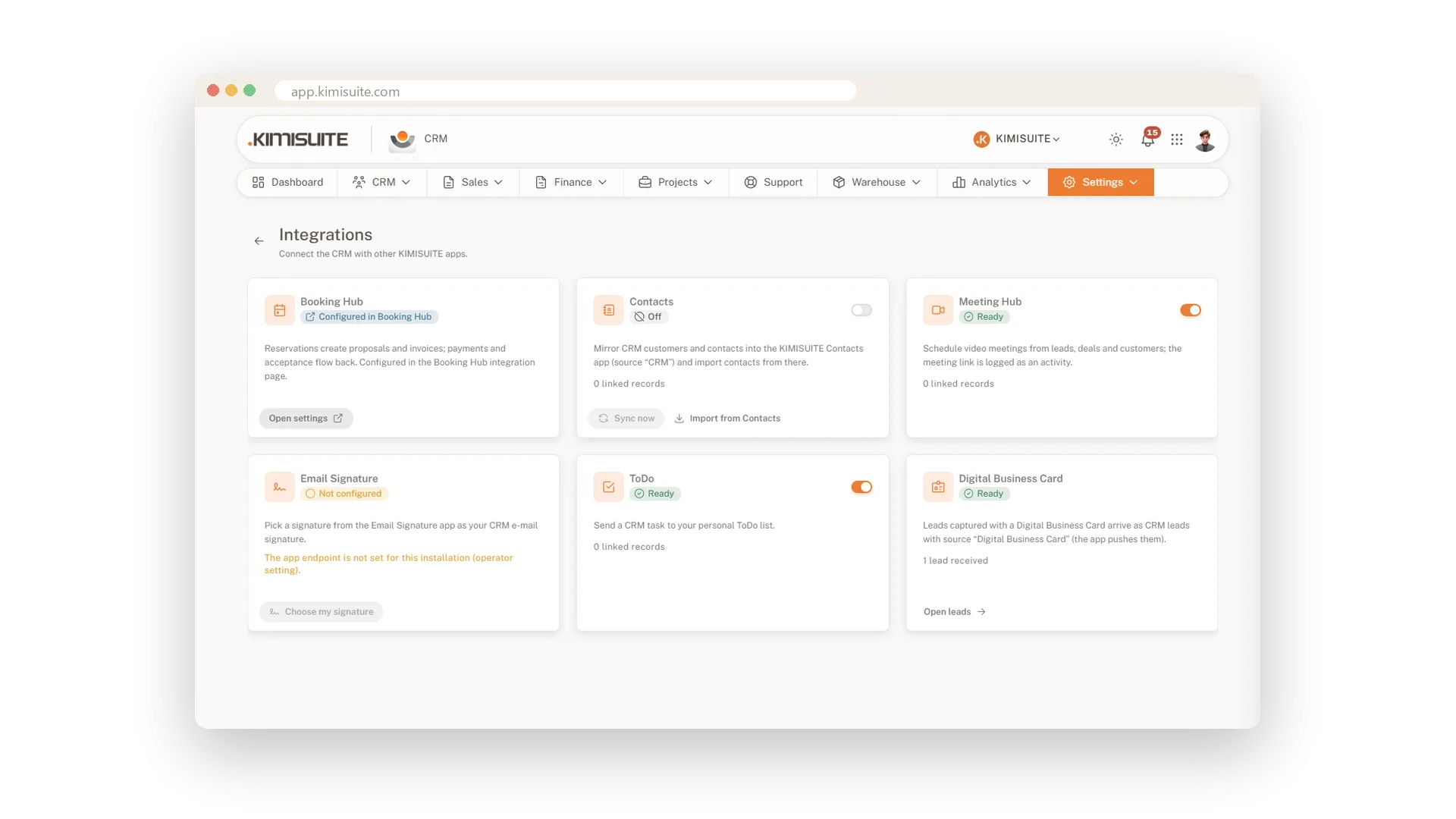
Create API keys for your own tools and let webhooks tell them when something happens in the CRM. The API documentation is right there in the settings. Included in Enterprise, available as an add-on in Core and Business.
Use Cases
Leaving the spreadsheet behind
Save your customer list as CSV and map its columns to the CRM fields. Check the rows, confirm, and your customers are in.
Ready before the first invoice
The setup wizard asks for your company, region, currency and taxes, document settings and logo. Five steps later your first invoice already looks like yours.
Your own tools in the loop
Create an API key and connect the tools you already use. Webhooks let them know when something happens in the CRM.
FAQ

Try CRM Business Hub today
From first lead to paid invoice in one app
14 days free, cancel anytime, no minimum term.
