 Part of Event Ticket Hub
 Orders, reports and settlement
Every order, every euro and every guest in view
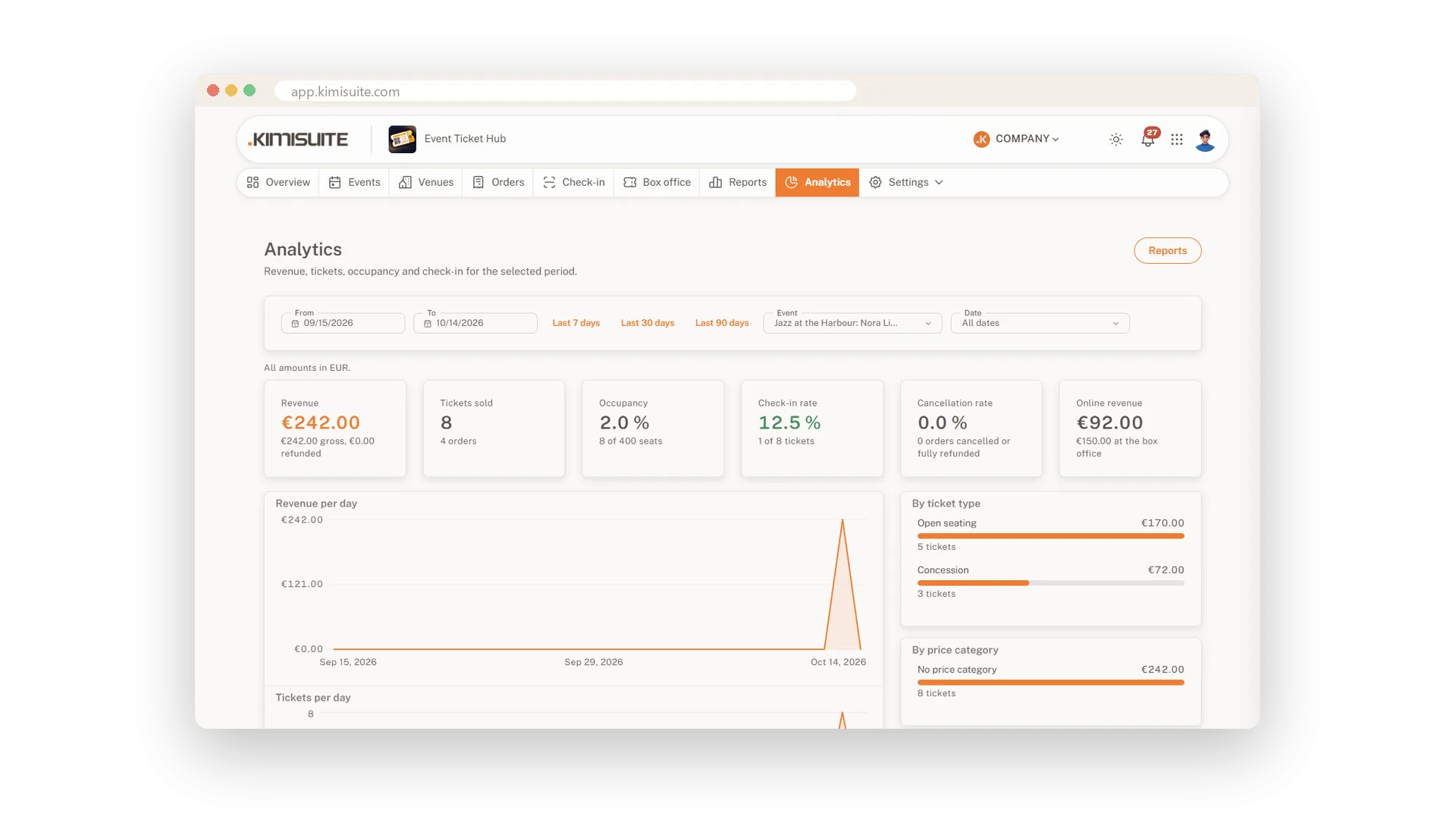
The overview shows what matters this week: revenue after refunds, tickets sold, occupancy and how many guests have arrived. Behind it, every order is one click away, with its tickets, payments and changes, and refunds, seat moves and resending tickets happen right there.
When the evening is over, the reports do the counting. Sales per date, the attendee list, the check-in report and the settlement with VAT per rate are ready to print or to export to Excel or CSV, and analytics show how you sell: per day, per ticket type, per payment method and online against the box office.
Key Benefits
Answers at a glance: revenue, tickets, occupancy and check-in rate on the overview
Refunds without detours: full or partial, back through Stripe, PayPal or Bankart
Settled per date: revenue, fees, VAT per rate and cash shifts on one PDF
Ready for your accountant: orders and reports as Excel or CSV
An overview of your sales
Revenue, tickets, occupancy and check-in rate
The first page shows revenue after refunds, tickets sold, occupancy and the check-in rate, with revenue per day and the next dates. One click leads to every area of the app.
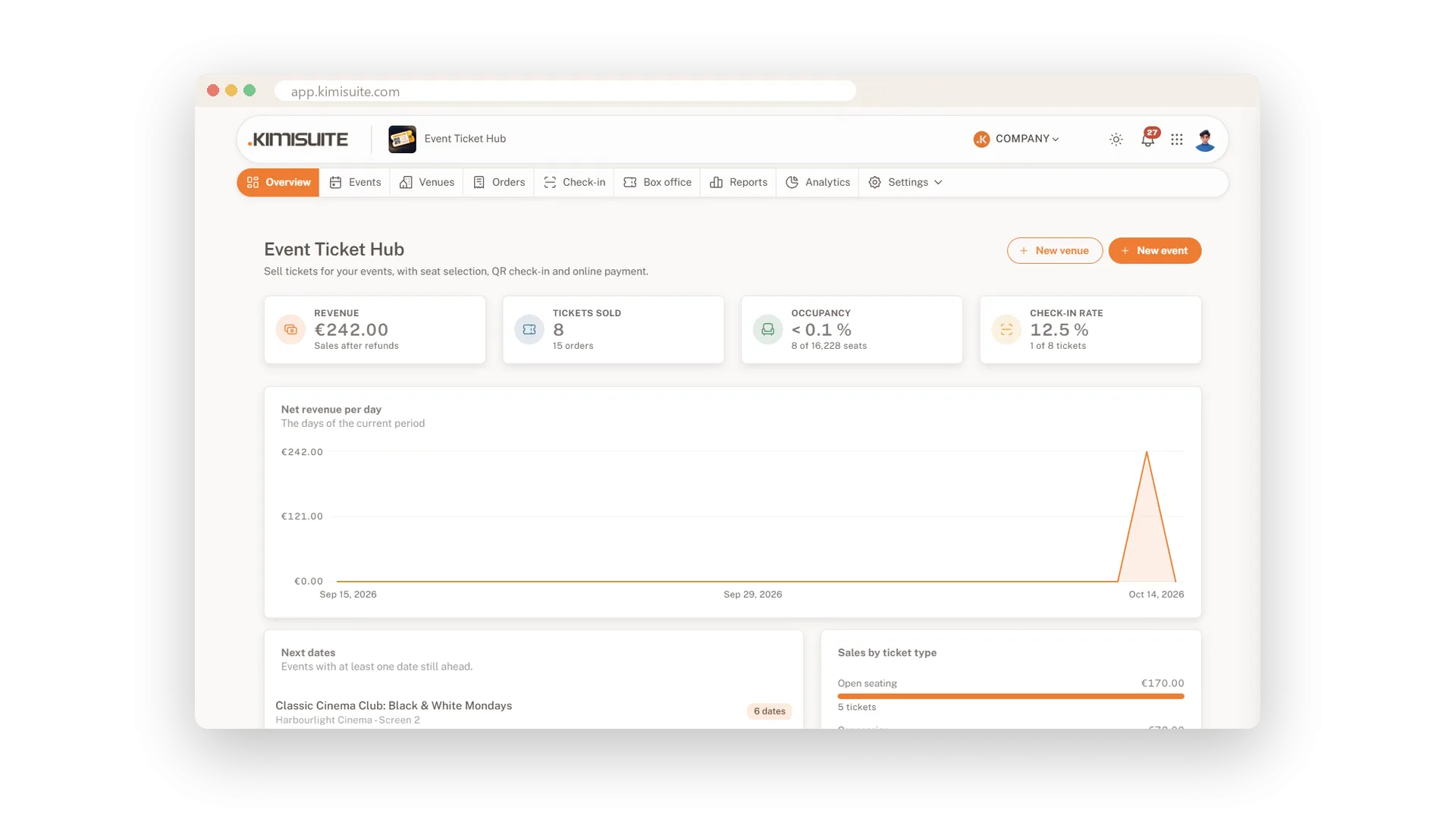
Every order in one list
Search, filter and export in seconds
Find any order by name, e-mail or order number, filter by event, status or sales channel and see open cancellation requests and pending refunds at once. Export the list to Excel or CSV whenever you need it.
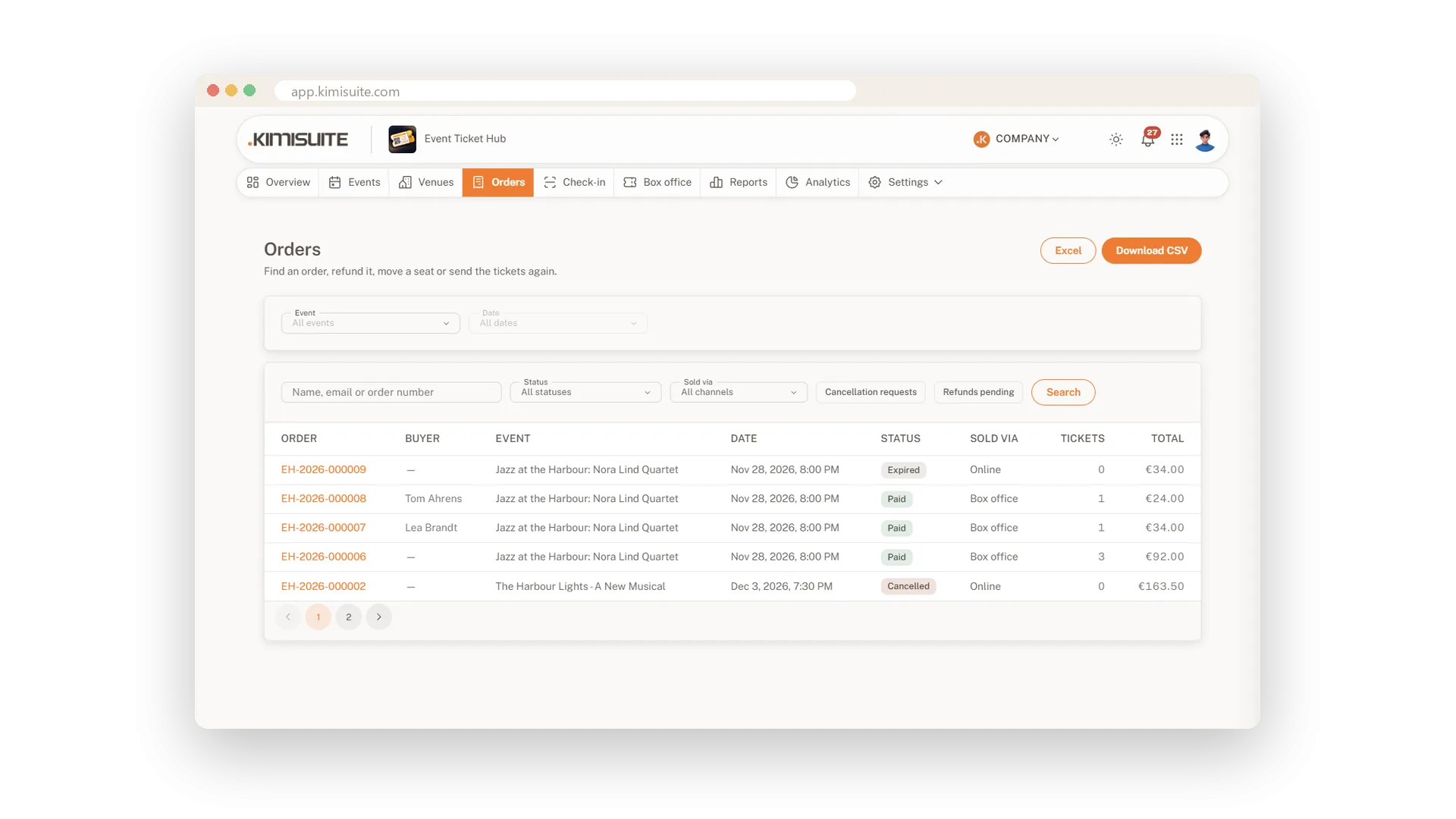
Refunds and seat moves
Full or partial, right in the order
Refund a whole order or just an amount. Payments made online go back through the provider, and a full refund puts the seats back on sale. A seat move handles the price difference the way you choose.
Sales per date
Orders, net revenue and occupancy for each date
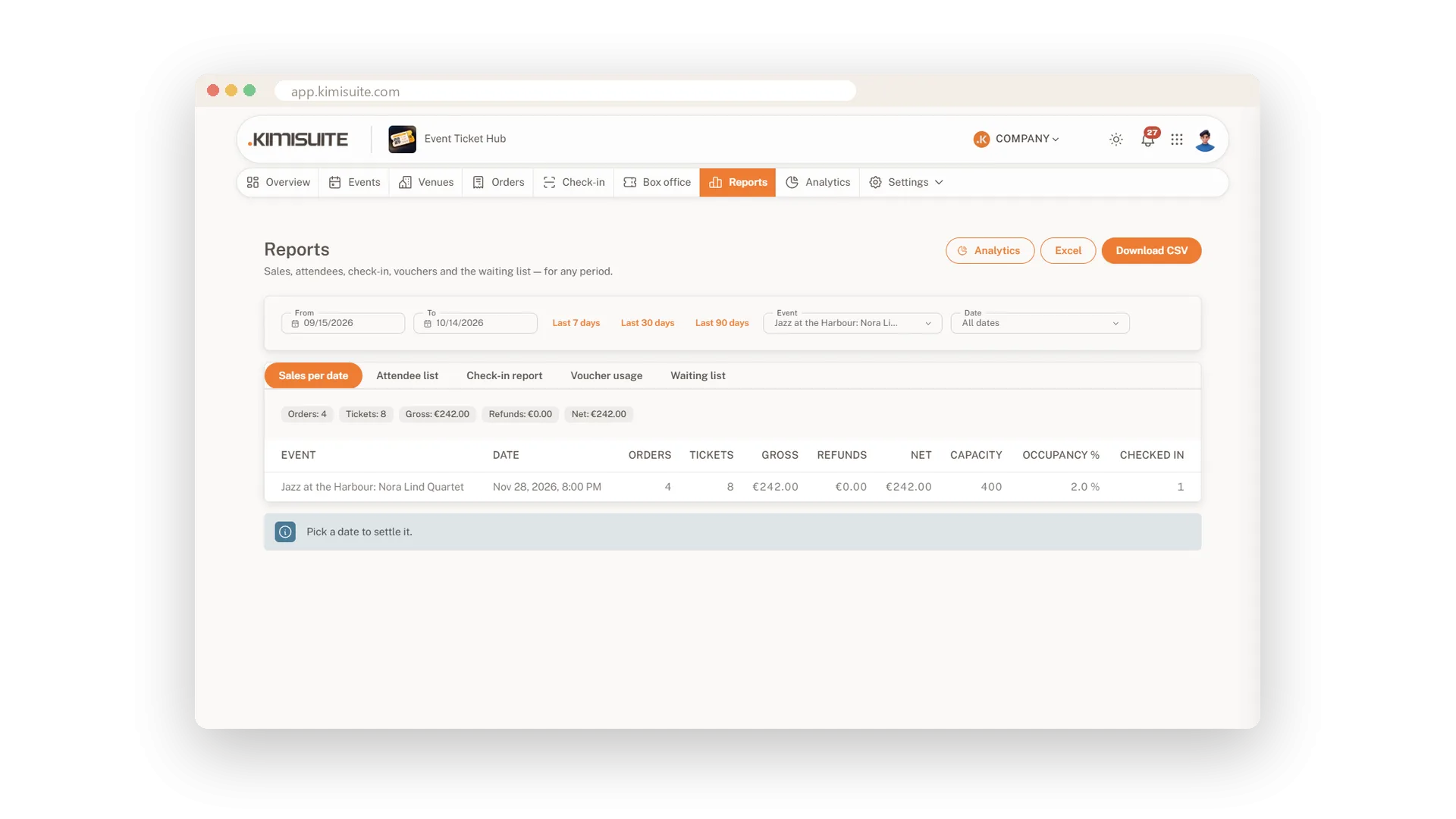
For any period, event or date: orders, tickets, gross revenue, refunds, net revenue, capacity, occupancy and check-ins in one table, ready to print or export.
Attendee lists
Who comes, with which ticket, and when they arrived
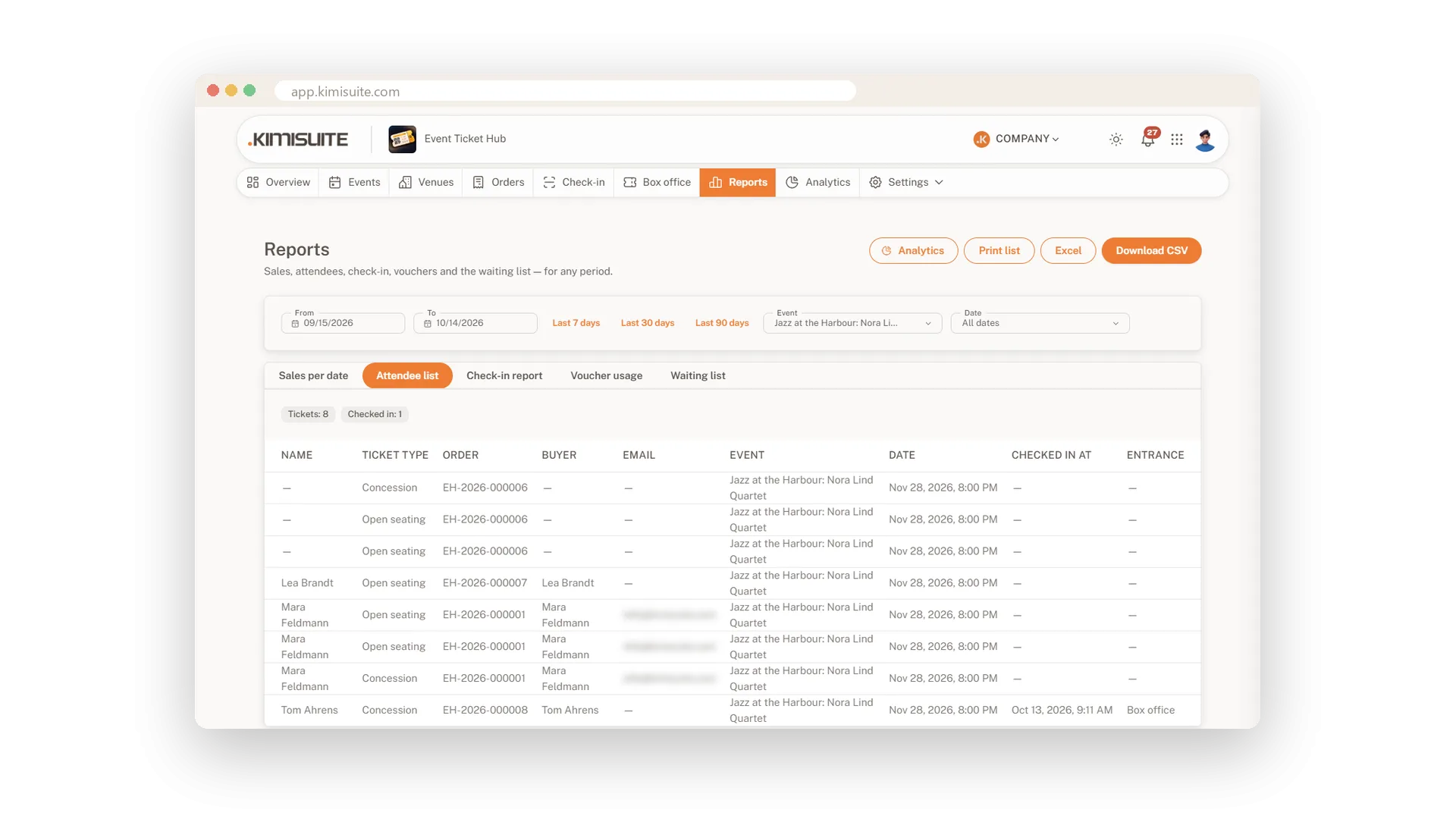
The attendee list shows every ticket with the holder, the ticket type, the order and the buyer, and after the doors open also the time and entrance of the check-in. Print it for the door or export it.
Settlement per date
Revenue, fees, VAT and cash shifts on one page
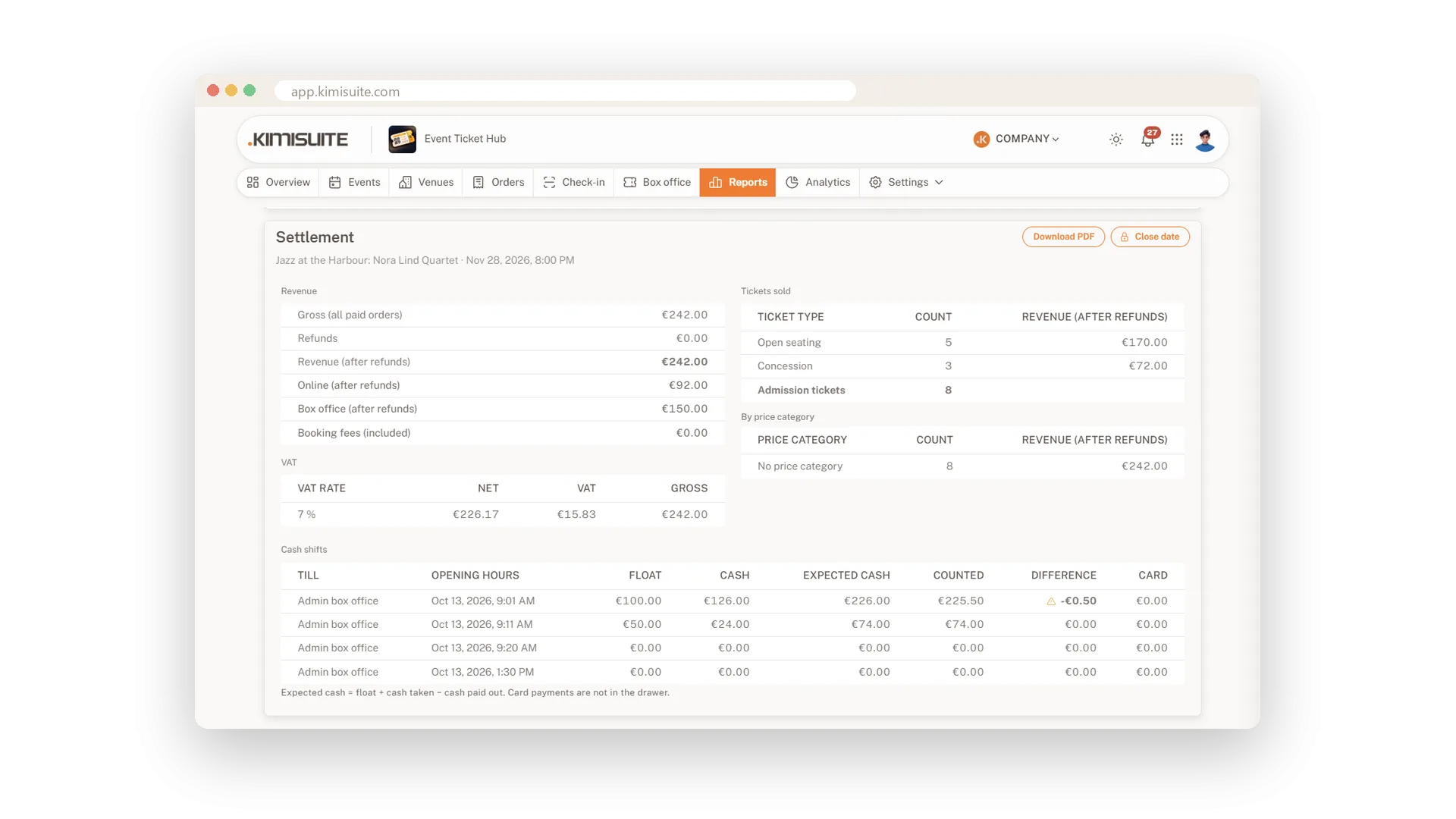
Pick a date and get its settlement: revenue online and at the box office, booking fees, VAT per rate, tickets per type and price category and every cash shift. Download it as a PDF and close the date when it is done.
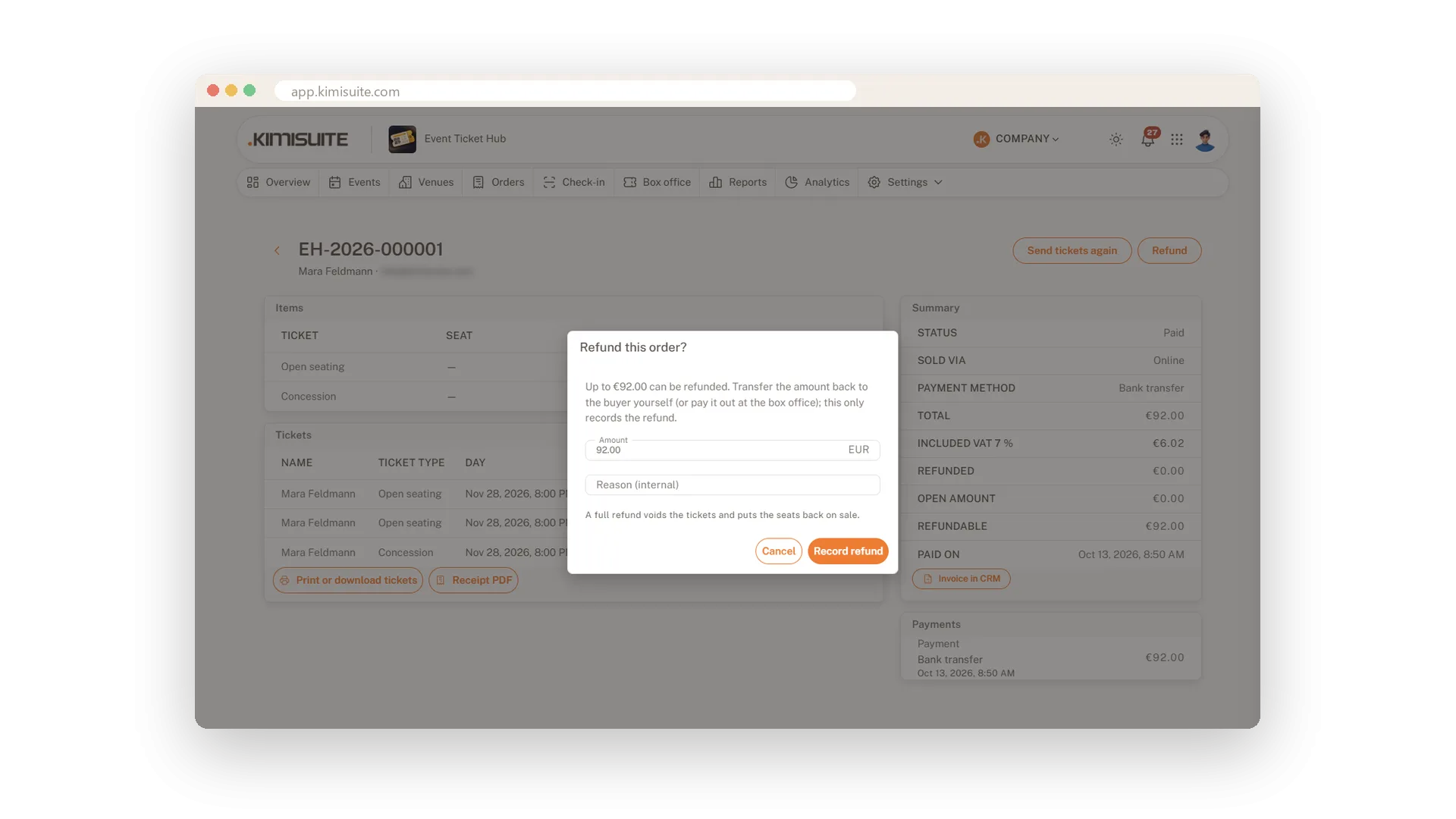
Analytics for your sales
Per day, per ticket type and per channel
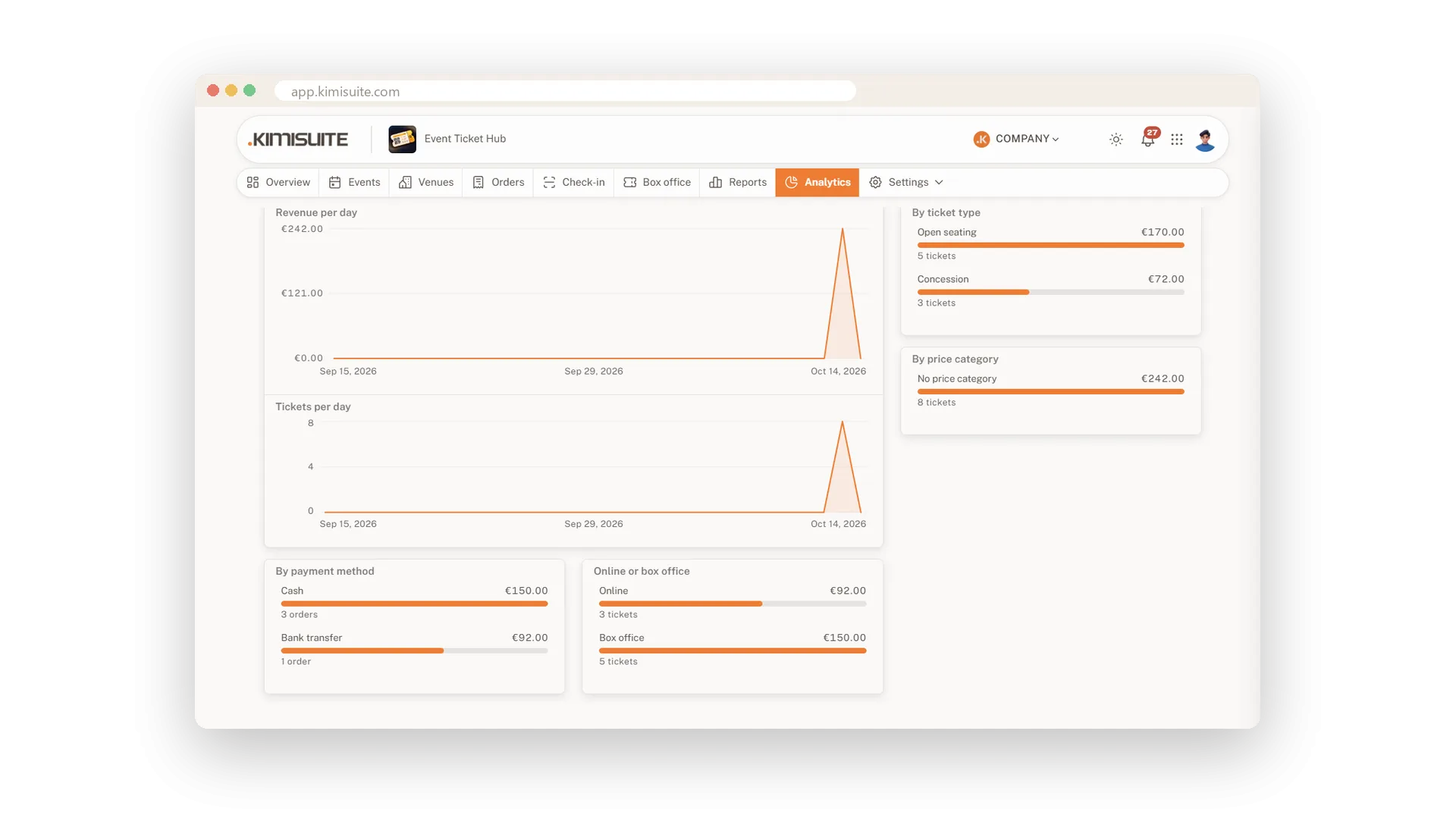
See how revenue and tickets develop day by day, which ticket types and price categories sell, how buyers pay and how much comes online versus the box office, for one event or all of them.
Use Cases
The morning after
You open the settlement of last night's concert, close the date and send the PDF to your accountant.
A partial refund
One of three guests could not come. You refund one ticket's amount in the order, and the CRM writes the credit note.
Which nights sell?
Analytics show that Thursdays sell slower. You add an early bird price for Thursdays only.
FAQ
Try Event Ticket Hub today
Sell tickets with seat maps, QR check-in and no ticket fees
14 days free, cancel anytime, no minimum term.
