 Part of CRM Business Hub
 Every customer in one record
Proposals, invoices, contracts and notes on one page
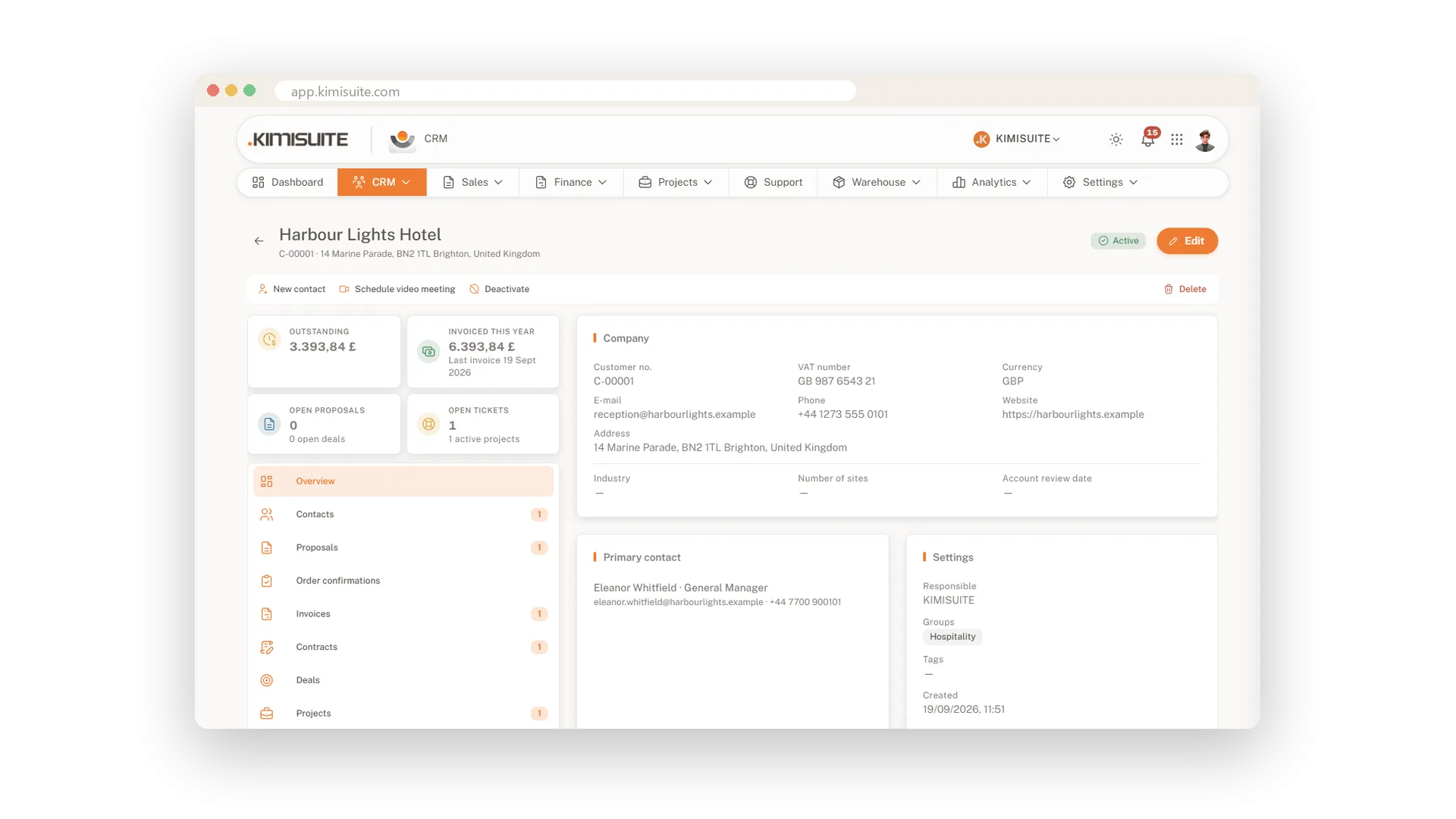
Open a customer and the whole relationship is on one screen. Tiles show what is still open, what you invoiced this year and which proposals are waiting. Below them, tabs hold every proposal, order confirmation, invoice, contract, deal, file and reminder. No more digging through folders and inboxes before you pick up the phone.
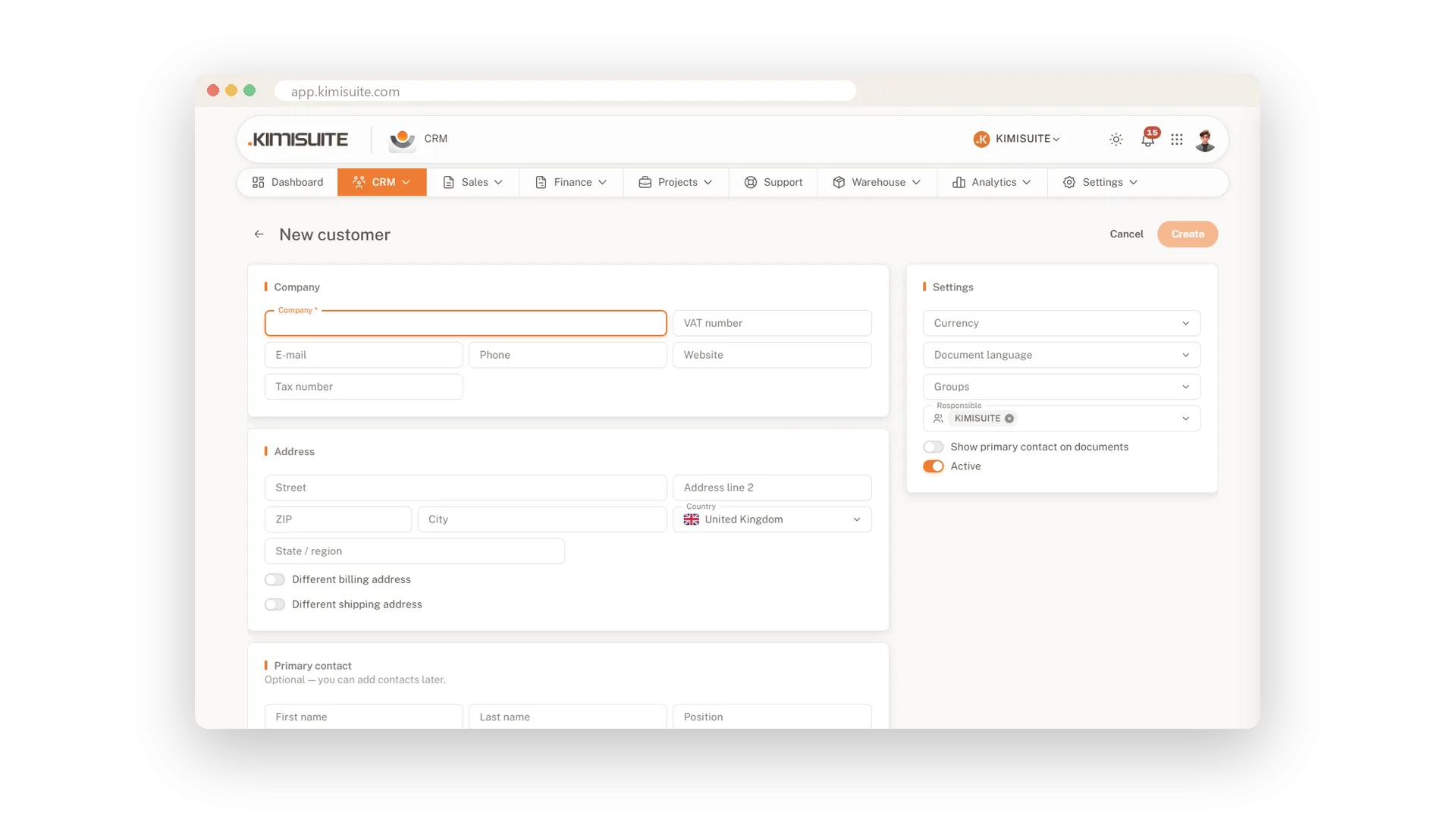
Setting up a customer takes a minute: company, VAT ID, address, a separate billing or delivery address if you need one, currency and the language their documents go out in. Sort customers into groups, add tags, assign an owner and find anyone again with search and filters. Bring your existing list in by import, and take it out again whenever you want.
Key Benefits
One page per customer: open balance, invoiced this year and open proposals at a glance
Documents in the customer's language and currency, set once on the record
Groups, tags and owners, with filters by status, country, group and owner
Export or anonymise a customer's data when they ask, straight from the record
All contacts across all customers
Every person you deal with, in one list
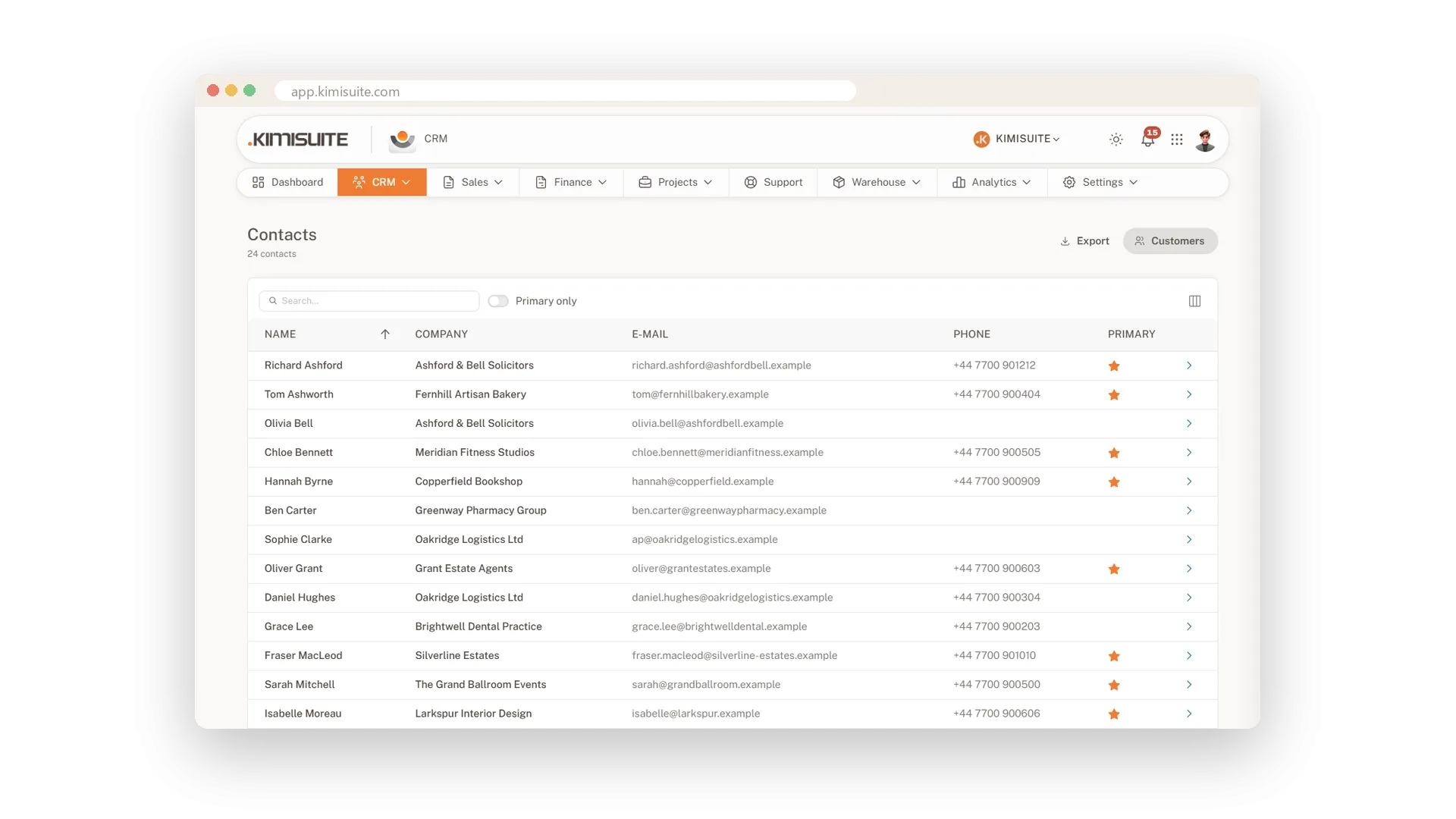
Every contact of every customer sits in one list with name, company, e-mail and phone, and you see at once who the main contact is. Export it whenever you need it, and let the Contacts app mirror it for the rest of your workspace.
Groups and tags for your customers
Sort customers your way and filter in one click
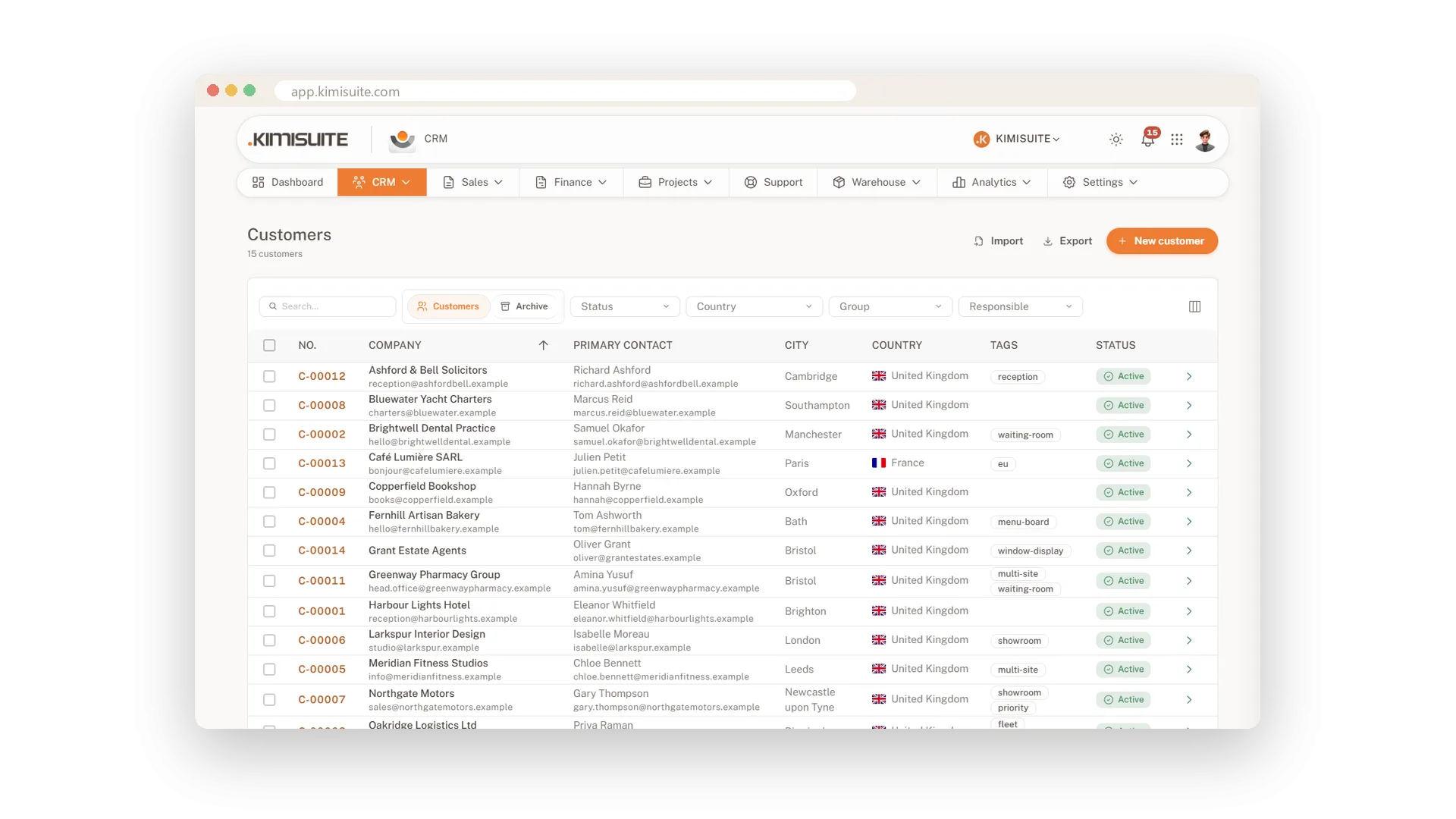
Create the groups your business thinks in - hospitality, retail, key accounts - and add tags on top. Filter the list by group, and bind a price list to a group for the customers in it.
A statement of account in one click
The customer's account on one tab
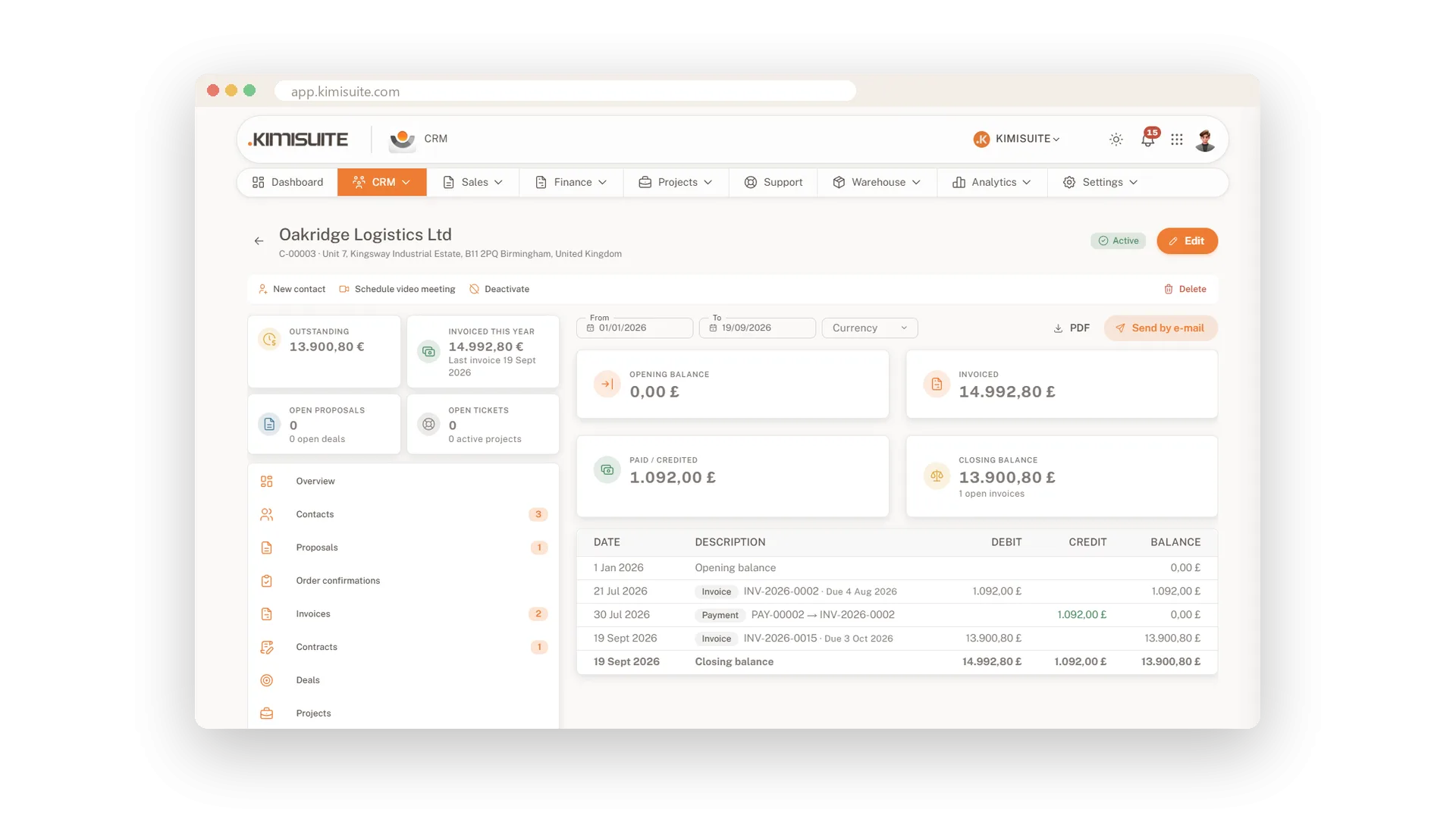
Before you chase a payment or answer a question about the balance, open the Statement tab on the customer. The account is right there, next to the invoices it comes from and the open amount on top.
Your own fields on every record
Keep the details your business needs
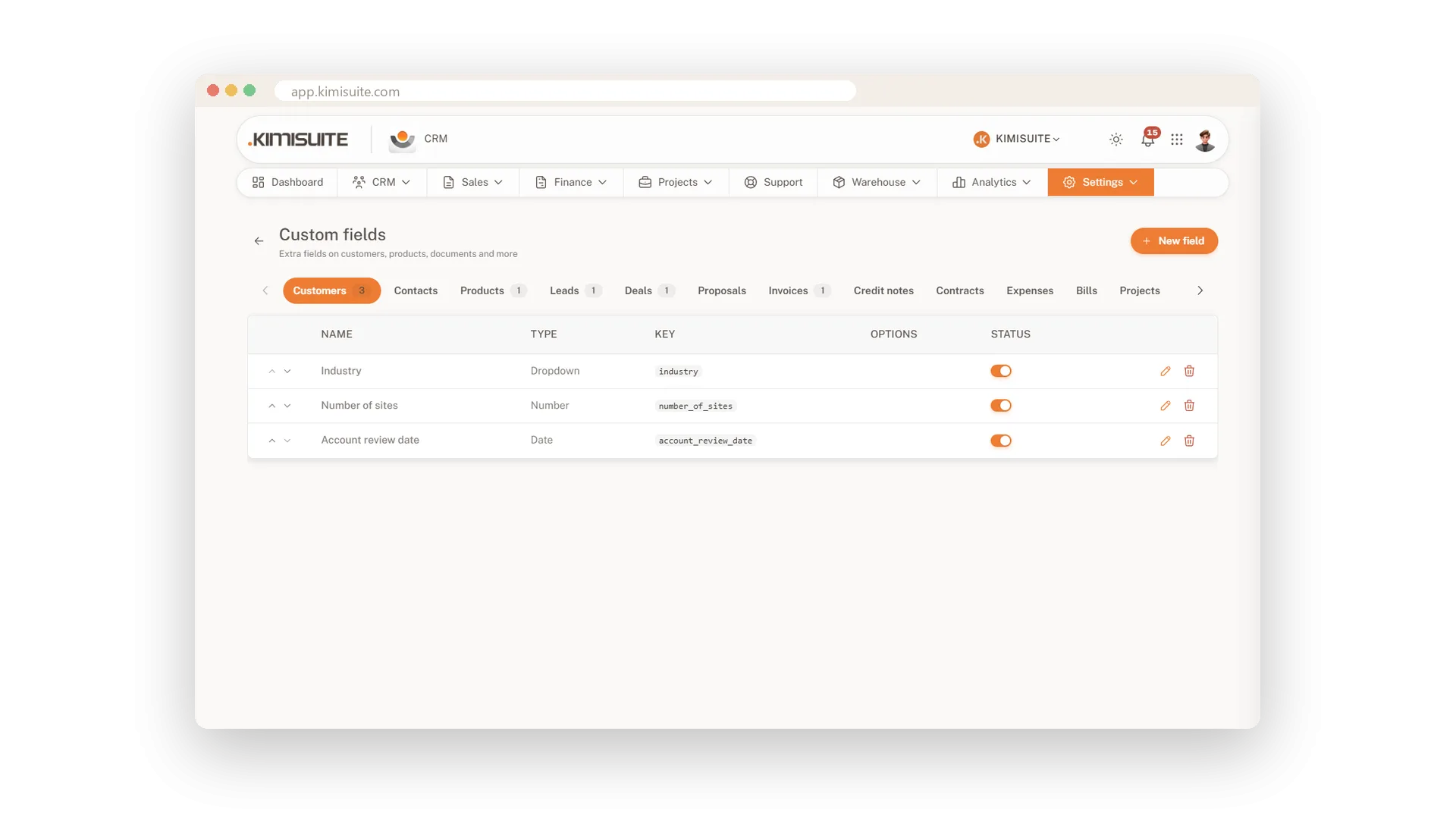
Contract number, preferred day, machine type: add the fields you need as text, number, date or selection. They work on customers and also on products, leads, deals, proposals, invoices, credit notes, contracts, expenses and supplier bills.
Export or anonymise a customer
Answer data requests without a spreadsheet
When a customer asks what you store about them, or asks you to forget them, open the Privacy tab. Export their data or anonymise the record in one step - and leads have the same tab.
The full history on every record
What happened, in order, on every record
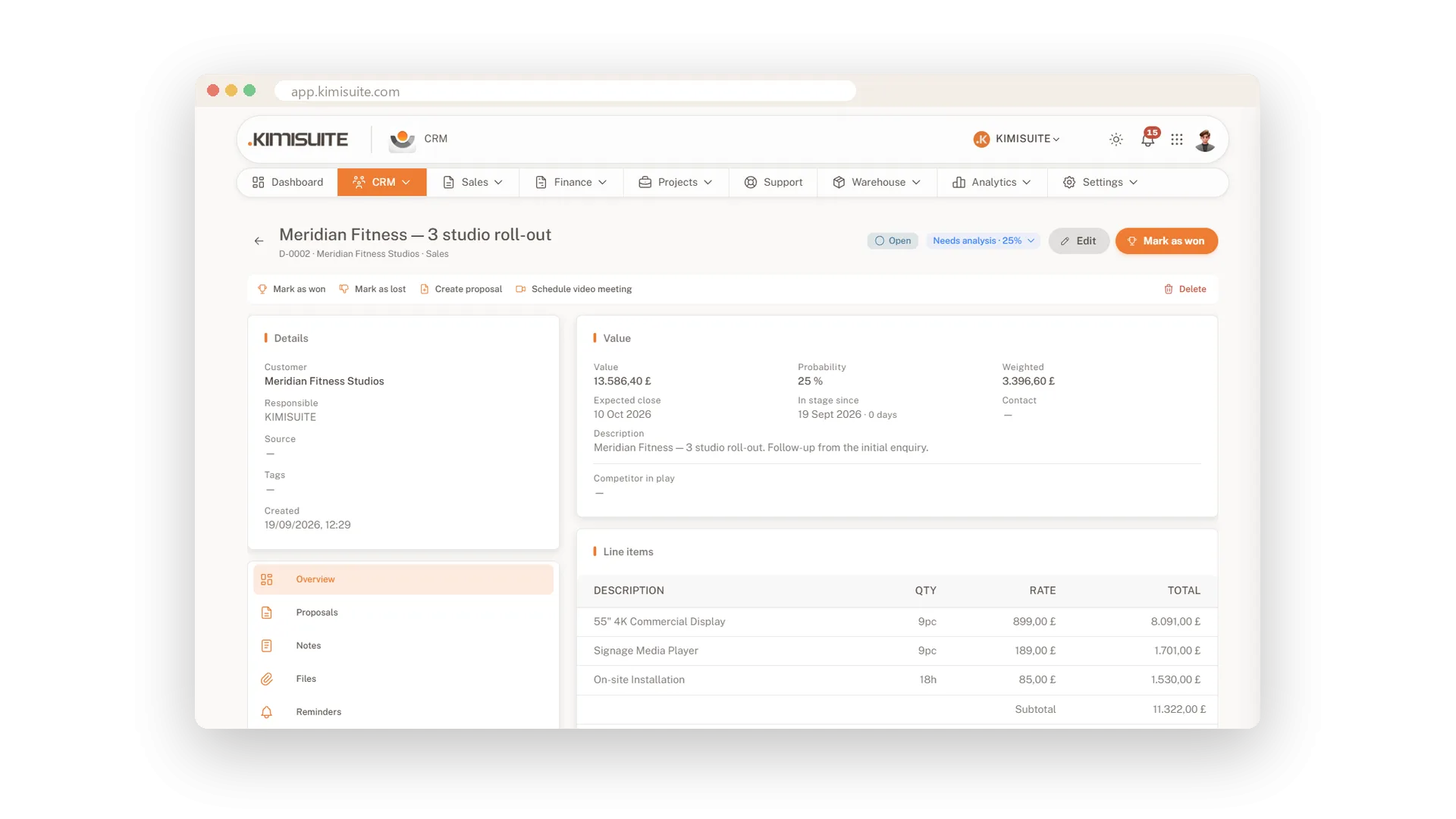
Every customer, lead and invoice has an Activity tab, and every deal keeps its stage history. When a colleague takes over, the story is already written down.
Use Cases
The call before the call
A customer rings about an invoice. One look at their record shows the invoice, the payment and the proposal it came from.
Your hospitality customers
Put them in a group and filter the list to that group. Bind a price list to the group, and their prices are one setting instead of a note on every file.
A handover without gaps
A colleague takes over an account. The activity tab and the notes tell the story, so the customer never has to repeat it.
FAQ
Try CRM Business Hub today
From first lead to paid invoice in one app
14 days free, cancel anytime, no minimum term.
