 Part of Contacts
 One address book for the whole team
Every number looked up once - on the desk and in the pocket
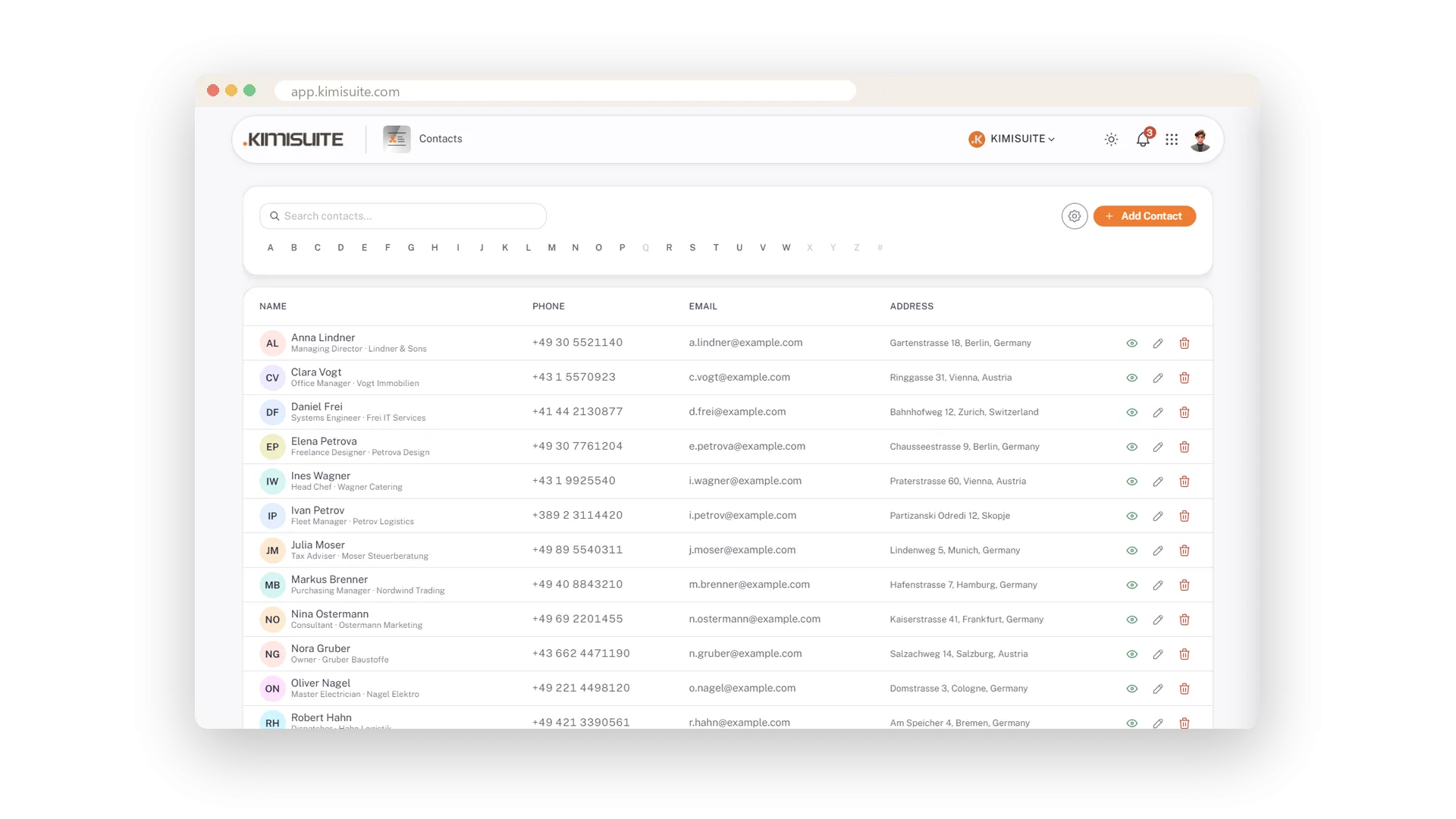
The fleet manager's mobile, the supplier's office line, the accountant's e-mail: in one list the whole workspace shares. A number is looked up once and never asked for three times. Under every name stand position and company, so you know who someone is before you open the record.
An A-Z bar jumps to a surname, a search finds people by name, company or position. On the phone every contact becomes a card with a Call and a Mail button - the number the office entered is dialled from the car park. Included in every KIMISUITE workspace.
Key Benefits
One address book for the whole workspace, not one per phone
Position and company under the name - you know who it is before you open the record
A-Z bar and a search by name, company or position
On the phone: a card per contact with Call and Mail buttons
Jump to a surname
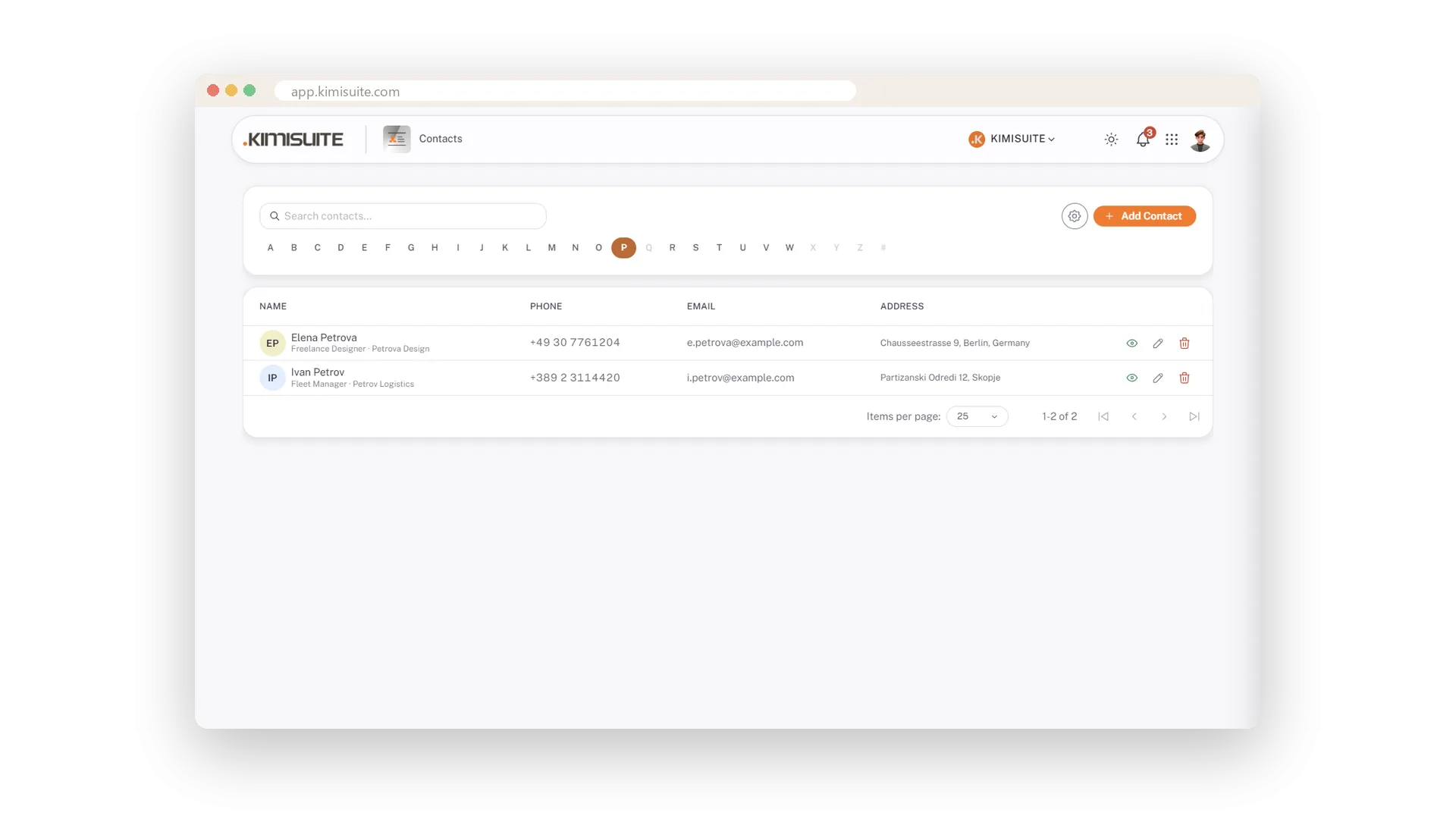
An A-Z bar - empty letters greyed out
Tap a letter and the list jumps to those surnames. Letters with nobody behind them are greyed out, so you never tap into an empty page.
Search by name, company or position
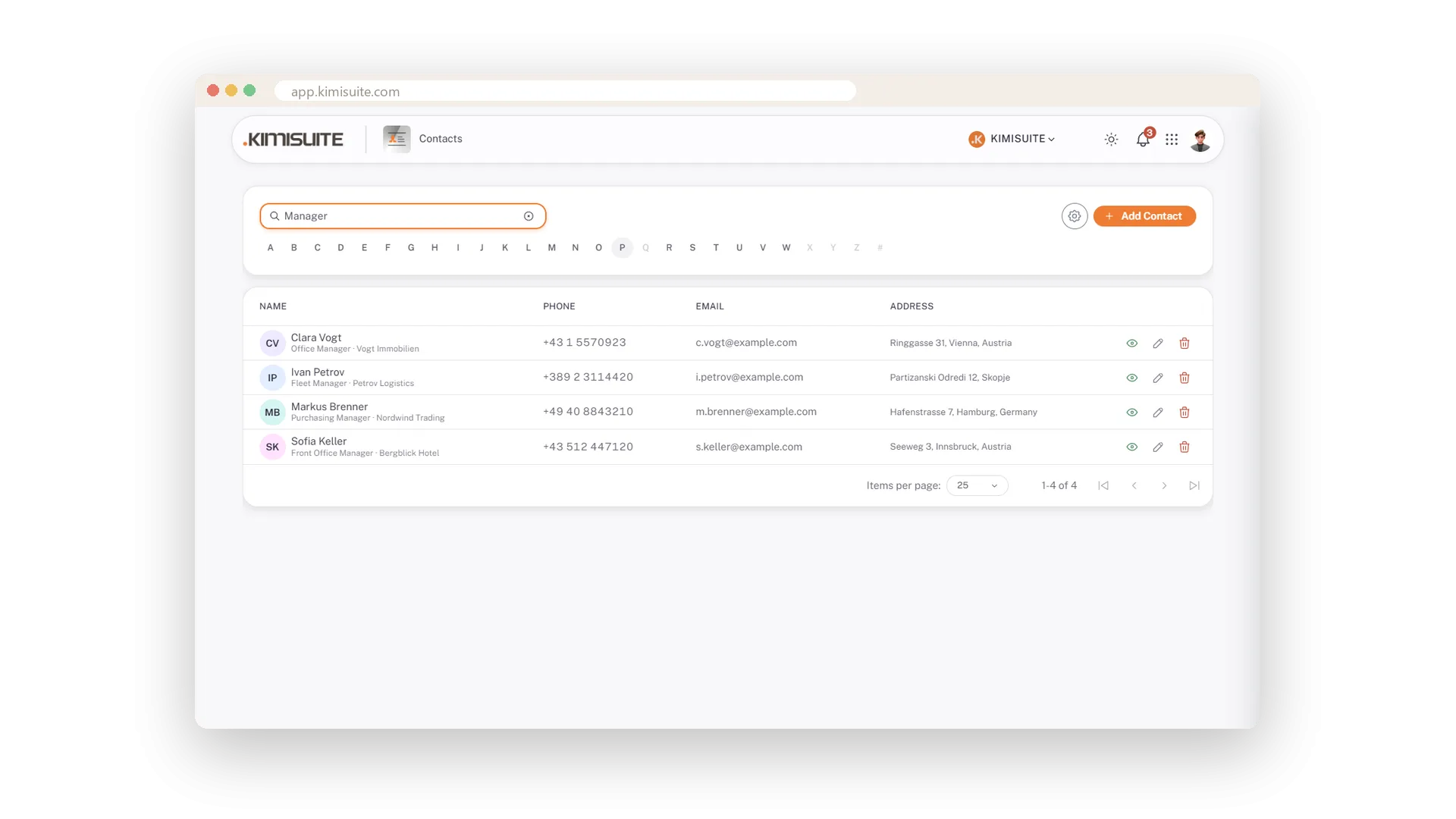
Manager finds every manager
Type a name, a company or a position and press Enter. Manager finds every manager, the company name finds everyone who works there.
The address book in your pocket
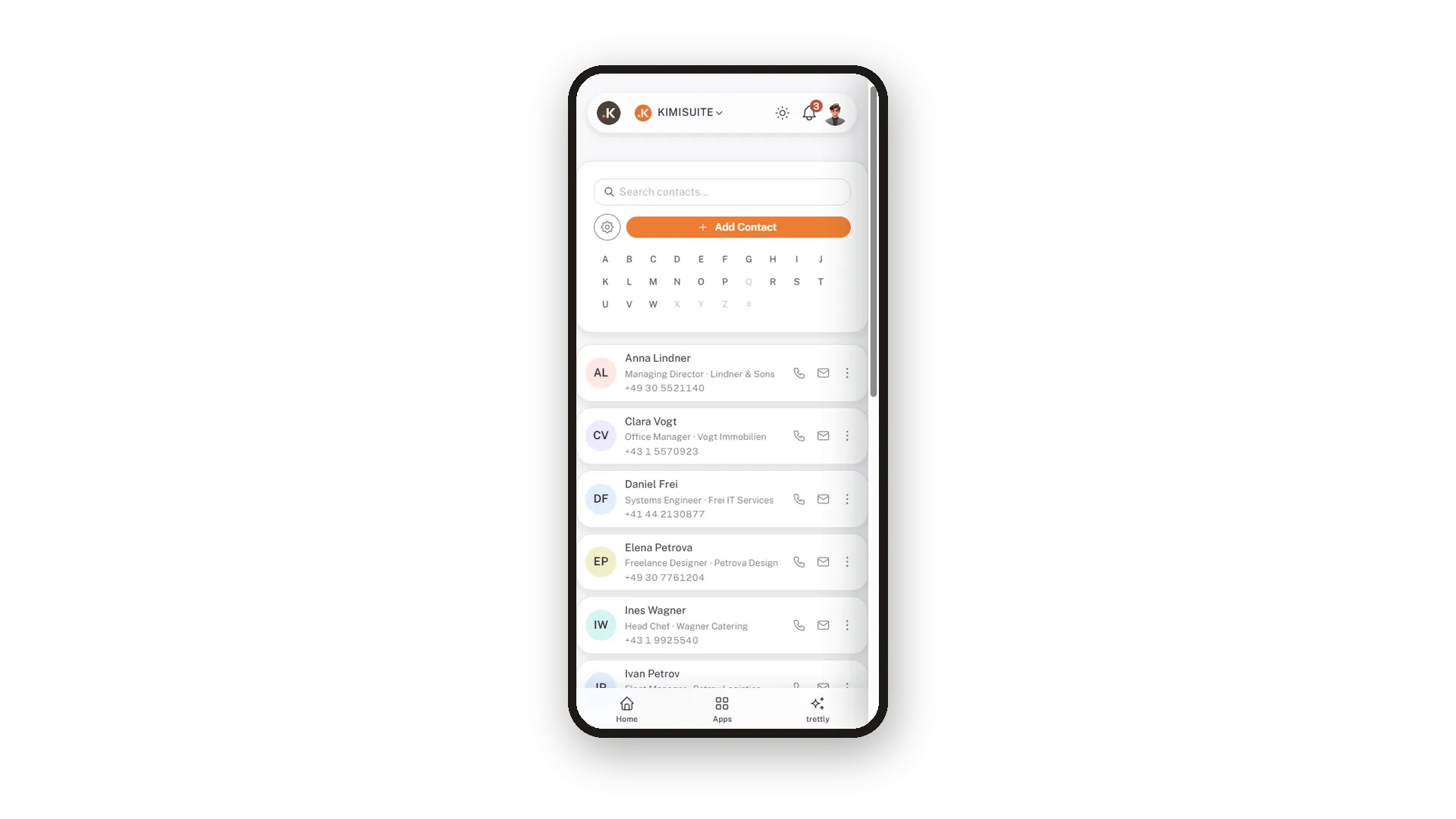
A card per contact with Call and Mail
On the phone every contact is a card: initials, name, position and company, the number - and Call and Mail as buttons. One tap and the number the office entered is ringing.
Use Cases
Who was the fleet manager at the logistics company?
Type Manager into the search: four people with that word in their position, the right one among them.
Calling from the car park
Open the address book on the phone. Each contact is a card with a Call button - one tap dials the number the office entered.
The new colleague needs the supplier numbers
They are in the workspace already. Nothing to export, nothing to forward.
FAQ
Try Contacts today
The shared address book, with CardDAV for your phone, free
Free of charge, in your own workspace, ready in a minute.
