 Part of Contacts
 The team's contacts in your phone's own app
CardDAV for iPhone, iPad, Mac, Android - no export, no file
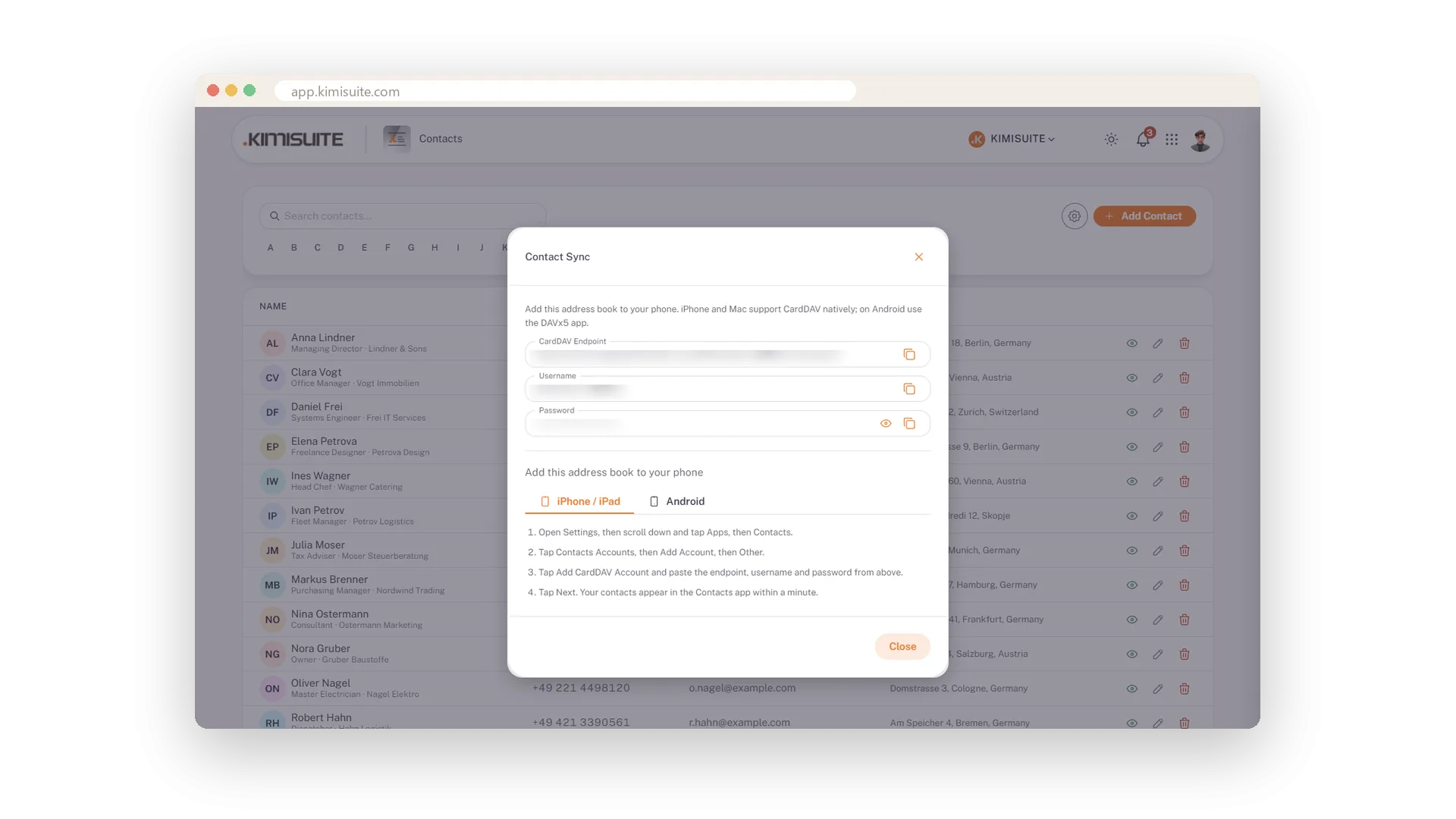
A customer calls and your phone shows the name - because the workspace contacts sit in your phone's own address book. That is CardDAV: enter the endpoint, username and password from Contact Sync once, and iPhone, iPad and Mac show the workspace contacts in their Contacts app. On Android the DAVx5 app does the same.
A number added at the office is on the road within minutes. No export, no file, no forwarding. The steps are in the app - a tab for iPhone and iPad, a tab for Android, four steps each in plain words. The Calendar app works the same way with CalDAV, so your phone gets people and appointments from one workspace.
Key Benefits
Workspace contacts in the phone's own Contacts app - caller ID knows the customer
iPhone, iPad and Mac natively, Android with DAVx5
Four-step instructions for both platforms inside the app
No export, no file - a new number at the office is on the road within minutes
Four steps, right in the app
A tab for iPhone and iPad, a tab for Android
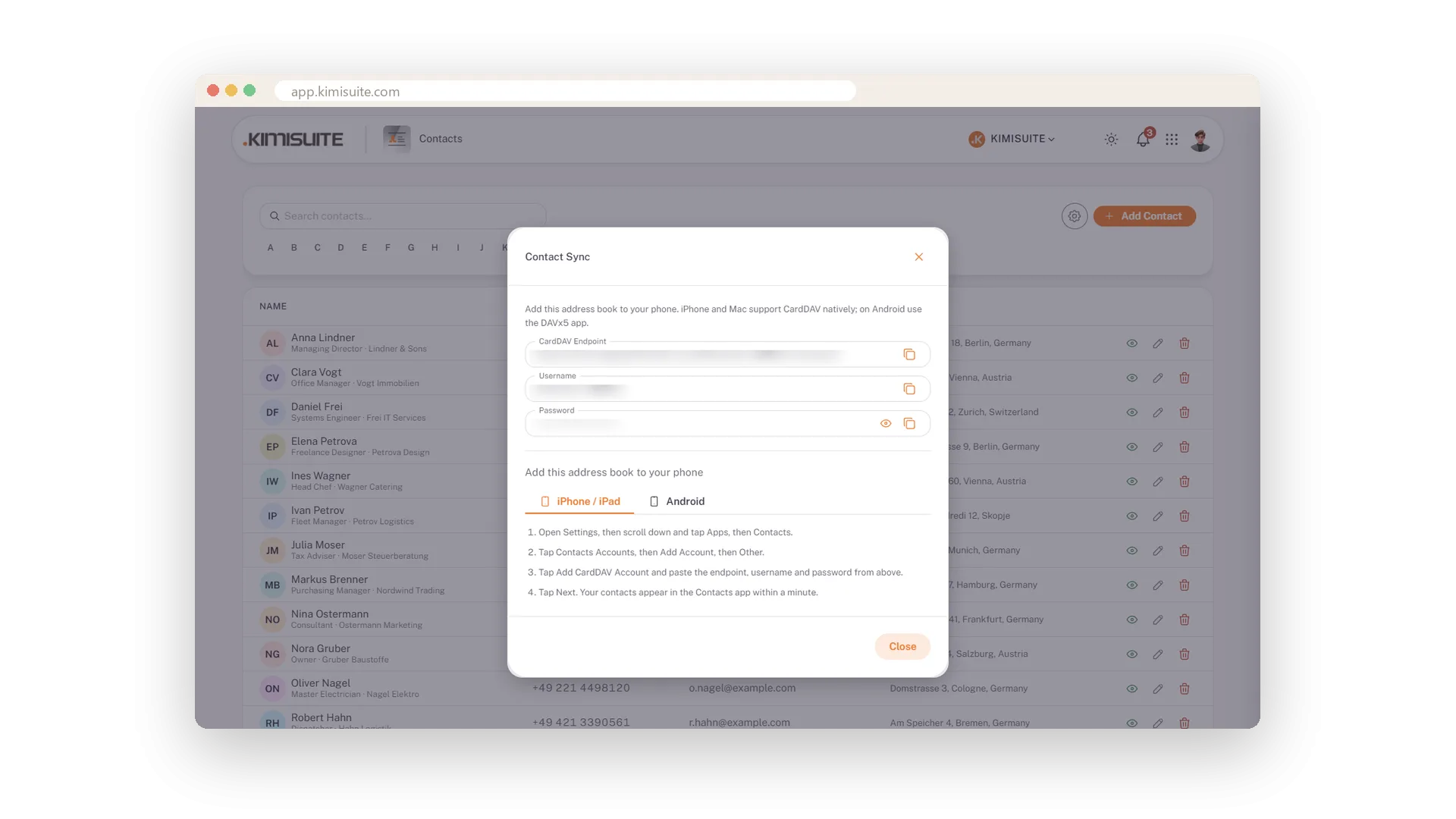
No manual to search for: the Contact Sync dialog carries two tabs - iPhone and iPad, Android - with four steps each in plain words, and the details to paste right above them.
Use Cases
A number entered at the office, dialled from the road
The office adds the contact; your phone's Contacts app shows it under the CardDAV account without anyone forwarding a card.
Setting up a new phone
Open Contact Sync, follow the four steps for iPhone or Android, paste endpoint, username and password. The address book is there within a minute.
Caller ID that knows the customer
Because the workspace contacts sit in the phone's address book, an incoming call from a customer shows the name.
FAQ
Try Contacts today
The shared address book, with CardDAV for your phone, free
Free of charge, in your own workspace, ready in a minute.
