Monday morning, coffee in hand: open the week and see the free afternoon before someone else books it. Between two calls: the day, across the full width. In the stand-up: the agenda, the week as a readable list. And for the overview, the month with every appointment and its time. One switch bar, no page reload.
The small things are right: week and day open on your first appointment instead of an empty 6 am, week numbers stand at the left for everyone who plans by W37, today is highlighted, and the sidebar keeps your next three appointments in view. Every entry wears the colour of its label - Client, Deadline, Trip - or of its calendar, so the team meeting and the dentist never look alike. On the phone the calendar opens in the day view with day, agenda and month one tap away. Included in every KIMISUITE workspace.
Key Benefits
Month, week, day and agenda from one switch bar - no page reload
Week and day open on your first appointment, not on an empty morning
Week numbers in every view for everyone who plans by W37
The next three appointments always in the sidebar
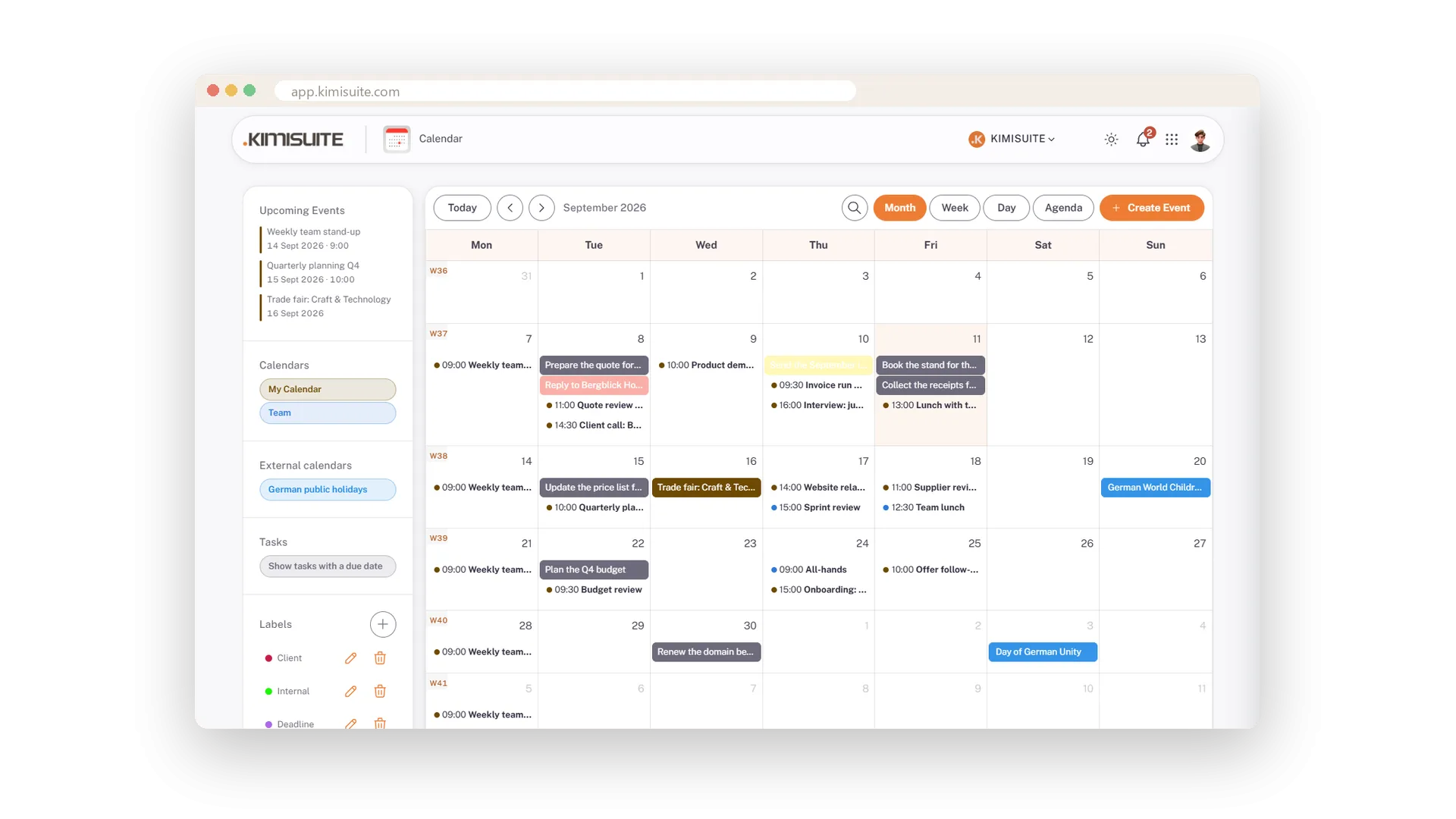
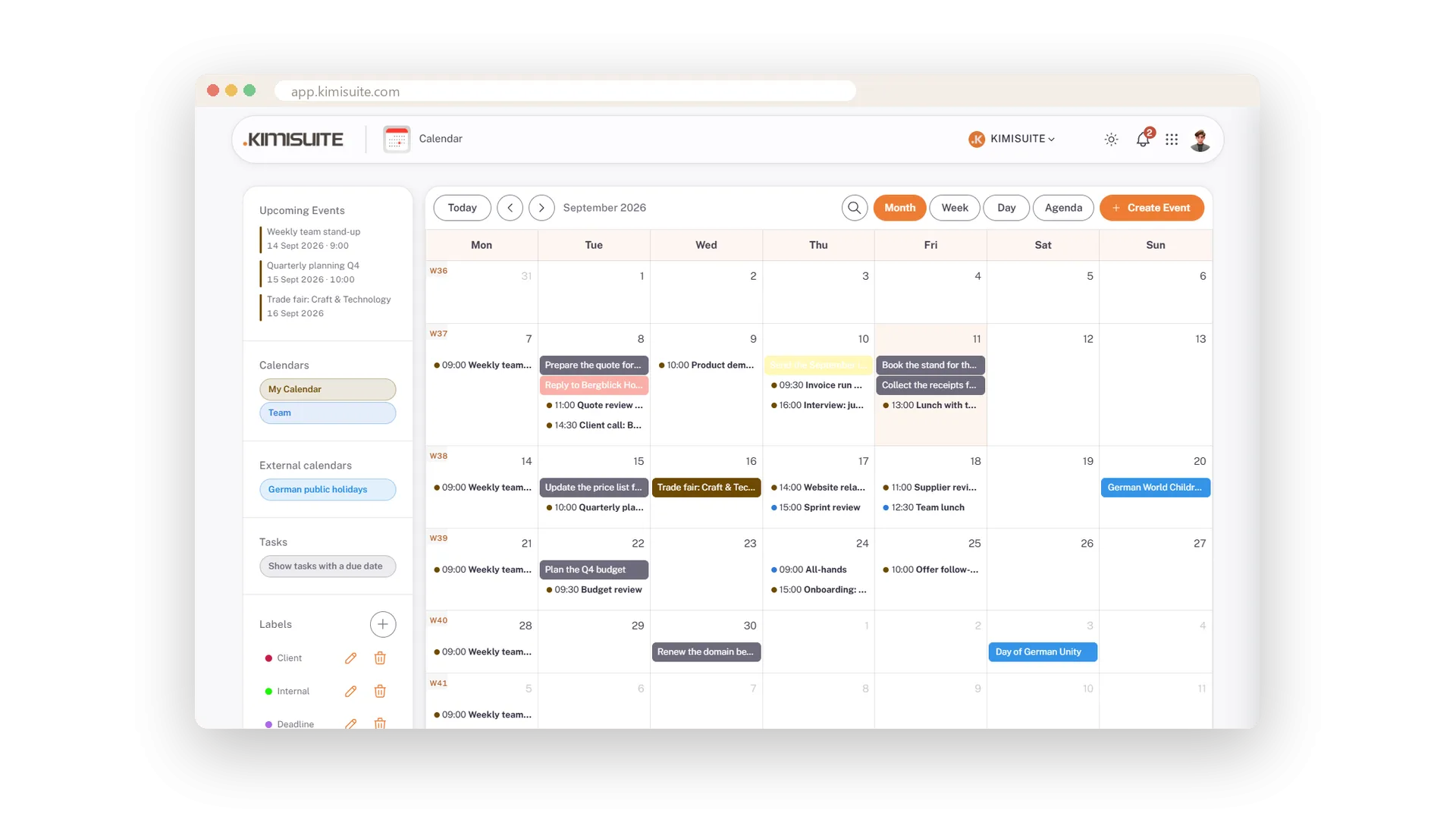
The whole month at a glance
Every appointment with its time, today highlighted
The month grid shows every day with its appointments and start times, a colour dot for their label or calendar, today highlighted and the week number at the left of each row.
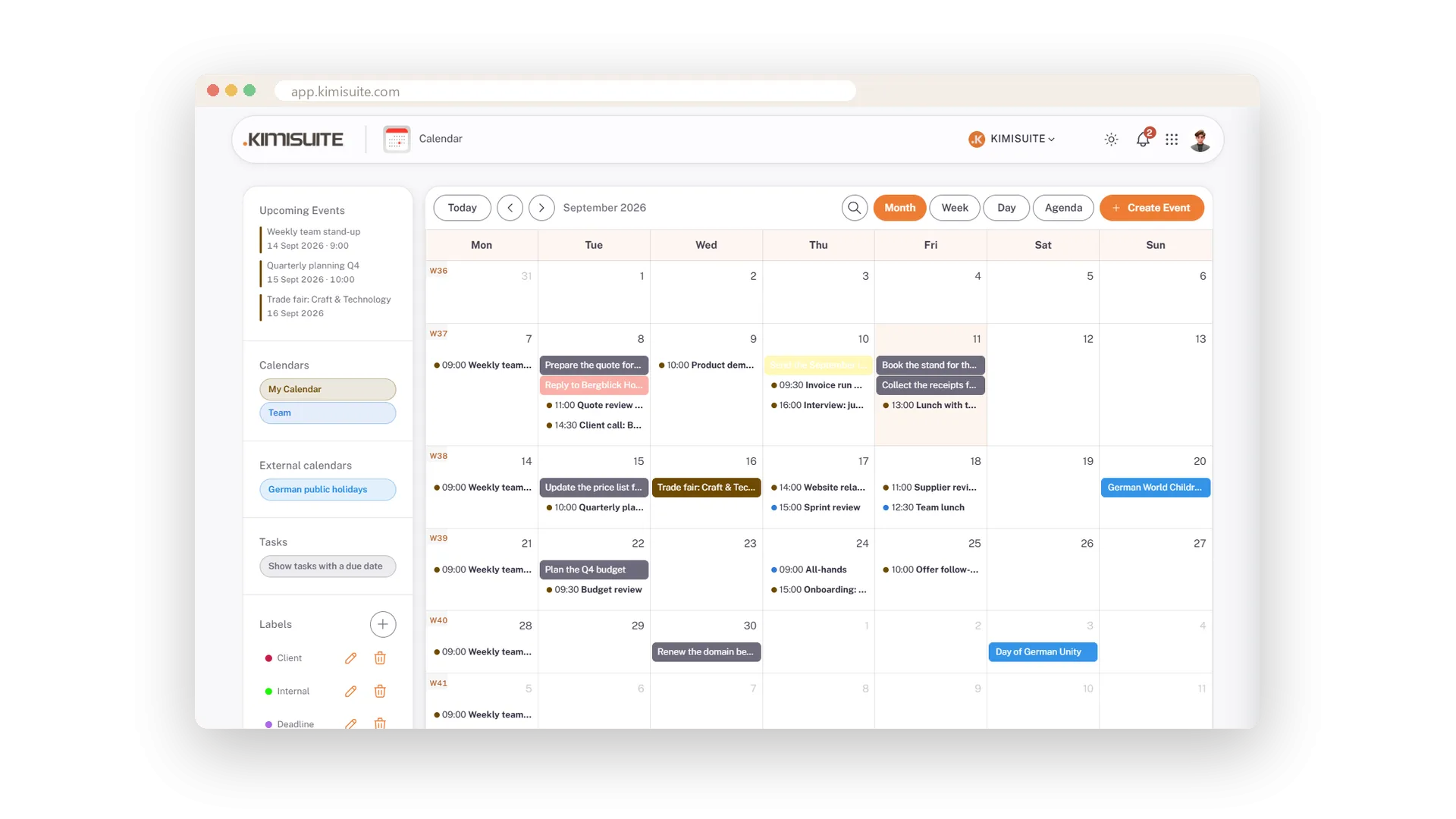
The week in real length
Seven columns, all-day row on top, blocks as long as they last
Seven columns, twenty-four hours, and every appointment drawn as long as it really lasts. All-day appointments sit in their own row on top, so a trade fair day never hides the 10 o'clock call.
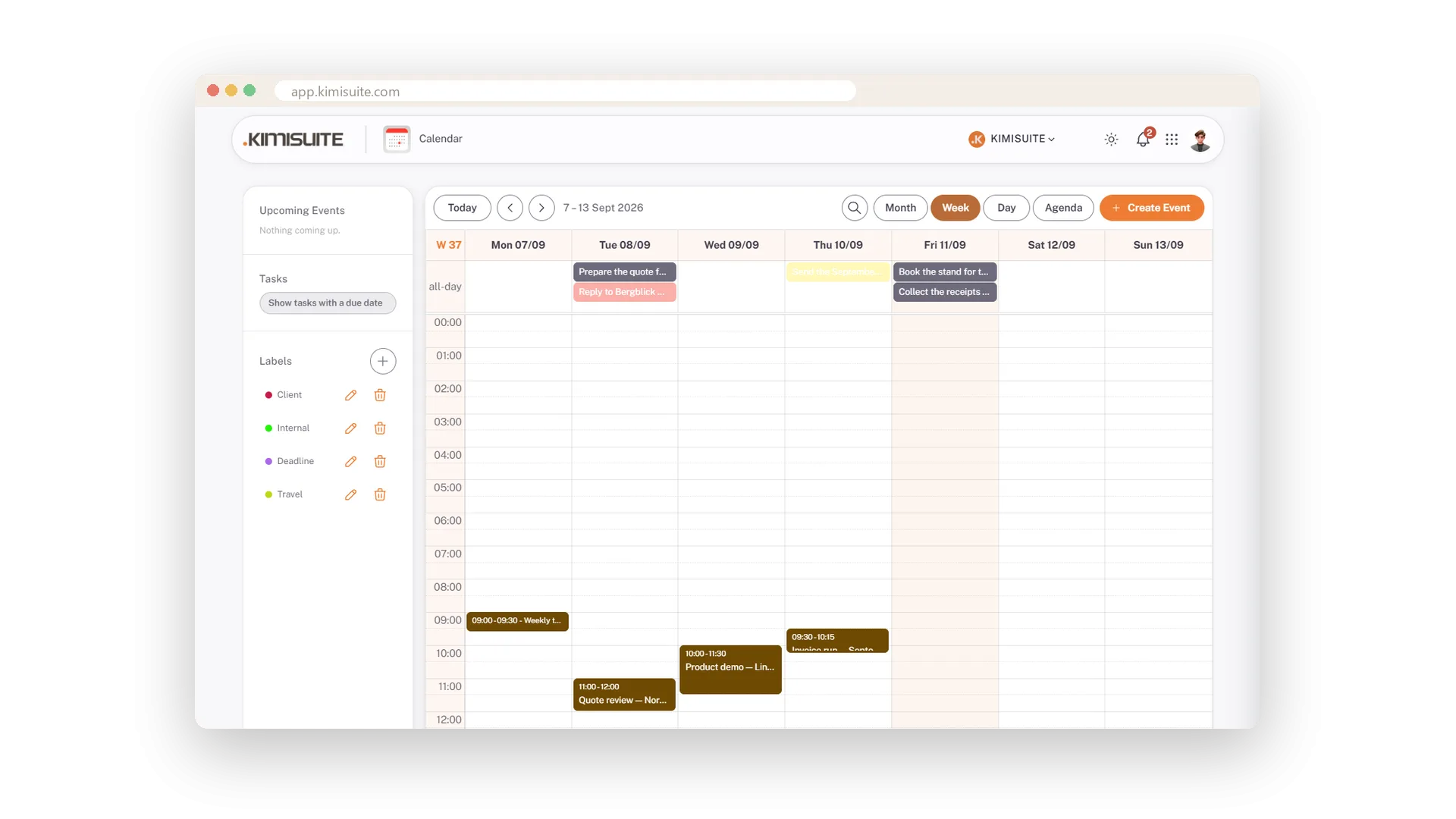
One day, full width
Opens on your first appointment - the phone's home view
One day across the full width, opened on your first appointment instead of an empty morning. On the phone this is the view the calendar starts in.
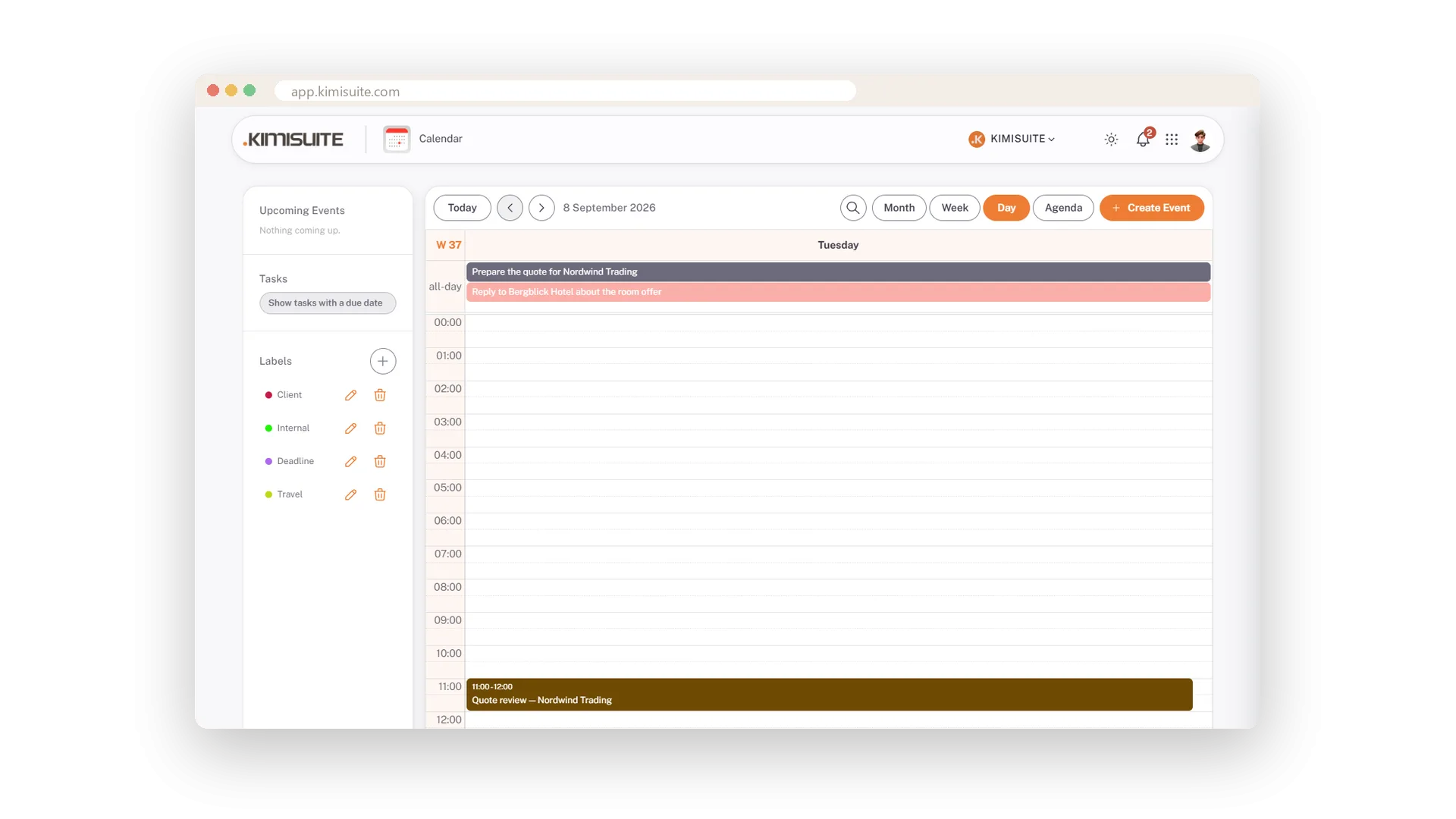
The week as a list
Grouped by day - the view for the stand-up
The week as text, grouped by day, each line with time, colour dot and title. Tasks from ToDo with a due date appear here too. The view you read out loud.
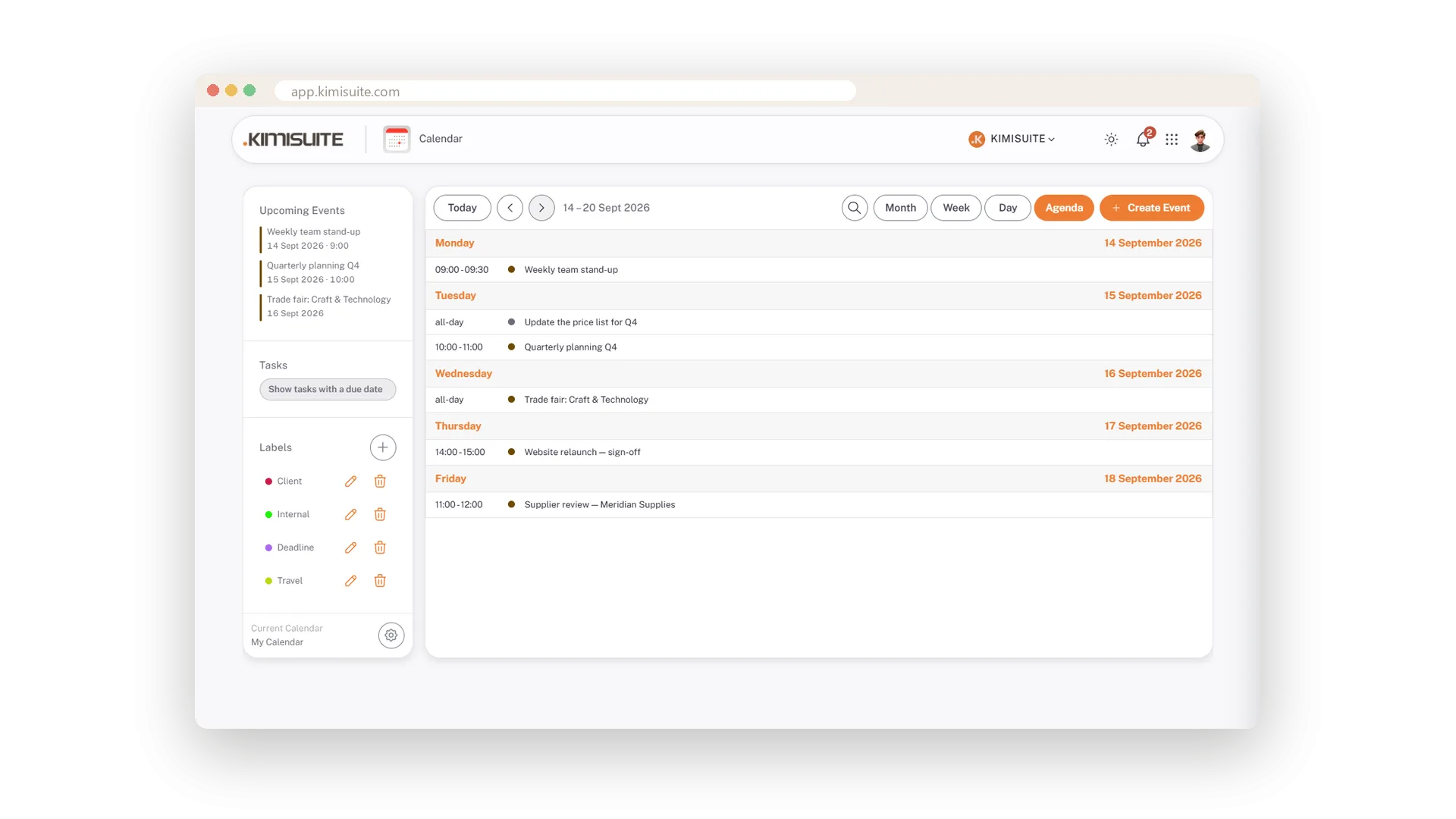
The next three, always in view
Date, time and colour, from today on
Whatever view you are in and whatever month is open, the sidebar shows your next three appointments from today on, with date, time and their colour. The next thing is visible without switching.
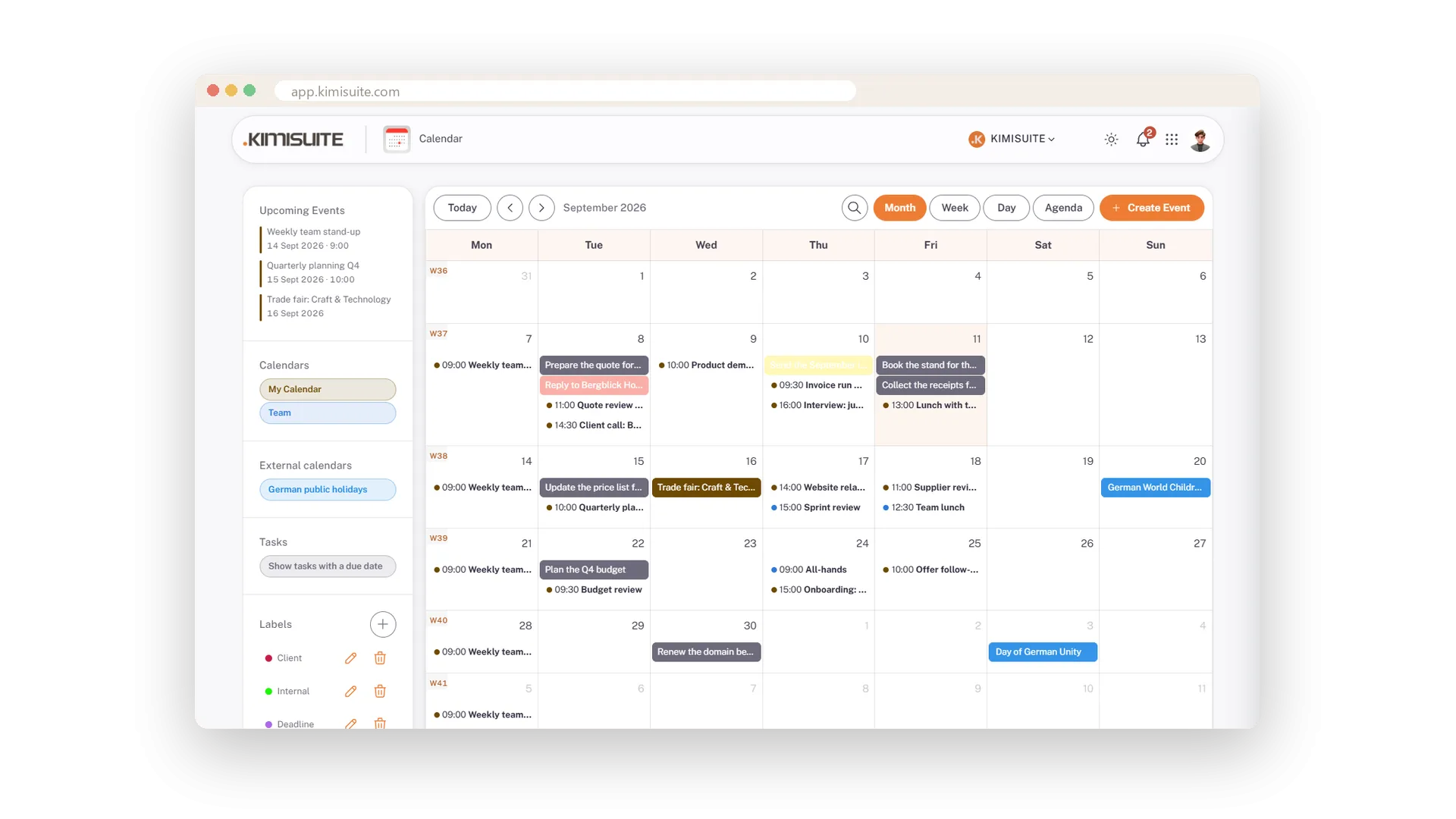
Week numbers everywhere
W37 at the left of every row
Plan by week number? W37 stands at the left of the month grid and in the week and day views, in a quiet tint - there when you need it, invisible when you do not.
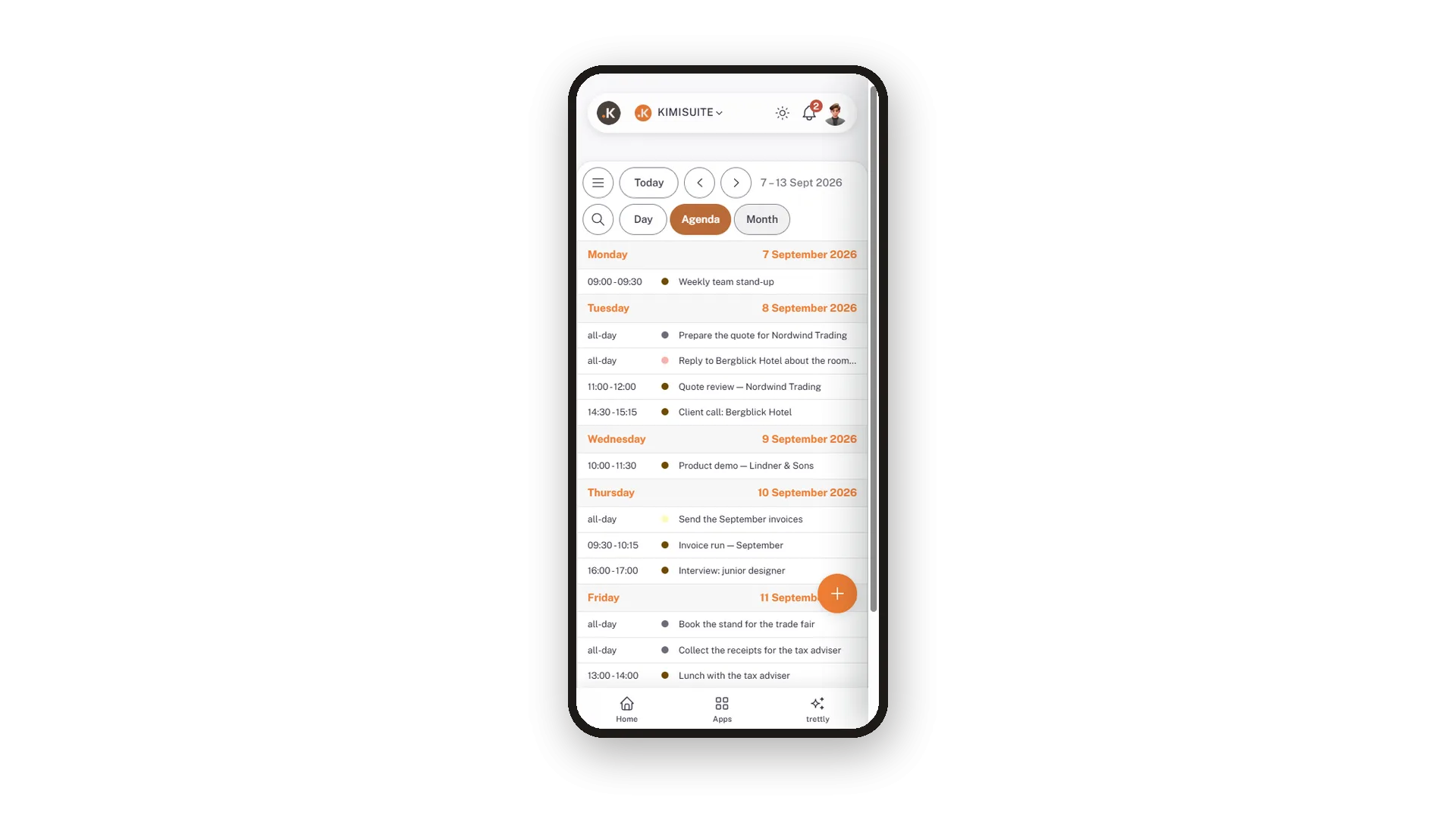
The calendar in your pocket
Day, agenda and month, a round plus for a new appointment
On the phone the calendar gets its own layout: it opens in the day view, switches to agenda and month with one tap, and a round plus adds an appointment. The sidebar hides behind a menu button.
Use Cases
Planning the week on Monday morning
Open the week view: the all-day row on top, every block in its real length, and the free afternoon before anyone books it.
Checking today between two calls
The day view shows one day across the full width - on the phone it is the view the app opens in.
Reading the schedule out loud
The agenda lists the week grouped by day with time, colour dot and title. Reads better in a stand-up than any grid.
FAQ

Try Calendar today
Team calendar with CalDAV sync, free in every workspace
Free of charge, in your own workspace, ready in a minute.
