 Part of Digital Business Card
 Build your card in three steps
Watch your card take shape while you type
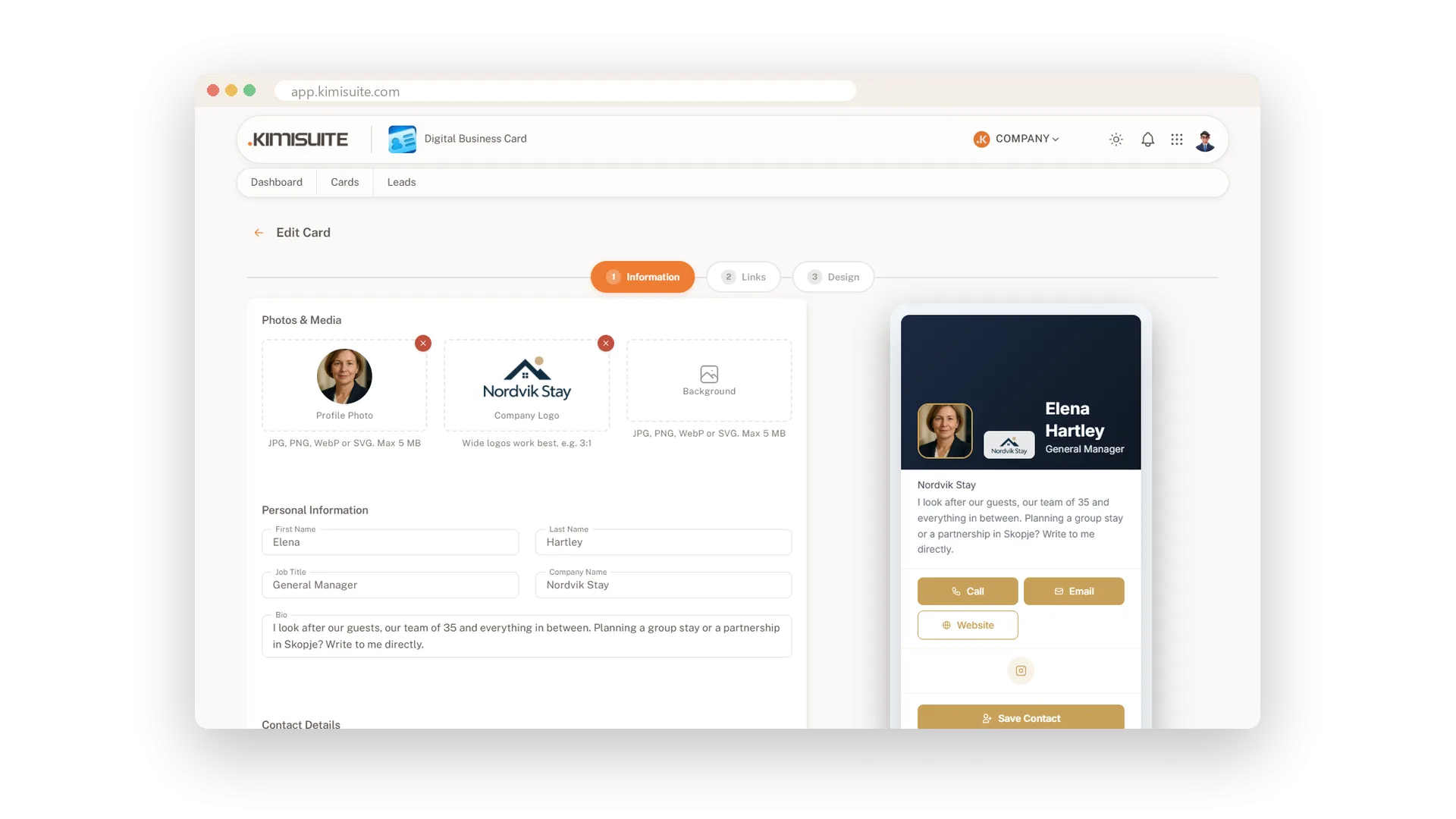
Your business card should look like you, not like a template. Three steps - who you are, where people find you, how it should look - and the finished card sits right next to the form, changing with every letter you type. Upload your portrait, your logo and a background, pick one of four layouts and set your colours and font. A frame behind the logo keeps white and dark logos readable on any banner.
Pick your country flag and enter your number once - Call and Save Contact then dial correctly from anywhere in the world. Close the editor with unsaved changes and it asks before anything is lost. Ready for the team? Duplicate a card and only the person changes, the design stays. Basic holds three cards, Pro ten, Enterprise a hundred.
Key Benefits
A live preview next to the form in every step - you see the card before anyone else does
Portrait, logo and background with a crop tool built in, no image program needed
Four layouts, your colours and font, and a logo frame that reads on light and dark banners
Phone numbers with country code and flag, so Call and Save Contact work across borders
Portrait, logo and background
Three images per card, and every logo stays readable
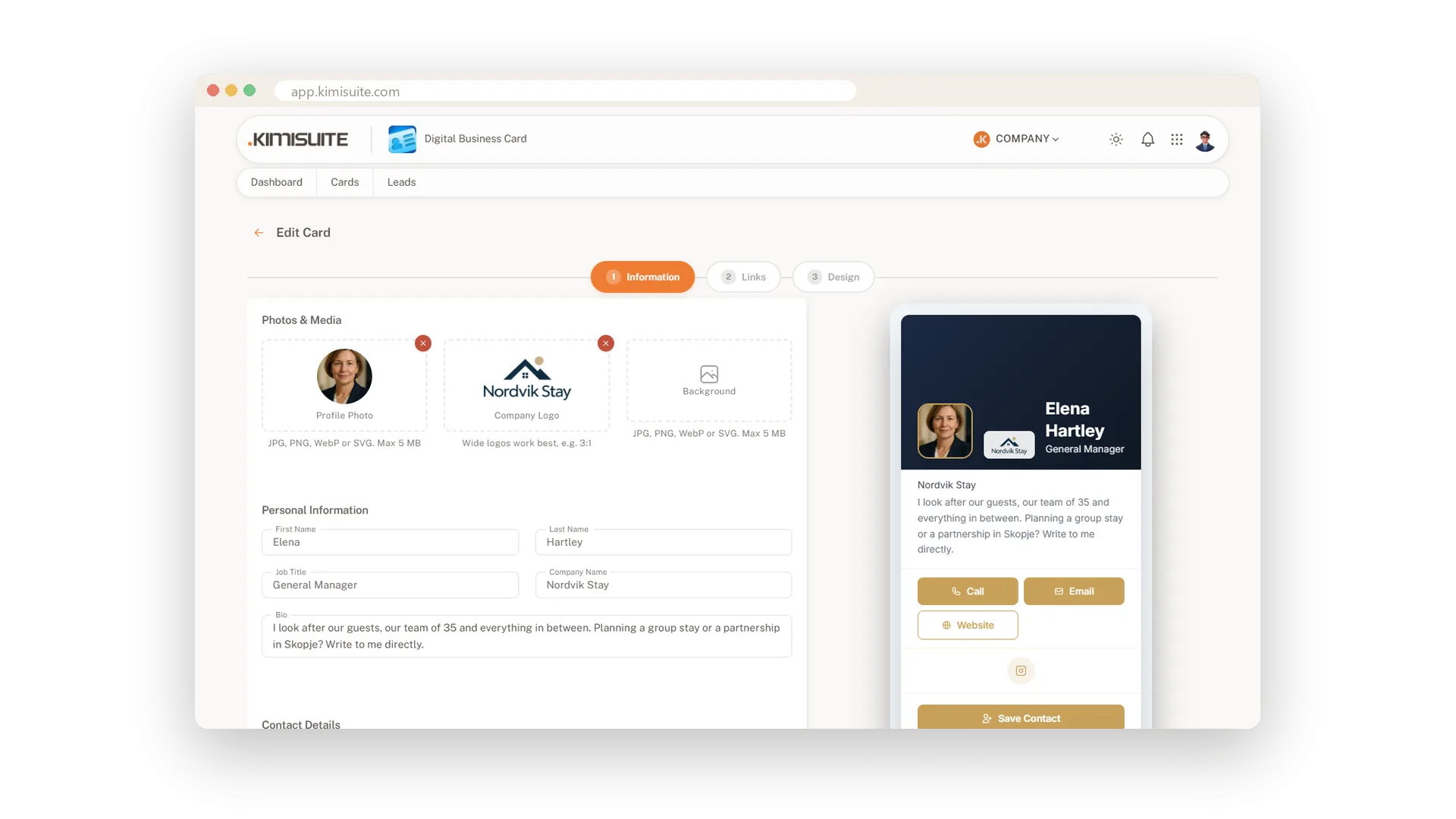
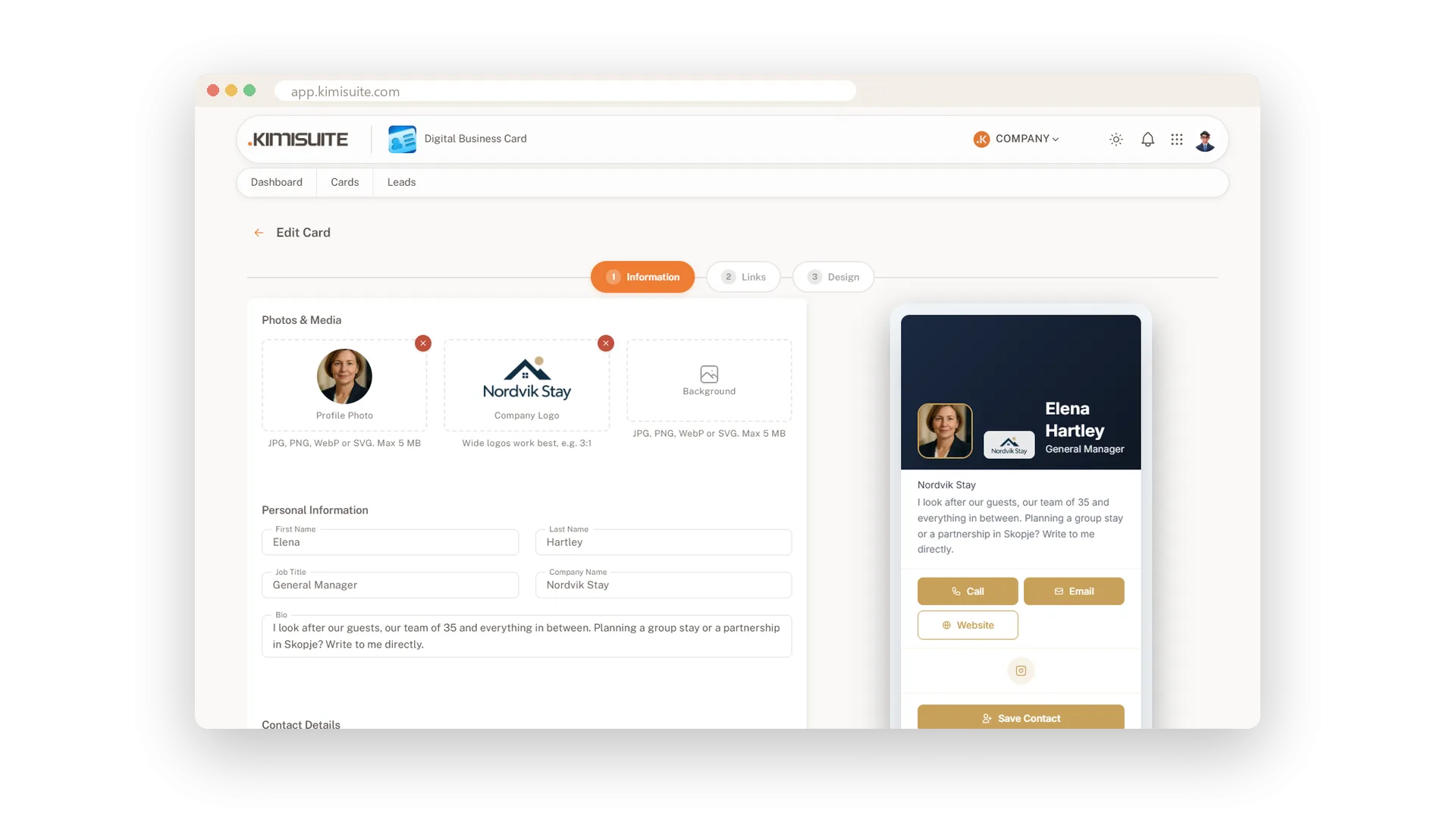
Give the card a face, a brand and a mood: your portrait, your company logo and a background image in JPG, PNG, WebP or SVG. The background runs as a banner behind the header with the opacity you choose, and a frame behind the logo keeps white and dark logos readable on it.
Crop right in the app
No detour through an image program
Upload a photo and a crop window opens. Move, zoom, done - the portrait sits in its circle and the logo in its place. For logos you pick the format, and wide logos look best.
Four layouts
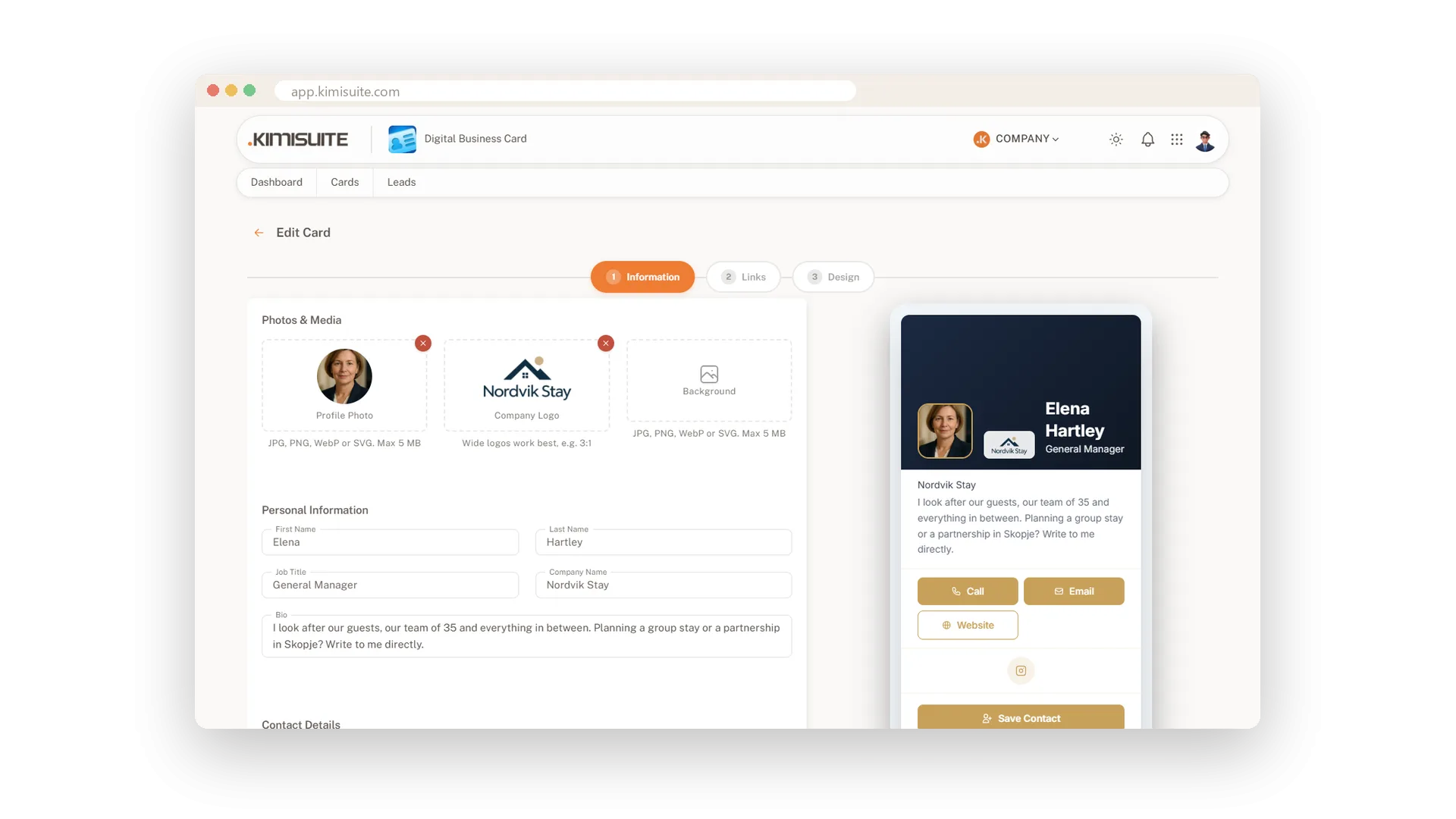
Centered, Left Aligned, Split or Hero - one click
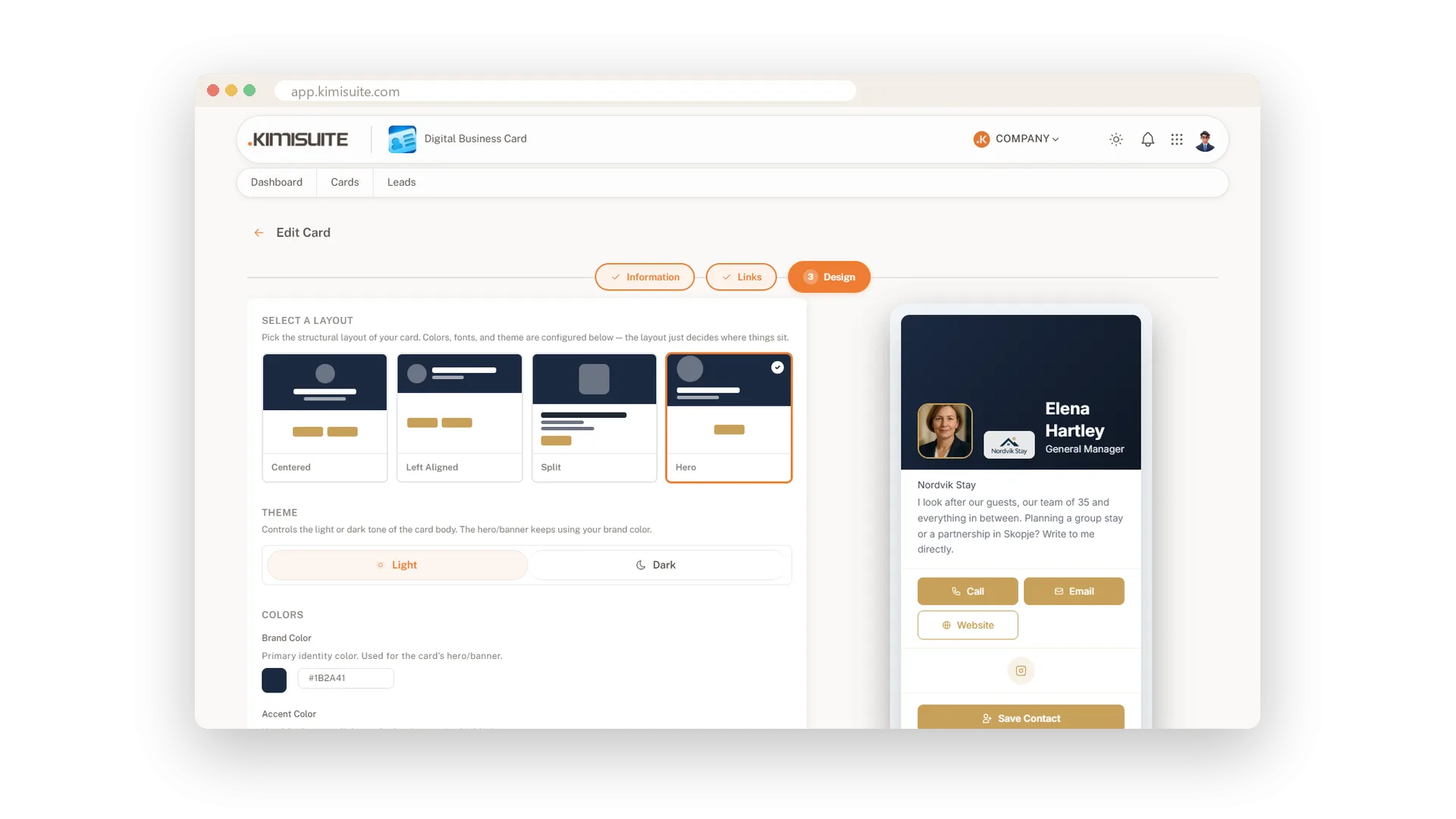
Choose how the card is arranged: Centered for the classic look, Left Aligned for a compact one, Split for photo and text side by side, Hero for a big banner on top. The layout is one click, the preview shows it at once, and your colours and texts stay.
Your colours and your font
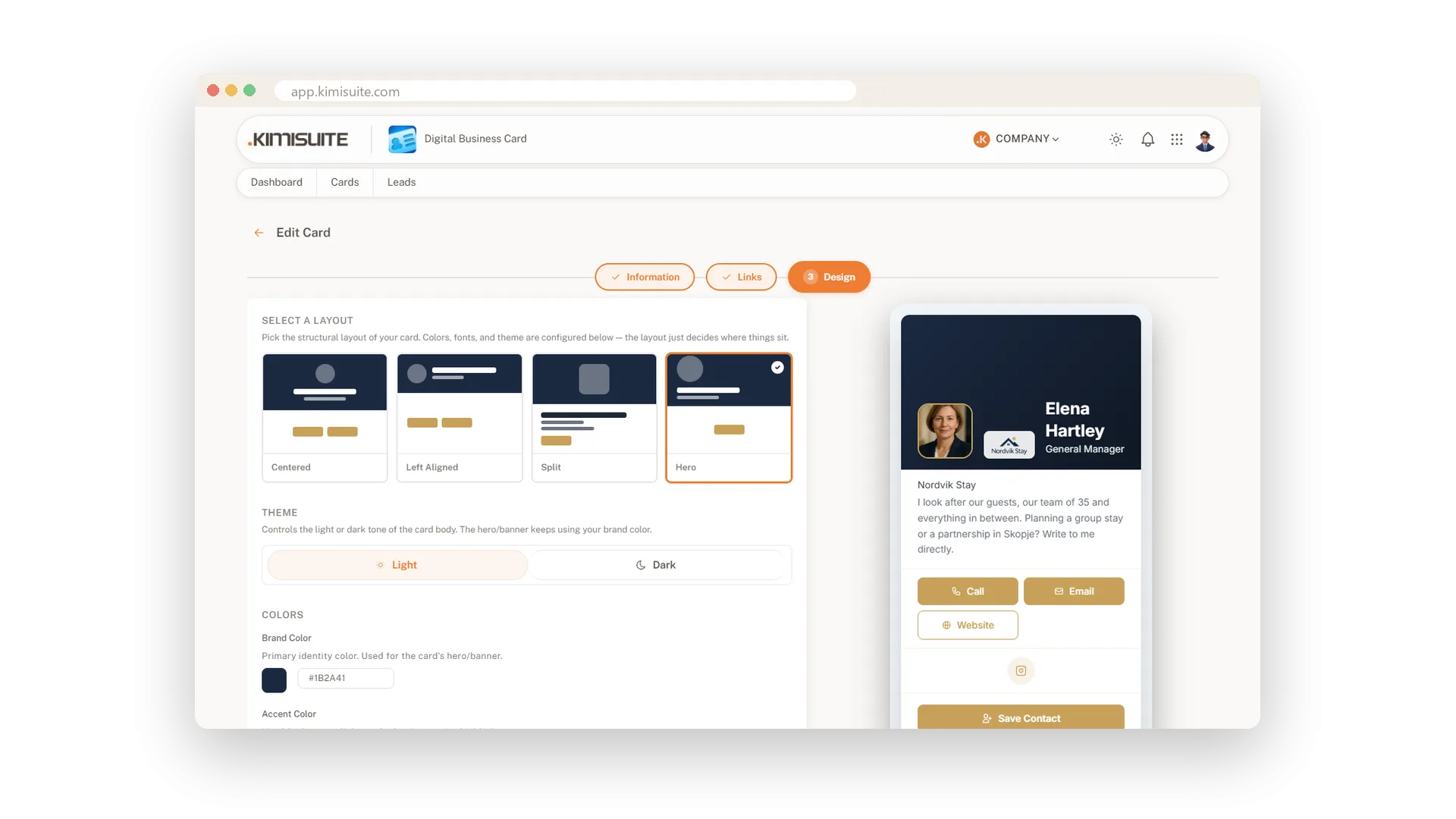
Brand colour, accent, text, font, corners - light or dark
Set the brand colour, an accent for the buttons, the text colour and the font. Round the corners of card and buttons the way your website does, switch dividers on or off, choose light or dark. You see every change in the preview, and every card in the team follows the same look.
All your profiles on one card
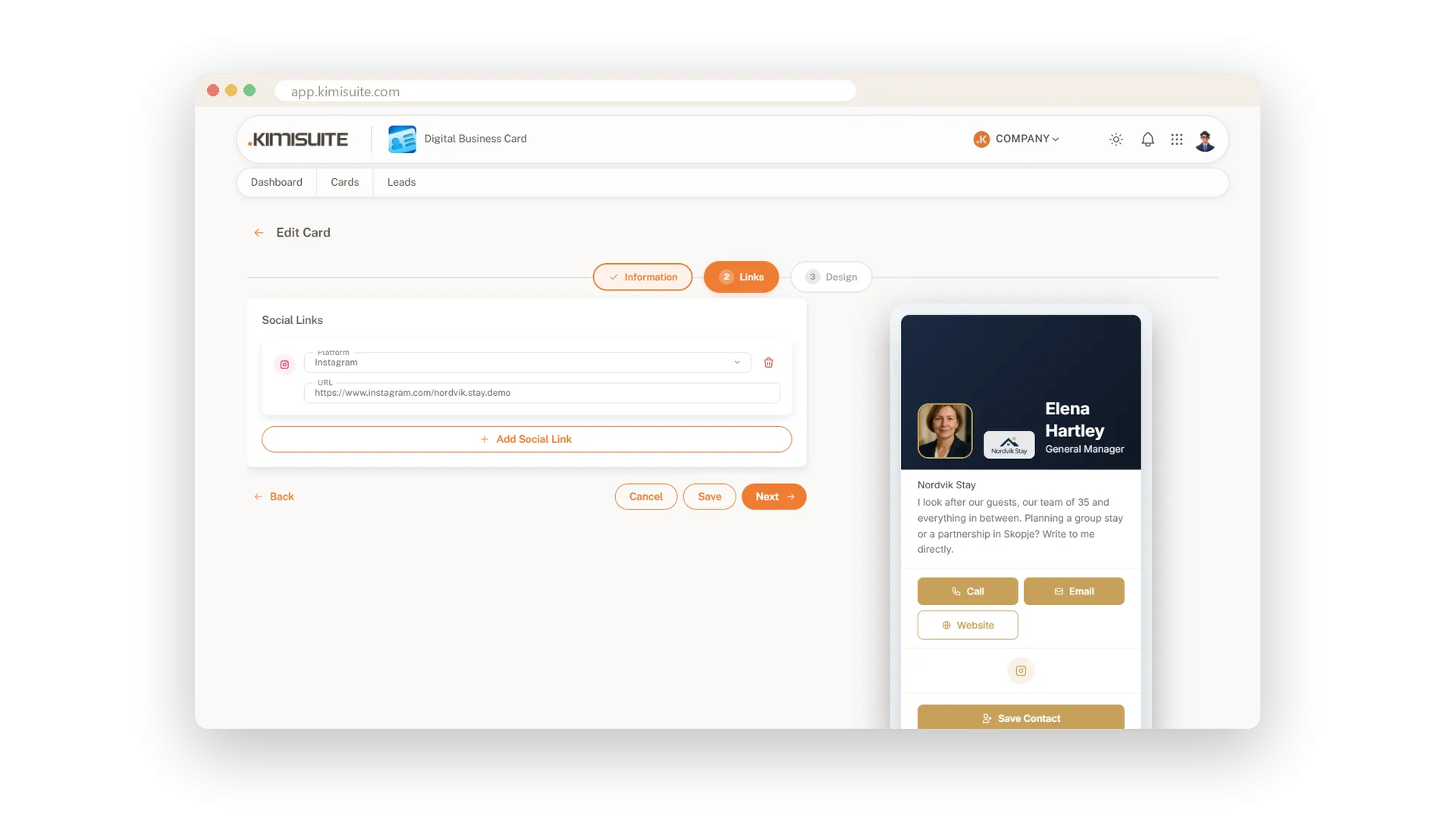
LinkedIn, Instagram, X, Facebook, TikTok, YouTube, GitHub
Add as many links as you like. Paste the address and the app recognises the network by itself - and tells you if it does not match the one you picked. On the card your profiles appear as icons under your contact buttons, one tap away.
One card, the whole team
Duplicate from an existing card - the design stays
Build the first card the way it should look. For every colleague, choose Duplicate from existing card: layout, colours, font and logo come along, only name, photo and contact details change. Already started typing? The app asks before it overwrites anything.
Use Cases
Your first card in five minutes
Type your name and number, pick your country flag and upload a portrait. The preview shows the finished card while you choose a layout - save, and it is live under your own address.
Twenty cards for the sales team
Build one card the way it should look, then duplicate it for each colleague. Same layout, same colours, a different face on every card.
A white logo on a dark banner
Your logo is white and the banner photo is dark - or the other way round. Switch on the logo frame and the logo stays crisp, and the preview shows it before you save.
FAQ
Try Digital Business Card today
A business card that comes back with the other person's details
14 days free, cancel anytime, no minimum term.
