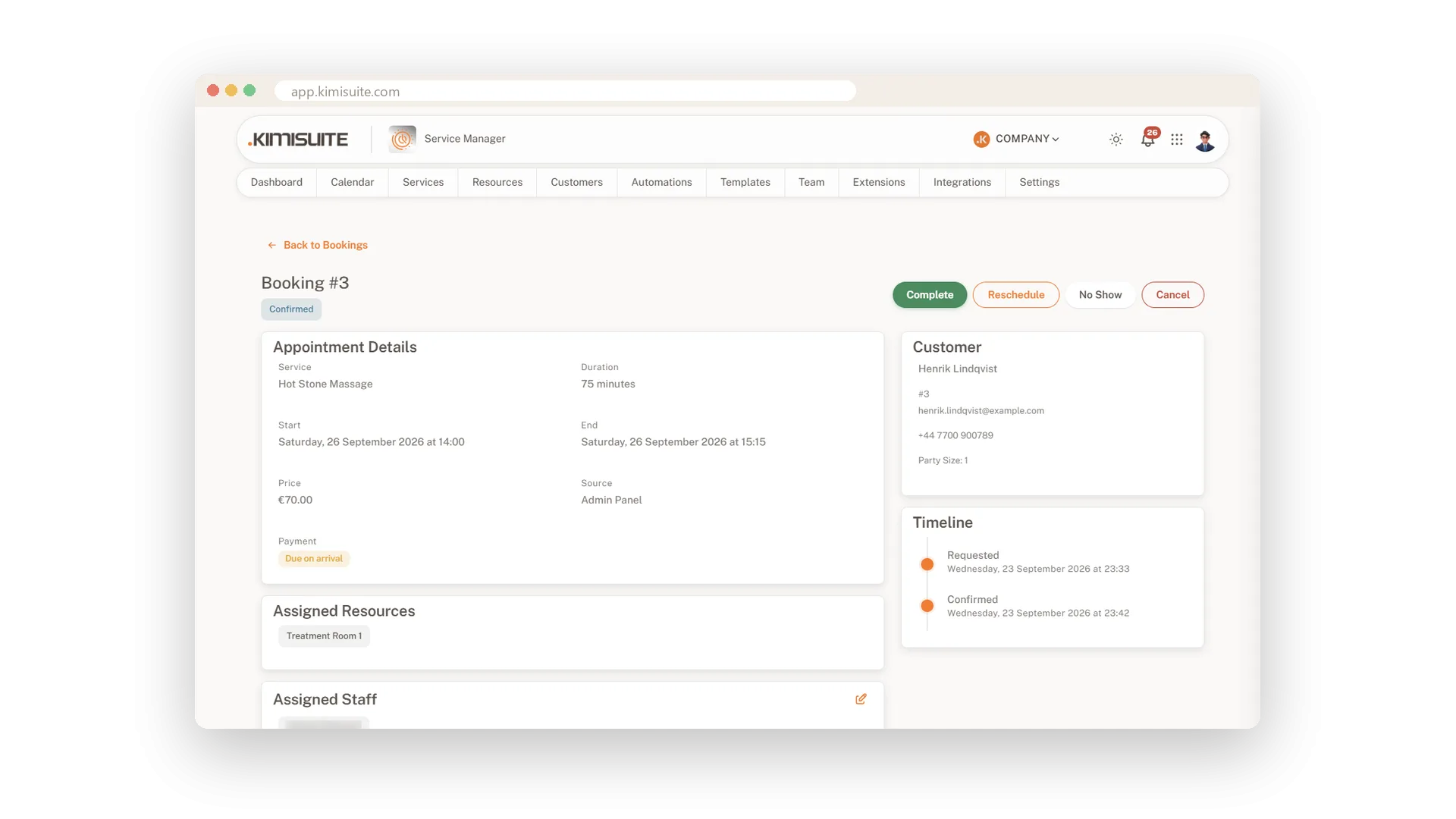
Every booking has its own page with everything you need before the client walks in. Service, start and end, price, where it came from and the payment state. The client with phone and email, the number of people, any notes and the resources assigned - on Enterprise also the staff member. A timeline shows each step, from requested to confirmed, so nothing lives on a sticky note.
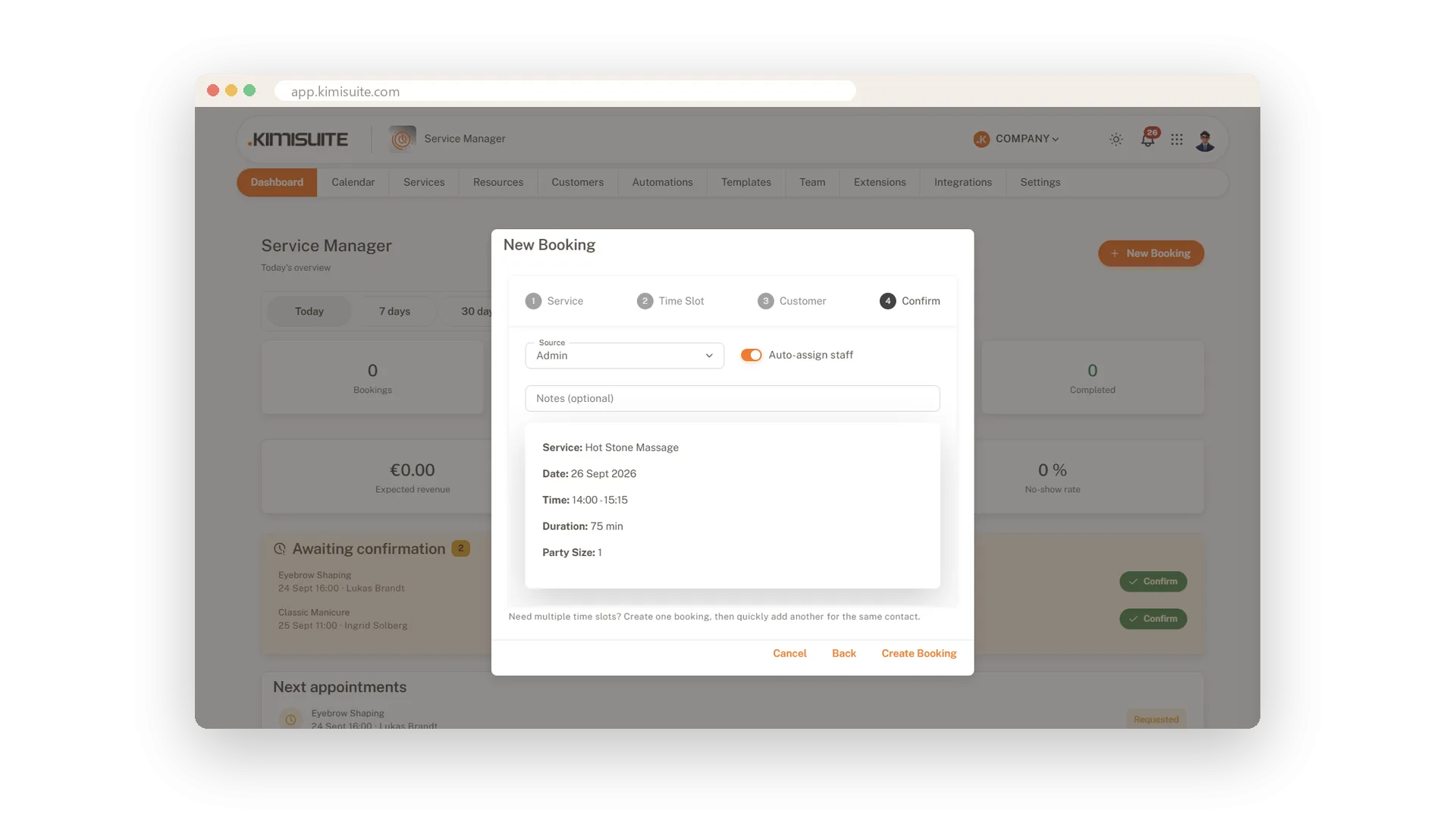
When the phone rings, a four-step wizard takes the booking: service, time, client, confirm. Pick an existing client or add a new one on the spot. From the list or the booking itself you mark an appointment as completed or no-show, cancel it or reschedule it to a new slot. Everyone who books online lands in your contacts automatically, ready to become a full client.
Key Benefits
A page per booking with client, price, source, payment state and a timeline
Phone bookings in four steps, with a new client created on the way
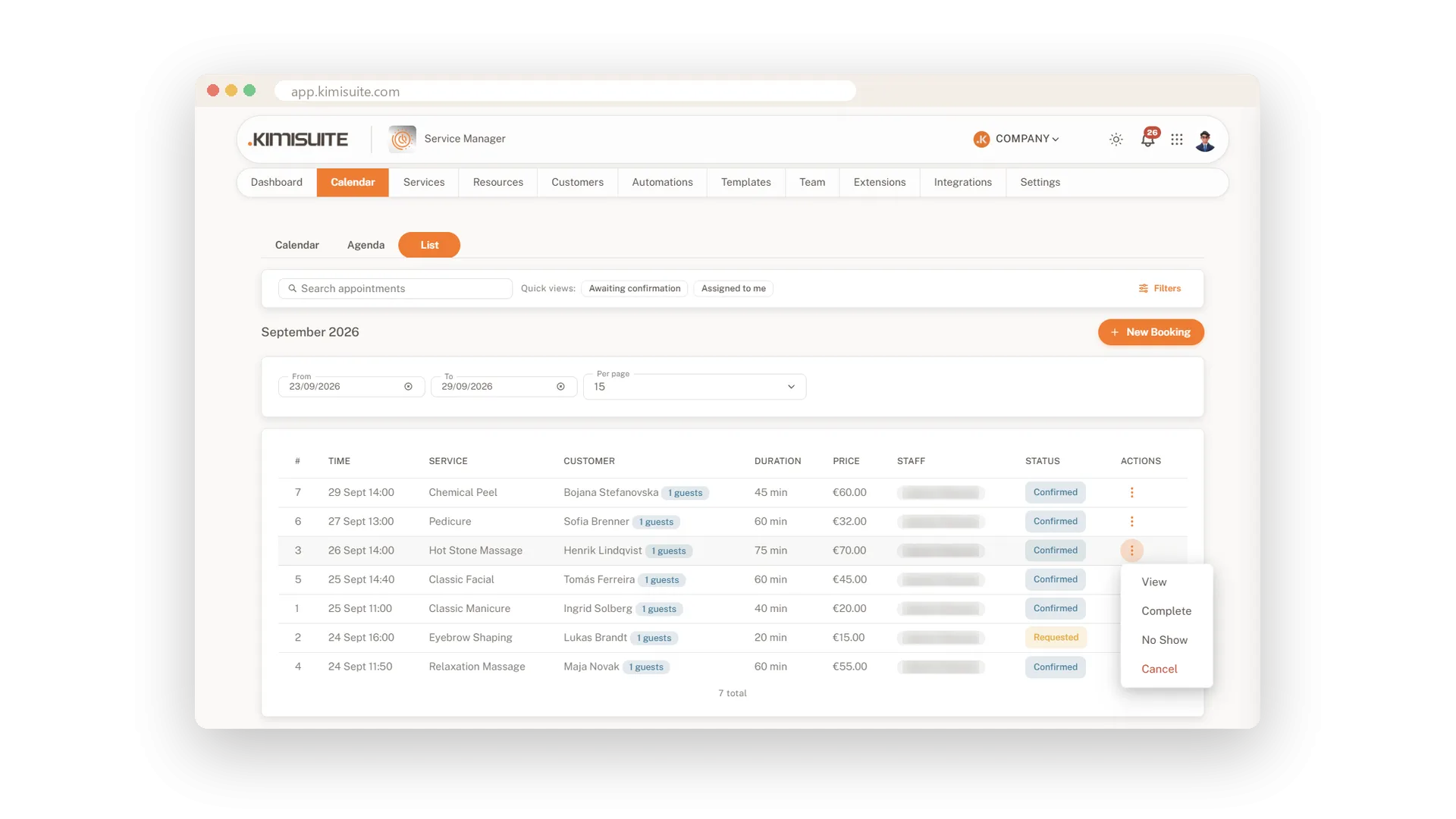
Complete, no-show, cancel or reschedule with one click
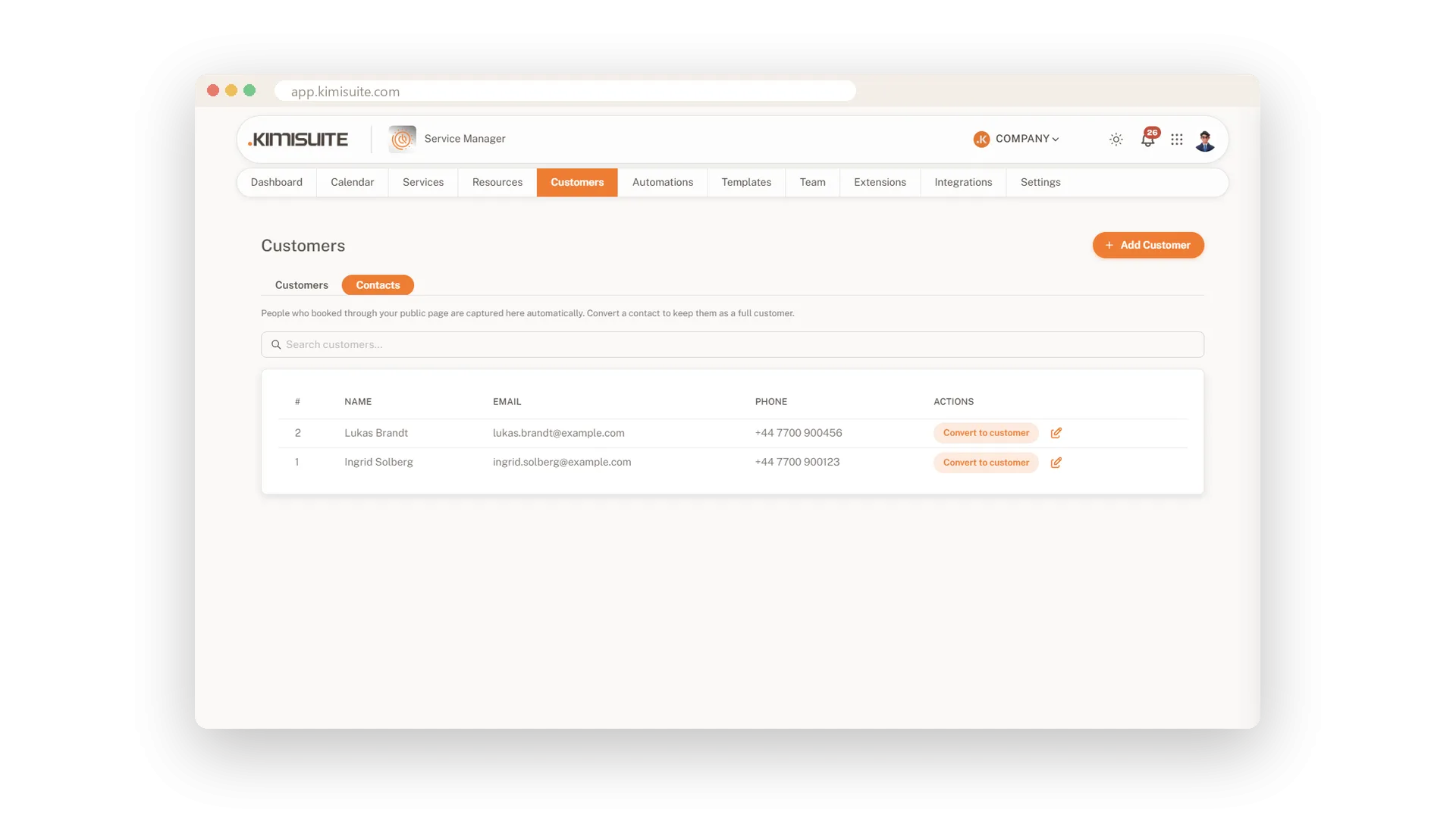
Online bookers saved as contacts automatically, one click from a client record
Phone bookings in four steps
Service, time, client, confirm
Choose the service, pick a free time, find the client or add a new one, and confirm. Add a note for the team if you like, and it stays on the booking. A plain summary shows service, date, time, length and group size before you save.
Complete, no-show or cancel in one click
Keep every status up to date
Each row in the list carries its own actions. View the booking, mark it as completed or as a no-show, or cancel it, without opening another page.
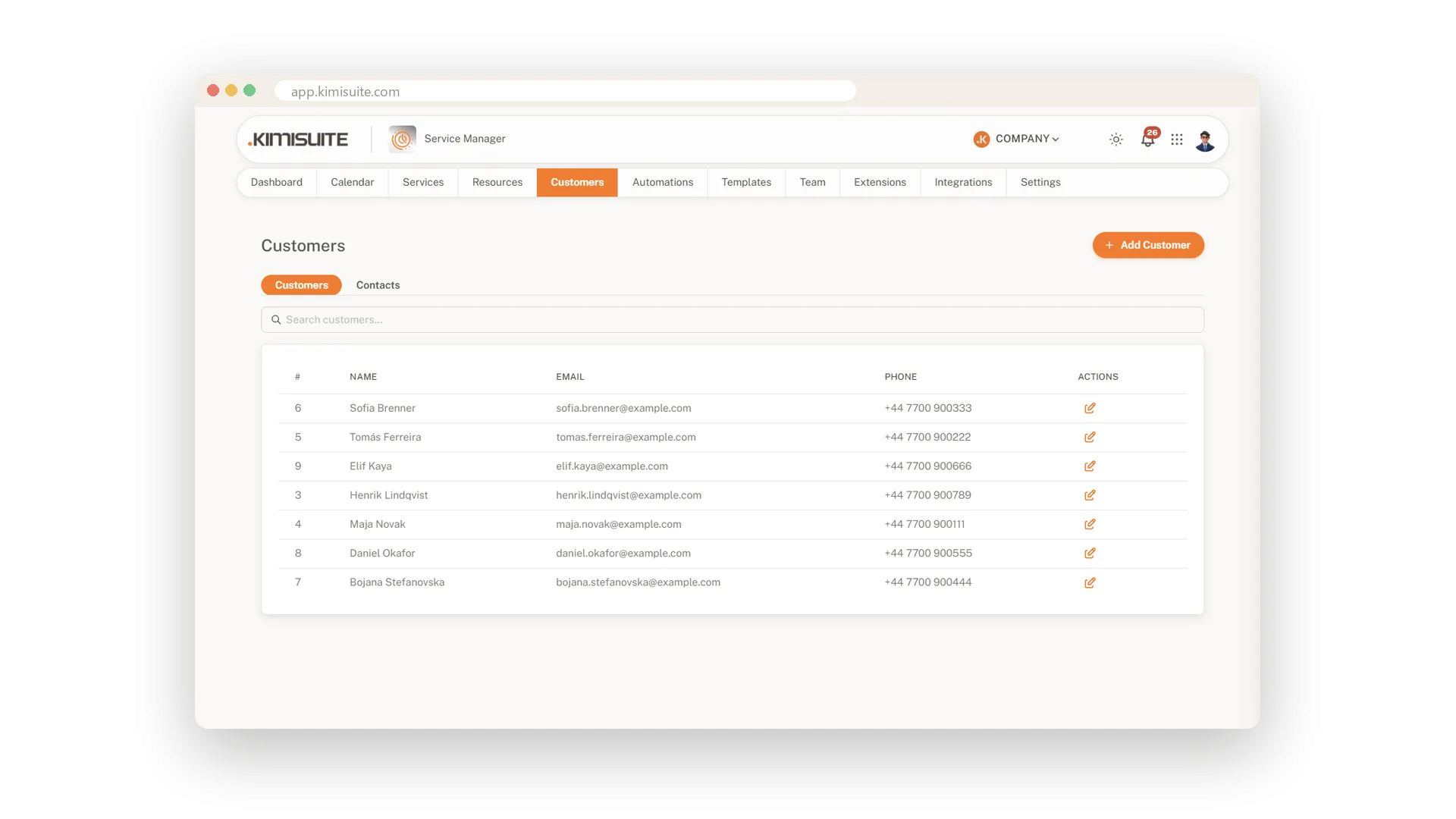
A client list your team keeps
Contact details ready for the next booking
Keep your regular clients with name, email and phone in one list. The booking wizard finds them by name, so a repeat booking takes seconds.
Online bookers saved automatically
Turn a contact into a client with one click
Everyone who books through your page is saved as a contact without you typing a thing. Convert anyone you want to keep as a full client record.
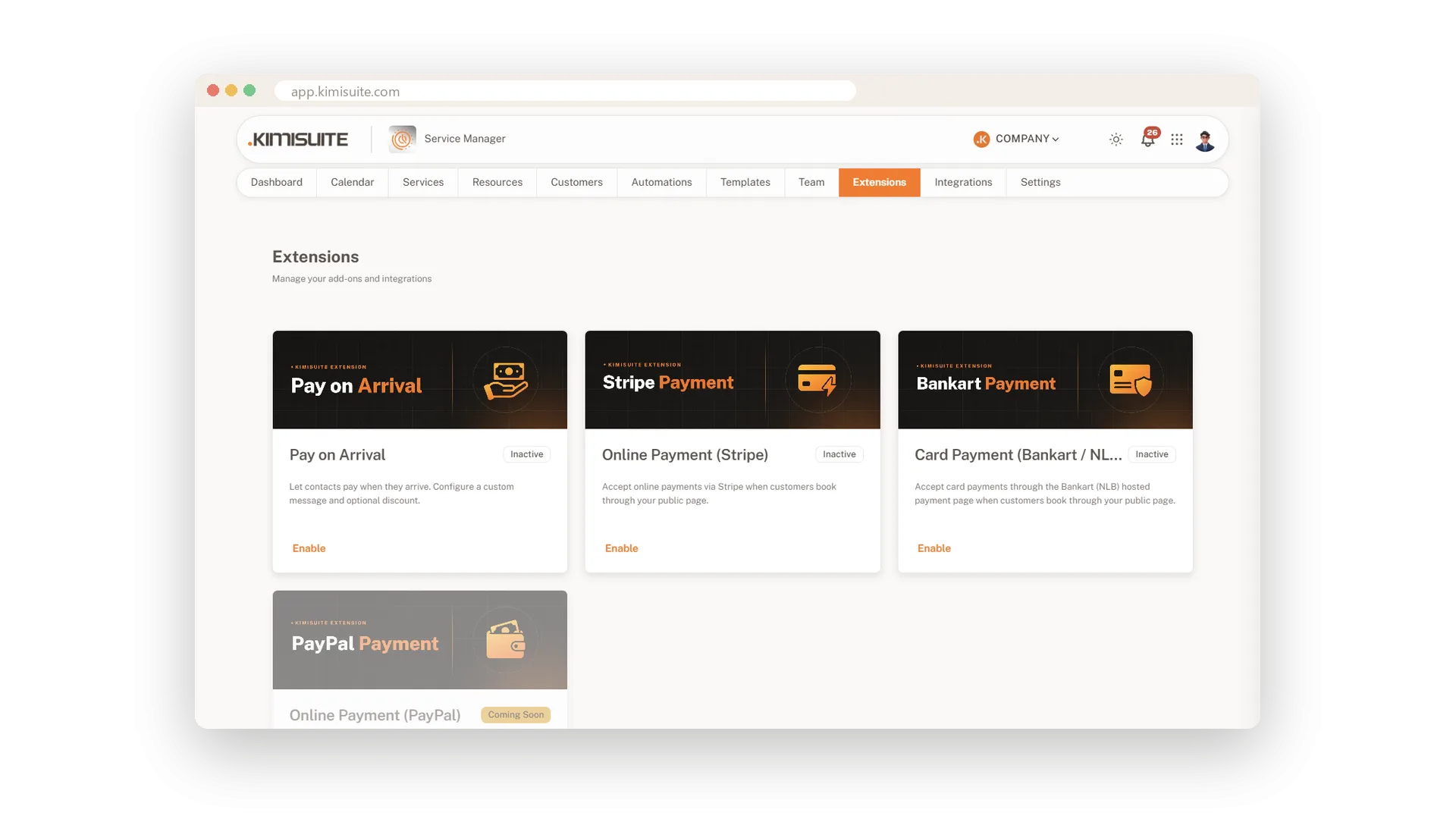
Add payments when you are ready
Extend with payment options from the App Store
Every booking shows its payment state, such as due on arrival. When you want more, add a payment extension from the KIMISUITE App Store: Pay on Arrival, online payment with Stripe or card payment through Bankart.
Use Cases
The regular calls in
You open the wizard, choose her usual treatment and pick Thursday at ten. You find her by name, and the booking is done before she hangs up.
A no-show at four
The client never arrives. You mark the booking as no-show, and the dashboard counts it into your no-show rate.
From contact to regular
Someone booked online twice this month. You convert the contact into a client, and the next phone booking takes seconds.
FAQ

Try Service Manager today
Online booking, calendar and scheduling for service businesses
14 days free, cancel anytime, no minimum term.
