Zo maak je een offerte en zet je die om in een factuur (voor vakmensen)
Zet je prijzen één keer in de catalogus en maak een offerte waarbij de btw voor je wordt berekend. Je klant accepteert en ondertekent op de telefoon, en met één klik wordt de offerte een factuur.
Hoofdstukken
- 0:00 Why does a quote take all evening?
- 0:21 Your prices in a catalogue
- 0:39 From enquiry to customer
- 1:02 Write the quote
- 1:44 Accepted, invoiced, paid
- 2:20 Ready for the rules
- 2:32 More features and your dashboard
Transcript
Video in het Engels
Why does a quote still take you a whole evening? Because your prices are in one place, your customers in another, and the invoice gets typed all over again. With one app, the quote becomes the invoice with one click. And you always see who still has to pay.
In the next few minutes, you'll do it yourself. We'll use CRM Business Hub in KIMISUITE. Add your prices once in your catalog. A new inquiry comes in from your website.
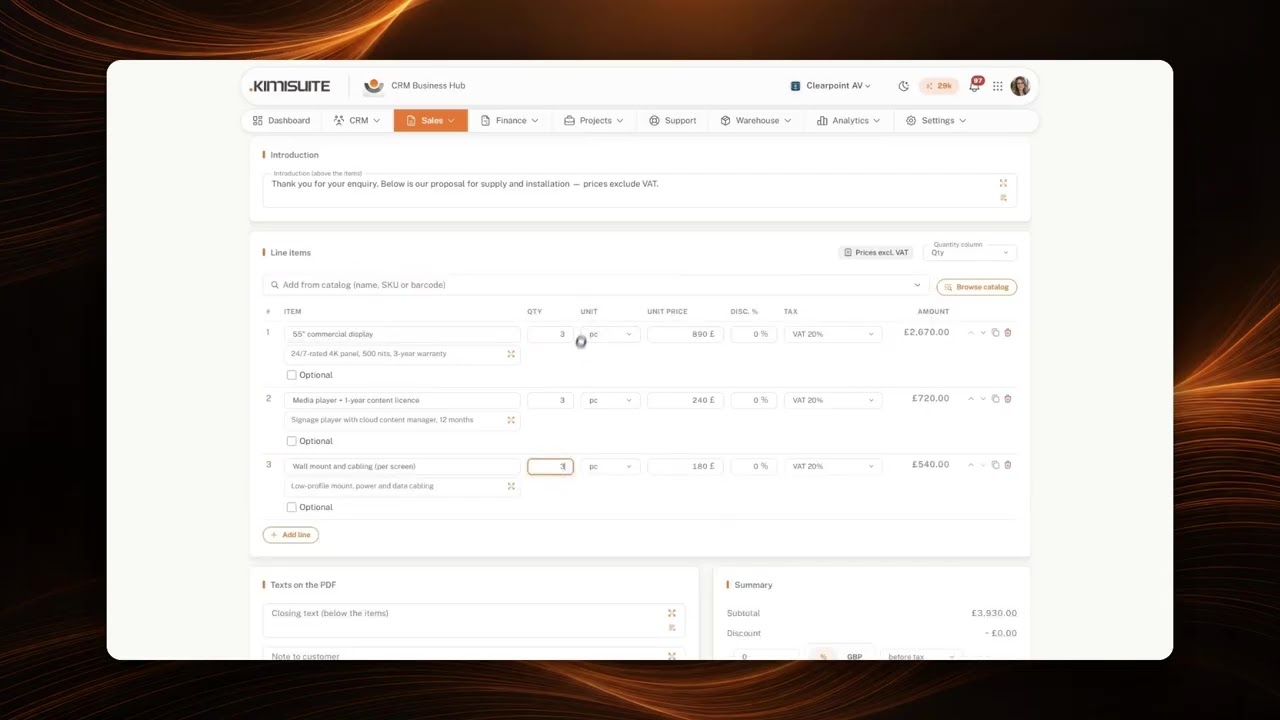
Turn it into a customer and a job with one click. Write the quote by picking items from your catalog. The VAT is added for you. Don't just watch.
Open the link at the top of the description and send your first quote while I send mine. It's free for 14 days and you can cancel anytime. Send it as a link. Your customer reads it on the phone, accepts, and signs.
One click turns the quote into an invoice. Your customer pays by bank transfer or online and the invoice is marked as paid. Selling across borders? Your invoices follow the rules.
VAT settings for 26 countries, e-invoices for eight countries, and the Peppol network. There's more. Projects and time tracking, recurring invoices, bank matching, and support tickets. Your dashboard shows what's open and what's overdue so nothing slips through.
Send your first quote free for 14 days. The link is at the top of the description. And subscribe for a new how-to every week.