 Part of CRM Business Hub
 Getting paid, and seeing it
Get paid online, match your bank, chase what is late
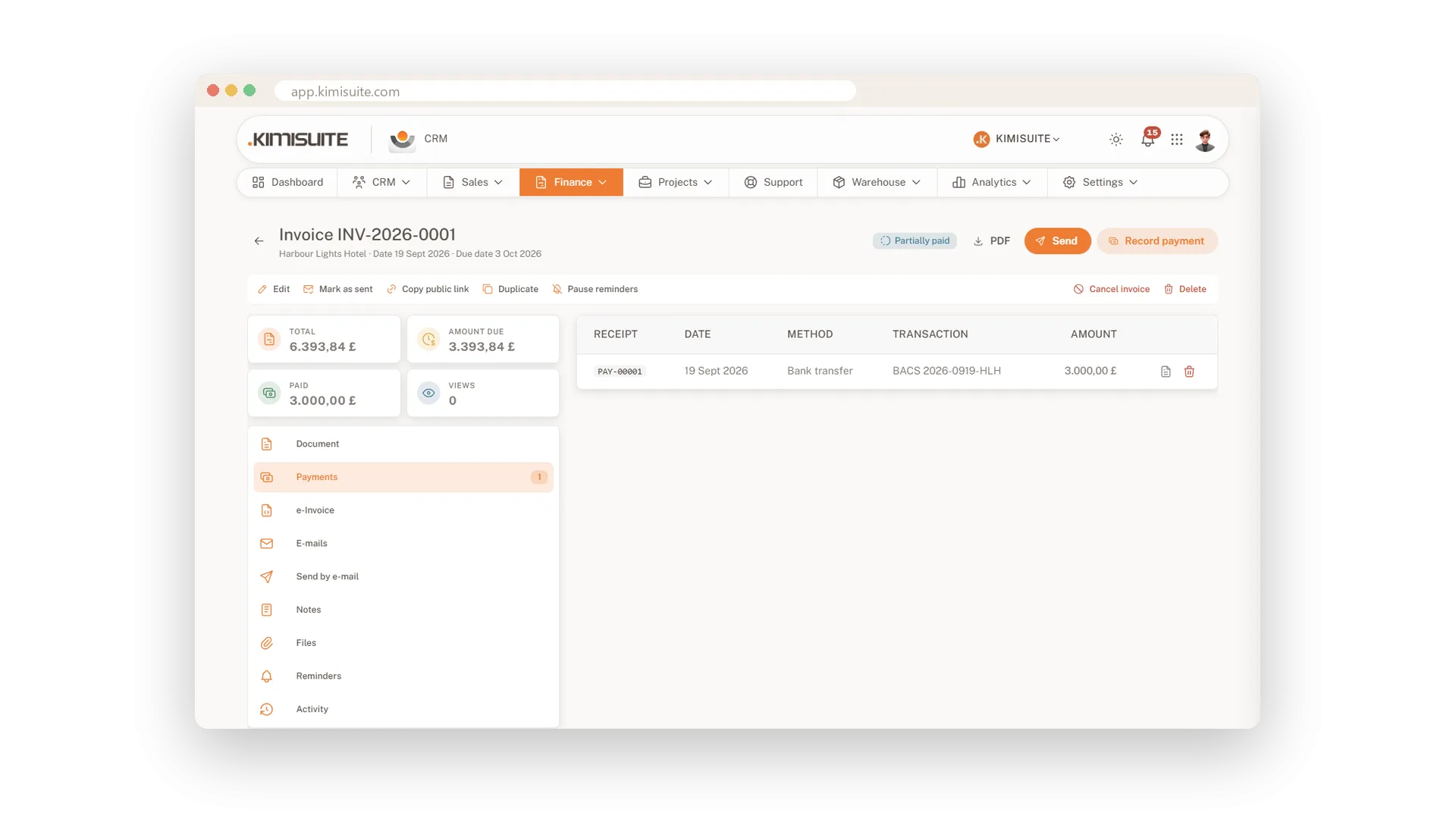
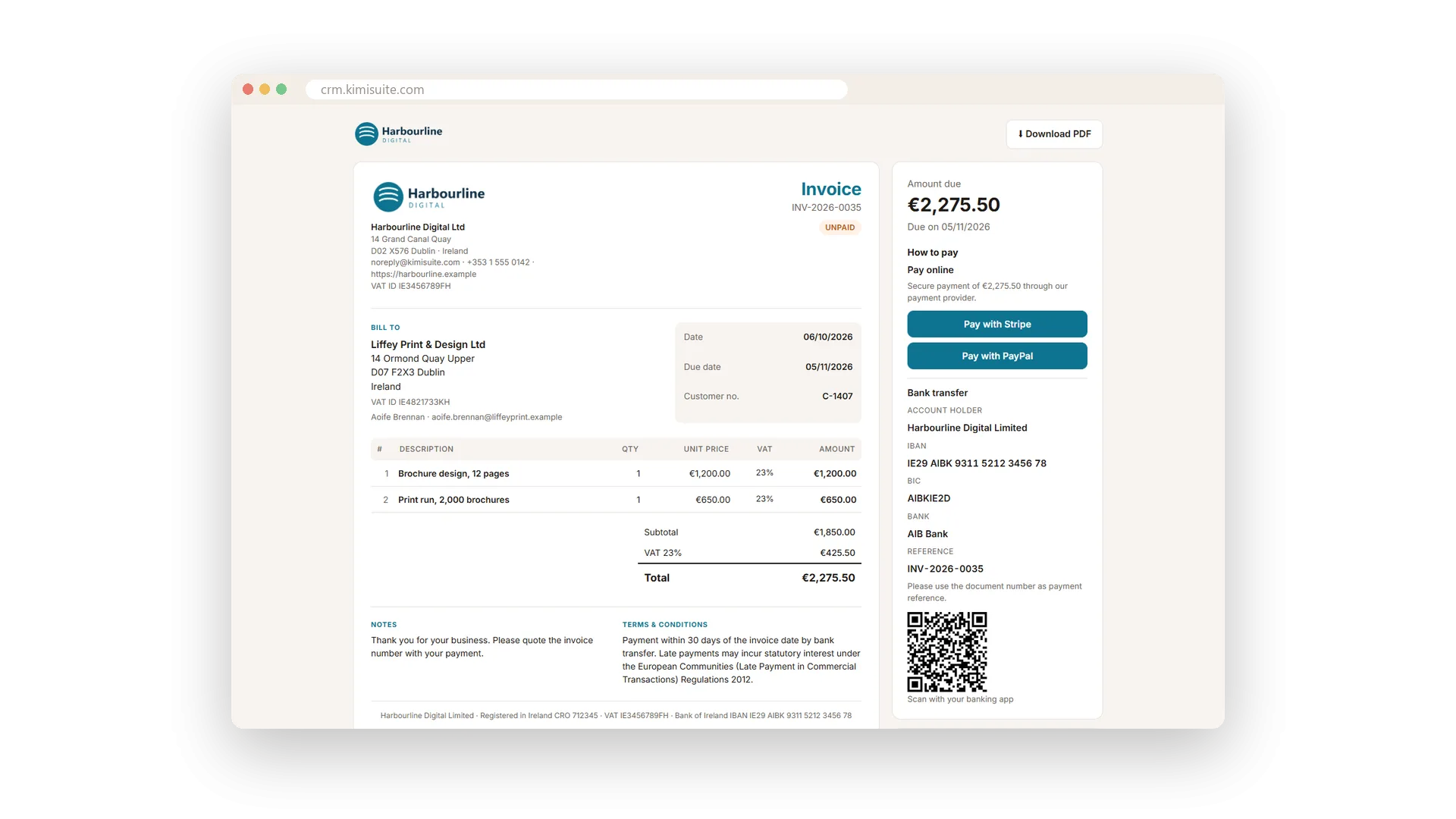
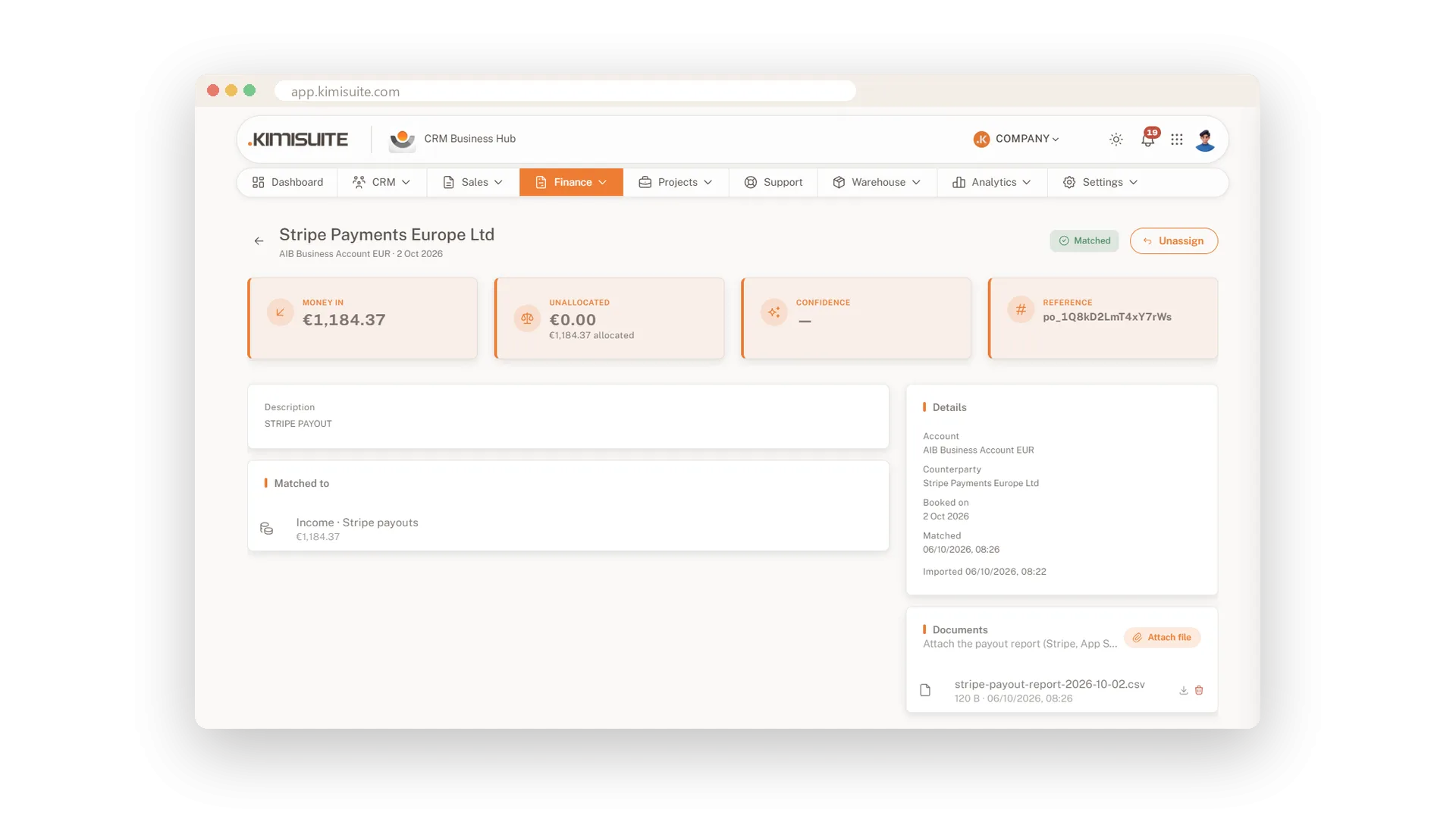
An invoice is only done when the money is in. Your customer opens the invoice from your e-mail and pays it online, and the payment is booked by itself, with the provider's fee and a receipt to your customer. Bank transfers come in through your statement or a connected Wise account, and the CRM suggests which payment belongs to which invoice. Money that comes without an invoice, like a Stripe payout or App Store proceeds, is booked as income in categories of your own, with the payout report attached. What is still open gets a friendly reminder, and later a firmer one, without you writing a single letter.
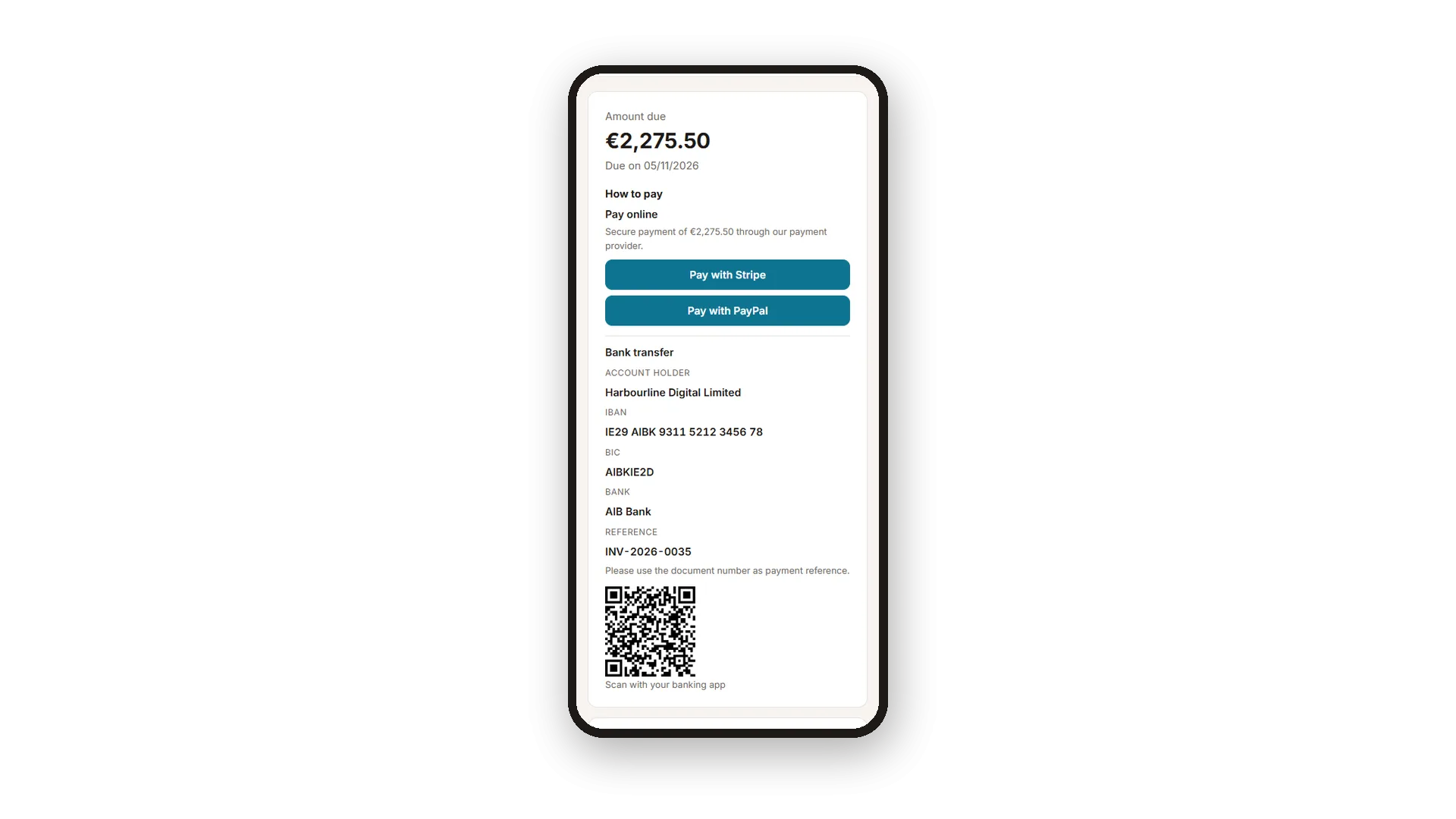
Stripe and PayPal come with every plan, and Bankart for Slovenia and the region is available on request. You decide per invoice which providers your customer may use. Your bank details print in the format of your bank's country, with a payment QR code where banking apps read it. The dashboard shows what came in over the last six months, so you always know where you stand.
Key Benefits
Customers pay online from the invoice page - booked automatically, with fee and receipt
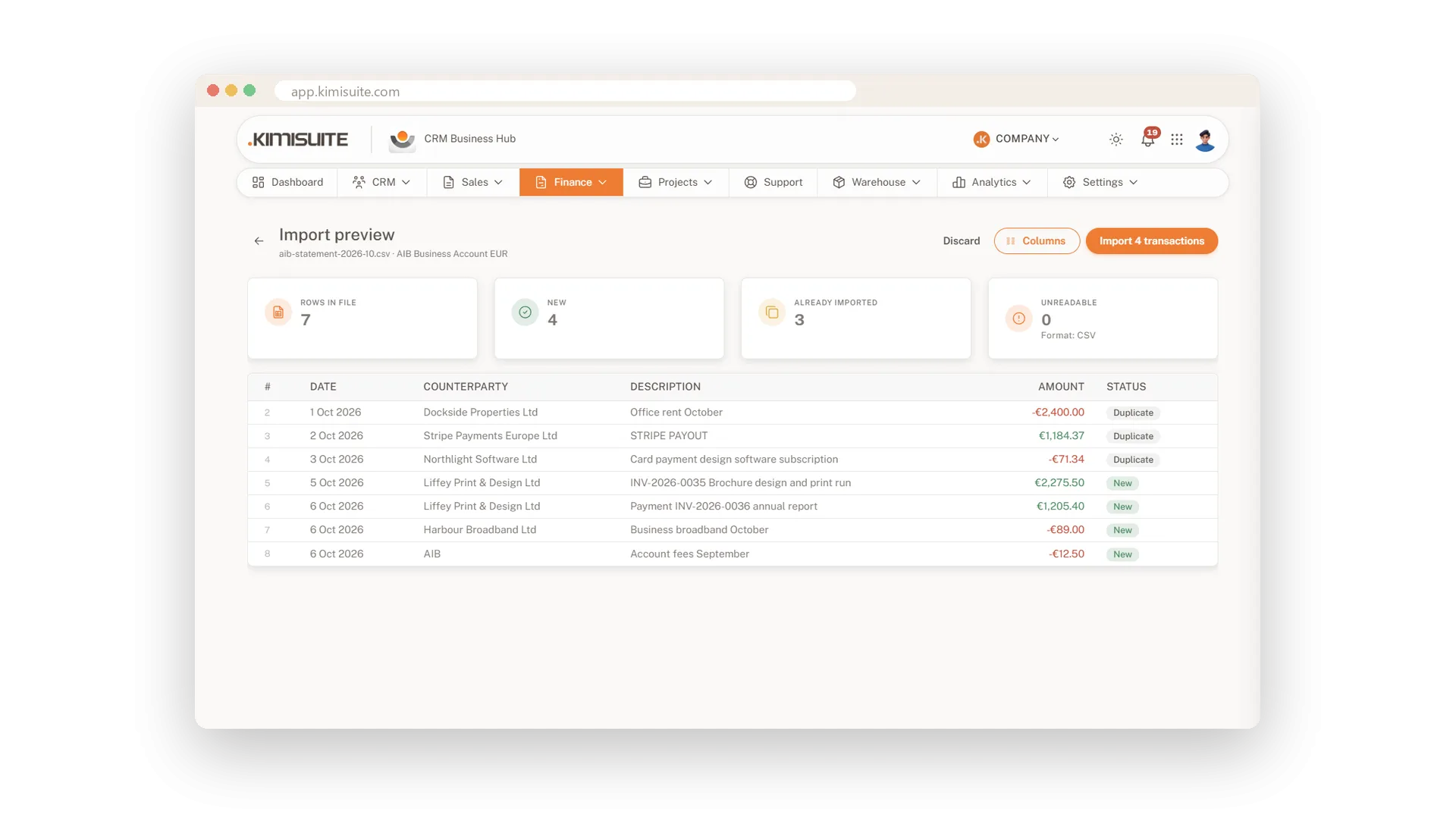
Bank statements as CSV, CAMT.053 or MT940, or synced from Wise, matched to invoices or booked as income
Reminders before the due date and dunning levels after it, automatic or by hand
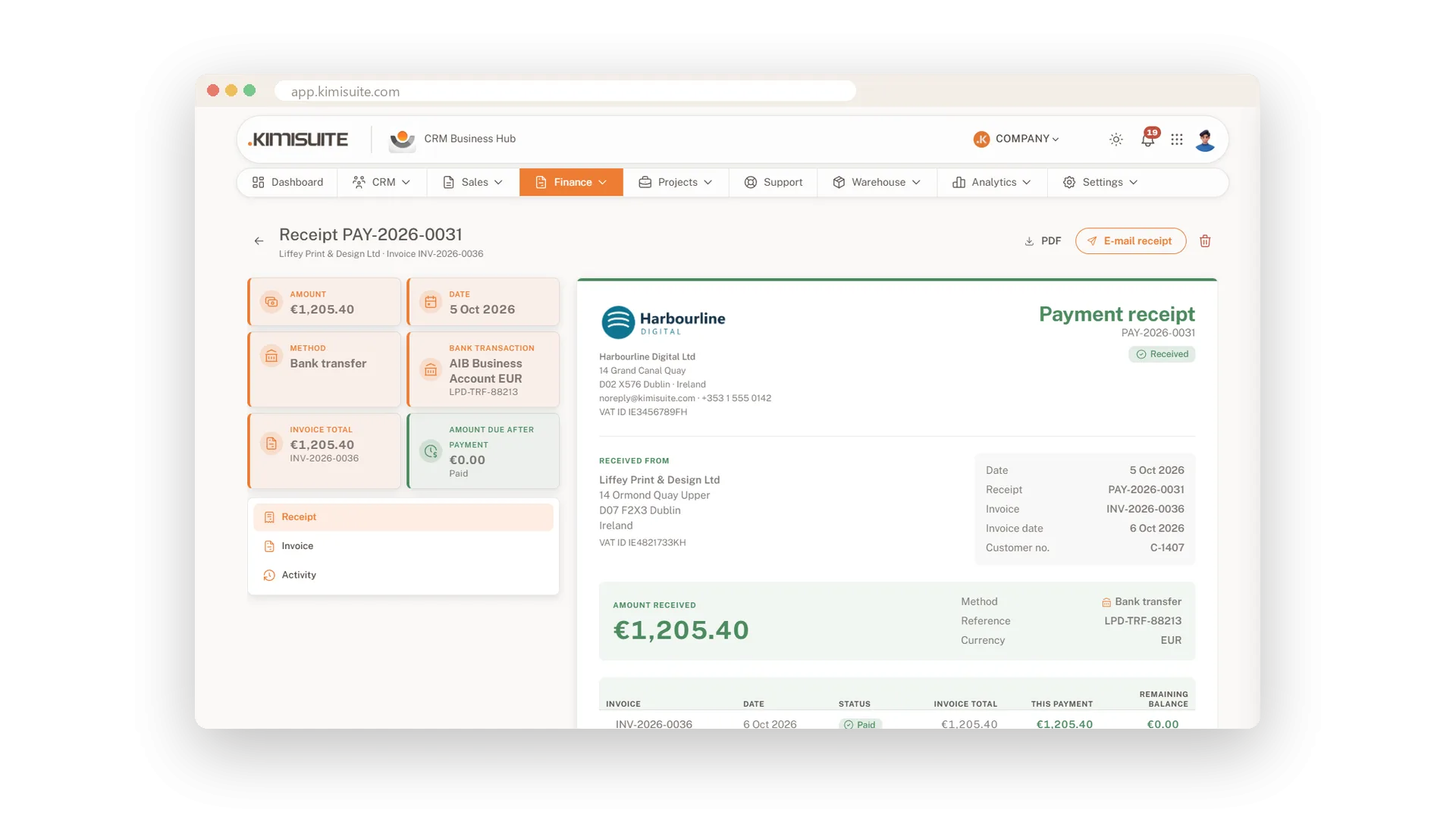
A receipt number for every payment, and the receipt to your customer by e-mail
Invoices your customers pay online
Stripe and PayPal on every invoice, in every plan
Your e-mail and the PDF carry a Pay online link, and your customer pays the open amount on the invoice page with Stripe or PayPal. The payment is booked on the invoice with its fee, a receipt goes out, and a refund you make with the provider shows up on the invoice too. You choose per invoice which providers to offer, and Bankart for Slovenia and the region is available on request.
Bank statements matched in one click
CSV, CAMT.053 or MT940 in, suggestions out
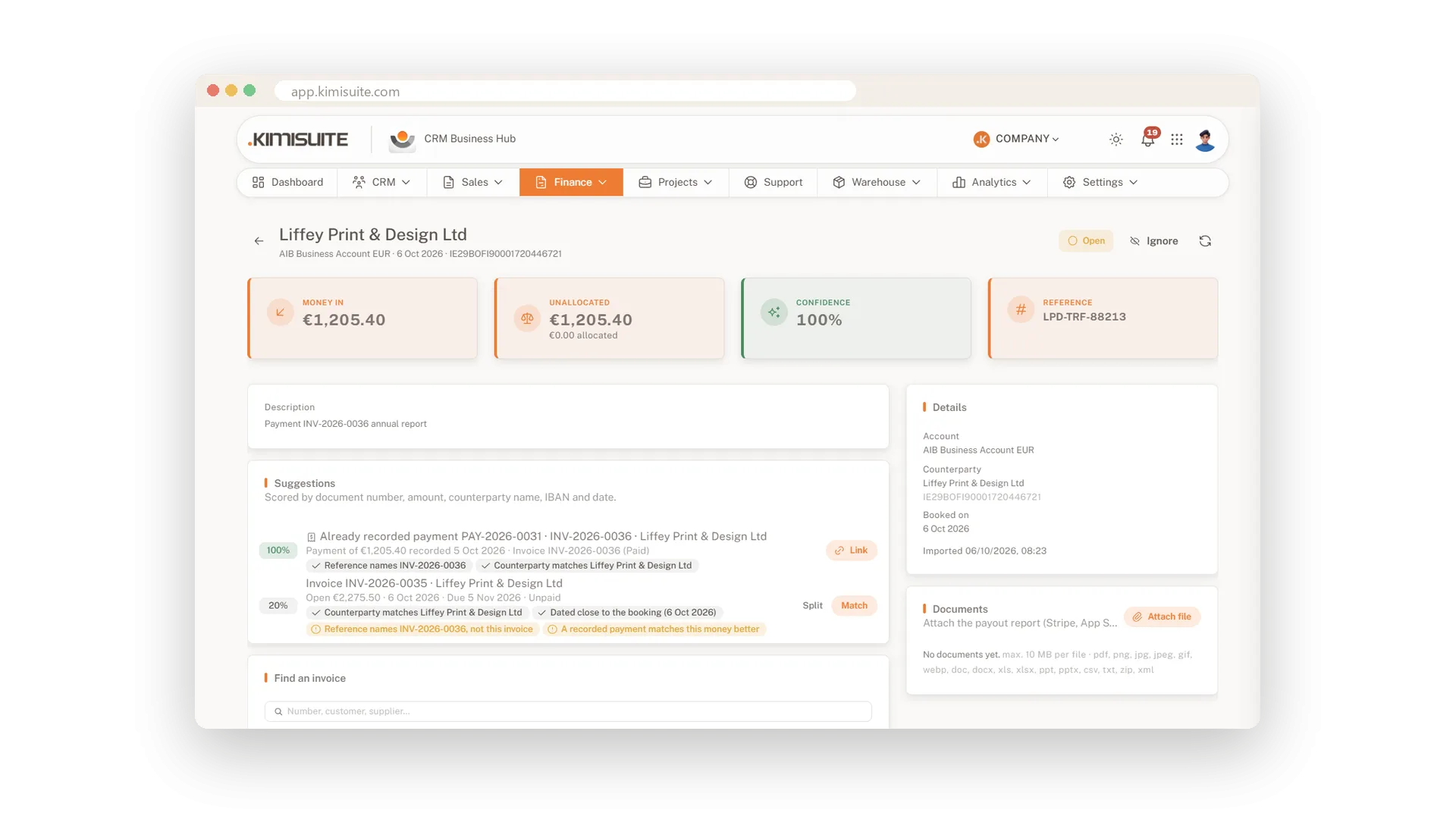
Import your bank statement as a CSV, CAMT.053 or MT940 file, or the CSV from Wise - columns, dates and duplicates are recognised for you. The CRM suggests the matching invoice, supplier bill or expense for each line and books the sure ones automatically, even when one payment covers several invoices. Payouts without an invoice, such as Stripe or app store proceeds, go into income categories of your own, with the payout report attached. Whatever is unclear waits for your click.
Bank transactions that arrive on their own
Connect Wise once and skip the uploads
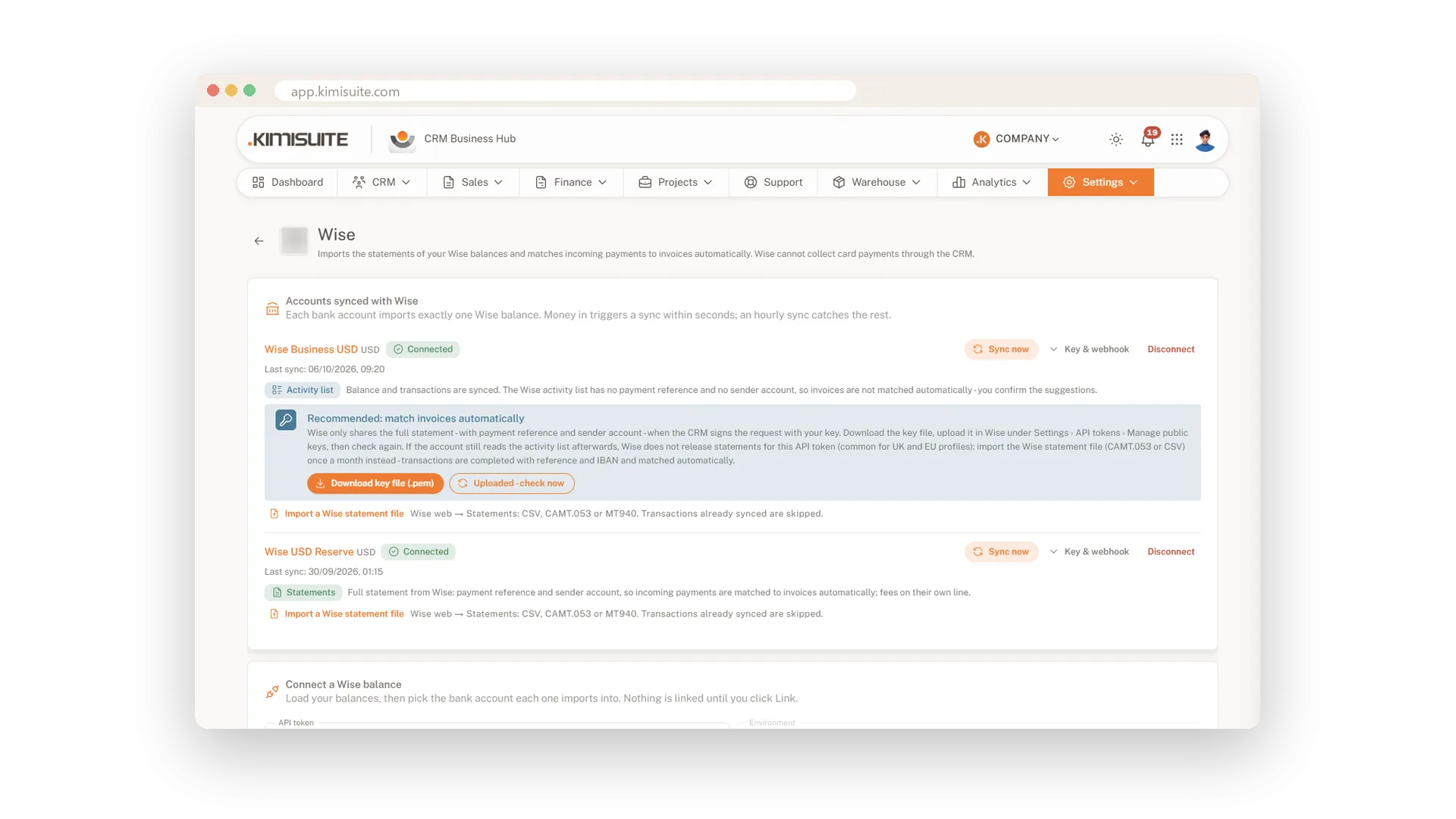
Connect your Wise account with an API token, and its balances, transactions and up to 12 months of history come into the CRM - the bank account is created as you link it. Money in triggers a sync within seconds, an hourly sync catches the rest, and your balance stays in line with Wise. For UK and EEA Wise accounts the CRM suggests the matches, and once you import the monthly statement file it matches them automatically.
Payment reminders and dunning levels
Polite first, firmer later - without writing a letter
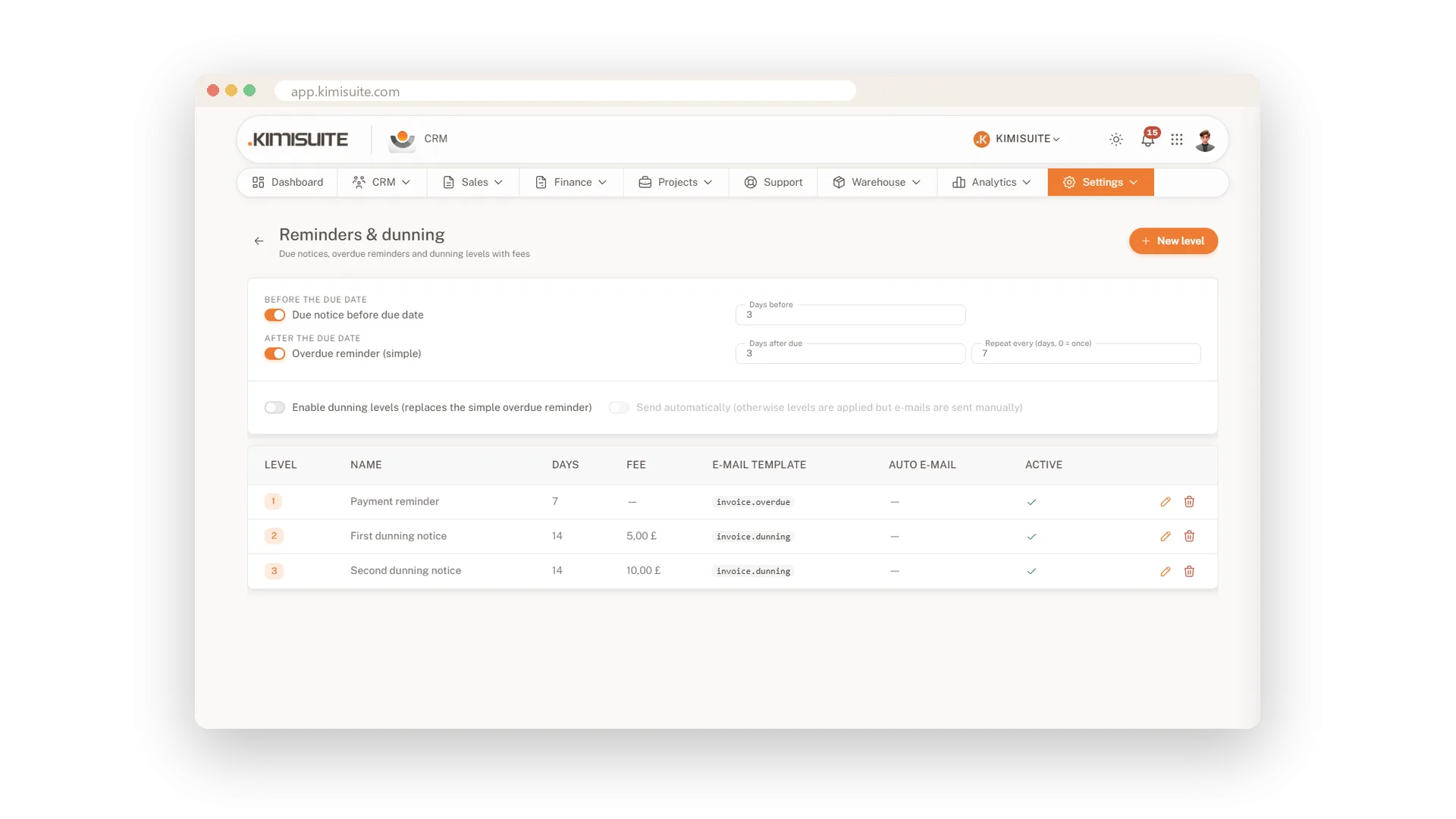
Send a friendly note before the due date and a reminder when it has passed, repeated as often as you like. Or set up dunning levels with fees. It runs automatically or on your click, and you can pause it for a single invoice.
An invoice link for any device
The invoice in the browser, no account needed
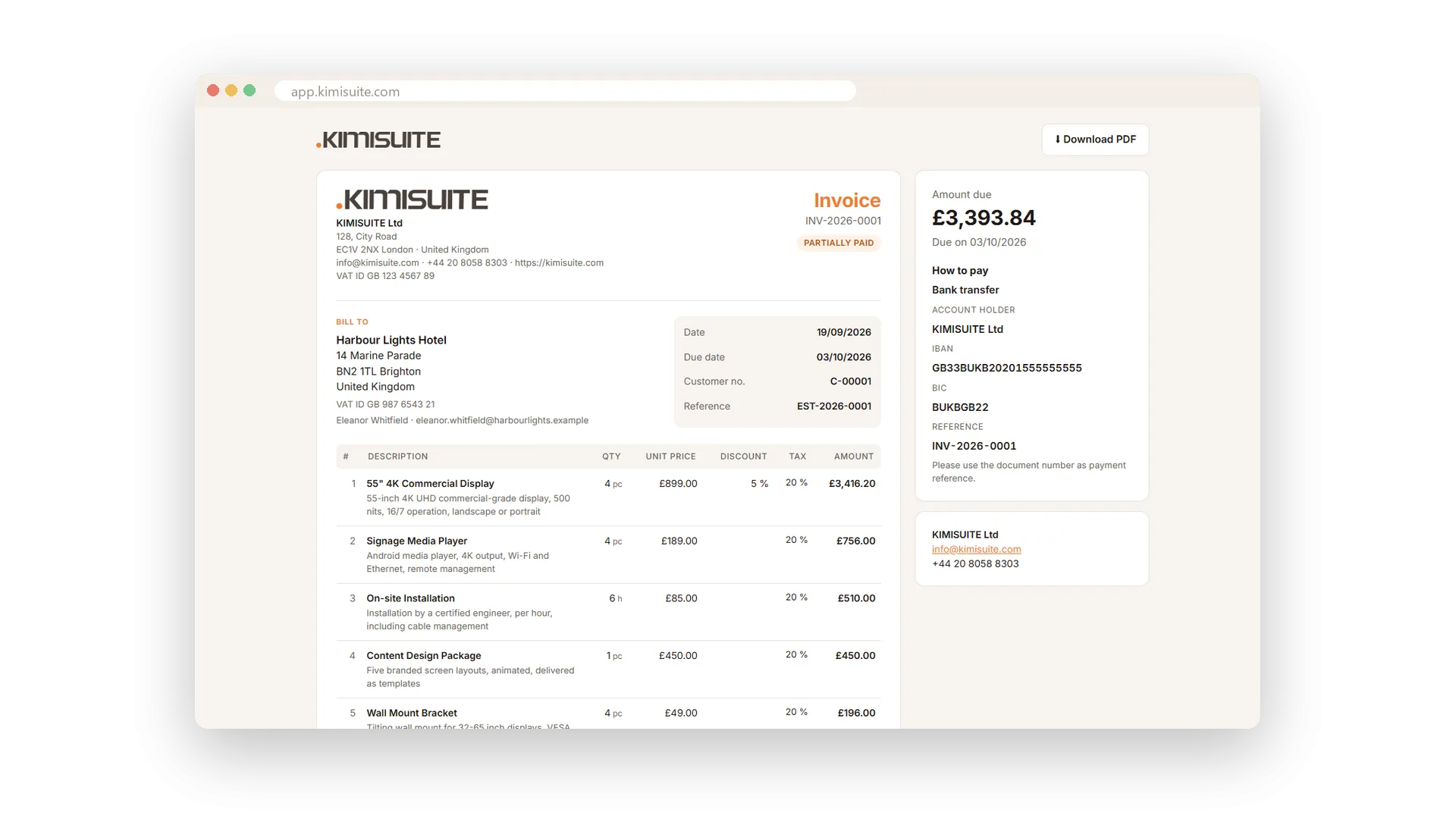
Every invoice has its own page behind a link. Your customer opens it on a phone or a laptop without signing up, sees exactly the invoice you sent and, when you accept online payments, pays it right there.
Foreign currencies, matched right
A USD bill paid from a euro account
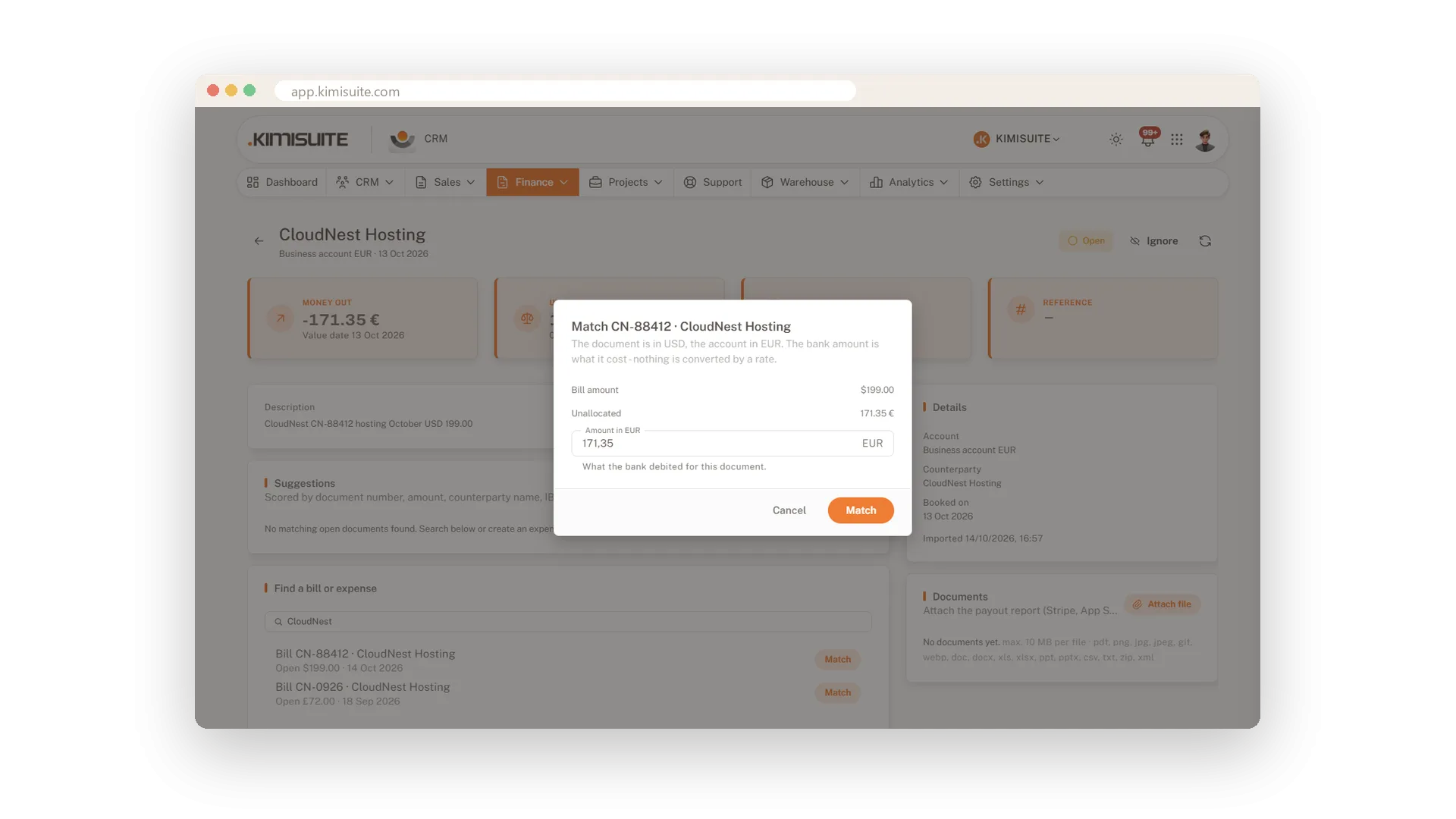
Pay a supplier bill in dollars from your euro account, and the CRM matches it with the amount your bank actually booked. The rate follows from the two amounts.
Bank details the way your bank writes them
IBAN, sort code or routing number
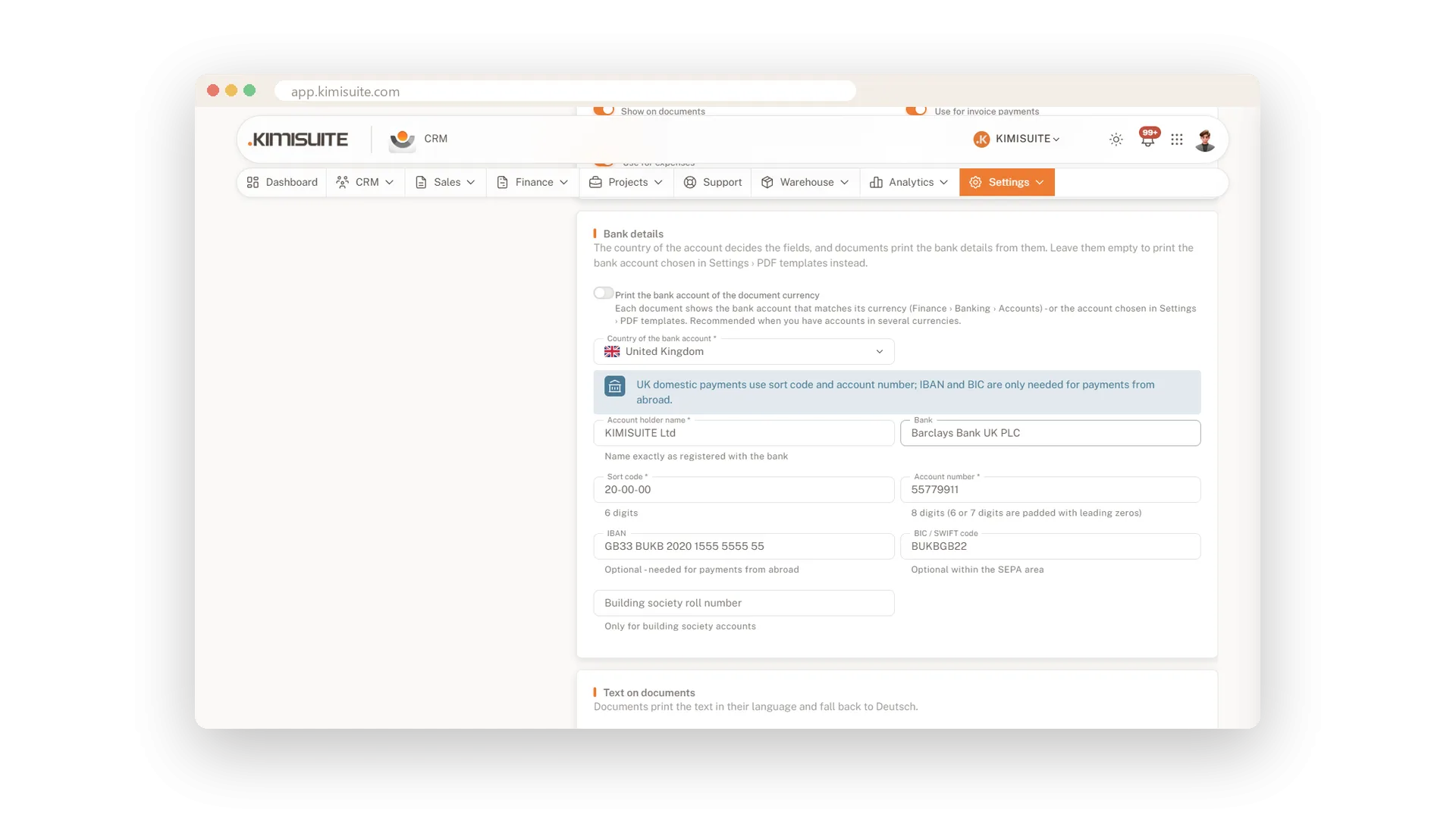
Choose the country of your account and the right fields appear: IBAN and BIC, sort code, routing number. They print on every invoice so your customer can pay without asking.
Use Cases
Month-end with the bank statement
Import the CSV, CAMT.053 or MT940 file from your bank. The CRM suggests the matching invoice for each transaction, and you confirm the list instead of searching for each one.
The customer who always forgets
A friendly note goes out before the due date. If the invoice is still open afterwards, the reminder follows - and the next dunning level after that.
Paid before the coffee is cold
You send the invoice at nine. Your customer taps Pay online on their phone, and when you look again, the invoice says paid and the receipt is in their inbox.
Screenshots
FAQ
Try CRM Business Hub today
From first lead to paid invoice in one app
14 days free, cancel anytime, no minimum term.
