 Part of CRM Business Hub
 Your own tools, connected to the CRM
A REST API with keys you control, and webhooks
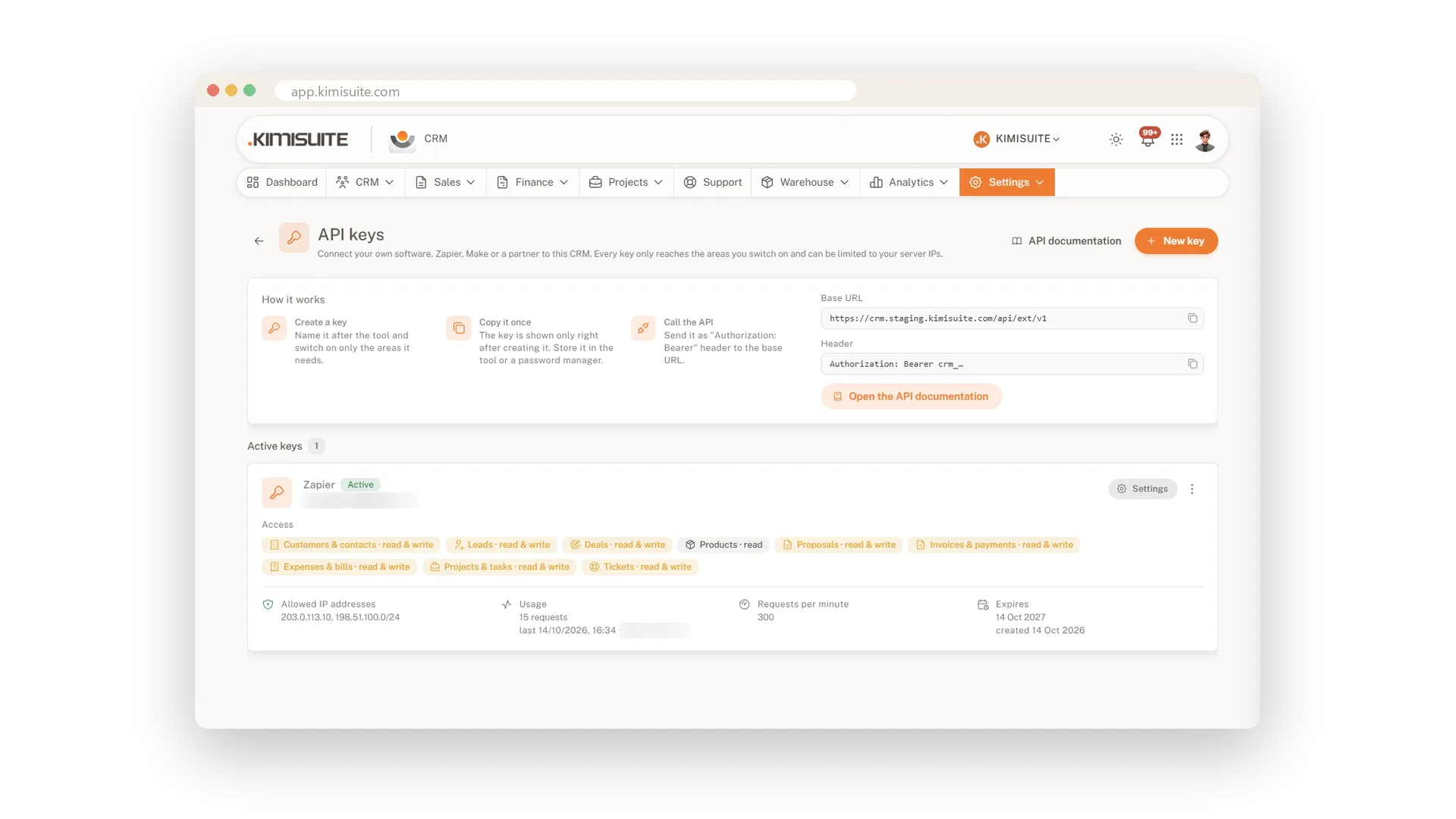
Your website, your shop, Zapier, Make or a partner's software can work with your CRM directly. Create an API key, switch on only the areas the tool needs, and it can read customers, create leads, issue invoices or write tasks for your team. Webhooks tell your tools the moment something happens, such as an invoice being paid or a new lead coming in.
Every key is under your control: read or write per area, limited to the IP addresses of your servers if you like, with an expiry date and a request limit. Change a key's settings without breaking the integration, rotate it in one click, and remove old keys when you no longer need them. The API documentation sits right in the settings, with ready-to-copy examples in curl, JavaScript, PHP and Python.
Key Benefits
Read or write per area with simple switches, so a key only reaches what it needs
Limit a key to your server IP addresses, set an expiry date and a request limit
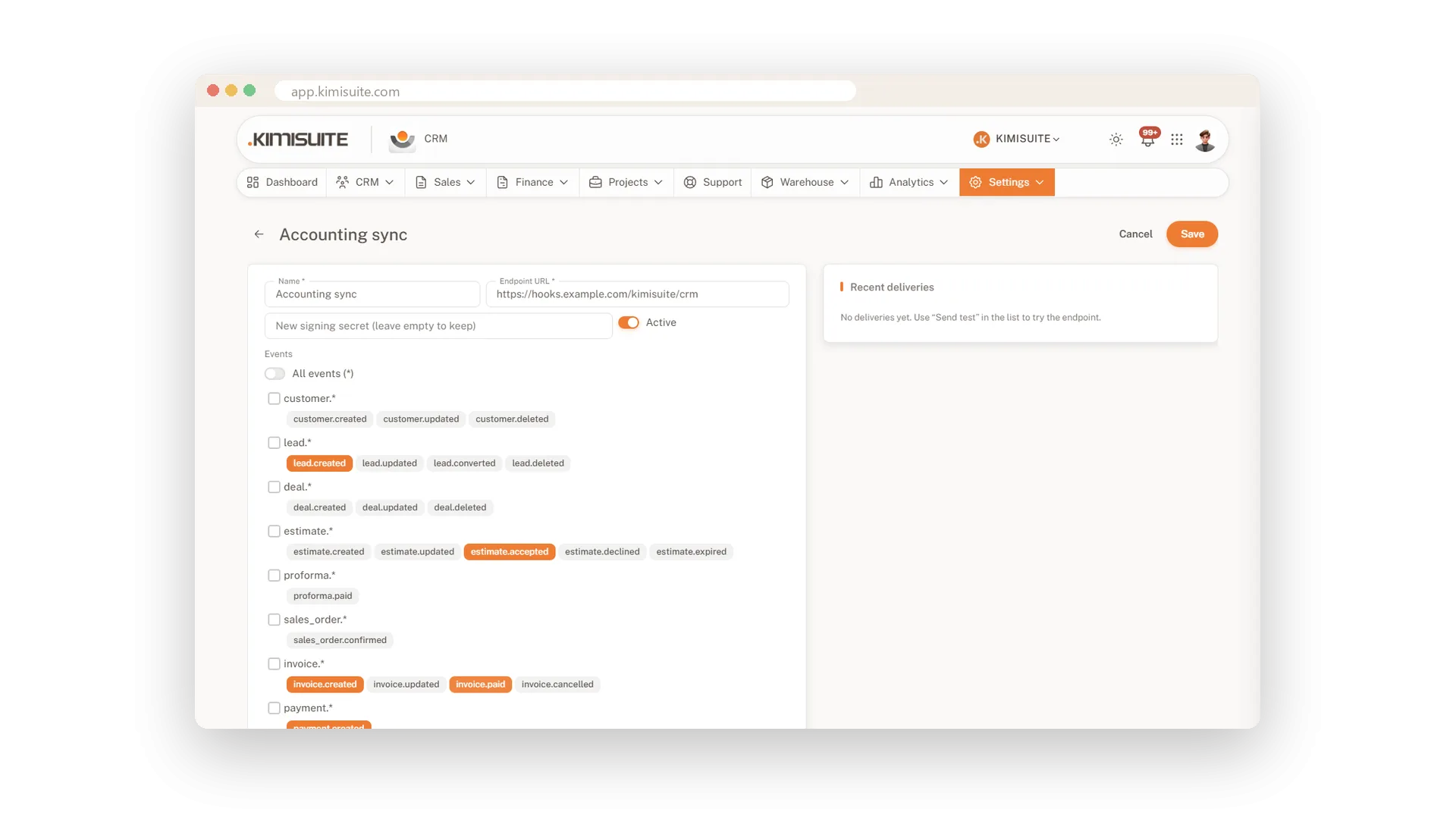
Signed webhooks for events such as invoice.paid or lead.created
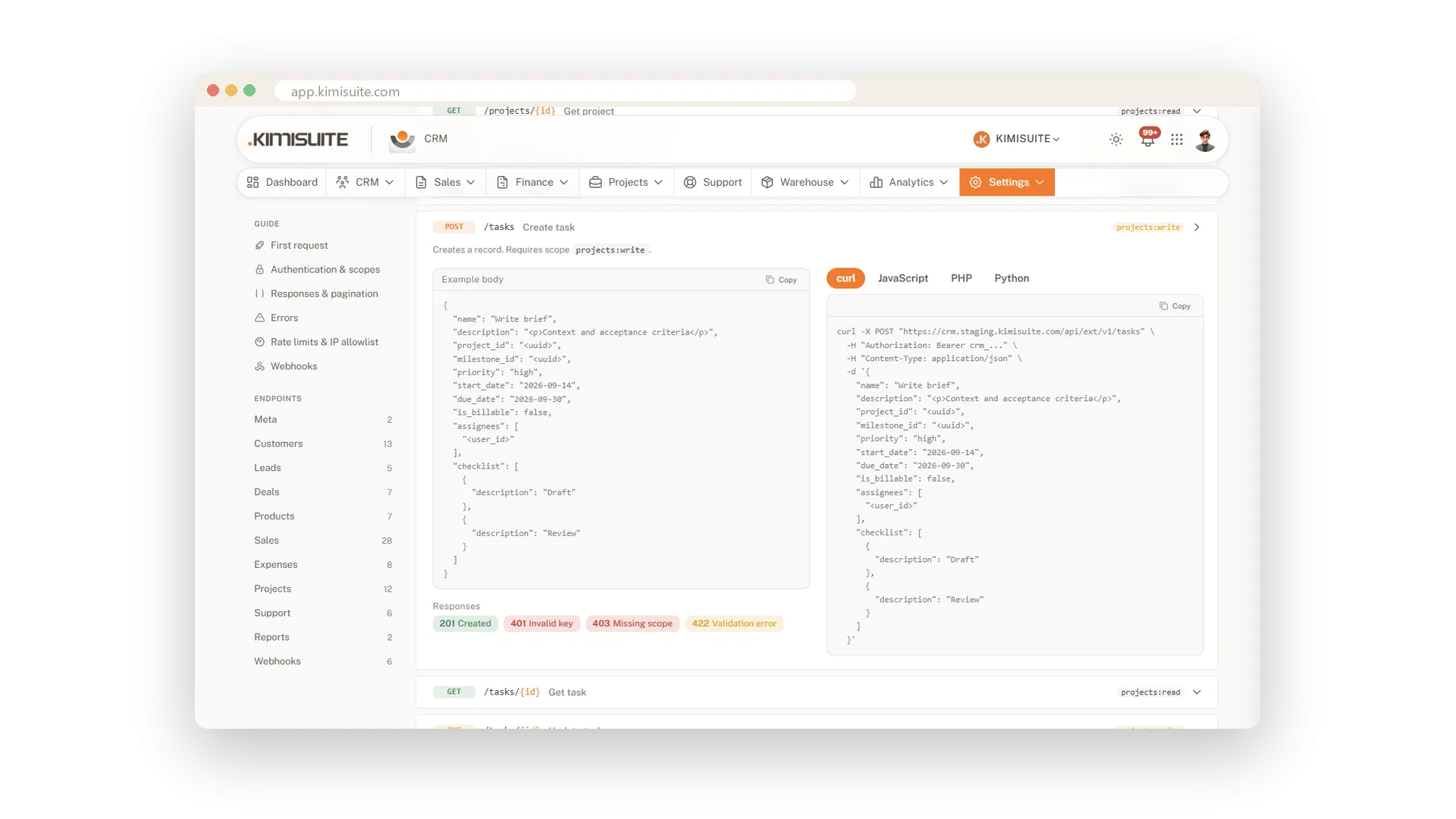
Documentation in the settings, with examples in curl, JavaScript, PHP and Python
Keys that reach only what they need
Read or write, switched on per area
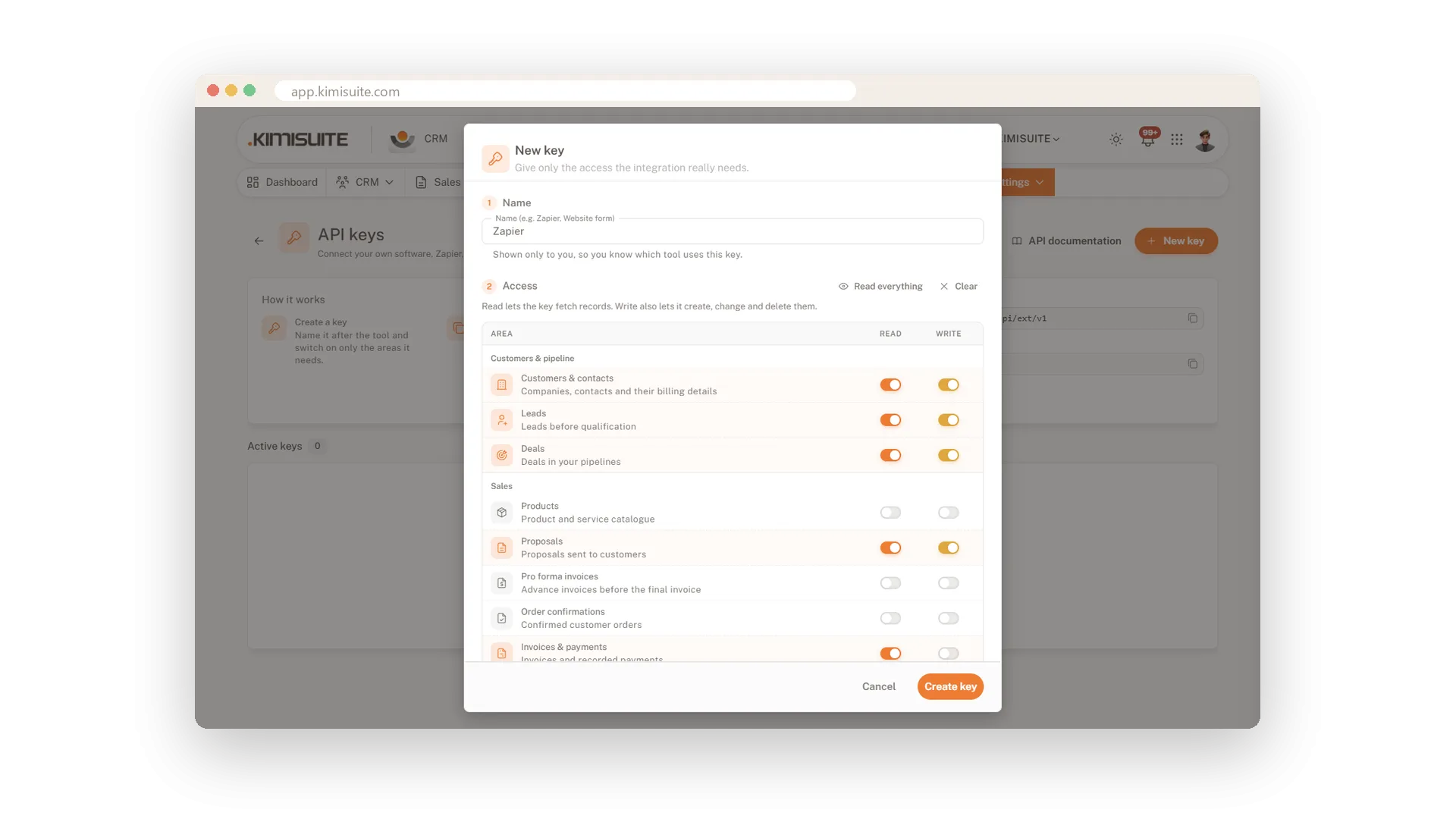
Name the key after the tool and switch on the areas it needs: read lets it fetch records, write lets it create and change them. Change the switches later without issuing a new key, so the integration keeps running.
Limited to your servers
Allowed IPs, expiry date and request limit
Enter the IP addresses or ranges of your servers, and the key works from nowhere else. Add an expiry date of 30 days, 90 days or a year, and a limit of requests per minute.
Documentation with examples to copy
curl, JavaScript, PHP and Python
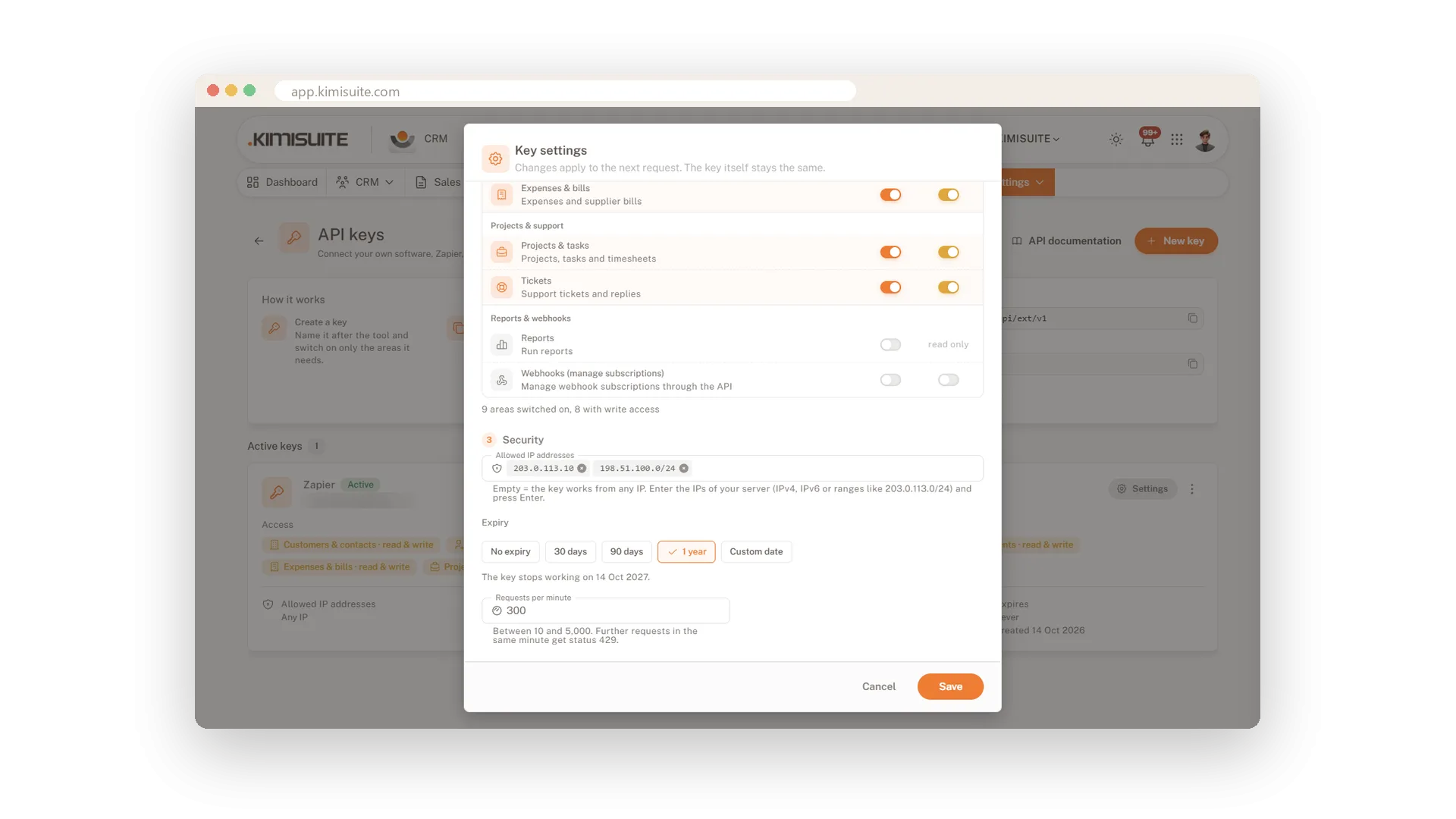
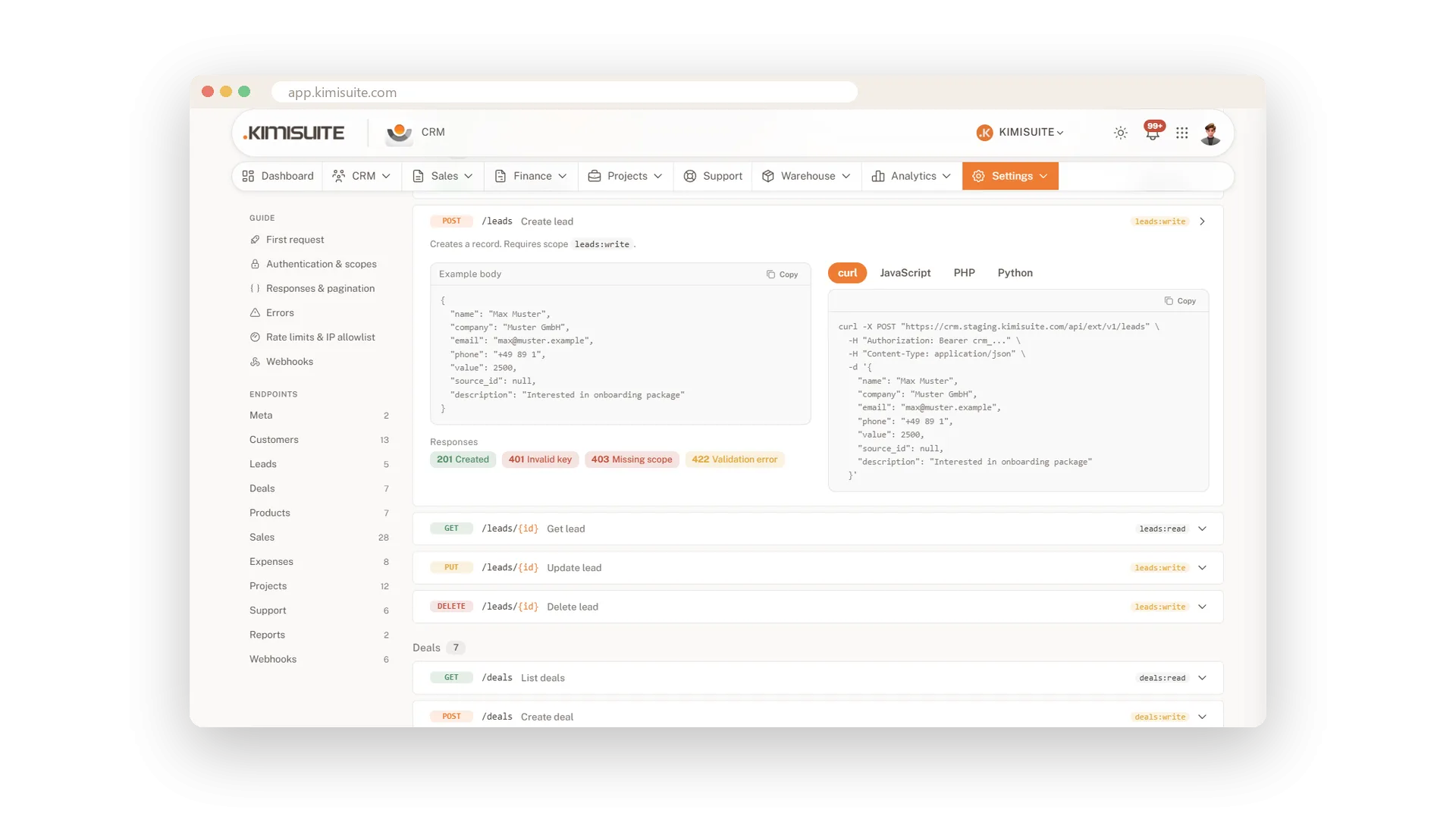
Every endpoint is described in the settings, with its scope, parameters and an example body. Pick your language once and copy a working request, or hand the OpenAPI file to your tools.
Webhooks that tell your tools
Signed events the moment they happen
Subscribe a URL to events such as invoice.paid or lead.created, and your tools hear about it right away. Every call is signed, failed calls are retried, and the delivery log shows what went out.
Tasks for your team from any tool
Into the right project, for the right person
Your own tools can open tasks in a project, with milestone, checklist and due date, and assign them to a colleague. The colleague gets the notification in KIMISUITE as if you had written the task yourself.
Use Cases
The contact form on your website
Your website sends every enquiry to the CRM as a lead, with its source. The key may only create leads, nothing else.
Paid, and the shop knows it
A webhook tells your shop the moment an invoice is paid. The order ships without anyone checking the bank.
Tasks from your own tools
Your monitoring opens a task for the right colleague when something breaks. It lands in the project with milestone, checklist and due date.
FAQ
Try CRM Business Hub today
From first lead to paid invoice in one app
14 days free, cancel anytime, no minimum term.
