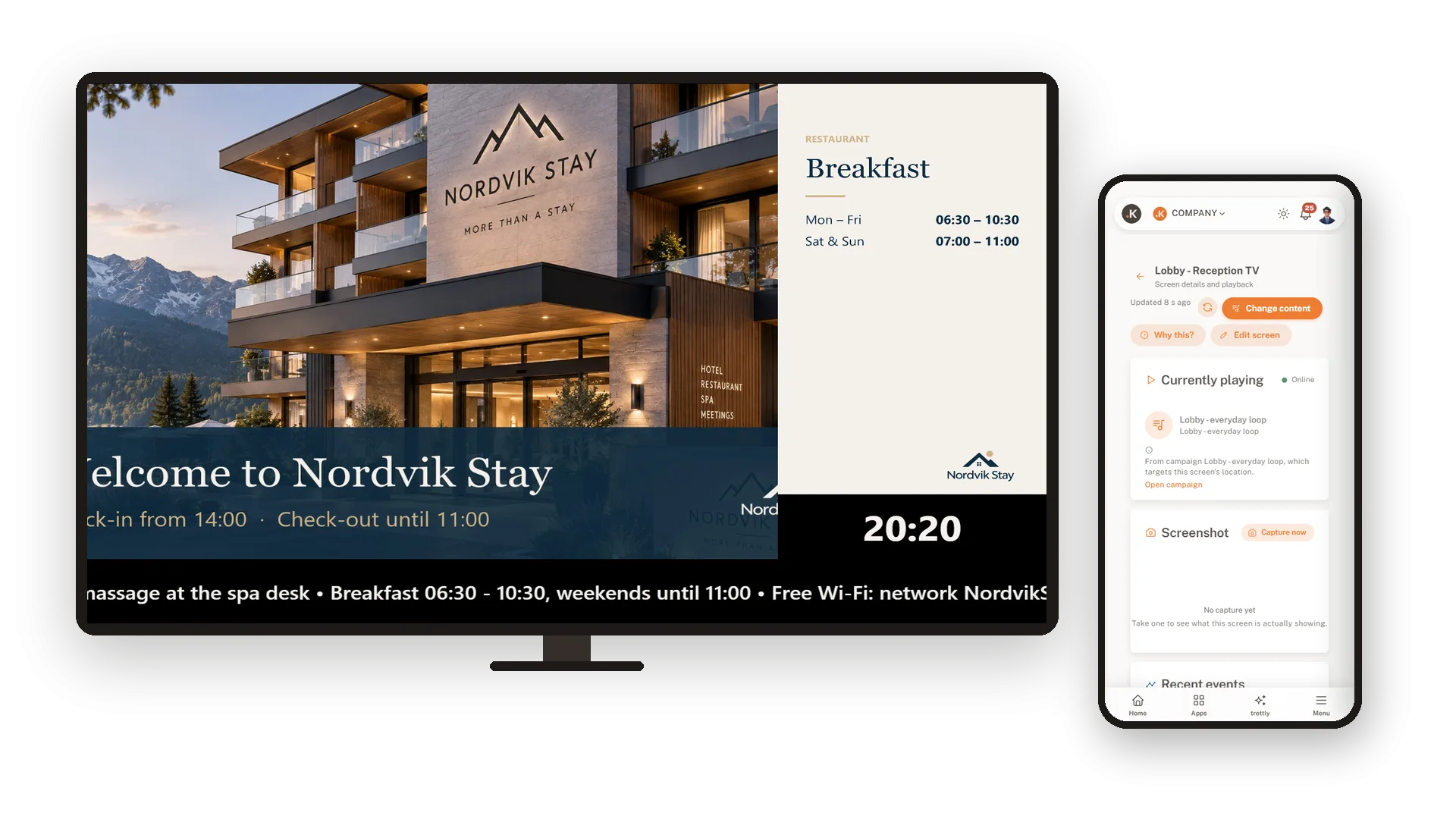

Svaki zaslon prikazuje pravu stvar, sam po sebi.
Pretvorite svoj Android TV u zaslon kojim upravljate sa svog radnog stola. Napravite petlju od svojih slika, dodajte sat i traku s porukama te isplanirajte što se prikazuje gdje i kada. Instalirajte aplikaciju, uparite je s kodom i TV će se pobrinuti za ostalo.
Od vaših slika do TV-a za nekoliko minuta
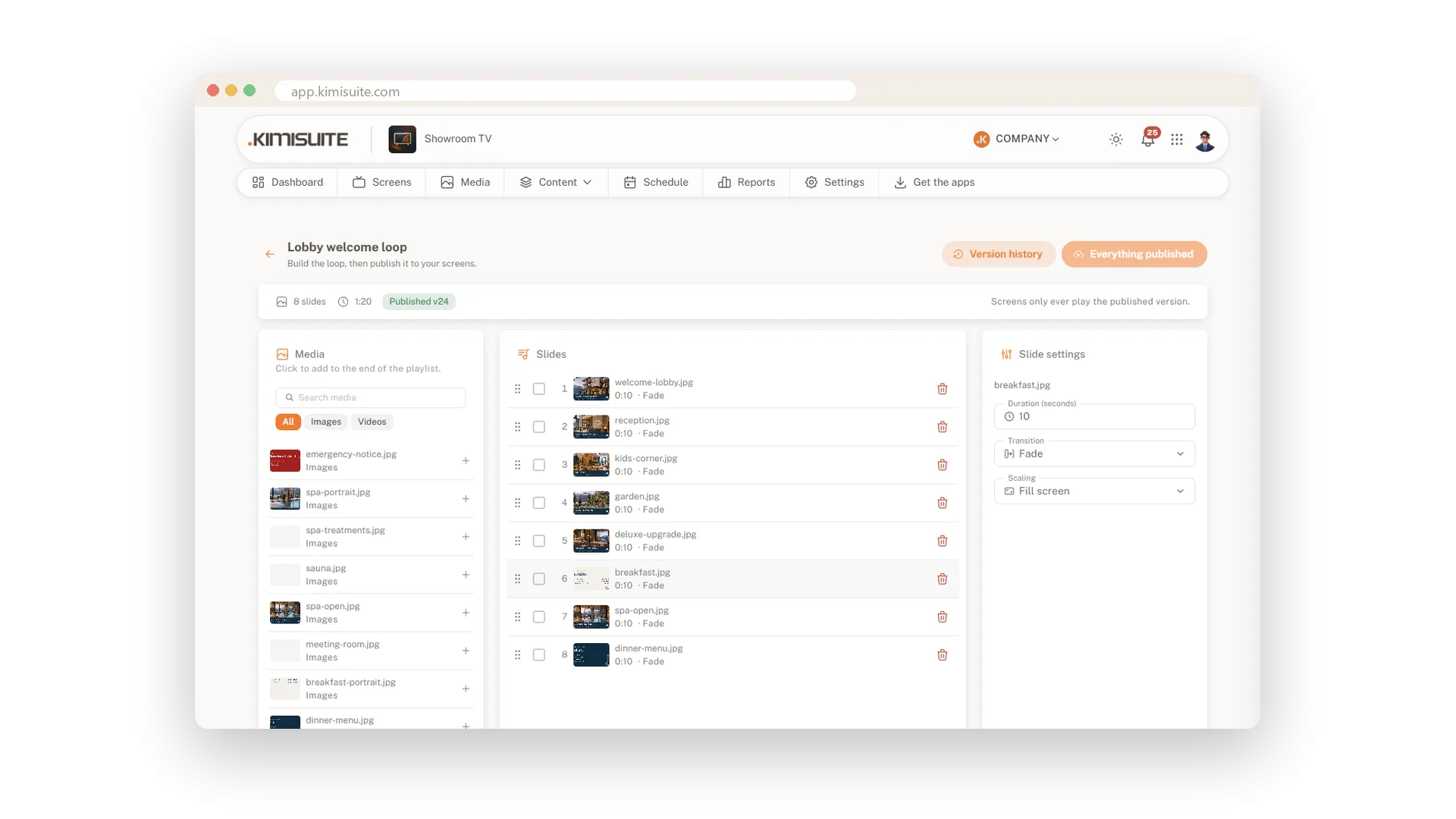
Prenesite svoje slike, složite ih u playlistu i objavite. Instalirajte aplikaciju na TV, upišite njezin kod u svoj radni prostor i petlja kreće.
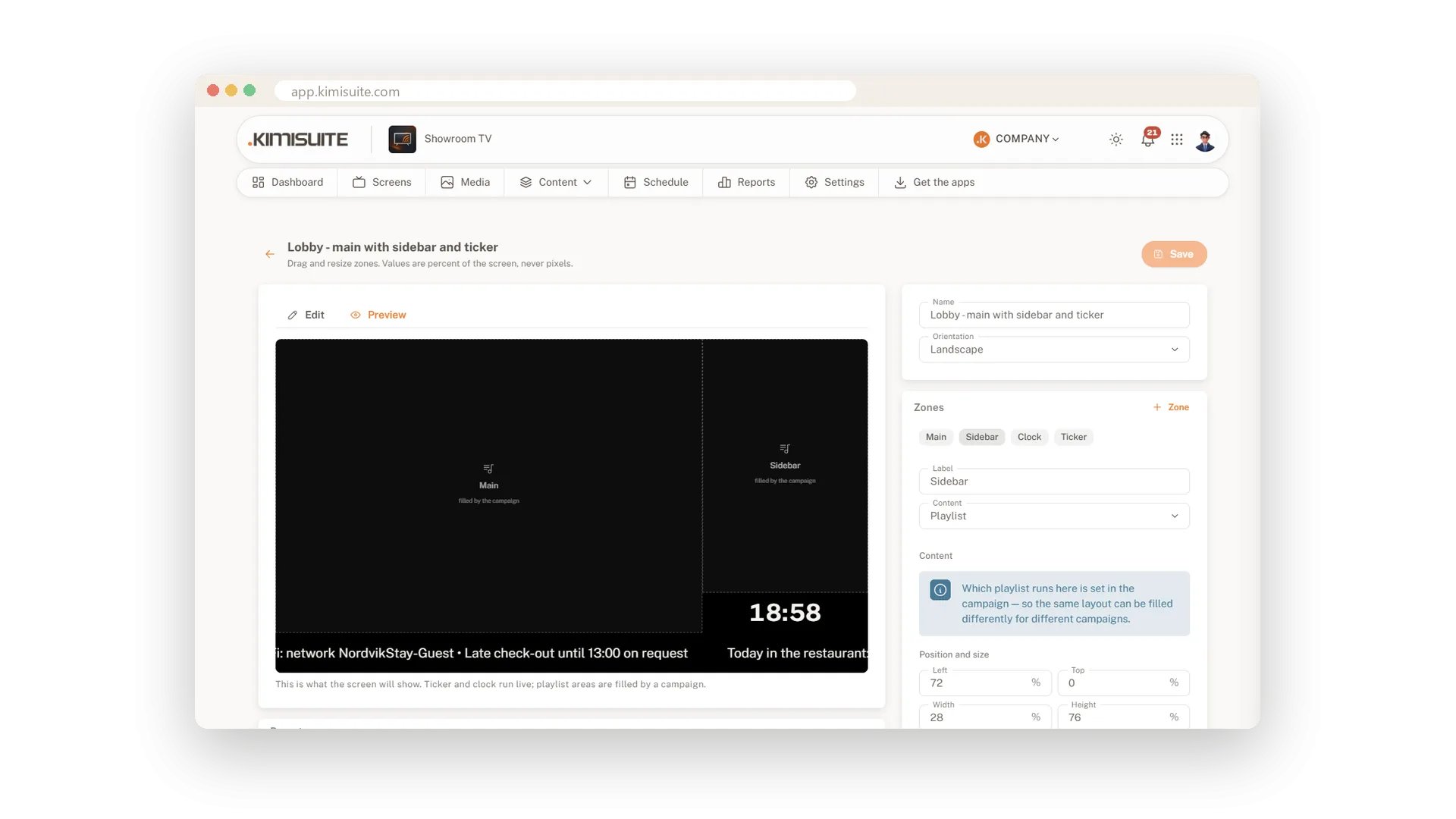
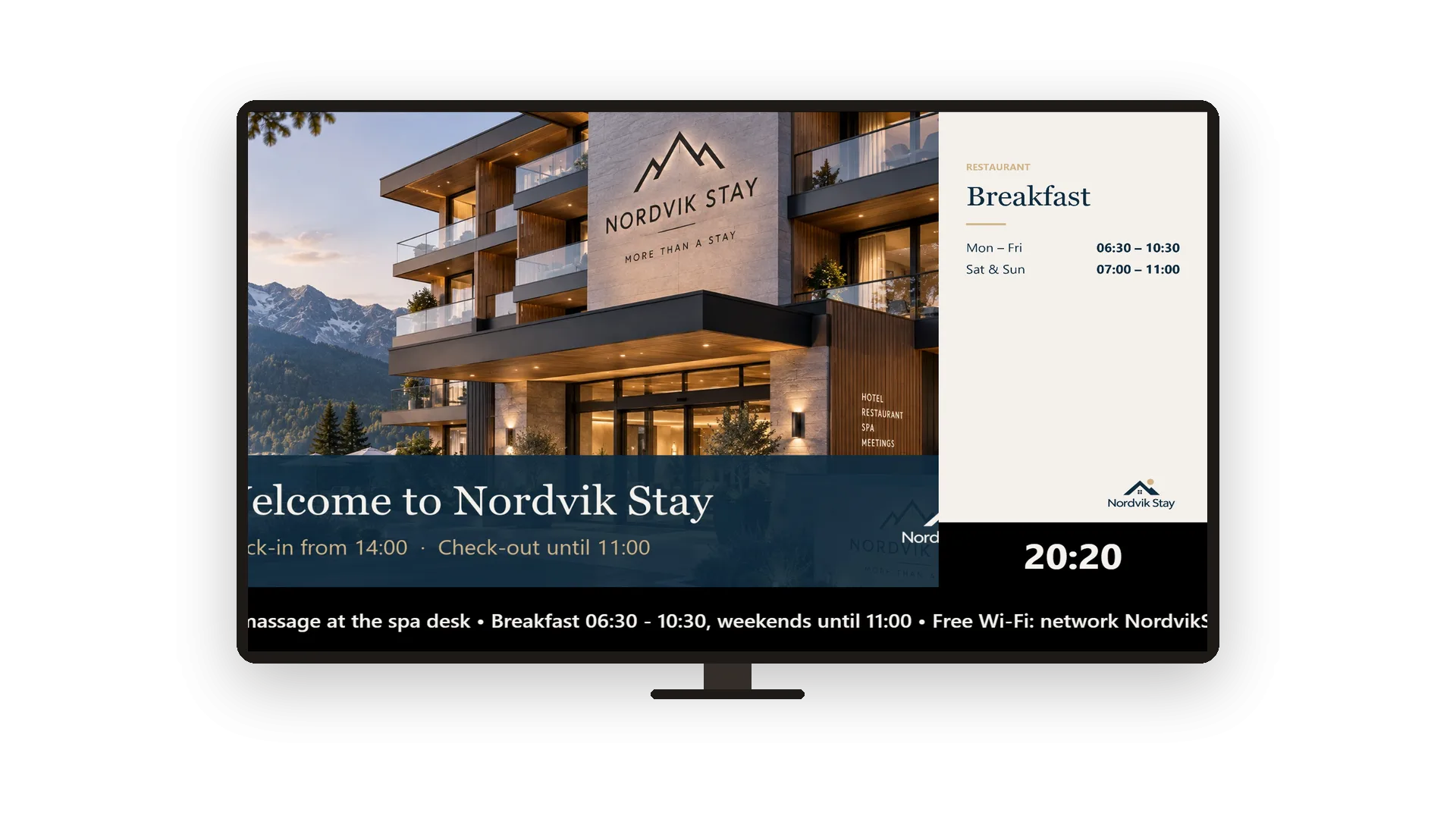
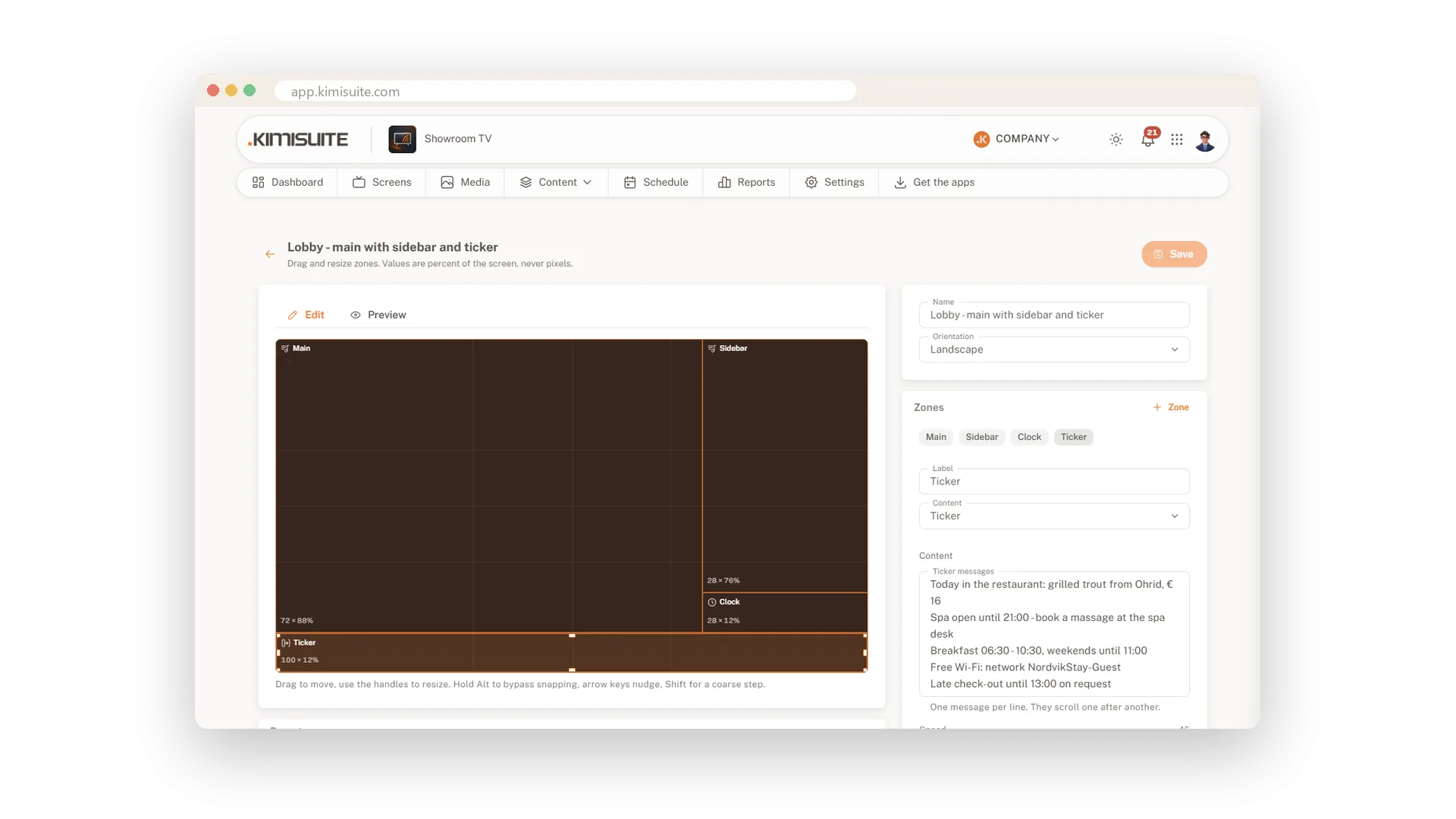
- Više od slideshowa. Podijelite zaslon na glavnu petlju, bočnu traku, sat i ticker s vlastitim porukama.
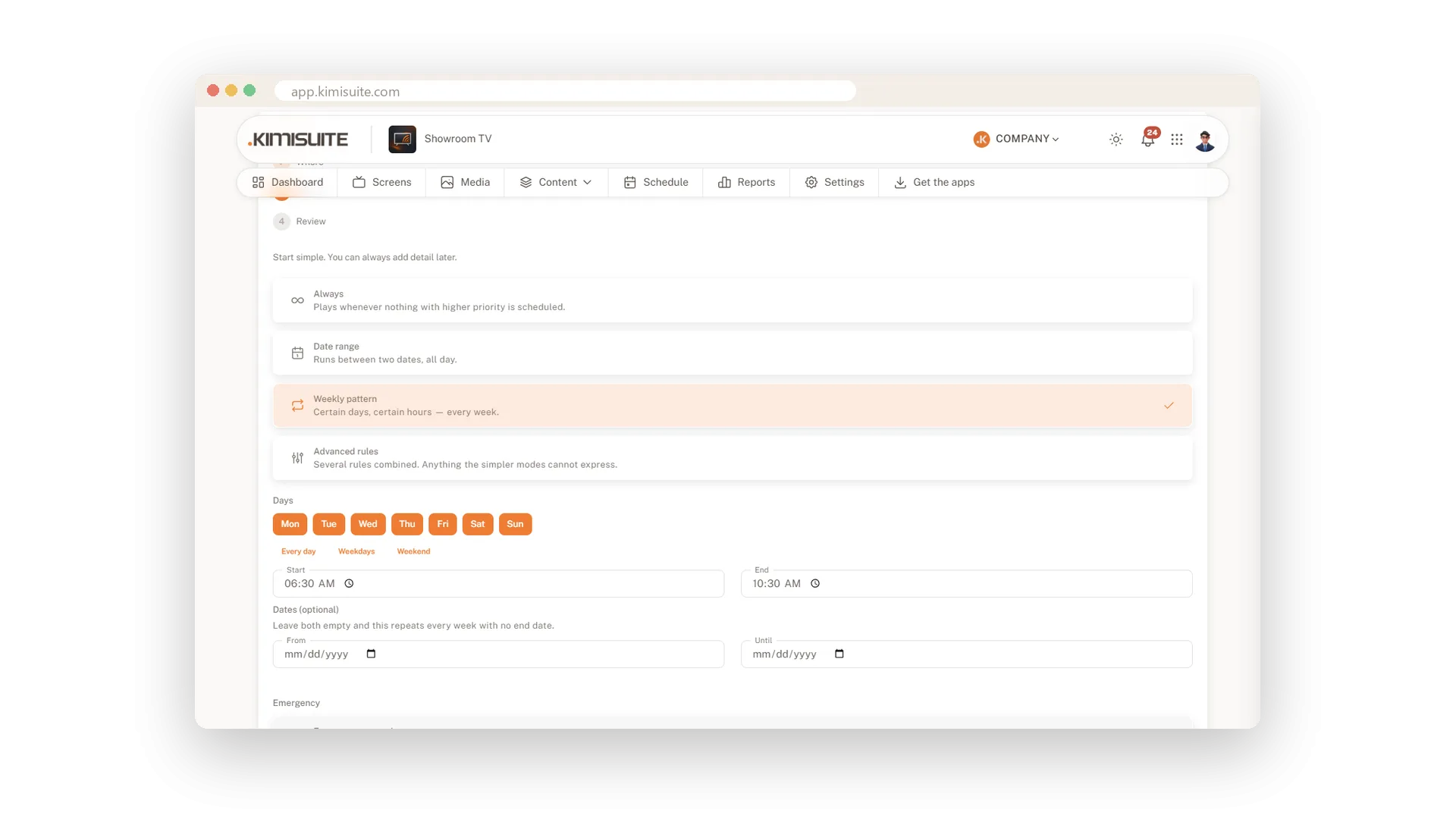
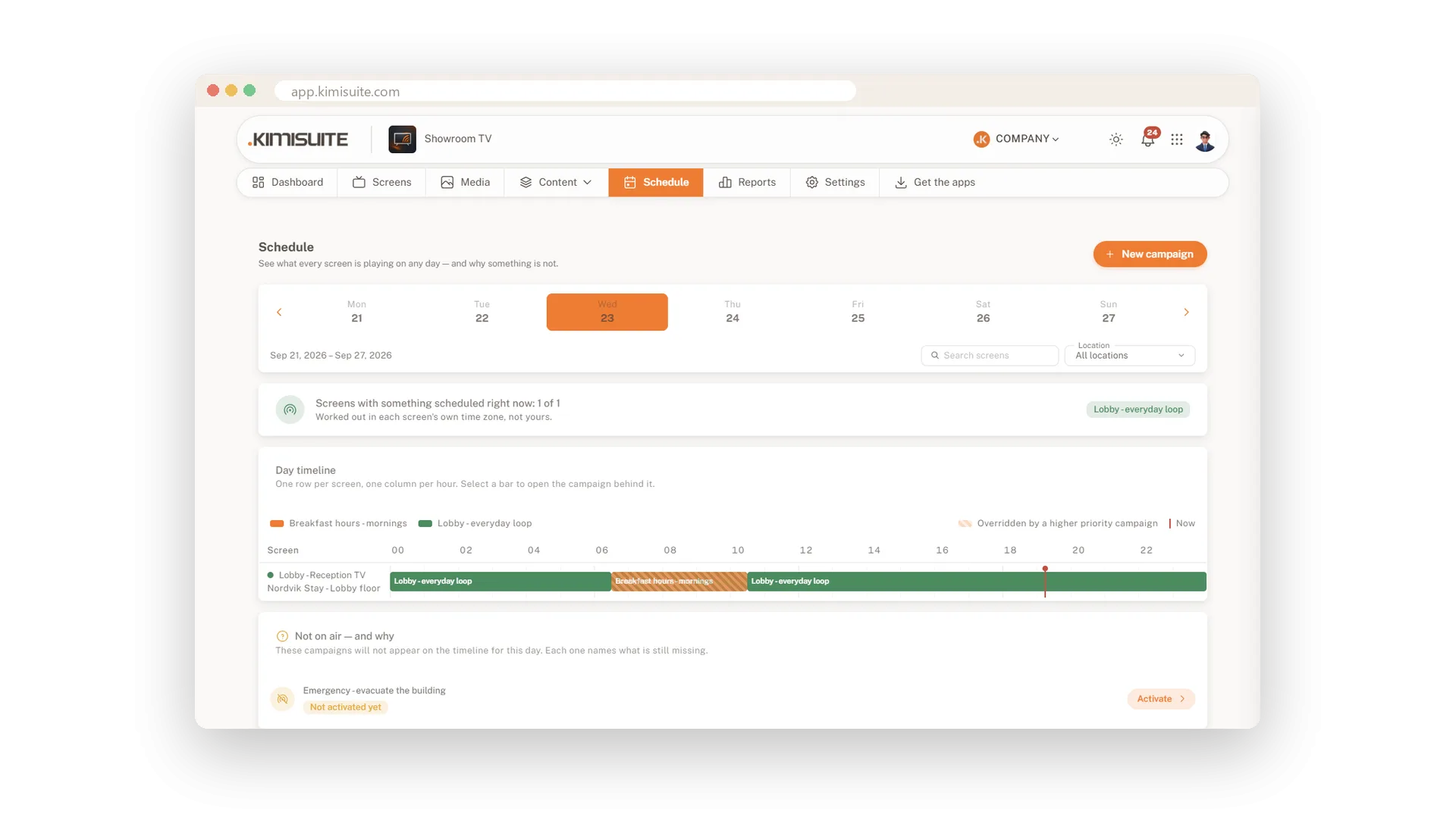
- Planirano, a ne prebacivano. Kampanje reproduciraju jutarnji sadržaj ujutro, a večernju ponudu noću, na zaslonima, grupama ili lokacijama koje odaberete.
- Sigurno za uređivanje. Zasloni reproduciraju samo objavljenu verziju, a svaka se verzija može vratiti.
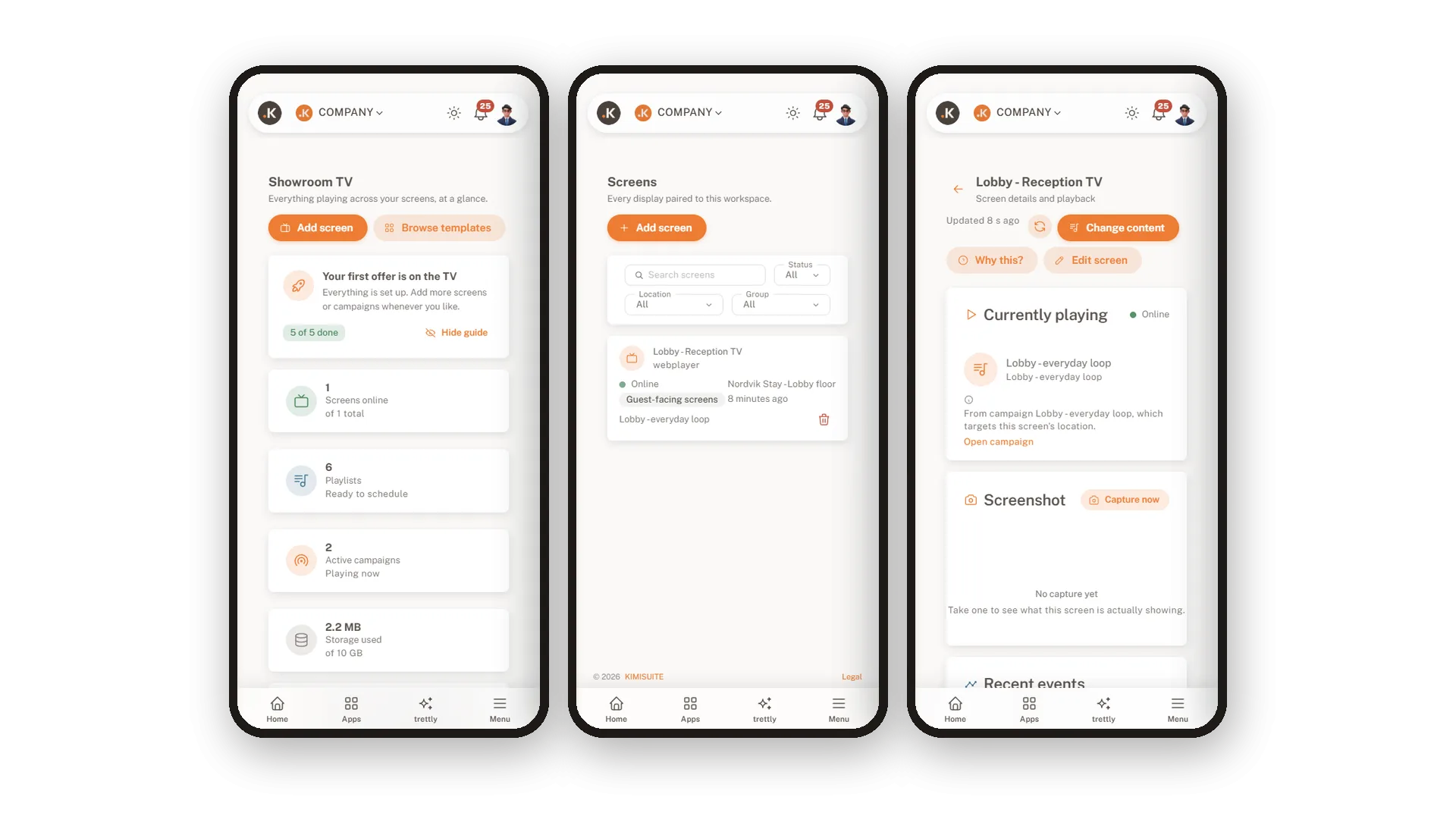
- Uvijek na vidiku. Vidite koji su zasloni online, što reproduciraju i zašto te daljinski ponovno pokrenite ili ugasite zaslon.
Nadzorna ploča prikazuje zaslone koji su online, aktivne kampanje i svaki zaslon koji zahtijeva pažnju.
Što Showroom TV čini za vaše poslovanje
Sve od prve slike do zaslona na zidu.
Instalirajte aplikaciju na svoj Android TV ili Google TV i upišite kôd koji prikazuje. Zaslon od tada sam preuzima svoj program.
Kliknite slike u petlju i povucite ih u željeni redoslijed. Postavite trajanje, prijelaz i prilagodbu za svaki slajd.
Podijelite zaslon u zone, od šest predložaka ili vlastitih. Dodajte lokalni sat i traku s porukama.
Ciljajte zaslone, grupe ili lokacije, stalno ili u tjednim vremenskim terminima. Viši prioritet pobjeđuje kad se dvije preklapaju.
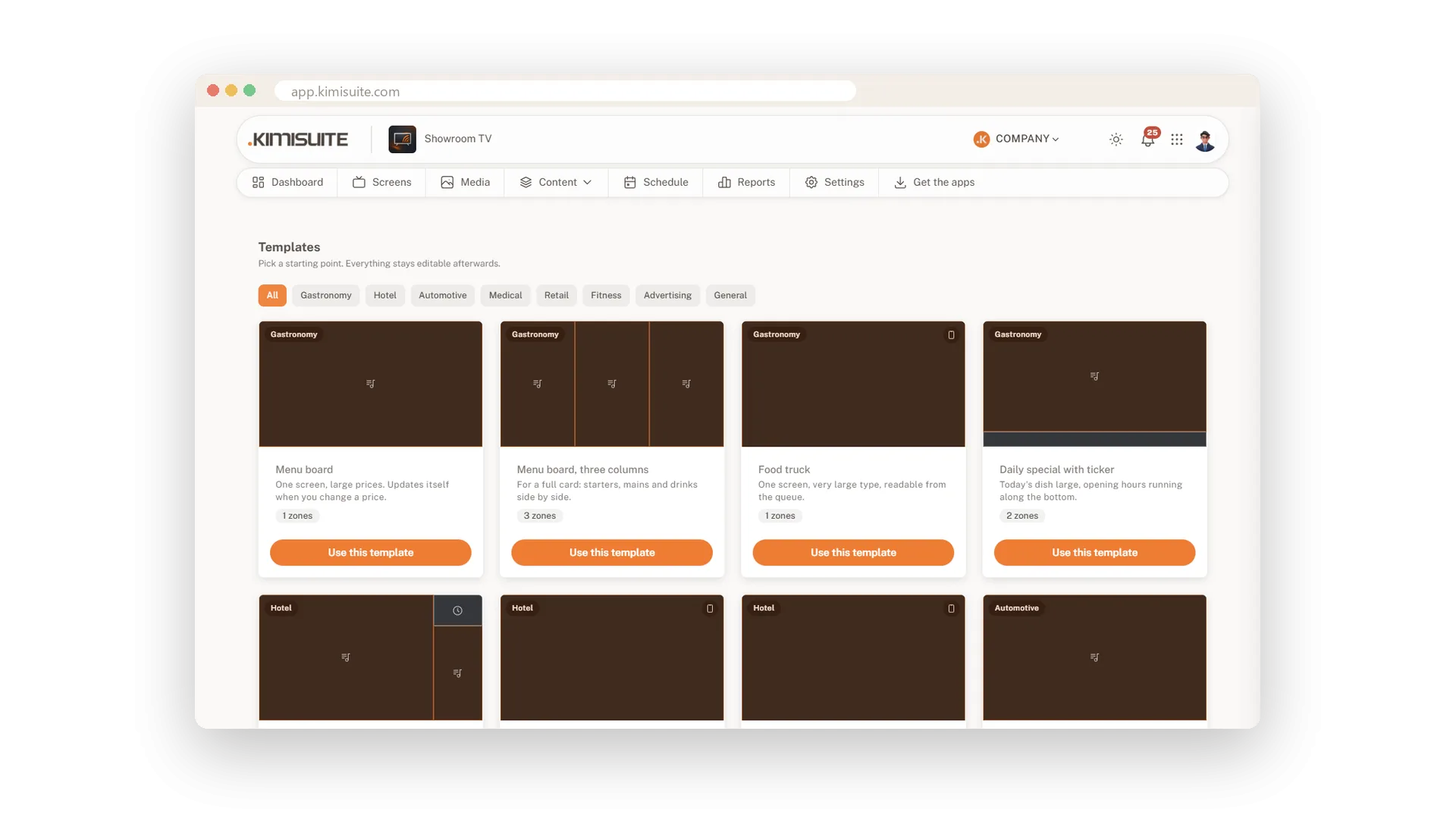
Jelovnici, dobrodošlica u predvorju, čekaonica, promocije i više. Jedan klik stvara izgled, playlistu i kampanju.
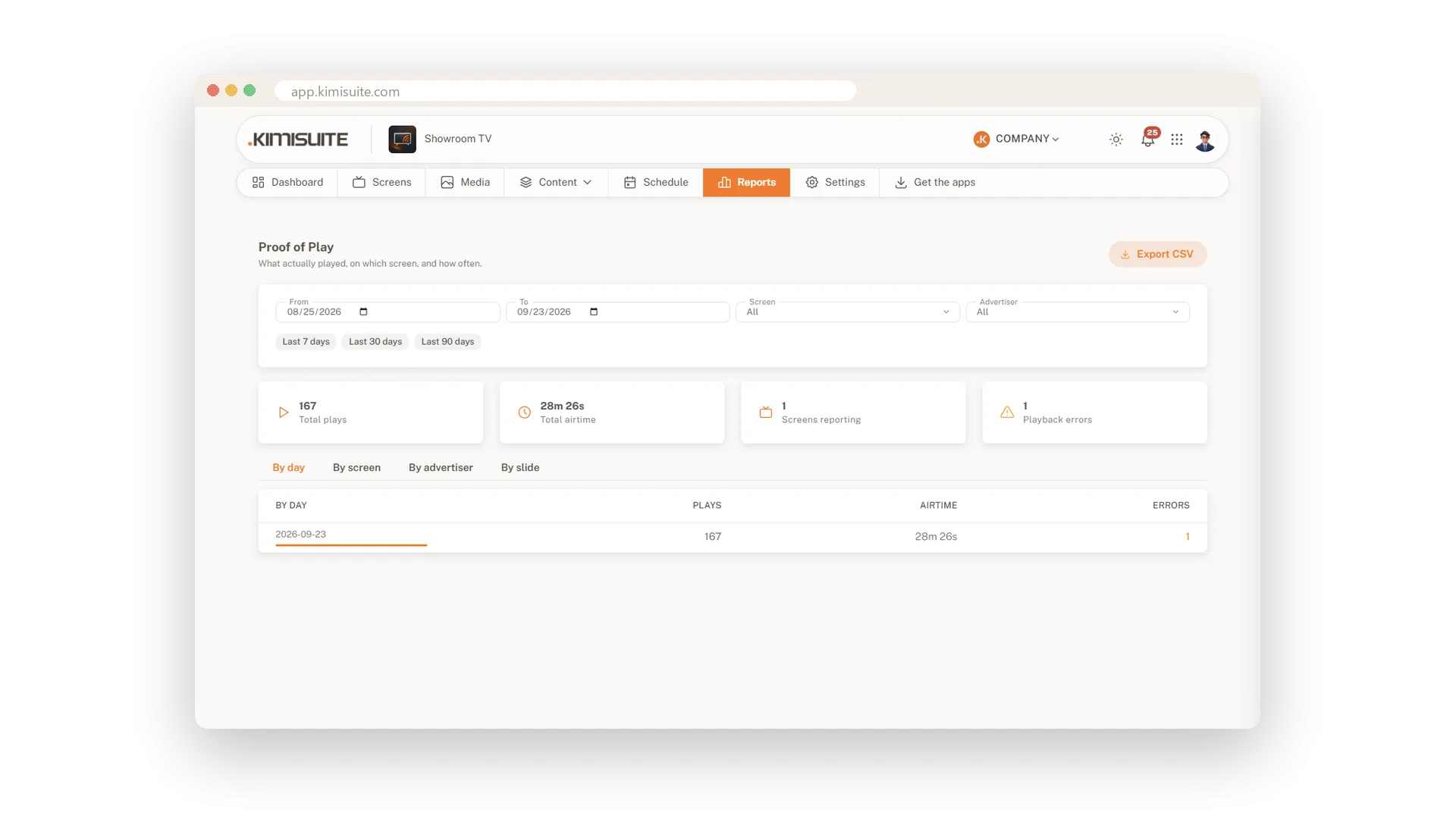
Pogledajte prikazivanja i vrijeme emitiranja po danu, zaslonu i slajdu. Znajte što je stvarno prikazano, a ne samo što je planirano.
Pogledajte Showroom TV na djelu
Cjenovni planovi
Odaberite pravi plan za vaše potrebe. Svi planovi uključuju besplatna ažuriranja.
| Showroom TV | Start 19,90 € /mjesec · po radnom prostoru Besplatna proba | Grow 59,90 € /mjesec · po radnom prostoru Besplatna proba | Preporučeno Business 199,90 € /mjesec · po radnom prostoru Besplatna proba |
|---|---|---|---|
| Zasloni Televizori koje možete povezati i kontrolirati. | 3 | 10 | 40 |
| Lokacije Lokacije s vlastitom adresom, vremenskom zonom i vremenskom prognozom. | 5 | 20 | |
| Popisi za reprodukciju Nizovi slajdova koje možete sastaviti. | 10 | 50 | 200 |
| Kvaliteta videozapisa Videozapisi se prikazuju u Full HD rezoluciji. | Full HD | Full HD | Full HD |
| Predlošci i widgeti Gotovi rasporedi sa satom, vremenskom prognozom, trakom s vijestima i kalendarom. | Uključeno | Uključeno | Uključeno |
| Zakazivanje Uvijek, rasponi datuma, tjedni sati, prioriteti, rezervni sadržaj. | Uključeno | Uključeno | Uključeno |
| Reprodukcija izvan mreže Zasloni nastavljaju reproducirati sadržaj kada internet padne. | Uključeno | Uključeno | Uključeno |
| Nadzor zaslona Snimite zaslon, identificirajte ga i ponovno sinkronizirajte bilo koji zaslon. | Uključeno | Uključeno | Uključeno |
| Povezivanje s aplikacijom Restaurant Hub Jelovnik, dnevne ponude i akcije iz aplikacije Restaurant Hub kao slajdovi uživo. | Uključeno | Uključeno | Uključeno |
| Uređivač prilagođenih rasporeda Sastavite vlastite rasporede: povucite, promijenite veličinu, dodajte zone. | Nije uključeno | Uključeno | Uključeno |
| Web stranice Web stranice uživo kao slajdovi i zone. | Nije uključeno | Uključeno | Uključeno |
| Podaci uživo Vehicle Hub, RSS i JSON izvori. | Nije uključeno | Uključeno | Uključeno |
| Grupe zaslona Grupirajte zaslone i ciljajte ih zajedno. | Nije uključeno | Uključeno | Uključeno |
| Daljinsko upravljanje Ponovno pokretanje, restart, brisanje predmemorije, glasnoća, zatamnjenje i buđenje. | Nije uključeno | Uključeno | Uključeno |
| Pravila za praznike Preskočite ili reproducirajte samo na državne praznike. | Nije uključeno | Uključeno | Uključeno |
| Izvješće o emitiranju Koji se sadržaj prikazivao na kojem zaslonu, kada i koliko dugo. | Nije uključeno | Nije uključeno | Uključeno |
| Hitne kampanje Preuzimaju sve na ciljanim zaslonima. | Nije uključeno | Nije uključeno | Uključeno |
- Zasloni Televizori koje možete povezati i kontrolirati.3
- Lokacije Lokacije s vlastitom adresom, vremenskom zonom i vremenskom prognozom.
- Popisi za reprodukciju Nizovi slajdova koje možete sastaviti.10
- Kvaliteta videozapisa Videozapisi se prikazuju u Full HD rezoluciji.Full HD
- Predlošci i widgeti Gotovi rasporedi sa satom, vremenskom prognozom, trakom s vijestima i kalendarom.Uključeno
- Zakazivanje Uvijek, rasponi datuma, tjedni sati, prioriteti, rezervni sadržaj.Uključeno
- Reprodukcija izvan mreže Zasloni nastavljaju reproducirati sadržaj kada internet padne.Uključeno
- Nadzor zaslona Snimite zaslon, identificirajte ga i ponovno sinkronizirajte bilo koji zaslon.Uključeno
- Povezivanje s aplikacijom Restaurant Hub Jelovnik, dnevne ponude i akcije iz aplikacije Restaurant Hub kao slajdovi uživo.Uključeno
- Uređivač prilagođenih rasporeda Sastavite vlastite rasporede: povucite, promijenite veličinu, dodajte zone.Nije uključeno
- Web stranice Web stranice uživo kao slajdovi i zone.Nije uključeno
- Podaci uživo Vehicle Hub, RSS i JSON izvori.Nije uključeno
- Grupe zaslona Grupirajte zaslone i ciljajte ih zajedno.Nije uključeno
- Daljinsko upravljanje Ponovno pokretanje, restart, brisanje predmemorije, glasnoća, zatamnjenje i buđenje.Nije uključeno
- Pravila za praznike Preskočite ili reproducirajte samo na državne praznike.Nije uključeno
- Izvješće o emitiranju Koji se sadržaj prikazivao na kojem zaslonu, kada i koliko dugo.Nije uključeno
- Hitne kampanje Preuzimaju sve na ciljanim zaslonima.Nije uključeno
Dostupna proširenja
Dodaju se jednim klikom i jednako se lako uklanjaju.
 Growth 25
+25 zaslona · +5 lokacija · +50 playlista
79,90 € /mjesec Growth 10
+10 zaslona · +2 lokacije · +20 playlista
34,90 € /mjesec Growth 50
+50 zaslona · +10 lokacija · +100 playlista
149,90 € /mjesec
Značajke za vaš rast
Sve što vam treba za rast vašeg poslovanja
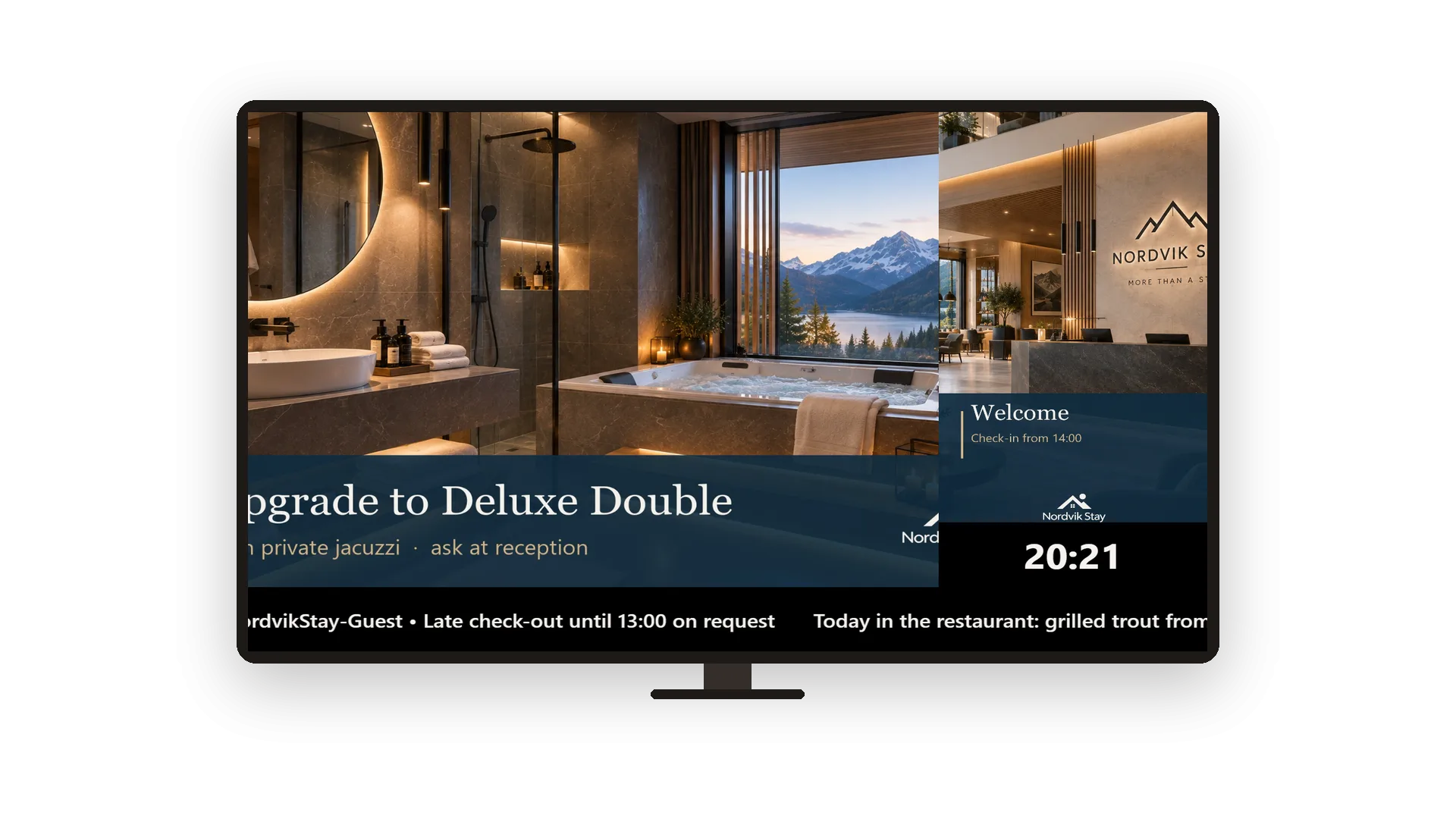
Tickeri, satovi i sadržaj koji je uvijek aktualan
Promijenite poruku i TV je prikazuje unutar minute
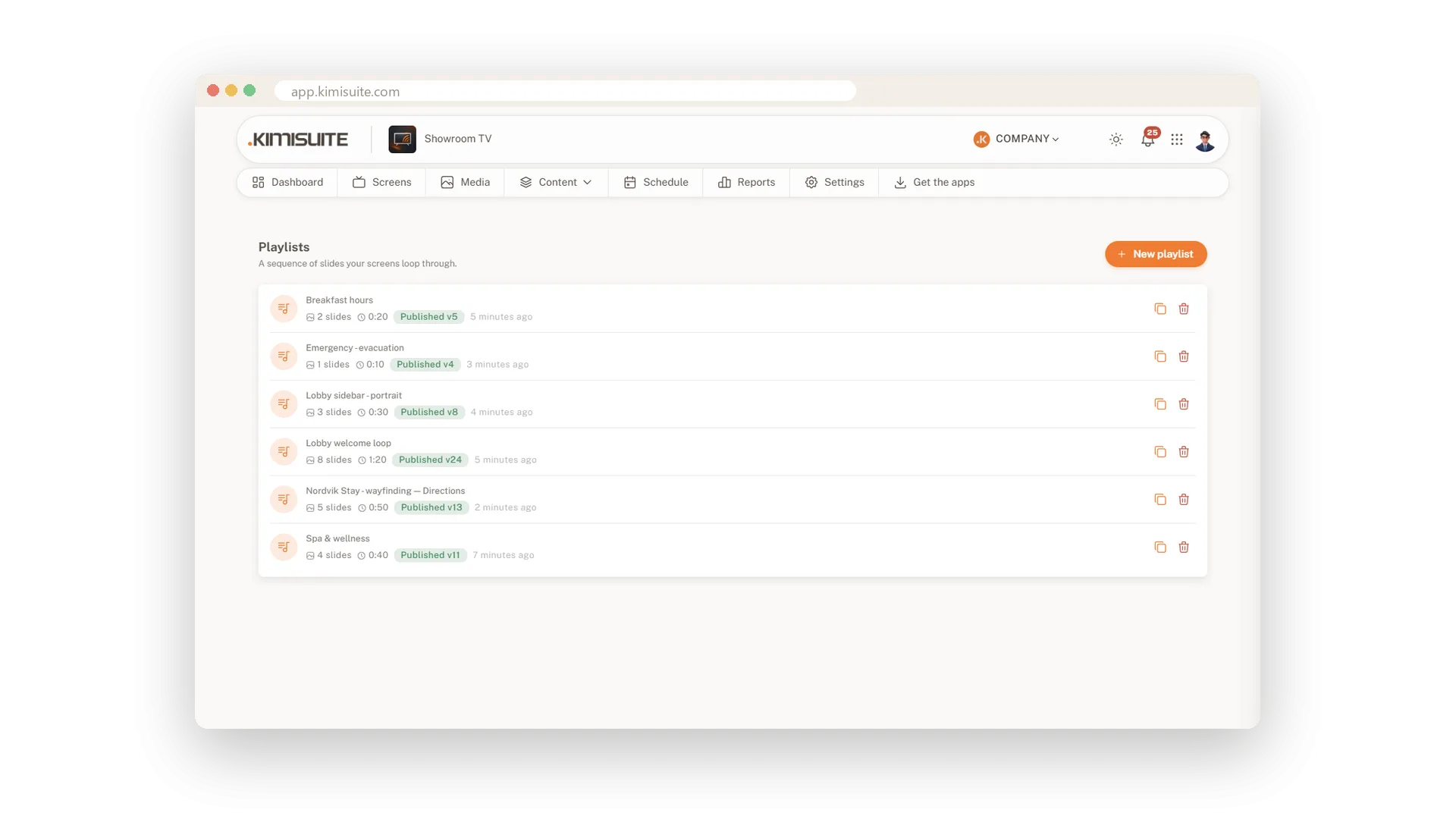
Playliste i podijeljeni rasporedi zaslona
Napravite petlju za nekoliko minuta, podijelite zaslon kako želite
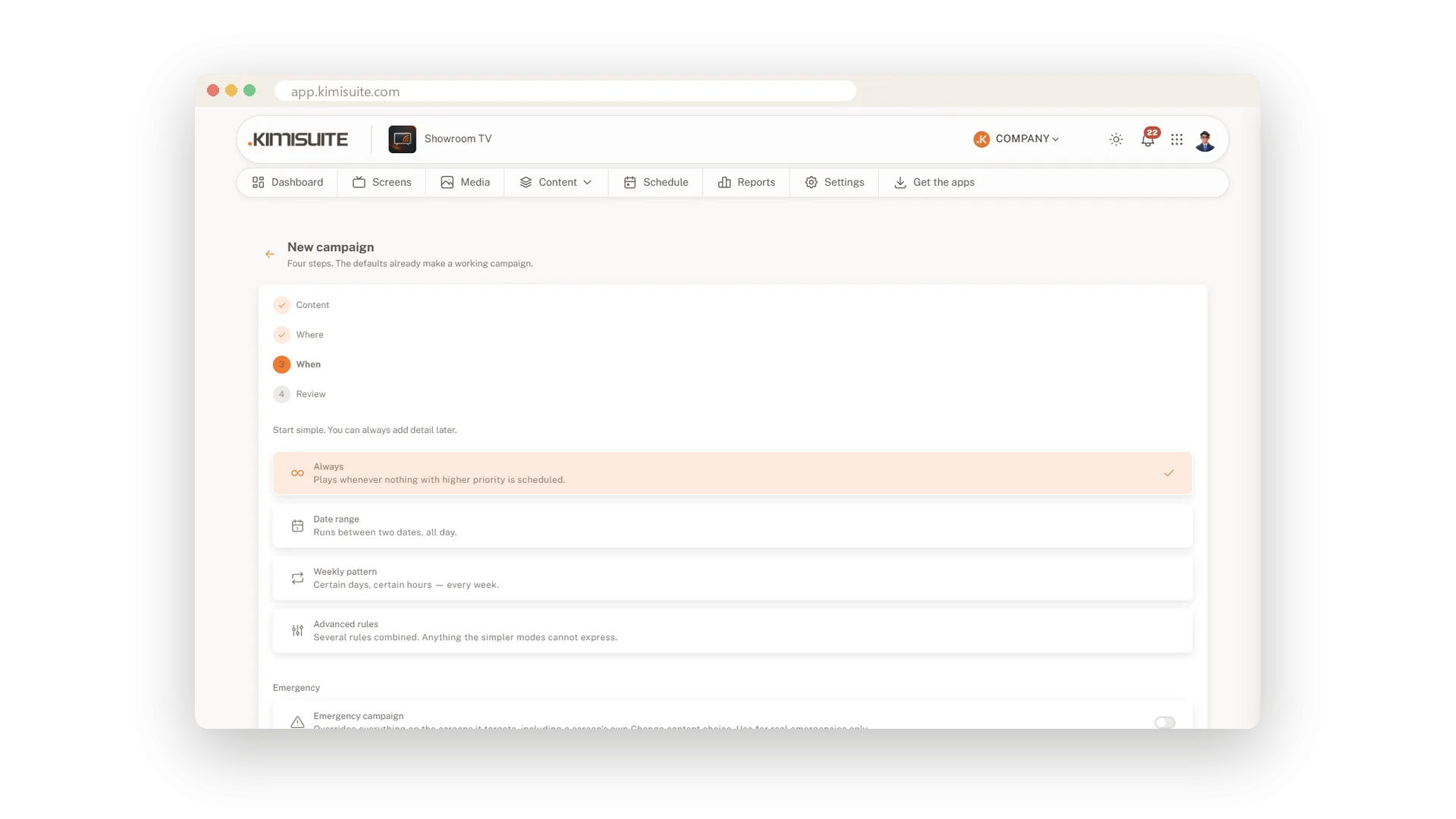
Planirajte što se prikazuje, gdje i kada
Doručak u sedam, happy hour u pet, sve samo od sebe
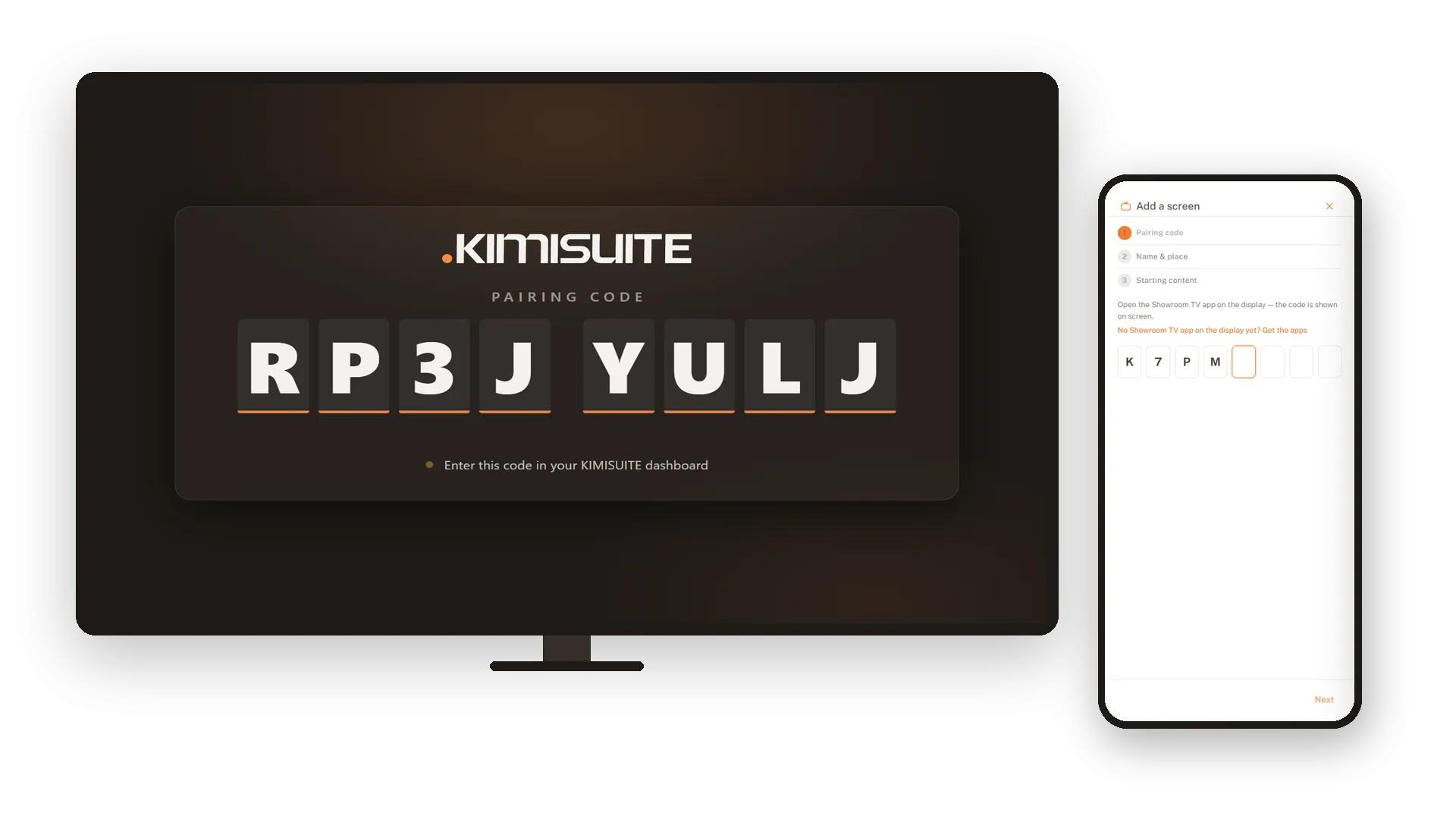
Povežite svoje televizore i imajte ih na oku
Instalirajte aplikaciju, uparite je kodom, gledajte sa svog stola
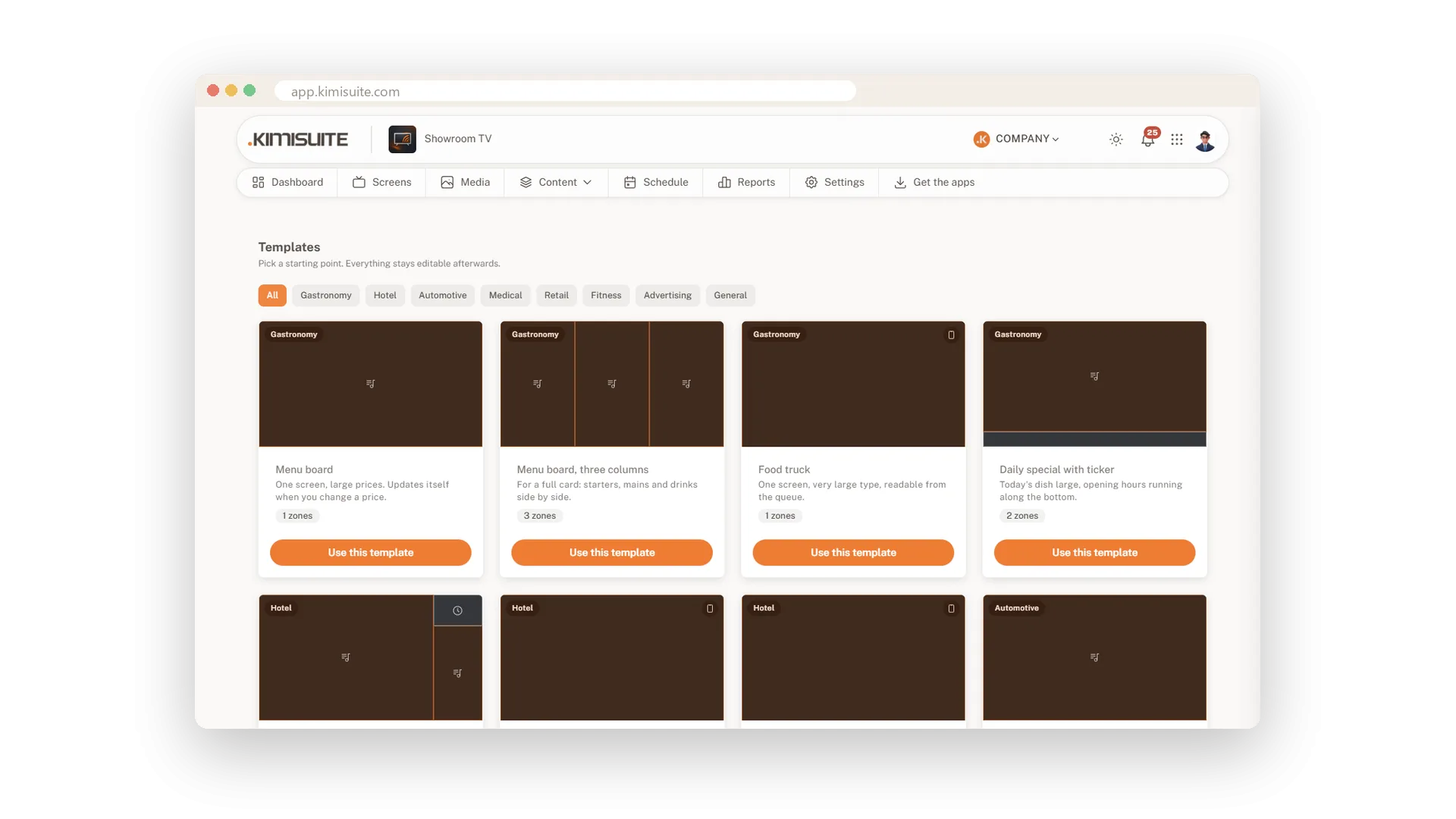
Krenite od gotovog predloška
19 predložaka u 8 industrija, spremno jednim klikom
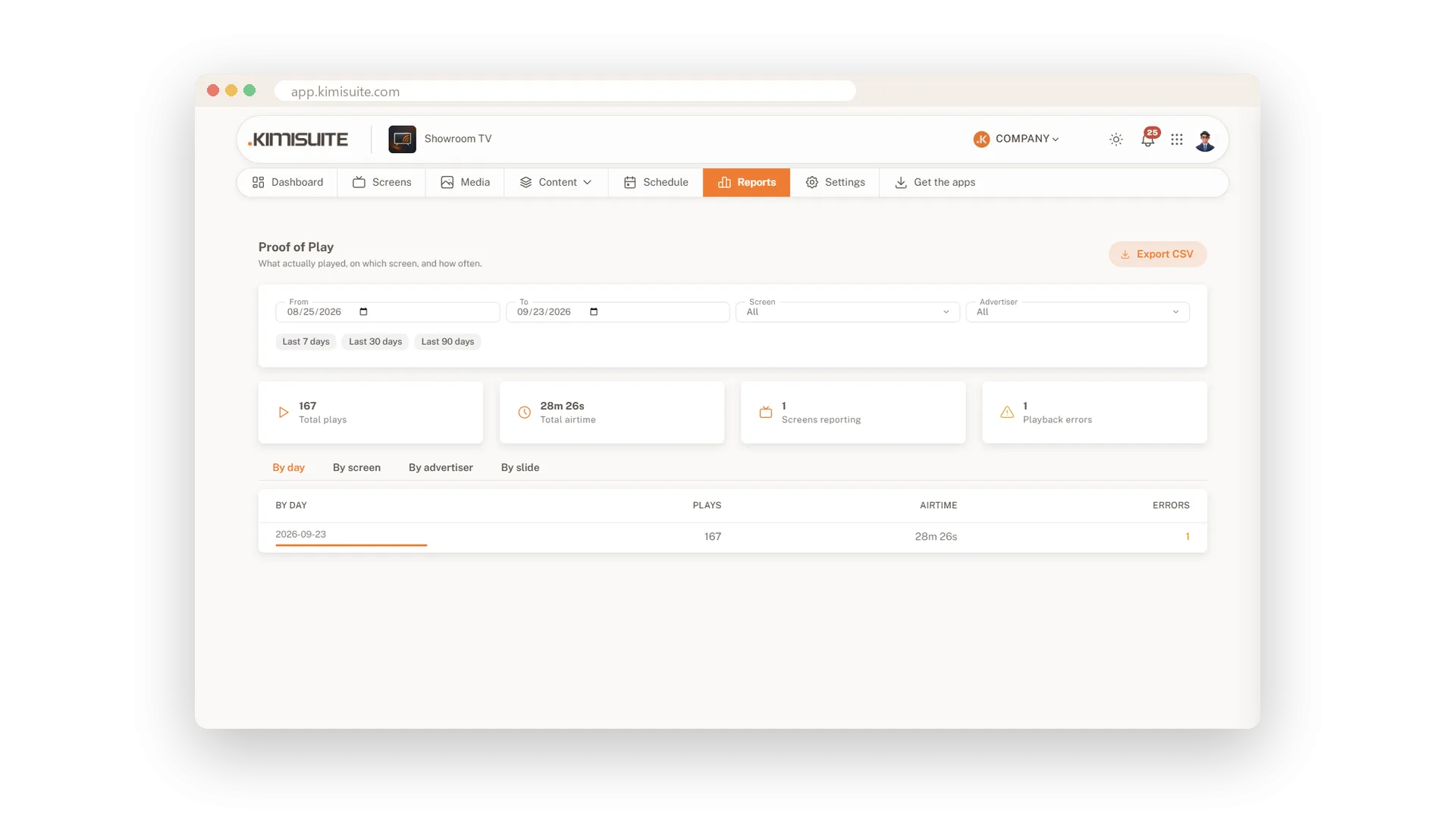
Dokaz prikazivanja za svaki ekran
Što se stvarno prikazalo, gdje i koliko dugo
Vaš jelovnik iz Restaurant Huba na svakom zaslonu
Jelovnik, dnevne ponude i promocije, uvijek aktualni
Vrijeme, kalendar i web stranica na zaslonu
Još tri zone za vaš izgled
Radi s vašim ostalim aplikacijama
Jedan radni prostor. Podaci se kreću među aplikacijama umjesto da se upisuju dvaput.

Showroom TV
FAQ
Česta pitanja o Showroom TV jasno odgovorena.
Spremni vidjeti to u akciji?
Otkrijte kako KIMISUITE povezuje rast, automatizaciju i AI u jedan objedinjeni sustav.
Podignite svoj posao na sljedeću razinu!
Prestanite plaćati alate koje jedva koristite. Vodite poslovanje na KIMISUITE platformi.
Bez dugoročnog ugovora · Otkažite kad god želite · 14 dana besplatno
